A console sim racing setup starts with a licensed wheelbase, load-cell pedals, and a rigid mount — not the biggest torque number. On a PS5 or Xbox Series X you can build a genuinely convincing rig for $600 to $1,200, but the console’s licensing handshake, not your budget, decides which hardware even turns on.
I run a welded-steel cockpit in Sweden with direct-drive bases and load-cell pedals, and I’ve bolted the same wheelbase onto a PC and a PS5 in the same afternoon to see what changes. The honest answer: the console limits you in ways the spec sheets never mention. There’s no tuner app running in the background, the torque is capped lower than the base can deliver, and half the wheels on the market simply won’t authenticate on an Xbox. Get the compatibility right first and the rest of the build is the easy part.
This is the map for the whole thing — what to buy, in what order, and where the console specifically trips people up. If you get one decision wrong here, it’s usually the wheelbase, because a base that feels incredible on PC can be locked to a fraction of its output the moment it detects a console.
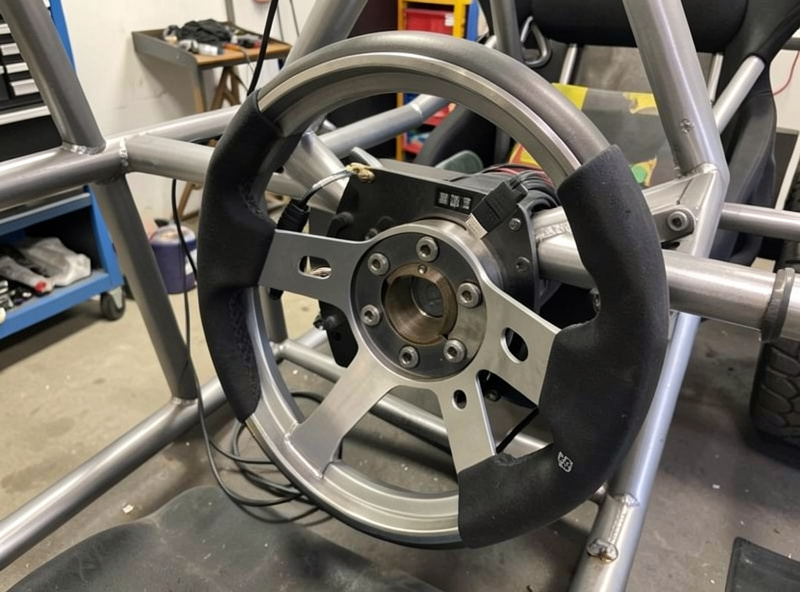
What Do You Actually Need for a Console Sim Racing Setup?
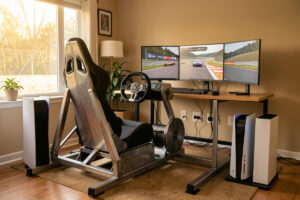
You need four things in this order: a rigid mount, a load-cell pedal set, a console-licensed wheelbase, and a rim. Skip the rigidity and the best wheel in the world flexes your desk instead of your hands. That upgrade order is the single most important thing on this page, and almost everyone gets it backwards.
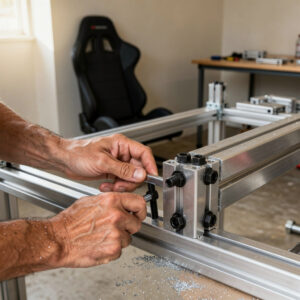
Here’s the reasoning I’ve earned the hard way. The first time I mounted a mid-torque direct-drive base to a cheap folding desk, the whole thing walked across the floor under a curb strike at Monza. The wheel was fine — the mount was the problem. A wheelbase pushes 5 to 12 Nm of torque back into your frame, and if that frame twists, you feel mush instead of the front tyre. I welded my own steel-tube cockpit partly because I got tired of chasing flex, and the difference in feedback clarity was bigger than any wheel upgrade I’ve ever done.
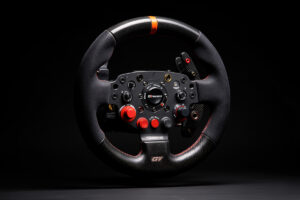
After the mount, pedals are where your lap time actually lives. You brake with feel, not position, and a load-cell brake reads pressure in kilograms rather than travel — which is why I tell every console racer to spend on pedals before chasing a bigger wheelbase. Then the wheelbase, then the rim last, because a rim only changes how the base feels in your hands — it can’t add feedback the base isn’t producing.
Does Every Sim Racing Wheel Work on PS5 and Xbox?
No — and this is the console-specific trap that costs people money. A wheel has to be officially licensed for a console to authenticate on it, and the two platforms handle it very differently. PS5 is relatively open; Xbox is locked down hard with a security chip, which is why several excellent wheels work on PS5 and simply refuse to run on an Xbox Series X.
I learned this in the least fun way possible: I bought a base I loved on PC, plugged it into a friend’s Xbox for a Forza night, and got nothing. No force feedback, no inputs, dead. The base wasn’t broken — it just wasn’t licensed for Xbox, and the console blocked it. If you’re on Xbox, your buying list is genuinely shorter than a PS5 owner’s, and I’ve broken down exactly why some wheels don’t work on Xbox and how the licensing chip works so you don’t repeat my mistake.
The practical upshot: buy the platform’s compatibility first, the feel second. A gorgeous 20 Nm base is worthless if your console won’t talk to it. Start from your console’s PS5-compatible wheel shortlist or your Xbox Series X wheel shortlist, then filter by feel and budget.
Which Wheelbases Work on Console — and How Do They Compare?
A handful of direct-drive bases carry both PS5 and Xbox licences, and they’re the backbone of any serious console build. The table below is the shortlist I actually recommend, drawn from the bases I’ve run head-to-head on my own rig. Note the torque column reflects the base’s rated output — the console often caps what you can actually use, which I’ll cover next.
| Wheelbase | Rated Torque | PS5 | Xbox Series X | Drive Type | Best For |
|---|---|---|---|---|---|
| Fanatec CSL DD (8 Nm) | 8 Nm | Yes | Yes | Direct drive | The console sweet spot |
| Fanatec ClubSport DD | 12 Nm | Yes | Yes | Direct drive | Headroom without overkill |
| Moza R9 V3 | 9 Nm | Yes | Yes (with hub) | Direct drive | Value direct drive |
| Moza R12 | 12 Nm | Yes | Yes (with hub) | Direct drive | Stronger daily base |
| Thrustmaster T598 | 5 Nm | Yes | No | Direct drive | PS5 budget direct drive |
| Logitech G Pro | 11 Nm | Yes | Yes | Direct drive | Cross-platform simplicity |
My daily is a mid-torque CSL DD class base precisely because 8 Nm is plenty for a home cockpit — I run mine around 65% in my FFB profile and never touch the ceiling. The 12 Nm bases are lovely, but on console you rarely get to use the extra headroom, so they’re headroom-for-later more than a night-one need. If you want the full reasoning, I go deep on the best direct-drive wheelbase for console racing and where the diminishing returns kick in.
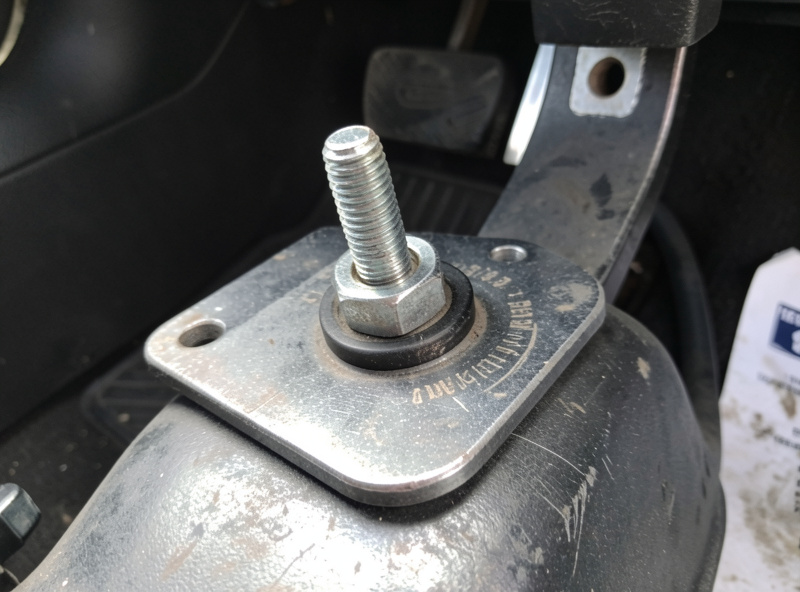
Why Is Force Feedback Weaker on Console Than PC?
Consoles cap force feedback torque and strip out the deep tuning apps you get on PC. On a PC I tune FFB off a telemetry overlay, watching for clipping and dialing per-title profiles; on a PS5 or Xbox you’re limited to the in-game sliders and whatever the console firmware allows. The result is a feedback signal that’s usable but coarser, and no way to prove your settings with a clipping graph.
This matters more than people expect. FFB clipping — where the force signal maxes out and flattens, so you lose road detail — is easy to spot on a PC overlay and invisible on console. The way I avoid it on my console runs is by keeping in-game gain conservative: I’d rather leave 10% of the force on the table than clip and go numb over kerbs. That’s the same discipline I bring to my Gran Turismo 7 wheel settings, where GT7’s FFB is genuinely good if you stop chasing the biggest numbers.
If honest, tunable force feedback is your priority — and for most of us it should be — this is the strongest argument for eventually building on PC. But it’s not a reason to avoid console; it’s a reason to set your expectations correctly and tune conservatively.
How Much Should a Console Sim Racing Setup Cost?
A convincing console rig runs $600 to $1,200 all-in for the gear that matters — base, pedals, rim, and a rigid mount. You can go cheaper with a belt-driven wheel, but I’d argue the money is better spent on load-cell pedals than on a flashier base. Spend where you can feel it.
Here’s roughly how I’d split a first serious build. Around $350 to $500 on a console-licensed direct-drive base, $200 to $350 on a load-cell pedal set, $150 to $300 on a rigid cockpit or a very solid wheel stand, and the rest on a rim. That order reflects where each dollar buys the most feel. The mount and pedals are unglamorous and they’re exactly where beginners underspend.
The one place I’d tell you not to cheap out is the mount. A $60 wheel stand under an 8 Nm base is a recipe for flex and frustration. I welded mine, but an 80/20 aluminium-extrusion cockpit or a proper steel foldable does the job — I’ve run all three and the rigidity gap between a real cockpit and a wobbly stand is night and day.
Should You Build on PS5, Xbox, or PC?
Build on the console you already own if you mainly play its exclusives — GT7 on PS5, Forza on Xbox — and build on PC if you want iRacing, ACC, honest FFB tuning, and hardware that isn’t licence-locked. The platform decides your software library and your tuning ceiling more than your hardware does.
The console case is real: plug-and-play, a fixed target for developers, and the two best console exclusives are legitimately great. GT7’s force feedback surprised me the first time I ran it on my direct-drive base. But the PC case is where the depth lives — the tuner apps, the telemetry overlays, the enormous catalogue of titles and mods. I lay out the full trade-off in PS5 vs PC for sim racing, including the hidden costs on each side.
And if you already own a console rig and you’re eyeing PC, don’t assume you’re starting over. A lot of console-licensed gear crosses over — but not all of it, and the rim and pedals travel better than the base sometimes does. I mapped out exactly what carries over when you move from console to PC so you can buy once and upgrade later without throwing money away.
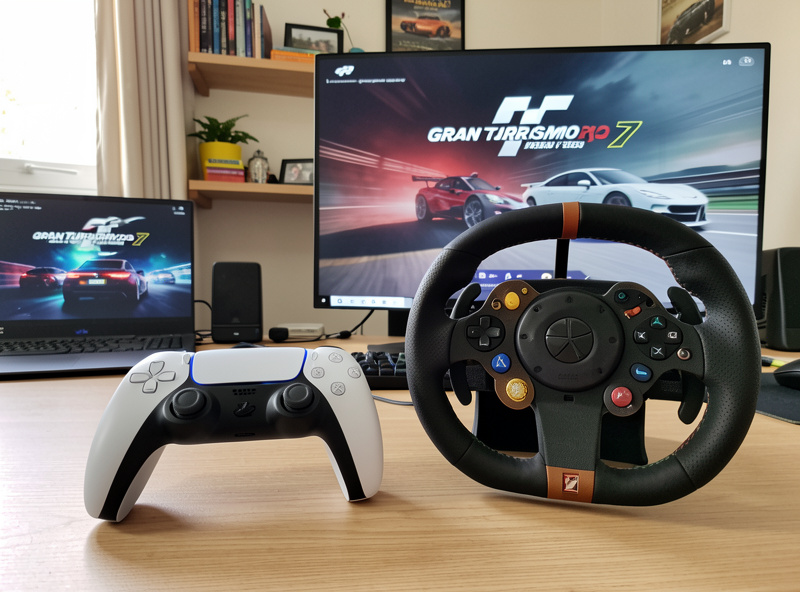
What’s the Right Upgrade Order for a Console Rig?
Rig, pedals, wheelbase, rim — in that order. It’s counter-intuitive because the wheel is the thing you see, but the wheel is the last thing you should spend on. Every upgrade earlier in the chain makes the later ones feel better; it doesn’t work in reverse.
Start with rigidity because it’s the foundation the force feedback pushes against. Then pedals, because braking consistency is where lap time is won and lost — the difference between a potentiometer pedal and a load-cell brake is the single biggest feel upgrade I’ve ever made, bigger than jumping torque tiers. Then the wheelbase, matched to your console’s licence and your budget. The rim comes last, and honestly a good round formula-style rim or a GT rim with a quick-release is a preference call, not a performance one.
I’ve watched friends do this backwards — drop the whole budget on a 12 Nm base and a carbon rim, then bolt it to a folding stand with entry pedals — and they end up with a rig that looks incredible and feels vague. Don’t be that person. The unglamorous stuff is where the feel is.
What About Shifters, Handbrakes, and the Rest?
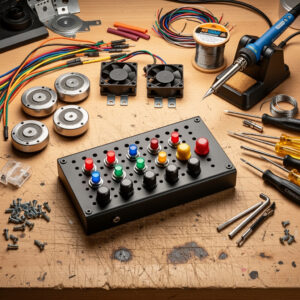
A shifter or handbrake is a genuine want for specific disciplines and a skip for most people starting out. If you race rally or drift, a handbrake is transformative; if you love H-pattern classics, a shifter adds real immersion. For circuit racing with paddle shifts, neither is a night-one need.
I own an H-pattern-and-sequential shifter and a handbrake, both mounted and used, and my honest verdict is that they’re the third act of a build, not the opening one. The handbrake earns its keep the moment you touch rally; the H-pattern shifter is pure joy in an old touring car and pure dead weight in a modern GT3. Buy them when the discipline calls for it, not because a bundle included them.
The same logic applies to displays. A single good monitor at the correct FOV beats triples at the wrong FOV — most home setups run their field of view wildly too wide, which makes speed and distance read incorrectly. I run triples and an ultrawide and did the FOV math properly for both; the math beats the eyes every time. But that’s a later-stage concern than getting a licensed base and load-cell pedals sorted.
How Do You Set Up a Console Wheel Step by Step?
Mount the base rigidly, plug it into the console’s USB, let the firmware handshake, then set the in-game wheel rotation and force feedback before you drive a lap. The whole process takes about fifteen minutes if the hardware is licensed, and most of that is bolting the base down properly. Skip the rigid mount step and nothing else you do will feel right.
Start with the physical mount. Bolt the wheelbase to your cockpit or stand with all the fasteners the base ships with — not two of four because you’re impatient. I torque mine down properly because a base that shifts under load introduces a slop you’ll spend hours chasing in the settings menu, convinced it’s the software. It isn’t; it’s the two bolts you didn’t tighten. Then route the power and USB cleanly so a cable can’t snag the rim mid-corner.
Next comes the firmware handshake. Power the base, plug the USB into the console, and wait for it to authenticate — on PS5 this is near-instant, on Xbox the licensing chip does its check and you’ll see the wheel calibrate through its rotation. Set your wheel rotation to match the car class (900 degrees for road cars, 540 or less for formula), then open the in-game FFB settings. I set gain conservatively first, drive three laps, and only then raise it until I feel the front tyre clearly without the wheel going harsh over kerbs. That’s the whole ritual, and it’s the same one behind my Gran Turismo 7 wheel settings.
What Mistakes Do Console Sim Racers Make Most?
The four big ones: buying an unlicensed wheel, mounting to a flexy stand, maxing out force feedback on day one, and spending on the rim before the pedals. Every one of these is avoidable, and I’ve made at least three of them myself over the years. Learn from the bruises so you don’t pay for them twice.
Maxing FFB is the most common and the most misunderstood. New racers crank gain to 100% because more must be better, then wonder why the wheel feels like a numb, notchy mess over kerbs. That’s clipping — the force signal has maxed out and flattened, so you’ve lost all the subtle road detail that actually tells you what the tyres are doing. On console you can’t see it on a telemetry graph the way I can on PC, so the fix is discipline: keep gain in the 60 to 70% range and trust that you’re feeling more, not less. I ran mine too hot for months before I understood this, and dropping the gain made me faster overnight.
The second killer is the mount. I cannot say this enough — an 8 Nm base on a $60 stand is a base fighting its own foundation. The stand flexes, the flex eats the feedback, and you feel mush. My welded steel frame exists specifically because I got tired of that mush. You don’t need to weld; you need something that doesn’t twist. And please, buy the load-cell pedals before the pretty rim — a carbon GT rim on potentiometer pedals is a tuxedo with running shoes.
Which Console Sim Titles Are Worth Your Time?
On PS5 the headline is Gran Turismo 7, with Assetto Corsa and its successor filling the hardcore end; on Xbox it’s Forza Motorsport plus the cross-platform Assetto titles. The console you own largely decides your marquee exclusive, and both flagships are genuinely good with a direct-drive base — this isn’t a case of settling.
GT7 surprised me most. I went in expecting an arcade lean and found force feedback that, tuned conservatively, communicates the front axle honestly on my direct-drive base. It’s the reason I don’t dismiss console racing to PC snobs. Forza Motorsport on Xbox is the equivalent draw — a deep car list and a physics model that rewards smooth inputs, and it’s the natural home if you’re on the Xbox side of the licensing wall.
The cross-platform Assetto Corsa family is where console racers who want the hardcore end should look, since it runs on both consoles and carries the same tyre-model depth people build PC rigs for. If you find yourself living in those titles and craving the tuner apps and telemetry overlays, that’s usually the signal it’s time to read my breakdown of PS5 vs PC for sim racing and think about where you go next. Titles, not hardware, are what eventually pull most people toward a PC build.
The Console-to-Everything Reality Check
The thing no bundle box tells you: your console is a fixed platform with a licensing gate, a torque cap, and no tuner app — and once you accept those three constraints, you can build a rig that genuinely teaches you to be fast. I’ve run the same base across PS5, Xbox, and PC, and the console version is more limited but far from a toy.
Get the four fundamentals right — rigid mount, load-cell pedals, a licensed direct-drive base, a rim you like — and you’ll have a cockpit that punches well above its price. The spokes below go deep on each decision, from the PS5 and Xbox wheel shortlists to the licensing wall to GT7’s surprisingly honest force feedback. Start with whichever one matches the decision you’re stuck on.
As an Amazon Associate I earn from qualifying purchases.
Do I need a PC to get into sim racing?
No. A PS5 or Xbox Series X runs a genuinely convincing sim racing setup for 600 to 1200 dollars. You lose deep force feedback tuning and the tuner apps you get on PC, but the console exclusives like Gran Turismo 7 and Forza Motorsport are excellent, and a licensed direct-drive base with load-cell pedals feels great on either console.
Will any sim racing wheel work on my Xbox?
No. Xbox uses a security chip that requires the wheel to be officially licensed for Xbox, and many wheels that work fine on PS5 or PC will not authenticate on an Xbox Series X. Always confirm Xbox licensing before you buy, because an unlicensed base simply will not turn on.
How much torque do I need for a console sim racing setup?
An 8 Nm direct-drive base is the console sweet spot. Consoles often cap usable torque below the base rating, so a mid-torque base run around 60 to 70 percent gives you clear force feedback without clipping. Twelve Nm bases add headroom you rarely use on console.
What should I upgrade first on a console rig?
A rigid mount and load-cell pedals before a bigger wheelbase. The correct upgrade order is rig, pedals, wheelbase, rim. A flexy stand wastes the feedback a good base produces, and load-cell pedals are the single biggest feel upgrade you can make.
Can I move my console gear to a PC later?
Often yes. Most console-licensed wheelbases, rims, and pedals also work on PC, so a console rig can become a PC rig without buying everything twice. Some hardware is licence-locked in ways that matter, so check each component before you assume it will carry over.
Keep Building
- Best Sim Racing Wheels for PS5 in 2026
- Best Sim Racing Wheels for Xbox Series X in 2026
- Why Some Wheels Don’t Work on Xbox: Licensing Explained
- Best Direct-Drive Wheelbase for Console Racing
- Gran Turismo 7 Wheel Settings for a Realistic Feel
- PS5 vs PC for Sim Racing: Which Should You Build On?
- Console to PC Sim Racing: Will Your Gear Carry Over?
For the manufacturer compatibility details behind these picks, Fanatec publishes a per-product console compatibility list on its official site, and Sony documents supported peripherals in the PlayStation hardware pages — always cross-check the current licence status before buying.