The fastest way to good iRacing force feedback is to enable Linear mode, run the auto strength calibration on a high-load car, then drop the strength a notch so the hardest corner never clips the on-screen force meter. iRacing sends one of the rawest, most detailed signals of any sim, so the less you filter and the less you let it clip, the more raw tyre feel comes through.
iRacing is the title I have the most hours in, and its FFB rewards a light touch more than any other sim I run. The defaults aren’t terrible, but they leave a lot of front-axle detail on the table. Here’s exactly how I set mine, what each option does, and why the popular “max strength” advice quietly costs you grip information. The broader method sits in the sim racing force feedback tuning hub; this is the iRacing-specific profile.
Turn On Linear Mode First
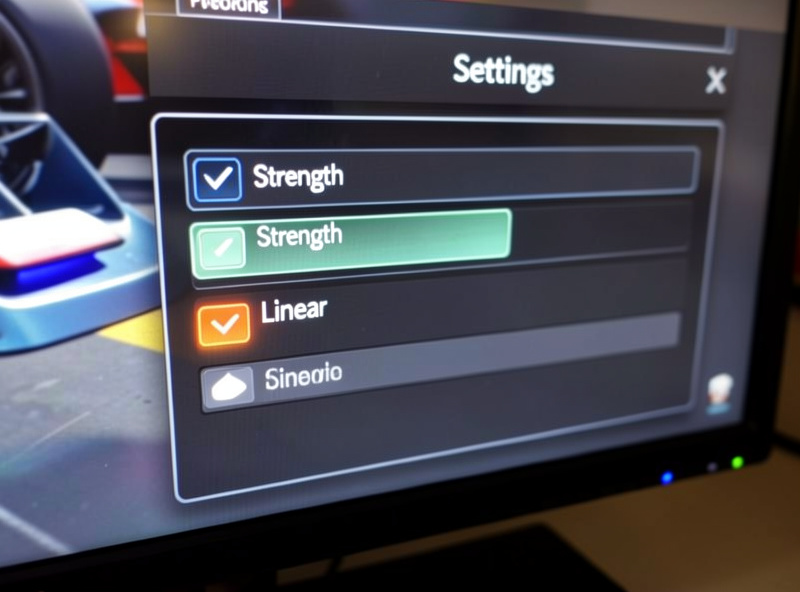
iRacing’s “use linear mode” option removes the internal compression the sim otherwise applies to fit forces into your wheel’s range. Off, it squashes peaks to avoid clipping — which sounds helpful but smears the relationship between grip and force, so the wheel lies to you slightly. On, what the tyres do maps straight to what your hands feel, at the cost of needing to set strength carefully so you don’t clip. On any direct-drive base, and most decent belt bases, turn linear mode on. It is the single change that makes iRacing feel “connected” instead of vague.
The trade-off is that linear mode puts the clipping responsibility on you. That’s fine — managing clipping with the force meter is easy once you know how, and it’s the right place for that control to live. Non-linear is a crutch for very weak wheels; if your base can produce real torque, skip it.
Use Auto Strength, Then Back It Off
iRacing can measure a car’s peak force and set strength for you — the auto button samples your hardest loads and picks a strength that just avoids clipping. Run it while driving the most loaded car you race, ideally through a fast corner or heavy braking zone, not in the pit lane. That gives you a sensible baseline in seconds.
Then I back it off a touch. Auto aims for the edge of clipping, and track conditions, fuel load, and a clipped kerb can briefly push past it. Dropping strength a few units buys headroom so the worst-case moment still has detail. You give up a sliver of overall weight for a wheel that never goes flat when it matters most. Strength in iRacing is per-car too, so a heavy GT car and a light open-wheeler will each want their own value — set and save them separately.
Read the Force Meter — That’s Your Clipping Gauge
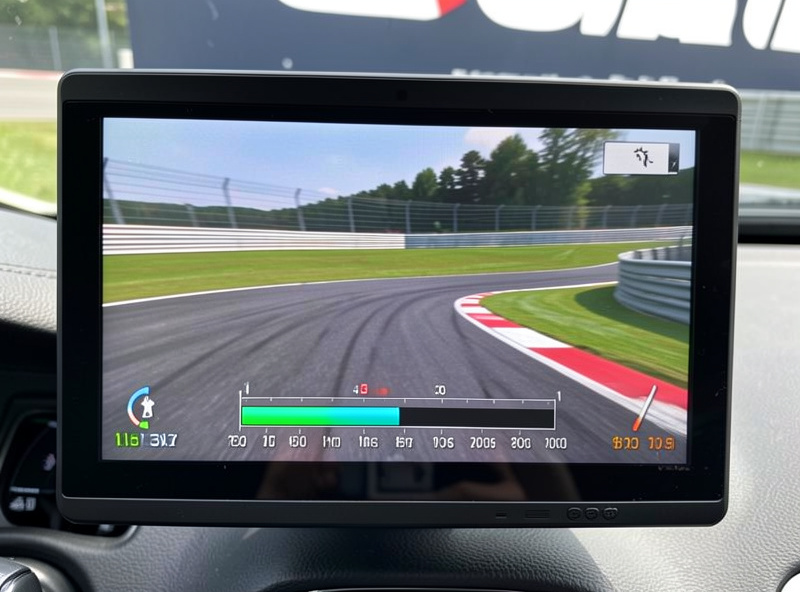
iRacing’s on-screen force meter is the best built-in clipping tool of any sim. It shows current force against your wheel’s ceiling, and when you hit the top it flags it. Drive a lap watching it: if it pins to the maximum through your hardest corner, you’re clipping and losing detail — lower strength. If it barely moves off the bottom, you’re leaving force unused — raise strength. You want it dancing through most of the range and only kissing the top on the very biggest hits.
This is the same principle as reading a telemetry force trace, just built into the sim. If you want frame-by-frame precision later, an external overlay shows the actual curve, which I cover in the FFB wheel gain and clipping guide. For day-to-day iRacing, the built-in meter is all you need.
Min Force: Only If Your Center Feels Dead
Minimum force raises every signal by a small floor so tiny forces overcome your motor’s static friction and reach your hands. On belt and gear bases the iRacing center can feel numb on straights without a few percent of min force — the car wanders before the wheel tells you. On a direct-drive base, which has almost no static friction, you usually need little or none; adding it just creates a constant artificial tension. Set min force only as high as it takes for the wheel to come alive just off-center, and no more. Too much and you’ll feel a permanent tug that hides the real road.
Damping: Leave It Low
iRacing’s damping adds resistance to wheel speed, weighting the wheel and calming quick movements. A little can help a very strong base feel less nervous, but most drivers use far too much and wonder why iRacing feels heavy and dull. I run damping at or near zero on a direct-drive base and let the car’s own forces provide the weight. If the wheel feels twitchy on straights, look at min force and your gain before you reach for damping — damping is a blunt instrument that hides detail along with the twitch. The full breakdown of damping and friction as effect filters is in the sim racing wheel damper and friction settings guide.
Why “Max Strength” Advice Hurts You
Search any forum and you’ll find people running strength at the maximum because stronger feels more serious. In iRacing, with linear mode on, max strength clips constantly — the force meter pins, peaks flatten, and the exact moment the front tyres start to slide gets buried in the same wall as a kerb strike. You end up with an arm workout and less information. A strength tuned just under clipping reads the front axle far more clearly, and you’ll be both faster and less tired. This is the same lesson the whole hub is built on: strength is not detail.
If you’re still learning iRacing’s licensing, safety rating, and race structure alongside your FFB, the iRacing beginner’s guide covers the non-FFB side so you can keep the two learning curves separate.
How My Own iRacing Profile Came Together
When I switched my daily to a Fanatec CSL DD I carried over the min force I had been running on an old belt base — around 6% — and could not work out why the new wheel felt slightly tense and gritty on straights. The belt base needed that floor to overcome its static friction; the direct-drive motor did not, and all I was doing was adding a constant artificial tug that masked the real road. Zeroing min force fixed it instantly. That is the iRacing setting people most often get wrong on direct drive, because the advice that floats around forums was written for weaker wheels. My current iRacing baseline on the CSL DD is linear mode on, min force at zero, damping at zero, and auto strength run on a loaded GT car then knocked back about three units for headroom. On the Moza R9 I keep a near-identical profile with a slightly higher per-car strength, because its ceiling is higher. I do not chase a magic number — I run auto on a loaded car, back it off, and read the force meter for one lap. Five minutes, and the front axle talks.
Frequently Asked Questions
Should I use linear mode in iRacing force feedback?
Yes, on any direct-drive or capable belt base. Linear mode maps tyre forces straight to your hands instead of compressing the peaks, which makes iRacing feel connected rather than vague. The trade-off is you must set strength to avoid clipping yourself, which is easy using the on-screen force meter.
How do I set iRacing FFB strength correctly?
Run the auto strength calibration while driving your most loaded car through a hard corner, then lower strength a few units for headroom. Watch the force meter through a lap: it should fill most of the range and only kiss the top on the biggest hits, never pinning to maximum.
What is iRacing min force and do I need it?
Min force raises tiny signals so they overcome your motor’s static friction and reach your hands. Belt and gear bases often need a few percent so the center is not numb. Direct-drive bases usually need little or none, because they have almost no static friction to overcome.
Why does my iRacing wheel feel heavy and dull?
Usually damping is set too high, or strength is so high that the wheel clips constantly. Lower damping toward zero and reduce strength until the force meter stops pinning. iRacing should feel detailed, not heavy, and weight should come from the car’s own forces, not added damping.
Should iRacing strength be set per car?
Yes. iRacing strength is per-car, and a heavy GT car produces very different peak forces than a light open-wheeler. Run the auto calibration and save a separate strength value for each car you race, rather than using one number across everything.
Is the iRacing force meter enough to tune FFB without a telemetry app?
For most drivers, yes. The built-in force meter shows current force against your wheel’s ceiling and flags clipping, which is all you need to set strength well. An external telemetry overlay gives frame-by-frame precision later, but the in-sim meter produces a clean, clip-free profile on its own.
Related Guides
- Sim Racing Force Feedback Tuning: The Complete Guide — the system this profile fits into.
- FFB Wheel Gain and Clipping Guide — read clipping precisely.
- Force Feedback Tuning Guide for Beginners — start here if iRacing is your first sim.
- Force Feedback Tuning for Racing Games — how other titles differ from iRacing.
- iRacing Beginner’s Guide — the non-FFB side of getting started.