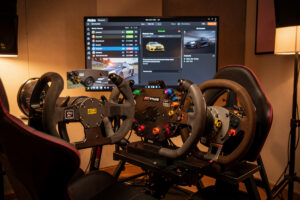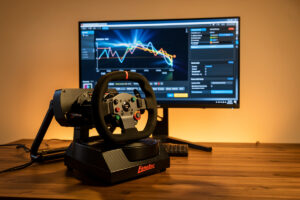
Fanalab is Fanatec’s control app, and its whole point is the tuning menu plus per-game profiles — the layer that lets a CSL DD or ClubSport DD feel right in every car instead of one. Set your global FFB and the NDP/NFR/NIN filters once, build a small profile library, turn on auto-profile switching, and the base loads the correct feel the moment you pick a car. That’s the entire workflow, and it takes about twenty minutes to get right.
I’ve run Fanatec bases as part of my daily rotation for long enough to have made every Fanalab mistake once. The app looks busy because it mirrors every abbreviation from the on-base tuning menu, but you only touch a handful of them regularly. This guide is the practical version: what each setting does, sensible starting points, and how to stop fighting the app.
Fanalab, the Tuning Menu, and the On-Base Menu Are the Same Thing
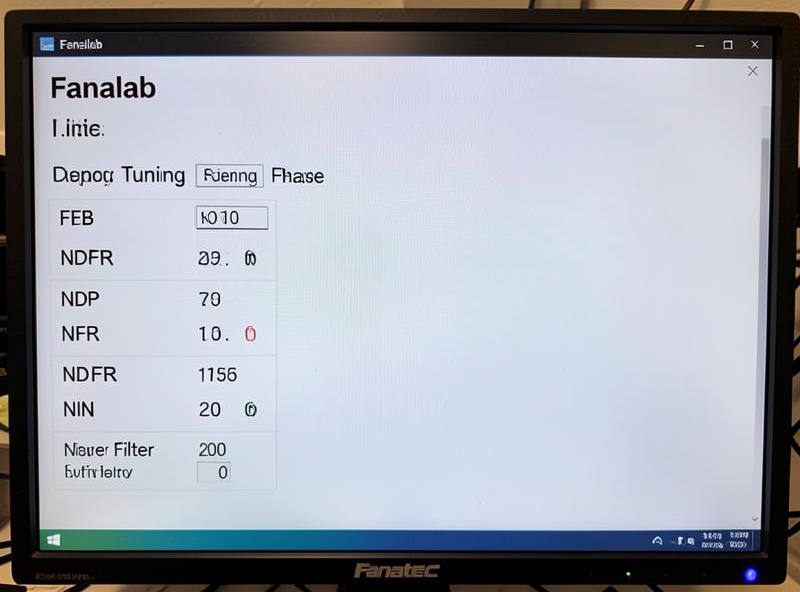
The first thing that confuses people is that Fanalab, the wheel’s on-rim tuning menu, and the settings stored on the base are three views of one set of values. Change NDP on the rim and Fanalab reflects it; change it in Fanalab and the base stores it. Fanalab’s advantage is that it shows every parameter at once on a big screen and — the real reason to use it — it can save and auto-load whole sets as profiles, which the on-rim menu can’t.
So the honest answer to “do I even need Fanalab” is: not to set values, but yes to manage them. If you run one car in one sim, the on-rim tuning menu is enough. The moment you run GT3 one night and a formula car the next, Fanalab’s per-game and per-car profile switching is the feature that makes the base worth its price. That distinction — software as a profile manager, not a force generator — is the theme across every vendor app, and I cover it for all three brands in the wheelbase software hub.
The Tuning Menu Settings That Actually Matter
Fanatec’s abbreviations scare people off, but only a few move the needle day to day. SEN sets steering angle (I leave it on Auto so each car uses its correct lock). FFB is your master strength. FFS scales the curve between linear and peak. Then come the three feel filters — NDP (natural damper), NFR (natural friction), NIN (natural inertia) — plus INT (interpolation) and FEI (force effect intensity). The rest you set once and forget.
My rule is to keep the filters light and let the sim do the work. Below is how I think about each of the settings you’ll actually revisit, with the starting points I dial in before I ever drive a lap. Treat these as a floor to tune from on telemetry, not gospel numbers — every base and every hand is different.
| Setting | What it does | My starting point |
|---|---|---|
| SEN | Steering angle / lock | Auto (per-car lock) |
| FFB | Master force strength | Set so the hardest corner just reaches the ceiling |
| NDP | Natural damper (weight) | Off to very low |
| NFR | Natural friction (stiction) | Low |
| NIN | Natural inertia (mass) | Low |
| INT | Interpolation (smoothing) | Low / off on a DD base |
| FEI | Force effect intensity | Moderate, higher for detail |
The two I see people wreck are NDP and INT. Cranking NDP to fight an oscillating wheel just deadens everything; the fix is almost always lower FFB or a smoothing setting, not a wall of damper. And high INT on a direct-drive base throws away the exact crispness you paid for. I break down the feel filters in full — and where the vendor filter overlaps the sim’s own damper — in vendor FFB filters explained.
Building Your First Profile
A profile in Fanalab is just a saved snapshot of every value above, tagged to a game and optionally a car. The workflow is: get one car feeling right on telemetry, then hit save and name it something you’ll recognize — I use the car class, like “GT3 iRacing” or “F-open ACC,” never “profile 3.” Fanalab stores up to a stack of these per game, and that named library is the thing you actually build over weeks.
The key habit is to build each profile against an FFB clipping meter rather than by feel. Drive your reference car’s biggest-load corner, watch the meter, and set FFB so it kisses the ceiling without flat-topping. Do that per car and each profile genuinely fits that car’s front-axle load. The full per-car method — including how many profiles you actually need — is in per-car FFB profiles in vendor software, and the underlying in-sim tuning lives in the force feedback tuning guide.
Auto Profile Switching: the Feature Worth Turning On
This is Fanalab’s headline trick. With auto-switching enabled, Fanalab watches the running game and swaps to the matching profile the instant you load a car — no menu diving between sessions. It’s why I keep Fanalab open in the background even though the forces themselves live on the base: the profile management is the payoff.
The catch worth knowing is that auto-switching needs Fanalab actually running and, for it to detect cars rather than just games, the game’s telemetry has to be reachable — which for some titles means enabling a telemetry/shared-memory option. When people say “auto profiles don’t work for me,” it’s nearly always a title where telemetry isn’t switched on. Get that sorted once per sim and the feature is genuinely set-and-forget.
The Tuning Menu Doesn’t Touch Pedals or Rim Buttons Directly
One common trap: the FFB tuning menu is about the base’s force, not your pedals or button mapping. Brake force (BRF) for a load-cell pedal is its own setting, and button/rev-light configuration lives in Fanalab’s other tabs. If your brake feels wrong, that’s a pedal-calibration job, not an FFB one — I keep the two mental models separate so I don’t chase a braking problem through the force settings. Pedal upgrades matter more than most base settings anyway, which is why they sit high in my view of what actually needs upgrading.
Firmware also lives in Fanalab, under its own update panel, and it’s the one operation here that deserves care. Keep the app and the base firmware on matching versions, and never interrupt a flash. I walk through the safe procedure in how to update sim wheelbase firmware safely. If you’re still choosing between Fanatec and the alternatives, the direct-drive brands guide weighs the whole ecosystem, software included.
Setting Up Fanalab From Scratch, In Order
If you’re staring at a fresh install, here’s the sequence I follow so nothing gets tuned on top of a moving target. First, connect the base to a rear motherboard USB port and let Fanalab detect it. Second, check firmware — if the app prompts a mismatch, flash it now, before any tuning. Third, set SEN to Auto and pick a sensible master FFB. Fourth, set NDP/NFR/NIN light and INT low. Fifth, save that as a baseline profile you can always return to.
Only after that baseline exists do I load one car, open a clipping overlay, and fine-tune FFB for that specific car before saving it as its own named profile. Then I repeat per car class and switch auto-profiling on. Doing it in this order means every later adjustment is measured against one stable starting point — the same disciplined approach I use setting up any base, described across brands in the wheelbase software hub. The whole first pass is maybe twenty minutes, and you only ever do it once per base.
Frequently Asked Questions
Do I have to use Fanalab, or is the on-rim tuning menu enough?
The on-rim tuning menu can set every value, so for one car in one sim it is enough. Fanalab’s real advantage is saving those values as named profiles and auto-loading them per game and car, which the on-rim menu cannot do.
What is a good NDP and NFR starting point on a Fanatec DD base?
Keep both light. I start natural damper (NDP) at off to very low and natural friction (NFR) low, then add only what a specific nervous car needs. High NDP just deadens the road detail a direct-drive base exists to deliver.
Why isn’t Fanalab auto profile switching working?
Almost always because the game’s telemetry or shared-memory output is switched off, so Fanalab can’t detect which car you loaded. Enable telemetry in that title’s settings and make sure Fanalab is running in the background.
What does the INT (interpolation) setting do?
INT smooths the gaps between the sim’s FFB updates. On a direct-drive base I keep it low or off, because higher values add latency and round off the kerb and road crispness that a DD base is meant to reproduce.
Should I set FFB strength high in Fanalab?
Set it against an FFB clipping meter, not by feel. Drive the highest-load corner and raise FFB until the meter just reaches the ceiling without flat-topping. Maxing it out guarantees clipping and throws away detail.
Does Fanalab need to stay open while I race?
Only if you rely on auto profile switching, which needs Fanalab watching the game. If you load profiles manually the values are stored on the base, so you can close the app once everything is set.