Overclocking a PC for sim racing is mostly not worth it — and that surprises people who came from the FPS-benchmark world. Because sim racing chases a locked refresh rate rather than peak frames, a modern CPU and GPU usually have enough headroom out of the box, and a manual overclock buys small gains for real stability risk. The one tune that reliably helps is enabling your RAM’s XMP or EXPO profile, which costs nothing and matters most in big online grids. Everything beyond that is heat and instability for frames you can’t even use.
I’ve run the experiments on my own rig — pushed the CPU, pushed the GPU, watched the telemetry overlay for any change in frame consistency — and the honest result is that a stable, well-cooled stock system beats a marginal overclocked one for racing. A crash or a frame-time spike from an unstable overclock during a ranked race costs you far more than a couple of extra frames ever gave you. This fits the whole-system thinking in the PC build guide: spend effort where it pays.
Why Overclocking Helps Less in Sim Racing
In a benchmark, more clock speed means more frames, full stop. In sim racing you’ve already capped your useful frame rate at the monitor’s refresh — there’s no benefit to 200 fps on a 144Hz panel, and frames above refresh are wasted work that just generates heat. So a CPU or GPU overclock that nets you 8% more peak frames does nothing if you were already hitting refresh, which on a sensibly-specced rig you usually are.
The place an overclock could theoretically help is lifting your 1% lows in a CPU-bound moment — a packed grid where the frame rate sags. But even there, the gain from a modest overclock is small, and you’re better served by a CPU that’s genuinely strong on single-thread to begin with, as covered in the CPU guide. Buy the right chip rather than overclocking a borderline one into instability. There’s also a reliability cost people underweight: an overclock that passes a stress test can still throw a rare frame-time spike or a hard crash hours later, and on a sim rig that surfaces at the worst possible moment — mid-stint in an endurance race or on the last lap of a ranked sprint, turning a clean result into a DNF.
The One Tune Worth Doing: XMP / EXPO
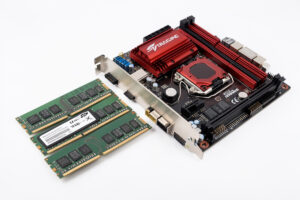
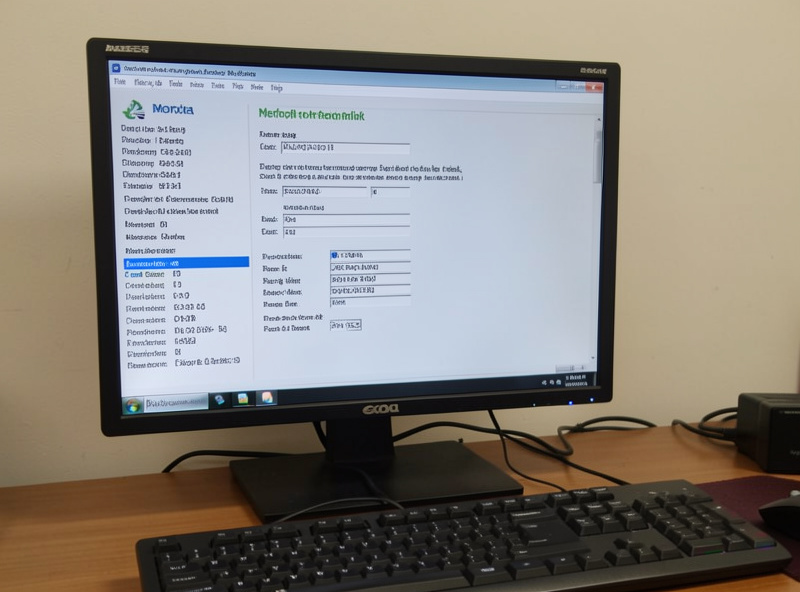
If you do one thing in the BIOS, enable your RAM’s performance profile — XMP on Intel platforms, EXPO on AMD. Out of the box, memory often runs at a conservative default speed well below what you paid for, and enabling the profile is a single toggle that lets it run at its rated speed and timings. This is technically a memory overclock, but it’s validated by the RAM maker, low-risk, and it’s the tune that actually helps sim racing, because memory bandwidth feeds the physics loop and asset streaming.
The payoff is clearest exactly where sims get demanding: large multiplayer fields, where the CPU is juggling physics for dozens of cars and benefits from fast memory. It’s free performance you’ve already bought, and skipping it is the most common mistake I see — people spend on a fast RAM kit and never switch the profile on, leaving it running slow. Check it in the BIOS; if your reported memory speed is the platform’s base figure, your profile isn’t enabled.
What’s Worth Tuning, and What Isn’t
Here’s how I’d rank the options for a sim rig, from genuinely useful to actively risky.
| Tune | Worth it? | Why |
|---|---|---|
| Enable XMP / EXPO | Yes, always | Free, validated, helps memory-bound big grids |
| Undervolt the GPU/CPU | Often yes | Lower temps and noise, holds boost clocks longer |
| Modest CPU curve / PBO | Sometimes | Small gains on a borderline chip in full fields |
| Manual GPU overclock | Rarely | Wasted if already pinned at refresh; adds heat |
| Aggressive CPU overclock | No | Instability risk; a race crash costs more than it gives |
Undervolting: The Smarter Move
If you want to tinker, undervolting beats overclocking for a sim rig. Lowering the voltage your CPU or GPU draws at a given clock reduces heat and fan noise, and counterintuitively it can hold boost clocks longer and more consistently because the chip stays cooler and doesn’t throttle. For a rig that sits in a warm room and runs long endurance stints, cooler and quieter with steadier clocks is exactly what you want — and it’s the opposite of the instability an overclock courts.
A GPU undervolt in particular is low-effort and high-value: a bit less power, noticeably less heat and noise, and frame consistency that’s the same or better. It won’t show up as a higher peak frame number, but it makes the rig nicer to live with through a 90-minute race, which is the metric that actually matters. Pair it with a fan curve that ramps early and the system stays in its happy zone all session.
As an Amazon Associate I earn from qualifying purchases.
Cooling Beats Clocking
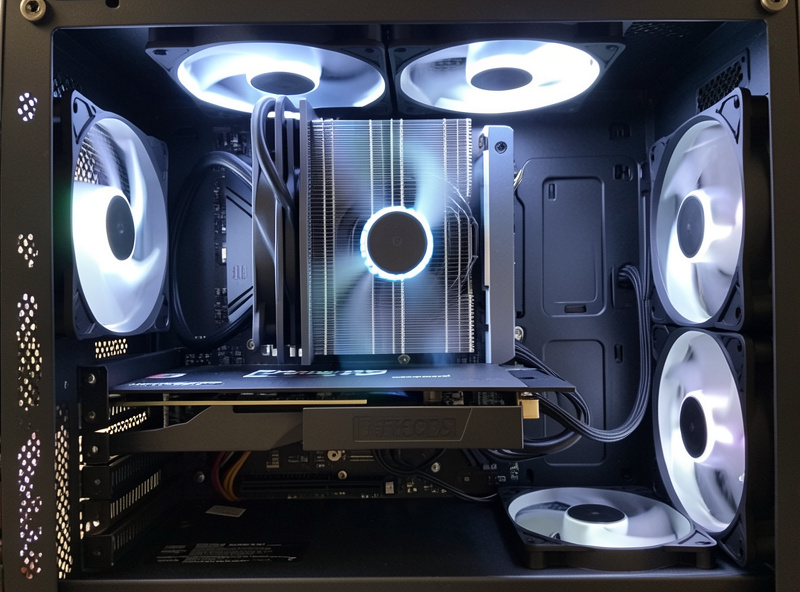
Before you touch a clock speed, get the cooling right, because a cool stock system outperforms a hot overclocked one in the way that matters for racing: it holds its boost clocks through the whole session instead of throttling after twenty minutes. A decent tower air cooler, a case with genuine front-to-back airflow, and an early-ramping fan curve do more for sustained sim performance than any overclock — and they cost you nothing in stability. Good air cooling is enough; you don’t need exotic liquid loops for a sim rig.
The throttling trap is sneaky because it doesn’t show in a five-minute test — the GPU runs fine, then twenty minutes into a race it’s heat-soaked and dropping frames at exactly the point you’ve settled into a rhythm. Fix airflow first, enable XMP/EXPO, consider an undervolt, and you’ve extracted essentially all the worthwhile performance with none of the overclocking risk. A quality tower air cooler is a better buy than the hours an overclock will cost you chasing stability.
Frequently Asked Questions
Is overclocking worth it for sim racing?
Mostly no. Sim racing targets a locked refresh rate, not peak frames, so a modern stock system usually has enough headroom and an overclock buys little for real instability risk. Enabling your RAM’s XMP or EXPO profile is the one tune that reliably helps.
Should I enable XMP or EXPO for sim racing?
Yes, always. It runs your RAM at the rated speed you paid for instead of a slow default, and the bandwidth helps most in large online grids where the CPU juggles physics for many cars. It is a single, validated, low-risk BIOS toggle.
Is undervolting better than overclocking for a sim rig?
Usually, yes. Undervolting lowers heat and fan noise and can hold boost clocks more consistently because the chip stays cooler. For a warm rig room and long endurance stints, that steadier, quieter behaviour beats chasing peak frames you cannot use.
Will overclocking my GPU give me more sim racing frames?
Rarely usefully. If you are already pinned at your monitor’s refresh rate, extra peak frames are wasted work that just adds heat. A GPU overclock only helps if you are genuinely below refresh, which a correctly sized card should not be.
Does cooling matter more than overclocking?
Yes. A cool stock system holds its boost clocks through a full session, while a hot one throttles after about twenty minutes and drops frames mid-race. Good airflow and an early fan curve deliver more sustained sim performance than any overclock.