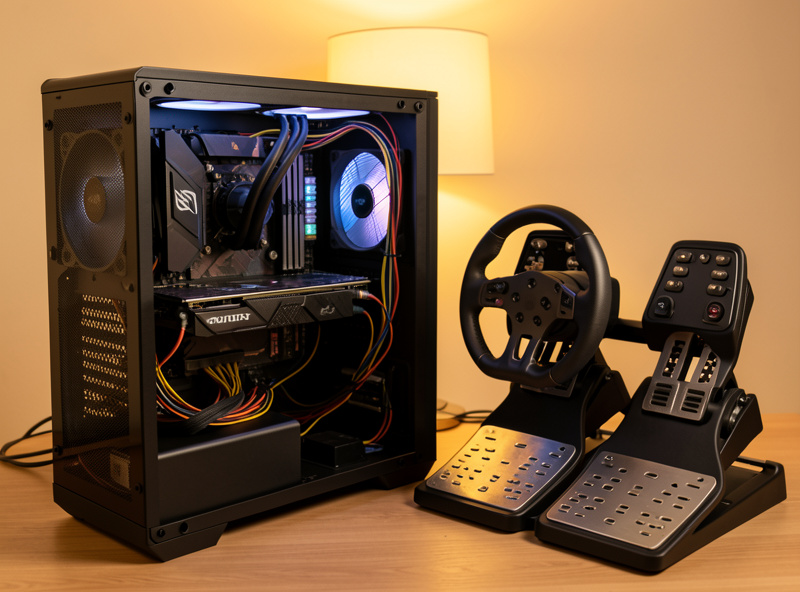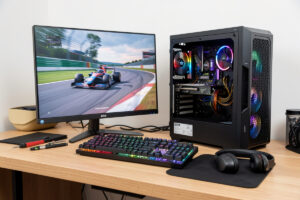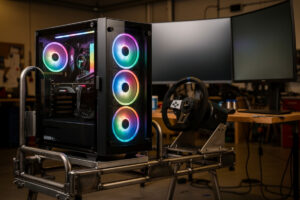
The PC inside a sim rig has one job: hold your target frame rate without dropping below the monitor’s refresh rate, because every stutter in a braking zone moves your braking point. For a single 1440p screen at 120 fps you want a mid-tier GPU, a high-clocking 6-core CPU, 32GB of RAM, and an NVMe SSD — roughly a $900–1,200 box. Triples or VR roughly double the GPU demand. That is the whole decision in one paragraph; the rest of this guide is how I arrived at it on my own rig and where the money actually matters.
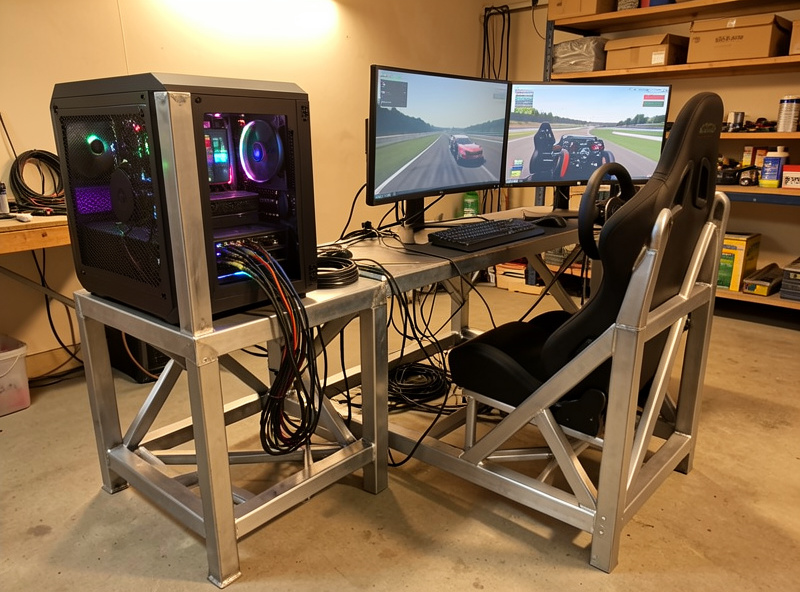
I came at this from the workshop side. The cockpit is welded steel, the brackets are printed on my own machine, the network runs wired straight to the OPNsense — so when I built the PC that drives it, I treated it the same way: spend where the load is, ignore the spec-sheet theatre everywhere else. After bolting wheelbases onto that frame for years and chasing FFB clipping on a telemetry overlay, I can tell you the box behind the screen is where most home setups quietly lose smoothness, and almost nobody diagnoses it correctly. They blame the wheel.
Why a Sim Racing PC Is Not Just a Gaming PC
A general gaming build chases peak frames in a benchmark. A sim racing build chases frame consistency at a fixed refresh rate while feeding a wheelbase, pedals, a shifter, and often head tracking — all over USB, all at once. The difference is that 1% lows matter more than averages here. A 144 fps average that dips to 70 fps mid-corner feels worse than a locked 100 fps, because the dip lands exactly when your eyes need spatial stability to judge a braking point.
That reframes the whole build. You are not buying the fastest possible card; you are buying enough GPU to never dip below refresh at your resolution, paired with a CPU fast enough on a single thread that the sim’s physics loop never becomes the bottleneck. Sim titles lean hard on one or two cores, so raw core count is the wrong thing to chase. Match the parts to the display you actually run and the rest gets simple.
The Build Order That Actually Matters
Spend in this order: GPU, then CPU, then RAM and storage, then the peripheral plumbing (USB hub, case airflow). The GPU is the single biggest lever on whether you hold frames, especially as you add pixels. Everything downstream of it is about not letting a weak link spoil a strong card.
This mirrors the rig itself. The correct upgrade order for the cockpit is frame, then pedals, then wheelbase, then rim — fix the foundation before the flashy bit. The PC is the same logic: get the part carrying the load right first, then stop the cheap components from dragging it down. People who buy a flagship GPU and pair it with 16GB of slow RAM and a SATA SSD have built a fast car on a wobbly chassis.
How Much PC You Need, by Display
Your display dictates almost everything, because it sets the pixel count the GPU has to push every frame. A single 1440p monitor, a triple-1440p wall, and a VR headset are three completely different GPU loads from the same sim. Decide the screen first — the display side of the build is its own decision — then size the box to feed it.
The table below is the back-of-envelope version I use when someone asks “what do I need.” Pixel count is the driver: a single 1440p panel is about 3.7 million pixels, triple 1440p is roughly 11 million, and VR’s per-eye render (with supersampling) often lands higher still. Triple it, and you triple the GPU demand from the identical sim.
| Display setup | Approx. pixels | GPU tier needed | CPU target | RAM |
|---|---|---|---|---|
| Single 1080p | 2.1 million | Entry mid-range | 6-core, high clock | 16–32GB |
| Single 1440p | 3.7 million | Solid mid-range | 6-core, high clock | 32GB |
| Single 4K / ultrawide | 8.3 million | Upper mid-range | 6–8 core, high clock | 32GB |
| Triple 1440p | 11 million | High-end | 8-core, high clock | 32GB |
| VR (per-eye + SS) | Often 12M+ | High-end | Strong single-thread | 32GB |
Notice the CPU column barely moves while the GPU column climbs steeply. That is the most useful thing to internalise: adding screens is a GPU problem, not a CPU problem. The CPU’s job is feeding the physics loop and the input pipeline, and that load is roughly the same whether you run one screen or three.
The GPU: Where Most of the Budget Goes
The GPU is the part you size to your display and then largely forget. For a single high-refresh 1440p screen, a current mid-range card holds 100+ fps in iRacing and ACC at sensible settings. Step up to triples or VR and you need a genuinely high-end card to keep the 1% lows above refresh. There’s a full GPU-by-resolution breakdown covering which exact tier maps to which resolution and how to read VRAM for triple setups, and the current model picks live in the best-GPU roundup.
The one trap worth flagging here: don’t overspend on a flagship for a single 1440p screen. The extra horsepower goes nowhere because you’re already pinned at refresh, and that money buys far more smoothness if it goes into pedals or rig rigidity instead. A fast GPU feeding a wobbly desk is wasted.
The CPU: Single-Thread Is King
Sim physics run on a tight loop that hammers one or two cores. That makes per-core clock speed and IPC the metric, not core count. A high-clocking 6-core will out-deliver a sluggish 12-core in iRacing every time. There’s a dedicated CPU breakdown that covers why, and where the cache-heavy chips pull ahead in multiplayer grids where 30+ cars all need physics calculated at once.
The practical takeaway: a mid-range gaming CPU from the last couple of generations is plenty. You are far more likely to be GPU-bound than CPU-bound on a sim rig, with one exception — big multiplayer fields, where the AI/physics load spikes and a stronger single-thread chip keeps the field from chugging.
RAM, Storage, and the Quiet Bottlenecks
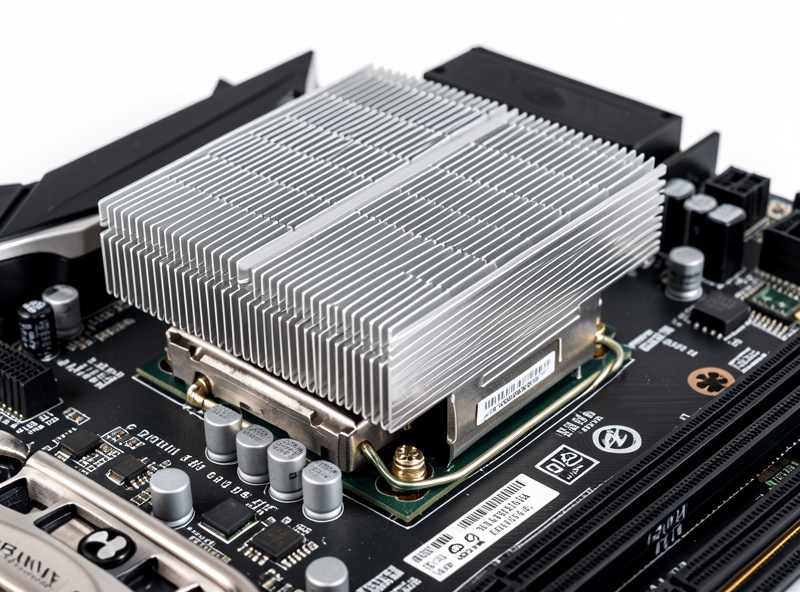
32GB of reasonably fast RAM is the sweet spot — 16GB still works for a single sim but leaves no headroom for a telemetry overlay, Discord, a stream, and a browser full of setup sheets. Storage should be an NVMe SSD: sim titles like iRacing and ACC load enormous track and car assets, and a SATA drive turns a 20-second track load into a minute. The full reasoning, including why dual-channel RAM matters more than raw speed for sims, is its own RAM and SSD requirements guide.
These are the components people cheap out on and then can’t explain why their rig feels sluggish between sessions. They’re not exciting, but a slow SSD is the difference between getting three practice runs in before work and getting one.
The Peripheral Plumbing Nobody Plans For
A sim rig is a USB monster: wheelbase, pedals, shifter, handbrake, button box, head tracker, sometimes a bass shaker controller. Plug them straight into the motherboard’s rear ports and you’ll run out, and worse, you’ll create the conditions for disconnects mid-session when a hub browns out under load. A proper powered USB hub setup is the unglamorous fix, and it has to be powered, because a wheelbase plus load-cell pedals can pull more than an unpowered hub can deliver.
I learned this the way everyone does: a random mid-race dropout that I blamed on the wheelbase for a week before realising the unpowered hub was the culprit. Wired everything through a powered hub and the dropouts stopped. That’s the kind of fault that masquerades as a hardware failure when it’s really a power-budget problem.
Cooling, Case, and the Power Budget
A sim rig usually lives in a warm room next to a person sweating through a 90-minute endurance stint, and the PC often sits on or under the cockpit where airflow is poor. That makes cooling and case airflow matter more than they would on a desk in a cold office. A GPU that thermal-throttles after twenty minutes is a GPU that drops frames at exactly the point you’ve settled into a rhythm — and it’s a fault that doesn’t show in a five-minute test, so people miss it entirely.
I run a straightforward air-cooled build: a decent tower cooler on the CPU, a case with genuine front-to-back airflow, and a fan curve set to ramp early rather than late. Liquid cooling is fine but it’s not solving a sim-racing-specific problem, and an AIO pump is one more thing to fail mid-race. On the power side, size the PSU to the GPU plus headroom — a high-end card pulling 300W plus the rest of the system wants a quality 750–850W unit, and on a triple-monitor rig the displays draw real power too. Undersizing the PSU is how you get random shutdowns that look like a software crash. The PSU and battery-backup guide goes deep on sizing and why a UPS earns its place on a rig that runs ranked races where a power blip means a DNF and a safety-rating hit.
Display Choice Sets the Whole GPU Budget
It’s worth labouring the point because it’s the single most expensive consequence in the build: the screen you choose decides how much GPU you have to buy. A single ultrawide and a triple-monitor wall give a similar field of view but very different pixel loads, and a projector — increasingly popular for a wraparound image without three bezels — is its own case with its own resolution and latency tradeoffs. I cover the projector question specifically in a monitor-vs-projector comparison, because the answer surprises people: a projector can deliver a huge immersive image but brings input-lag and resolution caveats that matter for a twitchy braking input.
The practical rule: lock the display decision before you buy a single PC part. If you know you’ll run triples eventually, buy the GPU for triples now rather than upgrading twice. If you’re a single-screen racer who values input fidelity over immersion, you can put the GPU money you saved into pedals, where it does more for your lap time than any frame above refresh ever will. The triples vs ultrawide breakdown is the decision that should come first.
Overclocking: Worth It for Sim Racing?
Honestly, mostly no — and that surprises people who came from the FPS benchmark world. Because you’re chasing a locked refresh rate rather than peak frames, a modern CPU and GPU usually have enough headroom out of the box, and the gains from a manual overclock are small relative to the stability risk. Where it can earn its keep is a memory tune (XMP/EXPO at minimum) and a modest curve on a CPU that’s borderline for big multiplayer grids. A dedicated overclocking-for-sim-racing breakdown covering what’s worth doing and what’s just heat and instability for a frame you can’t even use.
Building It on a Budget
A capable single-screen sim PC does not need flagship parts. Buy last-generation mid-range, prioritise the GPU, accept that you’ll run a single 1440p screen at first, and you can land a smooth 100+ fps box for far less than the shops quote. A dedicated budget sim racing PC build walks the exact parts logic, and it pairs with the budget rig and peripherals build for the cockpit side — together they’re how you get racing without remortgaging.
The mistake budget builders make is buying a strong GPU and starving everything around it. A balanced mid-range box that never bottlenecks beats a lopsided one with a hero GPU and a weak CPU, slow RAM, and a SATA drive choking it.
The Mistakes I See Most Often
The most common one is the lopsided build: a hero GPU bolted to a starved system. A flagship card paired with 16GB of single-channel RAM and a SATA boot drive will still feel sluggish loading tracks and stutter when you alt-tab to a setup sheet, and the owner never understands why their expensive card “isn’t smooth.” Balance beats peak every time on a sim rig.
The second is buying for the wrong target. People port the FPS-benchmark mindset straight over — chasing 240 fps averages — when sim racing wants a locked, consistent frame rate at the monitor’s refresh and nothing more. Frames above refresh are wasted work that just adds heat. Set the in-sim graphics to hold your refresh with margin in the 1% lows, then leave it.
The third is ignoring the USB power budget until something disconnects mid-race. A wheelbase, load-cell pedals, and a button box draw more than a passive hub or a daisy-chain of motherboard ports can reliably supply. Plan the powered hub into the build from the start rather than diagnosing phantom “wheelbase faults” later. And the fourth is forgetting the PC is one link in a chain — a perfect box behind a Wi-Fi connection and wrong FOV is still a bad sim experience.
The Whole-System View
The PC is one link in a chain, and any weak link ruins the feel. The network adds latency, the FOV math decides whether the picture even helps you, and the display choice between triples and ultrawide sets the GPU load in the first place. You can have a perfect PC and still feel slow if any of those are wrong — which is exactly why “just buy a better wheel” is such bad advice.
That total-system thinking is the whole point. Powering a triple-screen rig, for instance, is its own problem I cover in the PSU and battery-backup guide, because a high-end GPU plus three panels plus the wheelbase is a real electrical load. Build the box to feed the display, plumb the peripherals so they don’t drop, and then the only thing left between you and a clean lap is your force feedback tune and your inputs.
And once the hardware stops being the limiting factor, the gains come from you. A balanced PC that holds frames is what lets the skills work actually translate, because you can finally trust that what you see on screen is what the car is doing. The discipline you race shifts the load slightly — a 40-car oval pack taxes the CPU more than a hotlap, while a hardware-light drift session leans on input fidelity over raw frames. Whichever you run, the build philosophy holds: match the box to the display, balance the parts, and stop chasing frames you can’t use.
Does the Sim You Race Change the Build?
A little, but less than you’d think. The heavy hitters — iRacing and Assetto Corsa Competizione — are demanding in different ways: iRacing’s huge multiplayer fields lean on the CPU and network, while ACC’s Unreal Engine lighting is GPU-hungry and punishes a weak card at triples. If you’re still deciding what to race, the sim roundup and the iRacing vs ACC comparison are worth reading before you finalise parts, because they tell you whether to bias the budget toward GPU or toward CPU and bandwidth.
The good news for budget builders: many of the free sims worth playing run happily on modest hardware, so you can start racing on a mid-range box and scale the PC up as your ambitions (and your screen count) grow. There’s no sim that demands a flagship just to function on a single screen — that’s a triple-monitor and VR problem, not a sim problem.
Frequently Asked Questions
Do I need an expensive PC for sim racing?
No. A single 1440p screen runs smoothly on a mid-range GPU, a high-clocking 6-core CPU, 32GB of RAM, and an NVMe SSD — roughly a 900 to 1,200 dollar build. Only triples or VR push you into high-end GPU territory.
What matters most in a sim racing PC?
The GPU, sized to your display resolution. It is the biggest lever on holding frames. Spend there first, then a fast single-thread CPU, then 32GB of RAM and an NVMe SSD. Peripherals plug into a powered USB hub.
How many frames per second do I need for sim racing?
Aim to never drop below your monitor’s refresh rate. For a 120Hz screen, target a locked 120 fps with 1% lows that stay above it. Consistency matters more than a high average, because dips land in braking zones.
Is a powerful CPU or GPU more important for sim racing?
The GPU, in almost every case. Adding screens is a GPU problem, not a CPU problem. The CPU only becomes the limit in large multiplayer fields where physics for 30-plus cars must be calculated at once.
How much RAM do I need for sim racing?
32GB is the sweet spot. 16GB runs a single sim fine but leaves no headroom for a telemetry overlay, voice chat, a browser, and a stream running together. Dual-channel matters more than raw speed for sim titles.
Does overclocking help in sim racing?
Rarely worth it. Because you chase a locked refresh rate rather than peak frames, modern parts have enough headroom stock. Enabling XMP or EXPO for your RAM is the one tune that reliably helps, especially in big grids.