For sim racing, 32GB of dual-channel RAM and an NVMe SSD is the right answer for almost everyone. 16GB still runs a single sim, but it leaves no headroom once you add a telemetry overlay, voice chat, a browser of setup sheets, and a stream. The SSD matters more than people expect: sim titles load enormous track and car assets, and an NVMe drive turns a minute-long load into fifteen seconds — which decides whether you squeeze in three practice runs before work or one.
These are the two components people quietly cheap out on and then can’t explain why their rig feels sluggish between sessions. They’re not exciting, they don’t show up on a frame-rate chart, and they’re exactly the kind of unglamorous parts I’d tell you to get right before chasing a bigger GPU. I run 32GB and NVMe on the welded rig and never think about either — which is the whole point. The wider build logic sits in the sim racing PC build guide.
How Much RAM You Actually Need
32GB is the sweet spot for sim racing in 2026. A single sim title alone fits comfortably in 16GB, but a real sim session is never just the sim — it’s the sim plus a telemetry/overlay app, Discord or TeamSpeak, a browser open on a setup guide, maybe OBS if you stream, and the OS underneath. Stack those and 16GB starts swapping to disk, which shows up as stutter and hitching at the worst moments.
Going beyond 32GB buys you nothing for sim racing specifically; 64GB is for video editors and heavy multitaskers, not racers. The money is far better spent on the GPU or pedals. So the rule is simple: 16GB if you’re on a tight budget and run nothing alongside the sim, 32GB for everyone who races with overlays and voice chat, which is essentially everyone. A solid 32GB dual-channel RAM kit is the safe buy.
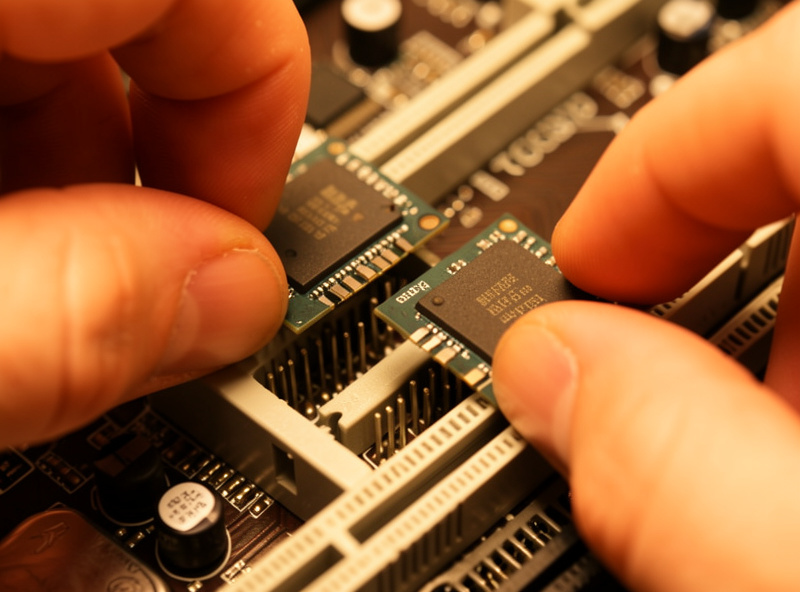
Dual-Channel Beats Raw Speed
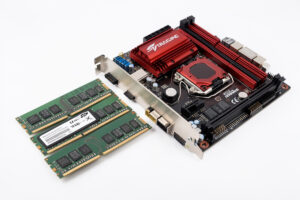
Here’s the part that trips people up: for sim racing, running RAM in dual-channel matters more than chasing the highest-rated speed. Two matched sticks in the correct slots double the memory bandwidth versus a single stick, and that bandwidth feeds the CPU’s physics loop and the streaming of track assets. A single 32GB stick will measurably underperform two 16GB sticks of the same speed, purely because it’s running single-channel.
So when you buy, buy a matched kit — two sticks sold together — and seat them in the dual-channel slots your motherboard manual specifies (usually slots 2 and 4). Then enable the memory profile (XMP on Intel, EXPO on AMD) in the BIOS so the RAM actually runs at its rated speed instead of a slow default. That profile toggle is the single most worthwhile “overclock” for a sim rig, and there is a dedicated overclocking guide that covers it alongside the rest. Beyond that, the difference between a fast and a very-fast kit is small in sims compared to simply running dual-channel at rated speed.
Why the SSD Choice Matters More Than You Think
Sim racing has some of the heaviest load assets in gaming. A single iRacing track is a huge, detailed environment, and ACC’s high-resolution textures are large. On a mechanical hard drive these loads are painfully slow; on a SATA SSD they’re acceptable; on an NVMe SSD they’re fast enough that you barely notice them. The difference between a SATA and an NVMe drive is the difference between waiting and racing.
That load time compounds across a session. If you’re hopping between tracks in practice, testing setups, or rejoining sessions, slow loads eat the limited time you have at the rig. An NVMe drive gives that time back. It also helps with the stutter that can occur when a sim streams new track sections at speed — faster storage means fewer hitches as assets load in. A good 1TB NVMe SSD is the baseline I’d put in any sim build.
As an Amazon Associate I earn from qualifying purchases.
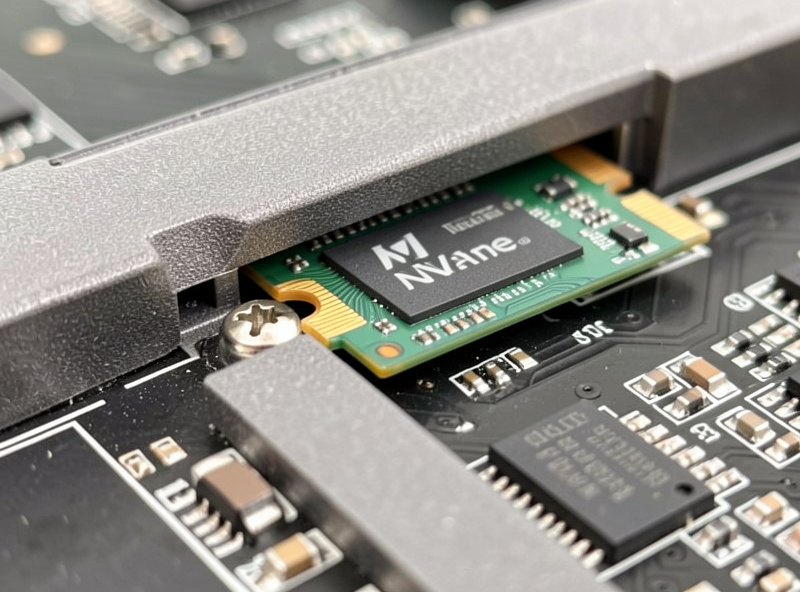
One Drive or Two?
On my rig I keep the sims on a dedicated NVMe drive separate from the Windows boot drive, and I’d recommend it if your budget allows. It isn’t strictly necessary — a single large NVMe handles everything fine — but separating the OS from the game library means a Windows reinstall doesn’t wipe your sims, and it keeps the boot drive from filling up and choking on background tasks while a track loads. It’s a tidiness-and-resilience choice more than a raw-speed one.
If you’re building to a budget, skip this and run one drive; the performance difference is negligible. But if you’re someone who reinstalls Windows occasionally or runs multiple sims, a second drive purely for the game library is a quality-of-life upgrade that pays off the first time you have to rebuild the OS without re-downloading hundreds of gigabytes of track content. Either way, both drives should be NVMe — a slow boot drive drags the whole system feel even if the sim lives elsewhere.
A Note on RAM Speed and Latency
Once you’re running a matched dual-channel kit with its profile enabled, the remaining RAM-speed decisions have diminishing returns for sim racing. Faster kits and tighter timings help in CPU-bound situations — big online grids again — but the gains are small relative to simply getting the basics right: enough capacity, dual-channel, rated speed enabled. Don’t pay a big premium for the fastest kit on the shelf; spend that money on the GPU instead, where it does far more for your experience.
The one platform nuance worth knowing is that some CPUs are sensitive to memory latency in a way that helps in packed fields, so if you specifically race full grids and you’re choosing between two kits, the lower-latency one is the marginal pick. For everyone else, a sensible mainstream kit at the platform’s standard supported speed is exactly right. This is a place where chasing spec-sheet numbers wastes money that the rest of the build would use better.
How Much SSD Capacity?
Sims are big and getting bigger. iRacing’s content library alone runs to hundreds of gigabytes if you own a lot of tracks and cars, and ACC plus a couple of other titles fill space fast. A 500GB drive is the absolute minimum and you’ll be managing it constantly; 1TB is the comfortable starting point, and 2TB is sensible if you collect content or run several sims. Storage is cheap relative to the frustration of uninstalling tracks to make room.
| Component | Minimum | Recommended | Why |
|---|---|---|---|
| RAM amount | 16GB | 32GB | Headroom for overlay, voice, browser, stream |
| RAM config | Single stick | Dual-channel matched kit | Bandwidth feeds physics and asset streaming |
| Storage type | SATA SSD | NVMe SSD | Cuts track loads from a minute to seconds |
| Storage size | 500GB | 1–2TB | Sim libraries are huge and grow over time |
How to Tell If RAM or Storage Is Your Problem
The symptoms of being RAM-starved are specific: the sim runs fine alone, but the moment you alt-tab to a setup sheet or have Discord and an overlay open, you get micro-stutters and the system feels gummy. Open Task Manager during a session and watch memory usage — if you’re routinely above 90% with everything running, you’re swapping to disk and 16GB has run out. That’s the cleanest diagnosis, and the fix is simply more RAM.
Storage symptoms are different: long black-screen track loads, hitching as you crest a hill into a new section of track, and slow session rejoins. If your loads are measured in tens of seconds and the drive light is pinned, you’re on slow storage. Moving the sim to an NVMe drive resolves both. The reason these are worth diagnosing properly is that both masquerade as bigger problems — people blame the GPU or even the wheelbase for stutter that’s actually a memory or storage bottleneck, and they spend money in the wrong place chasing it.
I’ve talked plenty of people through “my expensive rig stutters” only to find a single stick of RAM running single-channel, or the sim installed on an old mechanical drive the builder reused. Both are cheap fixes that feel like a transformation. Before you assume you need a bigger graphics card, rule these two out — they’re the quiet bottlenecks that the whole-system view in the build guide exists to catch.
Putting It Together
Buy a matched 32GB dual-channel kit, enable its XMP/EXPO profile, and install a 1TB-or-larger NVMe SSD as your sim drive. That combination removes RAM and storage from the list of things that can make your rig feel slow, for a cost that’s trivial next to the GPU. It’s the cheapest “smoothness” you can buy, and it’s the part of the build I’d never compromise on, because the symptoms of getting it wrong — hitching, long loads, swap stutter — masquerade as bigger, more expensive problems.
If you’re building to a tight budget, you can start with 16GB and a smaller NVMe and upgrade later, since both are easy to add. But if you can stretch, do the 32GB-and-1TB-NVMe baseline from the start — it’s the configuration that just works and stays out of your way while you focus on the GPU, the pedals, and your force feedback tune.
Frequently Asked Questions
How much RAM do I need for sim racing?
32GB is the sweet spot. A single sim fits in 16GB, but a real session also runs a telemetry overlay, voice chat, a browser of setup sheets, and sometimes a stream. Stack those and 16GB starts swapping to disk, which shows up as stutter.
Is 16GB of RAM enough for sim racing?
It runs a single sim on its own, but it leaves no headroom. The moment you add an overlay, Discord, a browser, and OBS, 16GB runs out and the system hitches. 32GB is the safe choice for almost everyone.
Does dual-channel RAM matter for sim racing?
Yes, more than chasing the highest rated speed. Two matched sticks in the correct slots double memory bandwidth, which feeds the CPU physics loop and track-asset streaming. A single 32GB stick underperforms two 16GB sticks of the same speed.
Do I need an NVMe SSD or is a SATA SSD fine?
NVMe is worth it. Sim track and car assets are huge, and NVMe turns a minute-long load into about fifteen seconds while reducing hitches as the sim streams new track sections. A SATA SSD is acceptable; a mechanical drive is not.
How much SSD storage do I need for sim racing?
500GB is the bare minimum and you will manage it constantly. 1TB is the comfortable starting point, and 2TB makes sense if you collect content or run several sims. Sim libraries run to hundreds of gigabytes.
Will more RAM or a faster SSD fix my stutter?
Diagnose first. RAM starvation shows up when you alt-tab with an overlay and voice chat open; storage problems show as long black-screen loads and hitching into new track sections. Rule both out before blaming the GPU or wheelbase.