A sim rig needs a powered USB hub, not a passive one — that’s the short version. A wheelbase, load-cell pedals, a shifter, a handbrake, a button box, and a head tracker add up to more USB devices and more power draw than a motherboard’s rear ports or a cheap unpowered hub can reliably supply. Plug a high-torque wheelbase and load-cell pedals into an unpowered hub and you’ll eventually get a mid-race disconnect that looks like a hardware fault but is really a power-budget problem.
I learned this the way most people do: a random dropout I blamed on the wheelbase for a week before realising the unpowered hub was browning out under load. Wired everything through a single powered hub and the dropouts stopped dead. It’s the most common phantom fault in sim racing, and the fix costs less than a single rim. This sits inside the wider PC build, but it’s the part nobody plans for until something disconnects.
Why It Has to Be Powered
USB ports supply a limited amount of power, and a chain of sim peripherals can demand more than that, especially during peaks — a wheelbase delivering a strong force-feedback effect draws a current spike at the exact moment you’re loading the wheel mid-corner. An unpowered hub splits one port’s power budget across everything plugged into it, so under load the voltage sags, a device momentarily loses power, and Windows registers a disconnect. The race is ruined and you’ve no idea why.
A powered hub has its own external power supply, so each port gets clean, dedicated power regardless of what the others are doing. That’s the whole point: it decouples your peripherals’ power needs from the PC’s USB ports. For a sim rig this isn’t optional once you’re past a wheel and pedals — it’s the difference between rock-solid connections and intermittent gremlins that waste hours of diagnosis. A quality powered USB hub is the fix.
Counting Your Ports and Devices
Tally what you’ll plug in: wheelbase, pedals, shifter, handbrake, button box, head tracker, sometimes a bass-shaker controller or a dash display. That’s easily six to eight USB devices on a developed rig, and they tend to grow as you upgrade. Buy a hub with more ports than you currently need — a 7 or 10-port powered hub gives room to add the next peripheral without re-plumbing everything, and headroom on the power supply means no single device gets starved.
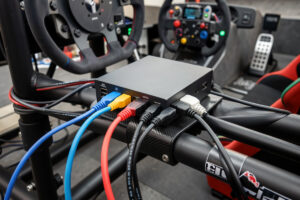
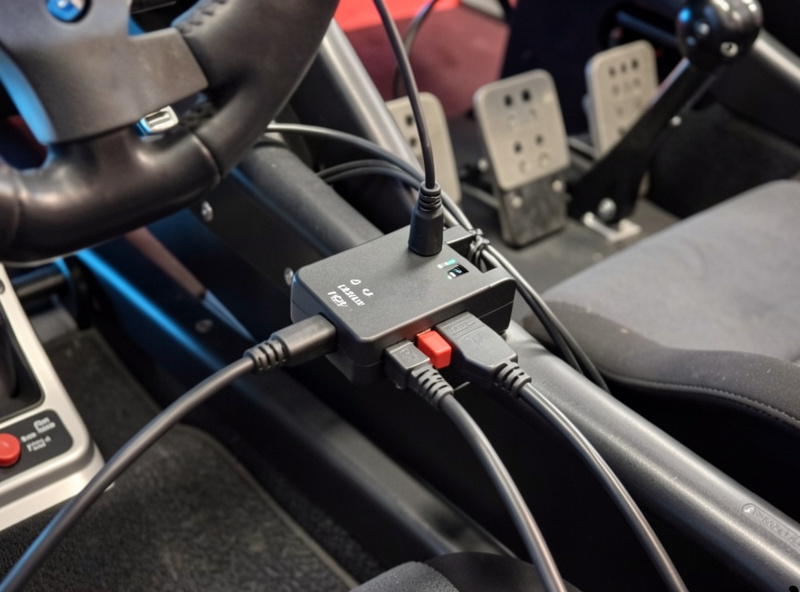
Mount the hub on the rig itself, near where the cables converge, so you’re not running long fragile USB leads back to the tower. A hub bolted to the cockpit frame keeps the wiring tidy and short, which matters because long, daisy-chained, or cheap USB cables introduce their own connection flakiness. On the welded rig I’ve got the hub on a 3D-printed bracket on the frame, every peripheral cabled to it, and one good cable from the hub to the PC.
One Clean Cable to the PC
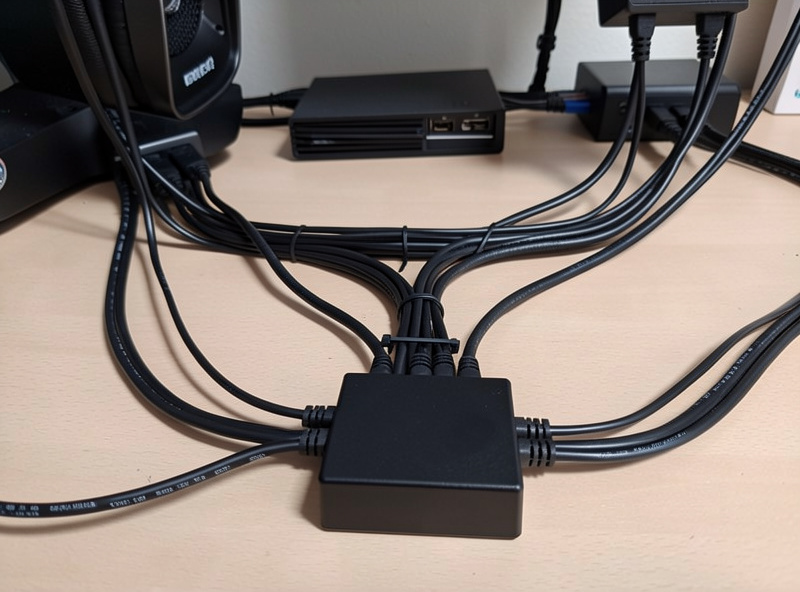
The elegant part of a powered hub is that all those peripherals reach the PC through a single upstream cable. Instead of six cables snaking to the tower, you get one — and the rest of the power comes from the hub’s own supply. This dramatically simplifies cable management and means moving or adjusting the rig is a one-cable job, not an unplugging marathon. It also reduces the number of motherboard ports you occupy, freeing them for things like a webcam or stream gear.
Use a good-quality upstream cable and keep it as short as practical. This single link carries all your input data, so it’s worth not cheaping out on it — though it doesn’t need to be exotic, just solid. With the hub on the rig and one clean cable to the PC, your whole peripheral set becomes essentially plug-and-play whenever you sit down to race, which is exactly how it should feel.
As an Amazon Associate I earn from qualifying purchases.
USB Version and Port Placement
Most sim peripherals are low-bandwidth input devices that don’t need USB 3.0 speeds — a wheelbase sends position data, not video — so a quality USB 2.0 powered hub is perfectly fine for the peripheral cluster and often more reliable than a bargain 3.0 unit. Where 3.0 matters is if you’re hanging a webcam or a capture device off the same hub for streaming; those want the bandwidth. For pure racing inputs, prioritise a clean, stable power supply over headline transfer speed.
It’s also worth knowing that not all motherboard USB ports are equal. The ports directly on the rear I/O, soldered to the board, are generally more stable than front-panel case headers, which add another connection in the chain. Run your hub’s upstream cable to a rear I/O port for the most solid link. Avoid plugging the hub into another hub — daisy-chaining hubs compounds power and signal problems and is a frequent cause of the very dropouts you’re trying to eliminate. A well-built standalone multi-port powered hub on a single rear port is the clean setup.
Troubleshooting Disconnects
If you’re already getting disconnects, the powered hub is the first fix, but check a few other things too. Windows has a “USB selective suspend” power-saving setting that can put a peripheral to sleep mid-session — disable it for a sim rig. Faulty or too-long cables cause dropouts independent of power, so swap a suspect cable before blaming the device. And a wheelbase with its own external power brick should have that brick connected; some draw their force-feedback power separately from their USB data connection.
Work through it methodically: powered hub, selective-suspend off, known-good short cables, wheelbase power brick connected. That sequence resolves the overwhelming majority of “my wheel randomly disconnects” complaints. The reason this matters so much is that a disconnect mid-race in a ranked session isn’t just annoying — it can mean a DNF and a safety-rating hit, so it’s worth eliminating properly rather than living with it and hoping.
Frequently Asked Questions
Do I need a powered USB hub for sim racing?
Yes, once you have more than a wheel and pedals. A wheelbase, load-cell pedals, shifter, and button box draw more power than a motherboard port or unpowered hub can reliably supply, causing mid-race disconnects. A powered hub gives each device dedicated power.
Why does my sim racing wheel keep disconnecting?
Usually a power-budget problem. An unpowered hub or overloaded port sags under a force-feedback current spike and a device briefly loses power, which Windows reads as a disconnect. A powered hub, disabling USB selective suspend, and good short cables fix most cases.
How many USB ports do I need for a sim rig?
A developed rig has six to eight devices: wheelbase, pedals, shifter, handbrake, button box, head tracker, and sometimes a dash or shaker controller. Buy a 7 or 10-port powered hub so you have headroom to add peripherals without re-plumbing.
Where should I mount the USB hub on my rig?
On the rig frame itself, near where the peripheral cables converge. This keeps USB leads short and tidy, reduces connection flakiness from long cables, and lets all peripherals reach the PC through one clean upstream cable from the hub.
Can a bad USB cable cause sim racing dropouts?
Yes. Faulty, too-long, or daisy-chained USB cables cause disconnects independent of power. If a peripheral drops out, swap in a known-good short cable before assuming the device itself has failed — the cable is a common and cheap culprit.