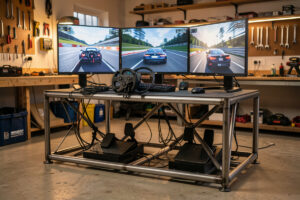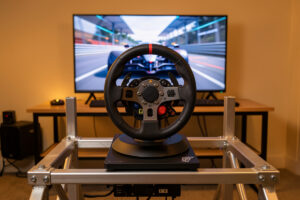
If your in-game wheel points straight while the real rim sits at an angle, or the car pulls and wanders under you, the steering center has drifted. This is almost never a fault; it means the base and the sim disagree on where center is, or a calibration was captured with the rim a few degrees off true. The fix is a clean dead-center recalibration: power-cycle the base with the rim held exactly centered, set the rotation range, and let the sim re-zero on the next launch. The single trap that ruins this is recalibrating while a quick-release is slightly rotated, which bakes the offset permanently into the base memory.
Center drift is one of those faults that feels serious because the car suddenly behaves oddly, yet it is almost always a calibration and alignment issue rather than anything broken. I have chased it on enough bases, direct-drive and belt-drive both, to know the short list of real causes and the one clean procedure that clears them. This spoke owns the off-center steering fault specifically; the broader map of every wheel and pedal fault is on the troubleshooting hub, and the pedal-side equivalent, where the brake or throttle misbehaves, lives in How to Recalibrate Sim Racing Pedals.
Why the Center Drifts
Steering center is an agreement between three things: the physical position of the rim, the base’s internal record of where zero is, and the sim’s own reference. When all three agree, the in-game wheel and your hands move together. When they drift apart, you get the classic symptoms, an in-game wheel that sits off-center while your hands feel centered, a car that wanders on straights, or a rim that snaps to a new position the moment you load a session. The disagreement comes from a handful of predictable causes.
The most common is a recalibration that was captured with the rim not truly centered, so the base memorised an offset as its zero. The second is a USB re-enumeration after a Windows update or a port change that shifts the base’s reported position relative to what the sim remembers. The third is a rotation mismatch, where the base’s lock-to-lock range does not match what the sim expects, which can make the center feel off even when the zero is correct. None of these are hardware failures, and all of them yield to the same dead-center recalibration.
The Dead-Center Recalibration
This is the procedure that clears center drift on virtually every base I have run, and the discipline that matters most is holding the rim truly centered while the base captures its zero. Eyeballing “close enough” is exactly how the offset gets baked in, so take the time to centre it deliberately.
- Centre the rim by feel and sight. Turn the wheel to where you believe straight ahead is, then nudge it until the rim spokes or a logo line up symmetrically. The base should be powered but the procedure not yet started.
- Set the rotation range. In the base’s tuning menu or driver app, set the rotation to the value the sim expects, typically 900 or 1080 degrees for road cars, less for formula-style rims. Mismatched rotation is a hidden cause of center complaints.
- Capture the center. Run the base’s centering or calibration routine while you hold the rim dead-centred. Some bases capture center automatically on power-up if the rim is held still; others need an explicit command from the app.
- Power-cycle to commit. Turn the base off and back on with the rim left centred, so the new zero is committed to memory rather than held only in the current session.
- Re-zero in the sim. Load the sim, open its wheel calibration, and confirm the in-game wheel now matches your hands at center.
If the center is correct in the base app but still off in the sim, the sim is holding its own stale reference and needs the same re-zero run through its own calibration screen. On my rig I treat the base recalibration and the sim re-zero as one combined job, because doing only one leaves the other disagreeing.
The Quick-Release Trap
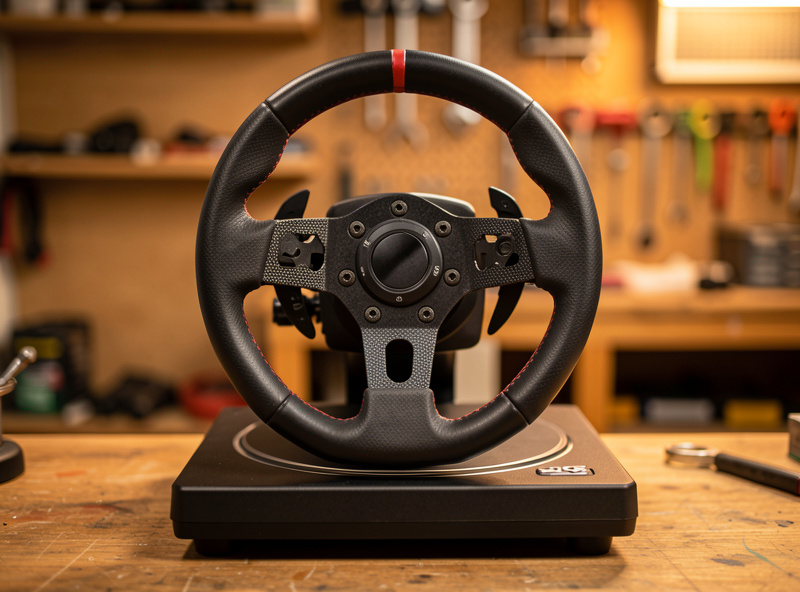
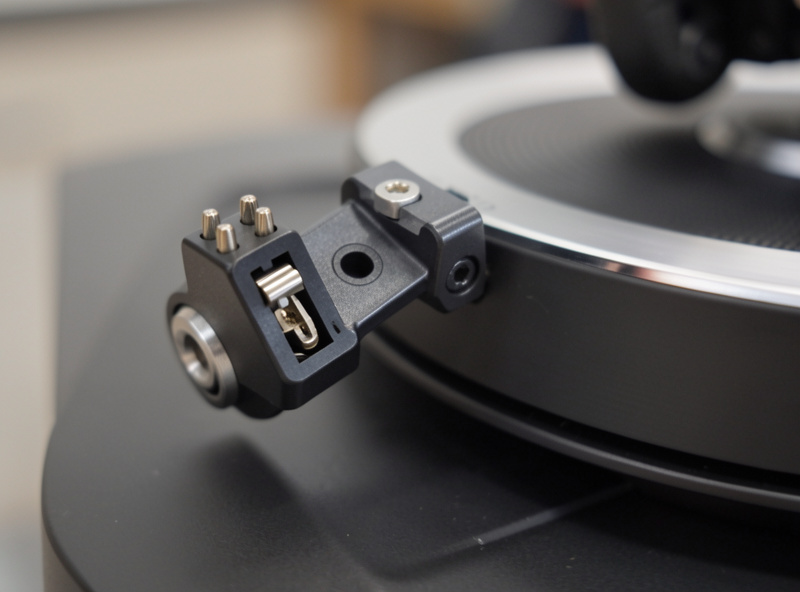
The quick-release is the part of this fault that catches experienced racers, because it is invisible and it bakes the offset into the hardware rather than the software. When you attach a rim to a quick-release, the electrical contact for the rim’s buttons and the mechanical registration of center both depend on the QR seating in its detent. If the rim is clicked most of the way on but not fully rotated to lock, it can be a degree or two off its true centre, and a centering calibration captured in that state memorises the offset. The result is a wheel that never quite centers no matter how many times you recalibrate, because the recalibration itself is being done with the rim misaligned.
The fix is to detach the rim, inspect the QR and the rim’s contact pins for wear or bending, and reattach it until it locks positively and symmetrically. Only then do you run the dead-center recalibration. I keep a rim that would center perfectly only if it was torqued slightly past the detent; replacing the worn QR half cured a center drift I had blamed on the base for weeks. The lesson is that before you recalibrate anything, prove the rim is physically centred on the base, because software cannot fix a mechanical misalignment.
Rotation and Lock-to-Lock Mismatch
A center that feels off can actually be a rotation mismatch in disguise. If the base is set to a larger rotation than the sim expects, the sim scales your input down, and the steering can feel vague or oddly weighted around center. If the base rotation is smaller than expected, the steering feels twitchy and you run out of wheel before the sim runs out of lock. Neither is strictly a “center” fault, but both make the center feel wrong and both are fixed by matching the base rotation to the sim’s soft lock.
Most modern sims set the soft lock automatically if the base reports its rotation correctly, which is why getting the base rotation right matters before chasing center drift. For road cars that is typically 900 to 1080 degrees; for formula-style rims it is much less, often 360 to 540. I set the base to match the broadest car type I drive and let per-car soft lock handle the rest, then I only suspect a true center fault if the rotation is confirmed correct and the center is still off.
Re-Zero Inside the Sim
Even with a perfectly centred base, the sim itself keeps its own reference for where straight ahead is, and that reference can drift or be set wrong. The in-sim fix is to open the wheel calibration screen and run the sim’s own centering step, which usually means turning the wheel fully left, fully right, and back to center so the sim learns the endpoints and the midpoint. This is the software twin of the base recalibration, and on titles that store their own calibration it is the step that finally makes the in-game wheel agree with your hands.
One subtlety worth knowing: some sims have a separate “steering lock” or “wheel range” setting that interacts with center feel, and a value set wrong there can mimic center drift. If the base is centred, the rotation matches, and the sim recalibration has been run, but the wheel still sits off, check that sim-side steering setting before assuming the base is at fault. Most of the time the chain of base recalibration plus sim re-zero resolves it cleanly.
When Center Drift Means a Sensor Fault
I keep this short because it is rare, but it exists. If the center drifts constantly and unpredictably during a session, the rim recentres itself to different positions unprompted, or the steering jumps in discrete steps, then the fault may be the base’s position sensor or rotary encoder rather than calibration. The signature is drift that no recalibration holds, because the sensor itself is reporting position unreliably. That is a genuine hardware fault that no software routine fixes, and it is the point at which a support ticket is the right move rather than another recalibration.
For the overwhelming majority of center-off complaints, though, the cause is one of the calibration and alignment issues above, and the dead-center recalibration plus a sim re-zero resolves it in a few minutes. Treat the sensor-fault possibility as the last suspect, not the first, and you will save yourself a lot of unnecessary hardware anxiety.
Keep Building
Center calibration is one piece of the wheel-and-pedal fault map. If you are working through a cluster of issues, these are the neighbouring guides that cover the rest of the territory, and the hub ties them together into a single diagnosis order.