A brake that jumps to 100% the instant you brush it, or a throttle that creeps upward on its own at rest, is almost always a calibration or sensor-hygiene fault rather than dead hardware. The diagnosis order I use on my pedal sets is to recalibrate cold first, because a drifted zero causes both symptoms; then, if the fault returns, to suspect a dirty or worn potentiometer or a noisy load cell; and only then to consider the sensor itself. Most spike-and-drift faults clear with a cold recalibration and, where relevant, a potentiometer clean, long before any part needs replacing.
Pedal input faults are where the “my gear is broken” panic peaks and the actual failure rate is lowest, which is a useful combination for a troubleshooter. On my load-cell daily, with a hydraulic set on the bench for comparison, I have worked through every flavour of spike and drift this hobby produces, and the cause is almost always one of a short list. This spoke owns the spike-and-drift fault family specifically; the calibration routine itself is in How to Recalibrate Sim Racing Pedals, and the full wheel-and-pedal map lives on the troubleshooting hub.
Spikes Versus Drift, Two Different Faults
Before reaching for a fix, separate the two faults, because their causes overlap but are not identical. A spike is a sudden jump in input, the classic being a brake that reads zero at rest and then leaps straight to 70 or 100 percent the moment you touch it, skipping the middle of its travel. Drift is a slow unwanted change, the classic being a throttle that reads a few percent at rest and creeps upward without your foot on it. Both feel like the pedals have a mind of their own, but a spike usually points at a zero point or a dirty track right at the resting position, while drift usually points at a zero that has crept upward over time.
The fastest way to see which you have is to open the manufacturer app or Windows Game Controllers and watch the raw input bar for the suspect axis with your feet off the pedals. A bar that sits above zero is drift. A bar that sits at zero but jumps the instant you breathe on the pedal is a spike. A bar that jitters and flickers at rest is noise, which is its own cause. That thirty seconds of watching points the whole diagnosis before you recalibrate anything.
The Drifted Zero, the Most Common Cause
The single most common cause of both spikes and drift is a zero point that has drifted, and it is the first thing I fix on any misbehaving axis. A pedal’s zero is the raw value the system treats as “foot off.” When that value creeps upward, the resting pedal reads as partially pressed, which is drift. When the zero sits right at the edge of where the pedal rests mechanically, the tiniest touch crosses from “off” to “on” with no travel in between, which is the spike that sends you into the wall under braking.
The fix is the cold recalibration covered in the sibling guide: clear the calibration, capture the zero with feet completely off, then full travel for the maximum. I will not repeat the full routine here because it is identical to the one in How to Recalibrate Sim Racing Pedals, and the discipline that matters most is capturing that zero with nothing touching the pedal. If a cold recalibration clears the fault and it stays cleared, you are done, and the sensor is fine. The story only continues if the fault returns.
The Dirty or Worn Potentiometer
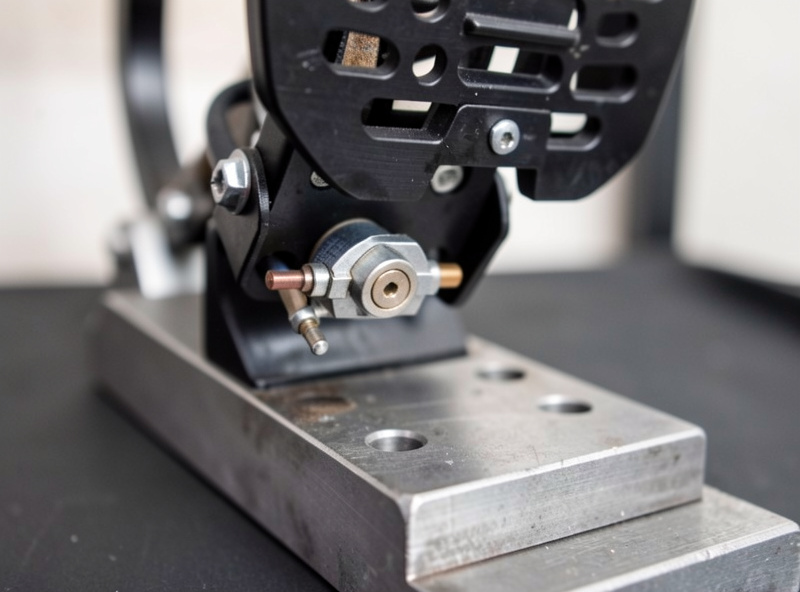
If a recalibration clears the spike or drift but it comes back over a few sessions, the prime suspect on a potentiometer-based axis is the potentiometer itself. A potentiometer is a mechanical contact that slides along a resistive track as the pedal moves, and over time the track oxidises and collects dust. The resting position, where the pedal spends almost all its life, wears a worn spot into the track, and that worn spot reads unreliably. The signature is a fault that recurs at the resting position specifically, sometimes accompanied by jitter in the raw input when the pedal is untouched.
The first fix is cleaning rather than replacing. A small amount of electrical contact cleaner, sprayed or dripped into the potentiometer and worked through its range by moving the pedal, dissolves the oxidation and restores a clean track. I have rescued more “dead” pedal sets this way than by any other method, and it is worth trying before you buy anything. As an Amazon Associate I earn from qualifying purchases. If you need the right type, here is a search for electrical contact cleaner suited to potentiometers. If a clean clears it but the fault returns quickly, the track is too far gone and the potentiometer needs replacing, which on most pedal sets is a cheap and simple job.
The Noisy Load Cell
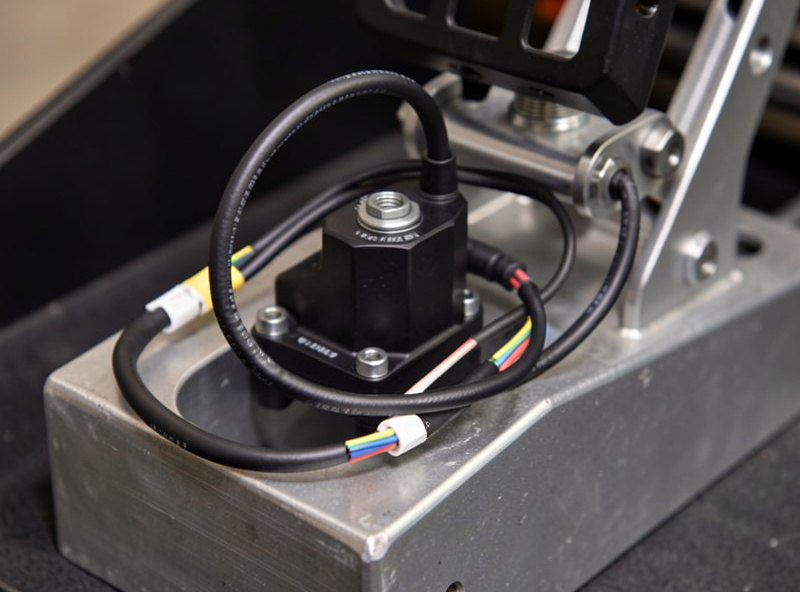
On a load-cell brake, the equivalent of the dirty potentiometer is a noisy load cell, and the symptom is usually jitter rather than a clean spike. A load cell outputs a tiny electrical signal proportional to force, and because that signal is small it is vulnerable to interference. A brake trace that flickers and jitters at rest, even after a clean recalibration, often points at electrical noise rather than a calibration fault. The causes run from a poor ground between the pedal controller and the PC, to a load cell whose shielding or wiring runs too close to a power cable, to a cell that is mechanically loose and reading vibration.
The fixes are practical. Ensure the pedal controller and the base or PC share a clean ground. Route the pedal’s signal cable away from power runs, and avoid bundling it tightly with the base’s power cable. Check that the load cell is mounted firmly, because a loose cell reads every vibration in the rig as signal. If the jitter persists, the load cell itself may be aging and drifting, which is the point at which a replacement cell is the honest fix. On my rig the brake trace is rock-steady at rest. The first time it started flickering I lost an evening convinced the load cell had died, and I had a replacement in a cart before I found the real culprit: the signal lead had been cable-tied hard against the wheelbase power cable. Rerouting it with a finger of clearance killed the noise instantly. Now I chase grounding and routing before I ever chase the cell.
Wiring and Connection Faults
Do not overlook the mundane causes. A pedal set is a chain of connectors and cables, and any link in that chain can produce spikes or dropouts that mimic a sensor fault. The connector between the pedals and the controller, the USB cable from the controller to the PC, and the internal wiring from each pedal to the board can all develop intermittent connections from vibration, strain, or simple aging. The signature of a wiring fault is inconsistency: the spike or dropout appears and disappears depending on pedal position, rig vibration, or how the cable is sitting, rather than being perfectly repeatable.
The diagnosis is to reproduce the fault while moving each connector and cable in turn. If wiggling a specific connector changes the input, you have found the link. Reseat every connector firmly, replace any cable that is kinked or stiff at the bend, and route pedal cables with service loops so vibration does not work them loose. On rigs that get used hard, a pedal connector that has walked loose from vibration is a genuinely common cause of intermittent spikes, and it is a five-second fix once you think to look.
When It Actually Is the Sensor
I keep this short because it is the last suspect, not the first. If a cold recalibration does not hold, a potentiometer clean does not last, the load cell is properly grounded and still noisy, and every connector and cable is proven good, then the sensor itself is the likely fault, whether that is a worn-out potentiometer or a drifting load cell. The good news is that on almost every common pedal set the sensor is a replaceable part that costs far less than a new pedal set, and the swap is a straightforward job for anyone comfortable with a screwdriver.
The pattern to respect is the order: recalibrate before you clean, clean before you replace wiring, reseat connectors before you blame the sensor. Follow that order and the overwhelming majority of spike-and-drift faults resolve at the calibration or the cleaning step, with no part ordered and no money spent. Jump straight to “the sensor is dead” and you will buy parts you do not need, because a drifted zero and a dirty track fool everyone the first time.
Further Reading
Pedal spikes and drift are one corner of the wheel-and-pedal fault map. If you are working through a cluster of issues, these neighbouring guides cover the rest, and the hub ties them into a single diagnosis order.