Most wheel and pedal faults I see on rigs like mine, a base that won’t appear in iRacing, force feedback that dies mid-stint, or a brake that spikes to full the instant you brush it, come from the same handful of root causes. Almost none of them mean the hardware is broken. The fix is to diagnose in a strict order: power and USB connection first, driver and detection second, force feedback and calibration third, pedal inputs last. Skip that order and you will reinstall Windows before you reseat a cable.
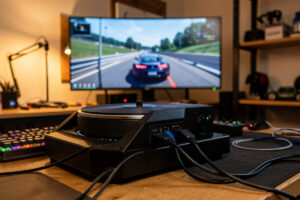
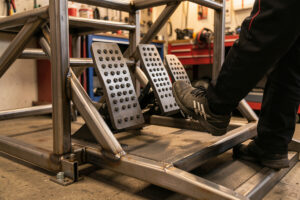
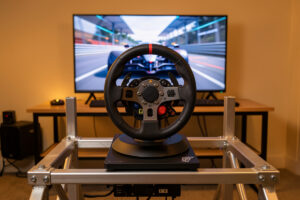
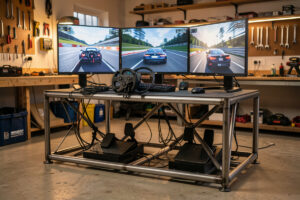
I have bolted wheelbases to rigs for fifteen years, belt-drive, gear-drive, and the direct-drive bases I run today, and I have ground troubleshooting down to a discipline rather than a guessing game. The cockpit I welded in the workshop is built to isolate variables: one base at a time on a torsionally stiff steel frame, one pedal set, and a wired link straight to the OPNsense so Wi-Fi is never a suspect. When something goes wrong on track, that isolation tells me within about ten minutes whether the fault lives in the hardware, the driver, the title, or the network. This guide walks the same order I use, and links out to a deeper spoke for every fault family.
The Diagnosis Order That Actually Works
The single biggest mistake I see in forum threads, and made in my own early years, is jumping straight to the scariest explanation. The wheel goes dead, so the base must be fried. The brake spikes, so the load cell must be dead. Nine times out of ten the real cause is a USB cable, a firmware toggle, or a miscalibrated axis. Before you touch anything else, work every fault in this order:
- Power and physical connection. Is the base powered on, is the USB cable seated firmly at both ends, is the pedal-to-base cable connected? A loose barrel plug or a USB port that has gone to sleep accounts for a remarkable share of “dead wheel” reports.
- Detection at the operating-system level. Open Windows Game Controllers (type joy.cpl in the Start menu) or the base manufacturer’s app. If the device is not listed there, no sim on earth will see it. The fault is below the game.
- Detection inside the sim. Only once Game Controllers shows the wheel do you open iRacing or ACC options and confirm the right controller is assigned and force feedback is enabled on it.
- Force feedback and calibration. With detection solid, FFB problems and center drift are the next layer, and they are nearly always settings rather than faults.
- Pedal inputs. Pedal-specific faults, spikes, drift, a dead brake channel, sit on top of all the above and follow their own diagnosis path.
That ladder is the spine of everything below. When a fault resists, I drop back one rung and re-check the layer beneath before I blame the layer I am standing on.
Wheel Not Detected by the Game, Start Here
If the sim behaves as though your wheel is unplugged, the fault is almost always below the sim. The first move I make is to open Game Controllers and watch the test gizmo while I turn the rim. If there is no movement there, the title cannot help you and you work downward. The common culprits, in order: a USB port that has dropped the device (try a port on the motherboard backplane, not a front-panel or hub port), a driver that needs reinstalling from the manufacturer’s current build, a firmware update that half-applied and left the base in a bad state, or, on quick-release gear, a rim that is not fully seated on the QR. I walk through every one of those steps, including the driver-reinstall sequence that actually clears the fault, in the full spoke: Sim Wheel Not Detected in Game: How to Fix It.
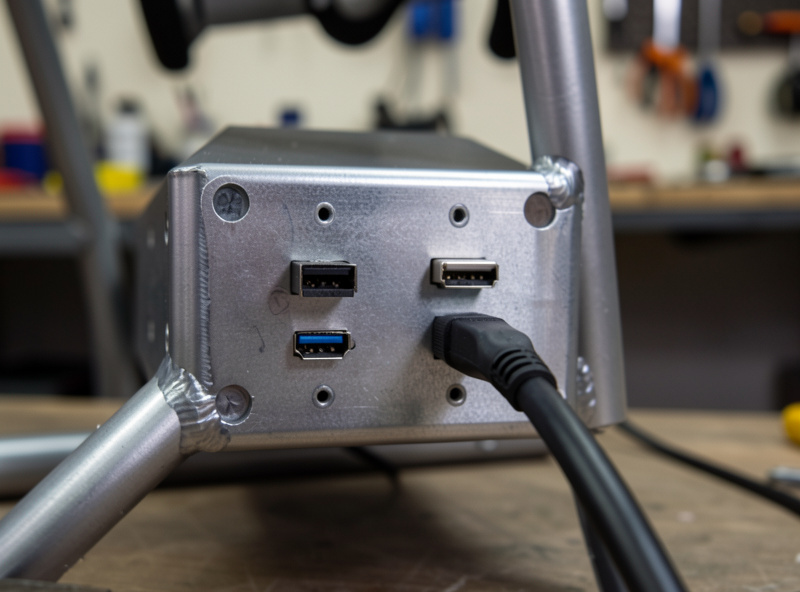
One habit that saves me hours: keep the manufacturer’s driver app installed even when everything works. When a base vanishes, the app either finds it instantly (cable or port problem) or does not (driver or firmware problem), and that single observation splits the diagnosis in half before you unplug a single thing. If the app sees the base but the sim does not, you have a game-side assignment problem, which is the cheapest fault there is.
The Wheel Keeps Disconnecting Mid-Session
A wheel that runs for ten minutes and then drops out is one of the most maddening faults in the hobby, and it is almost never random. On my rig the confirmed causes have been, variously: a USB 3.0 controller that chokes under sustained 1000 Hz polling, a shared USB root hub fighting with a webcam or the pedal controller, and a power supply sagging under the current spikes that a direct-drive base pulls during big FFB moments. The test I trust is to move the base to a dedicated motherboard USB port, switch off USB selective-suspend for that hub in Windows power settings, and watch whether the dropouts stop. If they do, you have found it. The complete fault-tree, including when the real culprit is the quick-release, the rim PCB, or a fatigued cable, is in Why Your Sim Wheel Keeps Disconnecting and Fixes.
No Force Feedback At All
When the rim spins freely with zero resistance, the base hardware is almost certainly fine and FFB simply is not flowing. In my experience this splits into three camps: the sim’s FFB is disabled or pointed at the wrong device, the base is in a mode where FFB is muted (some bases ship with a compatibility toggle that silently kills FFB on PC), or the driver’s FFB service has crashed and needs a restart. The fastest single test is to open the manufacturer’s tuning menu and feel for the base’s static centering spring. If that spring is present but the sim has no FFB, the base works and the fault is in the title’s settings. The exact options in iRacing, ACC, and AMS2 are in No Force Feedback in Your Sim? Step-by-Step Fixes.
If FFB is present but feels wrong rather than absent, you have crossed into a different fault family. A rim that clicks through detents or grinds on one spot per revolution is usually clipping or an over-aggressive filter, not a dead base, and that lands in Fixing Notchy or Grinding Force Feedback Feel.

Notchy or Grinding Force Feedback Feel
Force feedback that feels like it is stepping through detents, or that grinds on one fixed spot every revolution, has a short list of genuine causes and a very long list of misdiagnoses. The ones I have actually fixed on the bench: FFB clipping from gain set too high, where the torque signal slams into its ceiling and the fine detail flattens into a notch; a spike filter or heavy damping cranked so far it quantizes the torque into discrete steps; an aging belt on a belt-drive base; and, on direct-drive, a torque-ramp or slew setting pushed past what the rim can resolve. On my telemetry overlay, clipping shows up instantly as a flat-topped waveform, and that flat top is the tell. The diagnosis matrix and the per-title gain numbers I actually run are in Fixing Notchy or Grinding Force Feedback Feel.
The Steering Center Is Off
If your in-game wheel points straight while the real rim sits at an angle, or the car wanders under you, the center has drifted. This is usually not a fault at all. It means the base and the sim disagree on where center is, or a calibration was captured with the rim a few degrees off true. The fix is almost always a clean recalibration: power-cycle the base with the rim held dead-center, set the rotation range, and let the title re-zero on the next launch. The trap I see most often is recalibrating while a quick-release is slightly rotated, which bakes a small offset straight into the base memory. The full step sequence is in Sim Wheel Center Off? Fixing Steering Calibration.
Pedals Miscalibrated, Spiking, or Drifting
Pedals are where most “my gear is dead” panic lives, and where the fewest things are actually broken. A brake that jumps to 100% the instant you breathe on it is almost always a miscalibrated load-cell zero point or a dirty potentiometer, not a failed sensor. A throttle that creeps upward on its own is usually a calibration that never captured a true minimum and maximum. The discipline I use on my load-cell set: recalibrate from cold with the pedals untouched, add a deadzone only if min/max will not hold, and only then start suspecting the sensor itself. I split this into two spokes because the fixes genuinely differ. For the calibration routine itself, How to Recalibrate Sim Racing Pedals Properly; for the spike-and-drift fault-tree, Pedal Input Spikes and Drift: Diagnosis and Fixes.
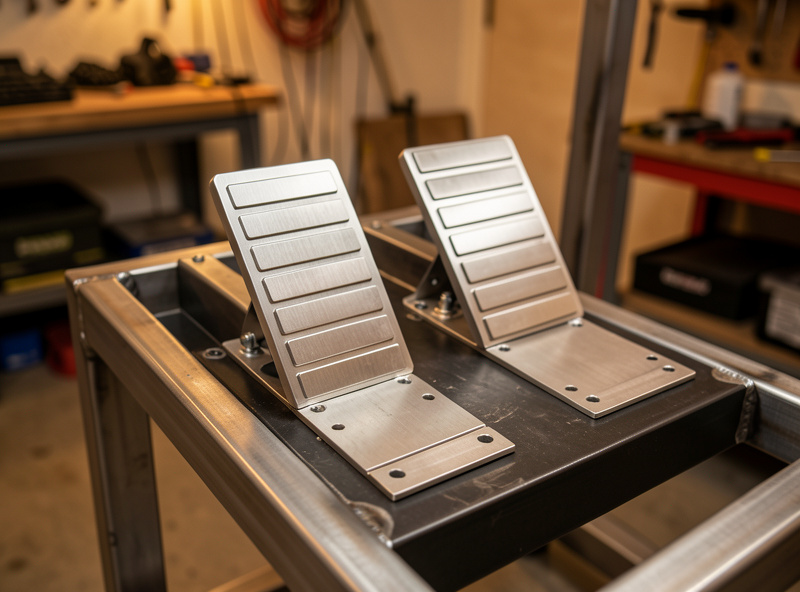
A practical note on pedal pots: a calibration that holds for a session but drifts back over a week is the classic signature of oxidation on a potentiometer track, not a software bug. A small amount of contact cleaner cures a surprising number of “dead pedal” sets. As an Amazon Associate I earn from qualifying purchases. If you want the right type, here is a search for electrical contact cleaner suited to potentiometers.
A Quick Troubleshooting Reference Table
This is the fault-to-fix map I keep next to the rig. When something breaks between stints, I match the symptom to the first check and the likely fix, then jump to the relevant spoke for the detail. The point of the table is to stop me, and you, from skipping rungs on the diagnosis ladder.
| Symptom | First check | Likely fix |
|---|---|---|
| Wheel does not appear in the game | Does Game Controllers (joy.cpl) see it? | Reseat USB on a motherboard port, reinstall driver |
| Wheel works then drops mid-session | USB selective-suspend, shared root hub | Dedicated motherboard USB port, disable suspend |
| No force feedback, rim spins free | Static centering spring present in tuning menu? | Enable FFB in sim, check base compatibility mode |
| FFB feels notchy or grinds per revolution | Telemetry trace for clipping flat-tops | Lower gain, ease the spike filter, check the belt |
| Steering center is off, car wanders | Recalibrate with rim held dead-center | Re-zero base memory and let sim re-center |
| Brake spikes to 100% instantly | Load-cell zero point, dirty pot track | Recalibrate cold, clean the potentiometer |
| Throttle or clutch drifts up at rest | Min/max never captured cleanly | Full recalibration, add tiny deadzone only if needed |
The Tools I Use to Diagnose
I do not guess at force-feedback faults because I do not have to; the rig is set up to make faults visible. My daily base is a mid-torque direct-drive in the Fanatec CSL DD and Simagic Alpha Mini class, with higher-torque bases from the Moza R9 and R12, and Simagic Alpha, tested alongside it. They are all bolted to the welded steel frame so frame flex never masquerades as FFB weirdness, a wobble that reads as “notchy force feedback” on a floppy desk rig simply cannot happen here. The single most useful diagnostic tool I own is not a multimeter, it is a telemetry overlay that graphs FFB output and pedal-input traces live. When the FFB trace flat-tops, that is clipping. When the brake trace jitters at rest, that is a dirty pot or a noisy load cell. The evidence is on screen before I have unbolted anything.
The network side is the same story. The sim PC sits on a wired ethernet link to the OPNsense with no Wi-Fi in the path, which removes the most common invisible cause of “my wheel feels laggy” complaints. The pedal set is a load-cell brake as the daily, with a hydraulic set on the bench for comparison, so when a brake fault appears I can swap the set and tell a calibration problem from a sensor problem in one test. None of this is exotic gear; it is the same isolation discipline I apply to every other build in the workshop, where the rule is always the same, control your variables before you trust your conclusions.
Faults That Look Like Hardware But Aren’t
A meaningful share of the “my wheel is broken” posts I read describe faults that have nothing to do with the wheel. Before you box anything up for a return, run this false-positive checklist, because every item on it has fooled me at least once:
- Windows re-enumerated the base. After an update the OS can hand the base a new USB address while the sim keeps pointing at the old one. The wheel is fine; the assignment is stale. Re-select the controller in the sim.
- Another device is shadowing it. A gamepad left plugged in, a second wheel, or a HOTAS can grab priority in titles that auto-pick the first controller they see. Unplug everything except the wheel and retest.
- USB selective-suspend crept back. A Windows update or a changed power plan re-enables it without asking. Whenever a dropout returns, this is the first toggle I re-check, not the last.
- Overlay or Game Bar interference. Some recording overlays and the Windows Game Bar hook into input polling in ways that disturb FFB timing. Turn them off and feel whether the fault clears.
- The sim patched and reset your FFB. Title updates love to reset gain and filter values to defaults. If the force feedback “suddenly feels wrong” the morning after an update, look at the settings before you look at the base.
When It Actually Is the Hardware
Most of the time the ladder above resolves the fault without a screwdriver. When it does not, the cleanest test I know is a swap. Move the suspect base or pedal set onto a second rig or a friend’s setup, or move a known-good set onto yours. If the fault follows the hardware, the hardware is the problem; if it stays with the rig, the fault lives in your PC, your drivers, or your sim configuration. That single test has saved me from buying replacement gear more times than I can count, and it is worth the half hour it takes to set up.
The genuine hardware failures I have actually seen are a short list. A power supply inside the base that died after a mains surge, which is why every rig here now runs through a UPS. A load cell that drifted past anything recalibration could fix and had to be replaced. A belt that glazed and slipped on a belt-drive base. A USB controller on the motherboard that quietly dropped ports one by one. Notice that none of those are “the motor died.” Direct-drive motors are remarkably durable; the electronics, sensors, and cabling around them are what actually fail. And if you ever smell that unmistakable hot-electronics smell from a base, stop and unplug immediately rather than keep driving to confirm the fault.
Setup Habits That Prevent Most Faults
Troubleshooting is easier when the rig is built to avoid faults in the first place. The habits that have cut my fault rate to almost nothing are boring and worth listing. Run the base from a dedicated motherboard USB port, never a hub or front-panel header, and keep the pedals on their own root controller when the set allows it. Route cables with service loops rather than strain, because a cable pulled taut at the connector is the most common physical failure I see. Keep drivers on the manufacturer’s stable line rather than chasing every beta, and let firmware updates settle for a day before a serious session. Put the sim PC on a UPS so a brownout cannot corrupt a base’s firmware mid-update. And keep the manufacturer’s driver app installed even when everything works, because when a fault appears that app is the fastest way to split a hardware problem from a software one. None of this is glamorous. It is the same discipline I apply to the welder and the printer in the workshop: build it so the faults have nowhere to hide, and the ones that do appear are loud and obvious.
Frequently Asked Questions
Why is my sim racing wheel not working?
Start below the sim. Open Windows Game Controllers (joy.cpl); if the wheel is not listed there, the game cannot see it either. Reseat the USB cable in a motherboard port, then reinstall the manufacturer driver. Most dead wheels are a port, cable, or driver fault, not a broken base.
How do I fix no force feedback on my sim wheel?
First confirm the base works by feeling for its static centering spring in the tuning menu. If that is present, the fault is in the sim: enable force feedback, select the correct device, and check the base is not in a compatibility mode that mutes FFB on PC. Restart the driver FFB service if it has crashed.
Why does my sim wheel keep disconnecting?
It is usually USB power management or a shared controller. Move the base to a dedicated motherboard USB port and disable USB selective-suspend in Windows power settings. If the dropouts stop, the port or hub was the culprit. A fatigued cable or loose quick-release are the next suspects.
How do I recalibrate my sim racing pedals?
Recalibrate from cold with the pedals untouched so the true minimum and maximum are captured. Set the load-cell zero point, then full travel on each axis, in the manufacturer app or Windows Game Controllers. Only add a deadzone if the calibration will not hold between sessions.
Why is my force feedback notchy?
Notchy FFB usually means clipping from gain set too high, or a spike filter and damping cranked so far they quantize the torque. Check a telemetry trace for a flat-topped waveform. Lower the gain, ease the filter, and on belt-drive bases inspect the belt for wear.
Why does my brake pedal spike to 100%?
A brake that jumps to full instantly is almost always a miscalibrated load-cell zero point or a dirty potentiometer track, not a dead sensor. Recalibrate cold, and if the spike returns over a few sessions, clean the potentiometer with contact cleaner before replacing anything.
Related Guides
Every fault family in this hub has a dedicated spoke with the full step-by-step. Work the one that matches your symptom:
- Sim Wheel Not Detected in Game: How to Fix It
- Why Your Sim Wheel Keeps Disconnecting and Fixes
- No Force Feedback in Your Sim? Step-by-Step Fixes
- Fixing Notchy or Grinding Force Feedback Feel
- Sim Wheel Center Off? Fixing Steering Calibration
- How to Recalibrate Sim Racing Pedals Properly
- Pedal Input Spikes and Drift: Diagnosis and Fixes
Keep this hub bookmarked as your starting point. When a new fault shows up, run the diagnosis ladder from the top, match the symptom to the reference table, and drop into the spoke that owns that fault. The method matters more than any single fix, because the method is what stops you replacing hardware that was never broken.