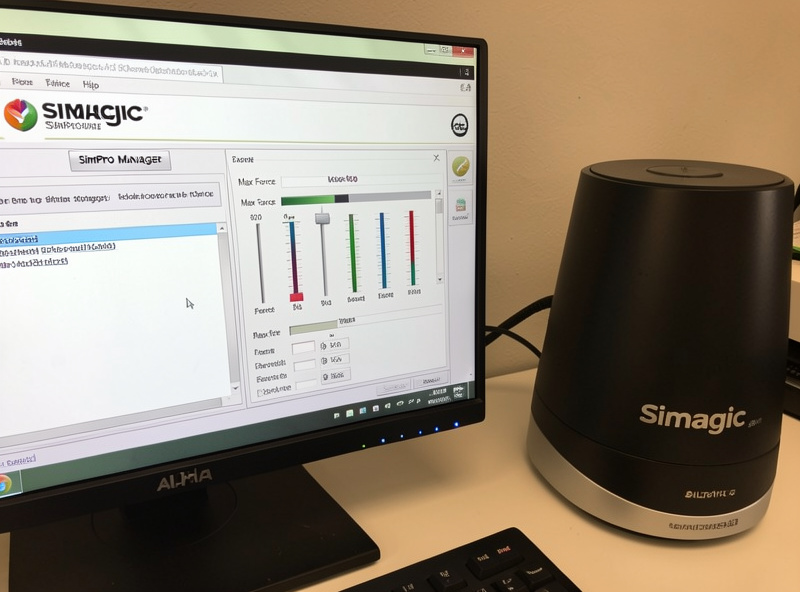
Simagic’s SimPro Manager runs every Alpha and Alpha Mini base, and the settings that actually matter are a short list: Max Force, the three feel filters, Simagic’s own Softness and Filter smoothing, and per-car profile slots. Get those right and an Alpha Mini or Alpha delivers some of the most honest force feedback in its class. Set Max Force sanely, keep the filters light, save profiles from telemetry, and the base does the rest.
I run a Simagic base in my rotation precisely because its raw signal is so clean, and SimPro Manager rewards a light hand. The app looks deep, and it is — there are effect-strength sliders most people never need — but the day-to-day setup touches maybe six controls. This guide walks the ones that change how the base feels, with the starting points I dial before I drive.
Max Force Is the Ceiling, Not the Target
Max Force is SimPro Manager’s master setting — the peak torque the base will deliver at full load. The single most common Simagic mistake is setting it to the base’s maximum because the spec sheet says you can. On an Alpha that’s a lot of torque, and maxing it guarantees clipping and forearm fatigue while teaching you nothing about the car. I set Max Force to a level I can hold for a full stint, then do all per-car scaling with the sim’s in-game FFB gain.
This is the same division of labor that governs every vendor app: SimPro Manager sets the base’s character, the sim generates the car’s forces. Change both between sessions and you’ll never know which one moved the feel. I lay that principle out across all three ecosystems in the wheelbase software hub — it’s the rule that makes tuning repeatable instead of a guessing game.
Softness and Filter: the Two Smoothing Controls
SimPro Manager has two settings people confuse. Filter is a straightforward smoothing control — it rounds off the signal, and on a base this crisp I keep it low, because high values throw away the very texture that makes a Simagic base worth buying. Softness is the more interesting one: it softens the sharpest force spikes without deadening the whole signal, which can take the harsh edge off aggressive kerbs while leaving road detail intact.
My approach is to leave Softness low and only lift it if a specific title’s kerbs feel like they’ll rattle the rig apart. It’s a scalpel, not a blanket — unlike Filter, which is a blanket. Using Softness to tame a spike is far better than cranking Filter and muddying everything. The interplay between these smoothing controls and the sim’s own signal is exactly the sort of thing I break down in vendor FFB filters explained, because the same overlap trips people up on every brand.
Damping, Friction, and Inertia
The three feel filters do what they do on any base: Damping adds resistance to movement, Friction adds stiction so the wheel doesn’t feel frictionless, and Inertia simulates the mass of a real steering wheel. A direct-drive motor on its own feels unnaturally light and springy, and small doses of these settle it without hiding detail. Overdone, they mask the road you paid for.
I keep all three light on a Simagic base — enough Friction and Inertia to take the “loose” feeling out of on-center, essentially zero Damping unless a car feels genuinely nervous. The mistake I see most is using Damping to fight an oscillating wheel; the real fix is almost always lowering Max Force, not piling on damper. If you want the in-sim companion to this, my guide to damper and friction in sim racing wheels covers how the game’s own versions of these stack on top of SimPro Manager’s.
Building Profiles From Telemetry, Not Feel
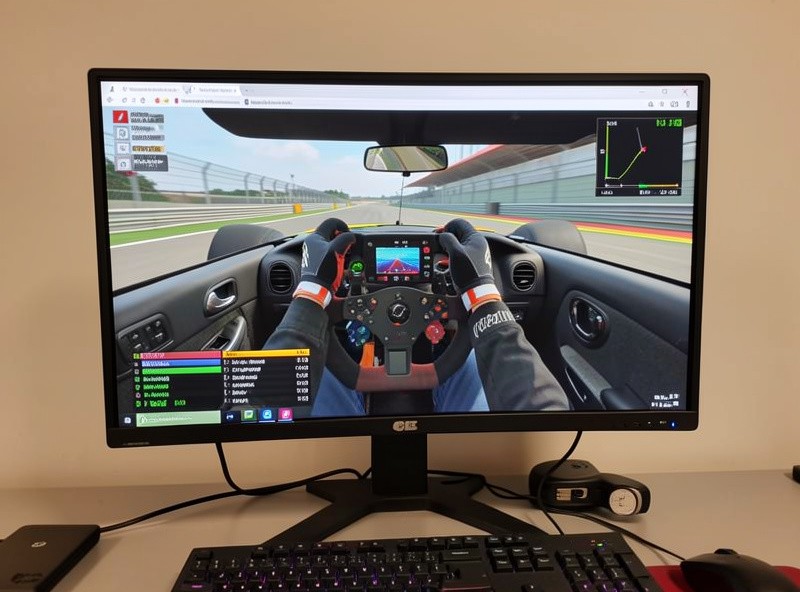
SimPro Manager stores profiles you can switch between, and the workflow that actually works is to build each one against an FFB clipping meter. Drive the highest-load corner in a reference car, watch the meter, and set Max Force or in-game gain so it kisses the ceiling without flat-topping. Name it by car class, save it, and move on. Over a few weeks that small library becomes the real value of the base’s software.
My working set stays deliberately small — a GT profile, a formula profile, a heavier road/vintage profile, and a loose-surface profile — because a wall of profiles you can’t remember is worse than four you trust. The full per-car method, including how to keep the library manageable, is in per-car FFB profiles in vendor software, and the underlying in-sim work lives in the force feedback tuning guide.
Effect Strengths and Overheat Protection
SimPro Manager exposes individual effect-strength sliders — spring, damper, constant, and periodic effects that some older titles send directly. Most modern sims send a single combined force signal, so these do nothing in iRacing or ACC and everything in a handful of legacy titles. I leave them at default unless a specific old game behaves oddly; chasing them in a modern sim is wasted effort. Knowing they’re title-dependent saves a lot of confused slider-twiddling.
The base also manages its own thermals: run a high-torque Alpha hard for a long stint and it will throttle output to protect the motor, which feels like the FFB going soft. That’s the base cooling itself, not a fault. It’s one more reason I don’t run Max Force at the ceiling — headroom keeps the base out of thermal protection during a long race. Torque tier and how hard you’ll push it factor into the buying decision too, which I cover in how much wheelbase torque you actually need and the broader direct-drive brands guide. Firmware for the base lives in SimPro Manager as well — keep app and firmware versions matched and follow the safe firmware update procedure.
Setting Up a New Simagic Base, In Order
Here’s the sequence I follow on a fresh Alpha or Alpha Mini so nothing gets tuned on top of a moving target. First, connect the base to a rear motherboard USB port and let SimPro Manager detect it, then check firmware and flash to match if prompted — before touching a slider. Second, set Max Force to a stint-holdable level, well under the ceiling. Third, set Filter low, Softness low, and Damping/Friction/Inertia light. Fourth, save that as a baseline profile you can always fall back to.
Only then do I load one reference car, open a clipping overlay, and fine-tune in-game gain for that car before saving it as its own named profile — then repeat per car class. Building on top of one stable baseline means every later change is measured, not guessed, and it keeps the base’s character consistent so real per-car differences stand out. It’s the same disciplined order I use on every brand, and it’s what turns SimPro Manager from an intimidating panel into a base that just feels right in whatever you drive. The whole first pass takes about twenty minutes and you only do it once per base.
Frequently Asked Questions
What should I set Max Force to in SimPro Manager?
Set it to a level you can hold for a full stint, not the base’s maximum. Then scale per car with in-game FFB gain against a clipping meter. Maxing Max Force on an Alpha guarantees clipping, fatigue, and no useful information about the car.
What is the difference between Softness and Filter in SimPro Manager?
Filter is a blanket smoothing control that rounds off the whole signal. Softness is targeted: it softens the sharpest force spikes, like harsh kerbs, without deadening road detail. Use Softness as a scalpel and keep Filter low on a crisp Simagic base.
Why does my Simagic base feel like it loses strength during long races?
That is thermal protection. A high-torque Alpha throttles output to cool the motor after a hard stint, which feels like the FFB going soft. Running Max Force below the ceiling keeps headroom and helps the base stay out of thermal protection.
Do the effect-strength sliders do anything in iRacing or ACC?
Mostly no. Modern sims send one combined force signal, so the individual spring, damper, and periodic effect sliders only matter in a few legacy titles. Leave them at default unless a specific older game behaves strangely.
How much Damping and Friction should I run on a Simagic base?
Keep them light. Enough Friction and Inertia to remove the loose on-center feeling, and essentially zero Damping unless a car is genuinely nervous. Heavy Damping to fight oscillation is a symptom fix; lower Max Force instead.
Does SimPro Manager need to run while I race?
The settings live on the base, so you can close the app after setup. Keep it open if you want to switch profiles on the fly or watch base temperature and connection status during a session.