Planning a sim racing setup starts with two questions: what you can spend, and where you will mount it. Measure your space, set a hard budget ceiling, and decide whether sim racing gets permanent territory or must share your living space. The gear you can run — and whether you feel what the wheel is telling you — depends entirely on those two answers.
Starting With Self-Assessment: Your Space and Budget Reality
Before researching specific products, you need honest answers about your constraints. Sim racing setups range from desk-mounted wheels occupying temporary space to dedicated rigs requiring permanent footprints. Similarly, costs span from $300 entry points to $5,000 professional systems. Understanding your boundaries prevents disappointment and ensures you allocate resources where they matter most.
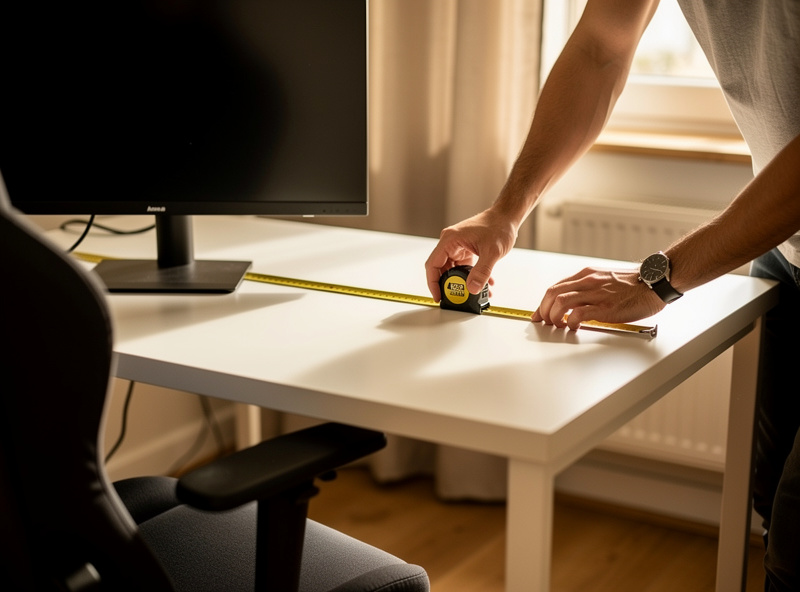
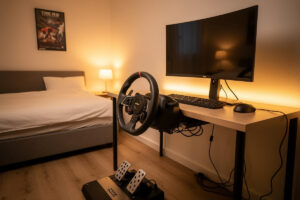
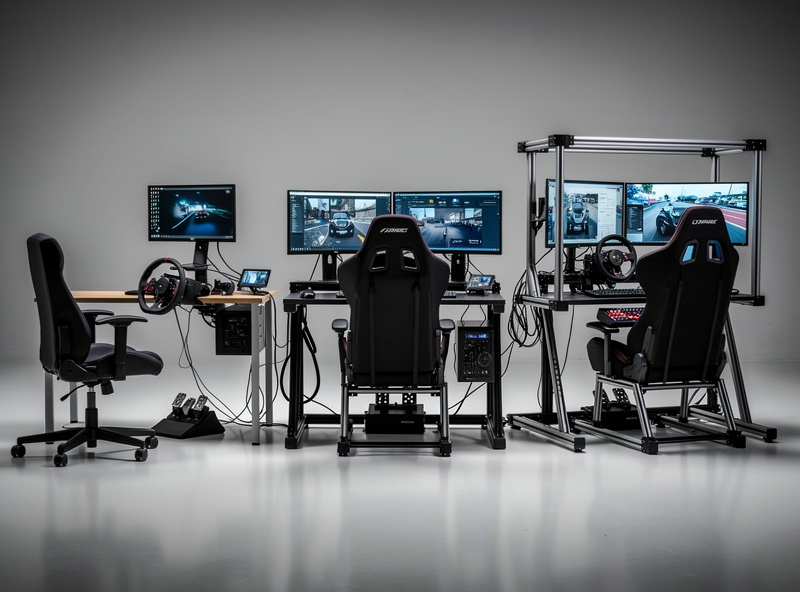
Begin by measuring your available space. A desk-mounted wheel requires at least two feet of desk depth for stability, plus room for pedals under your feet. Wheel stands fold away but still need floor space during use. Full cockpits demand dedicated areas, typically four feet wide by six feet deep, that cannot serve other purposes. Consider whether your space must accommodate other activities or whether sim racing can claim permanent territory.
Next, establish your budget ceiling including tax, shipping, and potential accessories. Avoid stretching finances uncomfortably, as sim racing should enhance your life rather than create stress. Remember that you need not purchase everything simultaneously. Starting with a wheel and pedal set on your desk allows you to confirm your commitment before investing in cockpits, better pedals, or visual systems.
The Wheelbase Decision: Force Feedback Technology Explained
Your steering system provides primary feedback about vehicle behavior, making it arguably your most important purchase. Three technologies dominate the market, each offering different price-performance ratios.
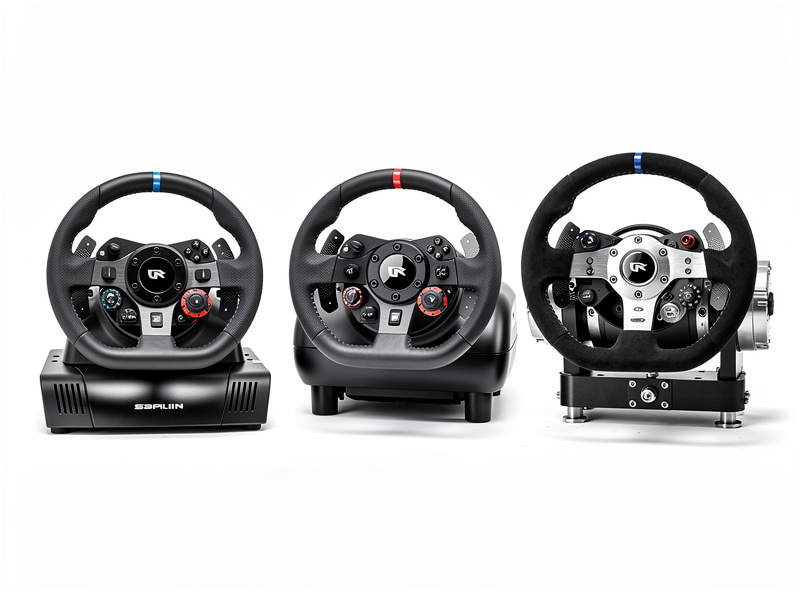
Gear-driven wheels like the Logitech G923 use physical gears to transmit force feedback. These systems cost between $200 and $400 and provide perfectly acceptable feedback for beginners. The notchy feeling some enthusiasts dislike actually helps new drivers interpret feedback more easily. However, gear systems struggle with subtle details like road texture or slip angle progression.
Belt-driven wheels such as the Thrustmaster T300 use rubber belts for smoother transmission. Prices range from $300 to $500. Belt systems deliver more refined feedback than gears, particularly regarding sustained forces like cornering loads. The smoothness helps interpret vehicle limits but still lacks the immediacy of direct drive systems.
Direct drive wheels attach the steering rim directly to a powerful motor shaft, eliminating mechanical intermediaries. Entry-level direct drive from Fanatec, Moza, or Simagic costs between $400 and $700. Premium systems from Simucube range from $1,200 to $3,000. Direct drive offers unmatched detail, immediate response, and sufficient strength to genuinely fight your inputs during loss of control. However, direct drive requires rigid mounting solutions that desk clamps cannot provide.
Choose based on commitment level and budget. The mid-torque direct drive base I run handles everything from iRacing open-wheelers to ACC GT3s without clipping, and the detail it delivers beats any gear or belt wheel I have bolted on. Gear or belt systems suffice for casual enjoyment, while direct drive rewards serious practice with superior information. Plan to upgrade wheels eventually if starting with lower-tier options, but do not postpone enjoyment waiting for premium equipment.
Pedal Priority: Why Load Cells Matter More Than Wheel Torque
While enthusiasts obsess over wheelbase specifications, pedals often determine lap times more significantly. Your feet control two crucial dynamics: deceleration entering corners and acceleration exiting them. Inconsistent braking costs more time than imperfect steering.
Entry-level pedals measure position through potentiometers, reporting how far you have pressed. These work adequately but create inconsistency because humans are poor judges of distance. Your brain struggles to remember exactly how far “sixty percent” feels.
Load cell pedals measure pressure like real car brakes. Your muscle memory handles pressure remarkably well, allowing consistent threshold braking lap after lap. Load cell pedals cost between $200 and $500 depending on brand and features, with Fanatec, Heusinkveld, and Simucube offering popular options. This upgrade typically yields larger performance improvements than doubling your wheelbase budget.
Consider pedal upgrades before wheel upgrades if operating on limited funds. Swapping to load-cell pedals on my own rig was the single biggest lap-time improvement I have made — bigger than any wheelbase upgrade. Many experienced sim racers recommend allocating 40% of your hardware budget to pedals regardless of wheel choice.
Monitor or VR: Visual System Trade-offs
How you see the virtual world significantly impacts immersion and performance. Each option presents distinct advantages and limitations.
Single monitors provide the simplest solution. A 27-inch display suffices for beginners, though 32-inches or ultrawide formats improve immersion. Budget between $200 and $500 depending on size and refresh rate. Position the screen as close as possible behind your wheel rim, using the FOV Calculator to determine mathematically correct field of view settings.
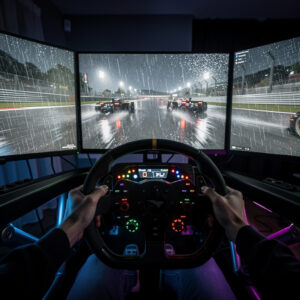
Triple monitors create wraparound vision that improves spatial awareness, apex judgment, and awareness of competitors. This setup requires graphics card power, desk or cockpit space, and complexity managing bezels between screens. Costs range from $800 to $2,000 including three displays and mounting solutions. Triple screens remain the choice for serious competitors despite VR advancements.
Virtual Reality headsets place you inside the car with unmatched immersion. You see depth naturally and judge distances instinctively. However, VR demands consistent ninety frames-per-second performance to prevent motion sickness, limits resolution compared to monitors, and creates heat during long sessions. Current generation headsets cost between $300 and $1,000. Consider VR if immersion matters more than competitive performance, or if space constraints prohibit monitor setups.
Cockpit Solutions: From Wheel Stands to Aluminum Profile
How you mount hardware affects everything from feedback quality to physical safety. Desk mounting works temporarily but introduces flex that muddies force feedback and risks equipment damage during enthusiastic moments.
Wheel stands provide foldable solutions costing between $100 and $300s. Popular options from Next Level Racing or GT Omega support entry-level and mid-tier wheels effectively. Stands fold against walls or into closets between sessions, ideal for shared spaces. However, stands still allow some movement, and heavy braking on load cell pedals may shift lighter stands across floors. Some stands include integrated pedal plates that improve stability, while others require separate solutions for load cell brakes.
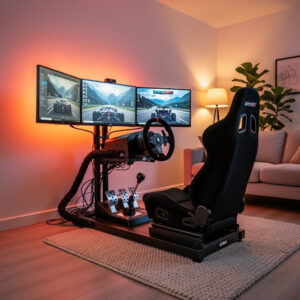
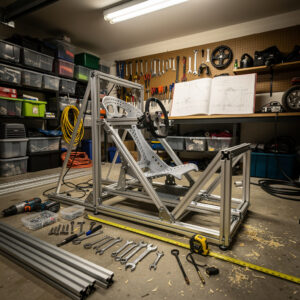
Aluminum profile rigs represent the enthusiast standard. Using eight-series aluminum extrusion, these frames offer infinite adjustability, absolute rigidity, and expansion possibilities. Profile rigs handle direct drive torque and load cell pedal pressure without flexing. DIY builds cost between $300 and $600 depending on size and accessories, while pre-built options range from $500 to $1,500. A profile rig should anchor any serious setup planning.
The steel-tube rig I welded myself is overbuilt for the torque I run, but that is the point — frame flex is the enemy of honest force feedback, and a rigid cockpit reveals exactly what the wheel and pedals are doing. Learn more about building your own rig in the comprehensive aluminum profile frame guide.
Platform Choice: Console or PC
Your gaming platform significantly impacts available hardware and software options. Neither choice is objectively superior, but each presents distinct trade-offs.
Console sim racing primarily means PlayStation or Xbox, with Gran Turismo 7 dominating the PlayStation ecosystem and limited options on Xbox. Console wheels must carry platform licenses, limiting choices primarily to Logitech, Thrustmaster, and Fanatec. However, console setups offer simplicity: plug in your wheel, launch the game, and race without configuration complexity. Console wheels typically cost slightly more than PC equivalents due to licensing fees.
PC sim racing opens virtually unlimited hardware and software choices. Any USB wheel works, including enthusiast brands like Simucube, Simagic, and Moza that lack console licenses. Software options expand to include iRacing, rFactor 2, Automobilista 2, and countless mods. However, PC requires technical comfort managing drivers, settings, and occasional troubleshooting.
Choose console if you prioritize simplicity and already own a PlayStation. Choose PC if you want maximum hardware flexibility and software variety. Budget approximately equivalent amounts for either platform, though PC might require graphics card upgrades for triple monitor or VR use.
Console Compatibility and Ecosystem Lock-in
When selecting hardware, consider ecosystem commitment carefully. Wheels licensed for PlayStation do not work on Xbox without PC intermediary, and Xbox wheels lack PlayStation compatibility. Fanatec offers some cross-platform solutions through their wheel base ecosystem, but generally expect platform-specific limitations.
Console ecosystems also affect your upgrade path. PlayStation users enjoy strong Gran Turismo community but limited serious simulation alternatives. Xbox users face the most restricted ecosystem, with fewer simulator options than PC or PlayStation. Consider your long-term commitment to a specific platform before investing heavily in console-specific hardware.
PC offers the most future-proofing. A quality direct drive wheel purchased today will serve you across multiple PC upgrades and software changes for years. Console wheels might become obsolete when manufacturers release new console generations or change licensing requirements.
Additional Considerations: Audio, Transducers, and Accessories
Beyond core controls, several accessories enhance immersion significantly. While not strictly necessary for beginners, understanding these options helps prioritize future upgrades.
Audio systems matter more than many beginners assume. Quality headphones or dedicated sim racing speakers reproduce engine notes, tire squeal, and track surface changes that provide crucial feedback about vehicle behavior and track limits. Budget between one hundred and $300s for audio improvements after securing core controls.
Butt kickers and transducers convert low-frequency audio into physical vibration through your seat or cockpit. These devices let you feel engine revs, curb impacts, and traction loss, adding immersion without the complexity of full motion platforms. Entry-level transducers cost around $100, while advanced multi-channel systems exceed $500. The guide to DIY sim racing upgrades covers adding these immersion enhancers to your setup.
Button boxes and switch panels add physical controls for functions like brake bias adjustments, ignition toggles, or pit limiters. While many wheels include basic buttons, dedicated button boxes offer better ergonomics for complex simulators like iRacing or Assetto Corsa Competizione. These become more important as you progress from casual racing to serious competition.
Shifters and handbrakes deserve consideration if your interests include historic racing, rally, or drifting. While paddle shifters suffice for modern GT and open-wheel cars, H-pattern shifters add authenticity for classic vehicles. Hydraulic handbrakes become essential for rally disciplines where handbrake turns represent core technique.
Budget Tiers: Three Entry Points
Understanding typical configurations at different price points helps visualize your path forward.
Budget Tier ($300-$500): Logitech G923 or Thrustmaster T300 wheel and pedal set, desk-mounted, existing monitor. Focus on learning fundamentals before upgrading. Total investment stays under five hundred dollars while providing authentic simulation experiences.
Enthusiast Tier ($1,000-$2,500): Fanatec CSL DD or Moza R5 direct drive wheel, ClubSport V3 or Fanatec load cell pedals, Next Level Racing GT-Lite cockpit or DIY aluminum profile rig, twenty-seven to 32-inch monitor or budget VR headset. This tier provides professional-grade tools suitable for competitive racing and years of enjoyment.
Professional Tier ($3,000-$5,000+): Simucube Sport or Pro wheelbase, Heusinkveld Sprint or Ultimate pedals, custom aluminum profile rig with adjustable seat, triple 32-inch high-refresh monitors or premium VR, buttkickers or transducers for tactile feedback. This tier offers diminishing returns for beginners but rewards experienced drivers seeking every competitive advantage.
Planning Your Upgrade Path
Rather than attempting perfect initial purchases, plan strategic upgrades over twelve to twenty-four months. This approach spreads costs and lets you evaluate what matters most through experience.
Start with a wheel and pedal set on your desk. After three to six months of consistent use, assess whether sim racing has become a lasting hobby. If yes, invest first in load cell pedals, then a basic cockpit or wheel stand. Next upgrade your visual system, followed eventually by the wheelbase if starting with gear or belt drive. Each upgrade addresses specific limitations you will have identified through practice.
This staged approach also prevents purchasing expensive equipment before understanding your preferences. You might discover you prefer GT racing over open-wheel, or that VR causes discomfort, or that you need more rigidity than initially assumed. Experience informs better purchasing decisions than speculation.
Begin your journey by understanding what sim racing actually involves. Once you grasp the ecosystem, use this framework to evaluate your specific situation. Remember that thousands of enthusiasts started with simple desk-mounted wheels and gradually built impressive setups through incremental improvements. The journey matters as much as the destination, and every lap teaches you something valuable about both equipment and technique.
After planning your setup, explore the guide to configuring your sim racing space with proper ergonomics. The physical arrangement of your equipment affects comfort, safety, and performance as much as the equipment itself.
Frequently Asked Questions
How much should I spend on my first sim racing setup?
Budget $300-$500 for a quality wheel and pedal set like the Logitech G923 or Thrustmaster T300. Resist spending more initially because experience teaches you which upgrades matter most. Allocate roughly 40% of your hardware budget to pedals, as braking consistency affects lap times more than wheel quality.
Do I need a cockpit or can I use a desk?
Desk mounting works for entry-level gear and is the right starting point for most beginners. Upgrade to a wheel stand ($100-$300) or aluminum profile rig ($300-$600 DIY) only after confirming sim racing is a lasting interest. Direct drive wheels require rigid mounting that desks cannot provide.
Should I get a console or PC for sim racing?
Choose console if you prioritize simplicity and already own a PlayStation for Gran Turismo 7. Choose PC if you want maximum hardware flexibility, software variety including iRacing, and access to enthusiast brands like Simucube and Moza. PC offers the most future-proofing for long-term investment.
What is the best upgrade path for sim racing?
Start with wheel and pedal set. After 3-6 months, upgrade to load cell pedals first, as they improve lap times more than any other single upgrade. Next add a cockpit or wheel stand. Then upgrade your visual system. Finally consider a direct drive wheelbase if starting with gear or belt drive.
How much space do I need for sim racing?
A desk-mounted wheel needs about 3 feet of desk depth plus room for pedals. Wheel stands need 3×4 feet of floor space during use. Full cockpits with monitors need a permanent 4×6 foot footprint. Consider foldable solutions if your space serves multiple purposes.
Is VR or triple monitors better for sim racing?
VR provides unmatched immersion and natural depth perception but requires consistent 90fps and causes heat buildup during long sessions. Triple monitors offer better visual clarity, longer comfortable sessions, and no motion sickness risk. Most competitive racers prefer triple monitors; most immersion-focused racers prefer VR.
Can I upgrade sim racing equipment gradually?
Yes, incremental upgrading is the recommended approach. Start with a wheel and pedal set, then add load cell pedals, a cockpit, better visual system, and eventually a direct drive wheelbase over 12-24 months. This spreads costs and lets you identify which upgrades matter most through actual experience.
Related Articles
- What Is Sim Racing? — Complete introduction to the hobby and hardware ecosystem
- Building a DIY Sim Racing Rig — Aluminum profile frame construction from $300-$600
- Setting Up a Sim Racing Space — Ergonomics, lighting, and cable management
- How to Configure Force Feedback — Calibrate your wheel for realistic feel
- DIY Sim Racing Upgrades — Button boxes, bass shakers, and wind simulation