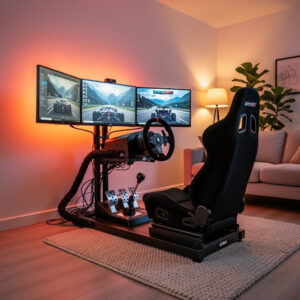
A complete sim racing setup for under $500 is entirely possible in 2026 — and it’s genuinely good now. I’ve run everything from a gear-driven Logitech G29 to the direct-drive wheelbases bolted to my rig, and the entry-level direct drive bases now dropping below $300 have effectively erased the old compromise between price and feel. The setup I’d recommend to anyone starting out today combines a Moza R5 bundle at roughly $400 with Assetto Corsa at $20 on sale — call it $420 for the wheel and the game, with the desk clamp that ships in the box covering mounting for now.
As an Amazon Associate I earn from qualifying purchases.
The priority order I tell everyone is the same whether you’re on a desk or in a full cockpit: force feedback wheel first, stable mounting second, a game with competitive online racing third, and accessories last. I’ve helped friends set up budget rigs using this exact framework, and after bolting on every class of wheelbase from gear-drive to high-torque direct drive, I can tell you with certainty: spending $500 in this order creates a setup that competes with rigs costing twice as much.
The $500 Budget Breakdown
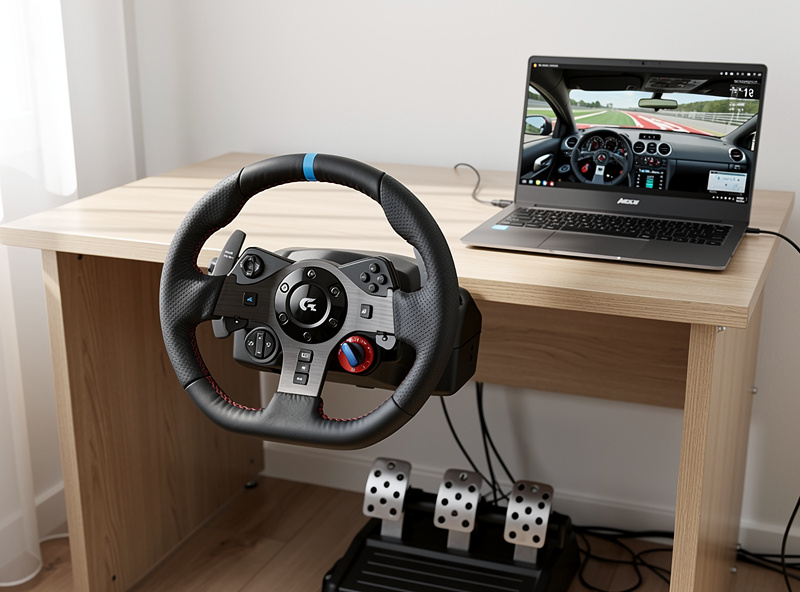
I break the $500 budget into three tiers based on which wheel you commit to — the wheel is the engine of the experience, and the rest gets built around it. PC users get the best value because they can choose from any wheel brand and use free mods; console users pay a licensing premium but still have strong options.
| Component | Budget Build (~$220) | Sweet Spot (~$440) | Full Rigidity (~$665) |
|---|---|---|---|
| Wheel | Logitech G29 ($200) | Moza R5 Bundle ($400) | Fanatec CSL DD 5Nm ($400) |
| Pedals | Included with G29 | Included with R5 bundle | Included with CSL DD |
| Game | Assetto Corsa ($20) | ACC ($40) | ACC ($40) |
| Mounting | Desk clamp (included) | Desk clamp (included) | GT Omega APEX stand ($225) |
| Extras | None | None | None |
| Total | $220 | $440 | $665 |
The Logitech G29 build at $220 is the lowest viable entry point — I started on gear-drive and it teaches fundamentals just fine. The $440 build with the Moza R5 is dramatically better and still lands comfortably under $500. Direct drive versus gear drive is not a small upgrade. Across every wheelbase I’ve bolted on, the jump from gear to direct drive is the single biggest feel improvement you’ll ever make. If your budget can stretch to $440, always choose the direct drive option. Where the old “everything for $500” math breaks down in 2026 is mounting: a real wheel stand now runs $225 on its own, so direct drive plus a proper stand realistically lands near $665, not $500 — treat the stand as the next purchase a month or two later rather than expecting it in the same order. For a complete walkthrough of planning your first rig — including space, platform, and budget decisions — see our first sim racing setup guide.
Best Budget Wheel: Moza R5 Bundle vs Logitech G29
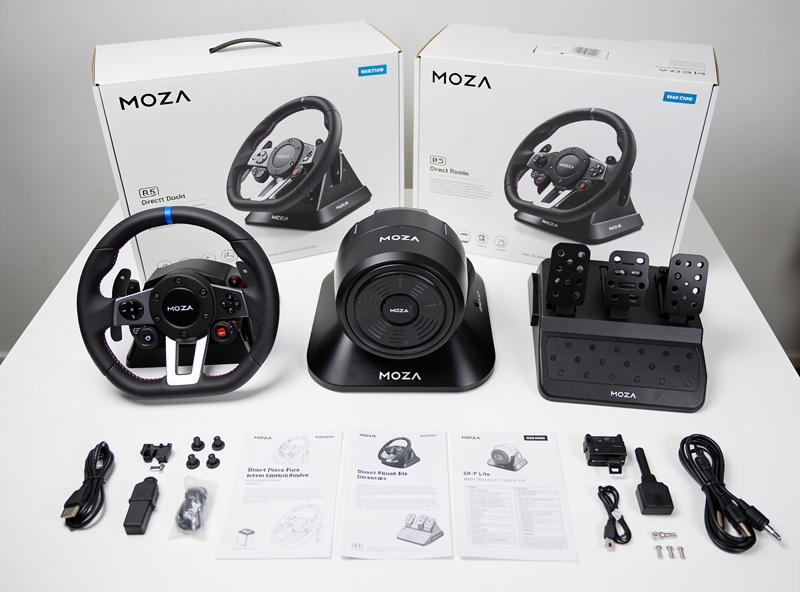
The Moza R5 bundle and Logitech G29 are the two most popular budget wheel options, but they target different buyers — and having run both, the gap between them is not marginal. The G29 at $200 is the cheapest reliable entry point with included pedals and console compatibility. The Moza R5 bundle at around $400 delivers direct drive force feedback that makes the G29 feel like a toy, but it is PC-only and the included pedals lack a load cell.
The G29 uses gear drive with 2.2 Nm of torque. It works on PC, PlayStation, and Xbox. The included three-pedal set has potentiometer-based brake and accelerator. Build quality is plastic with metal reinforcement. I ran one for my first season — it’s the standard recommendation for anyone testing whether the hobby sticks before investing more.
The Moza R5 uses direct drive with 5.5 Nm of torque — more than double the G29’s output, and that number translates directly to what your hands feel. It is PC-only. The included SR-P Lite pedals are better than the G29 pedals but still use a potentiometer brake (a load cell upgrade kit runs about $45 direct from Moza). Build quality is full metal — it’s built the way a wheelbase should be. The Moza Pit House software provides detailed force feedback tuning that Logitech’s software cannot match, and FFB tuning is where the real lap time lives once you’ve got the hardware. For a detailed comparison of all wheel options, see our Sim Racing Wheels Guide.
If your budget is strictly $250 or less, buy the G29. If you can spend $400, buy the Moza R5 bundle. The performance difference is not marginal — it is the difference between feeling major forces and feeling every detail through the wheel. Across the bases I run on my rig, the R5 class sits at the floor of what I’d call genuinely serious hardware.
Best Budget Games
Sim racing games range from free to $60, and the ones I run daily — iRacing and ACC — are on opposite ends of that range. The best budget options deliver hundreds of hours of content without burning your hardware budget. Assetto Corsa regularly goes on sale for $5-10 and includes thousands of free mods. ACC costs $40 and focuses on GT3/GT4 racing with excellent physics. iRacing costs $13/month but has the best online competition system.
For a $500 total setup budget, allocate $20-40 for the game. Assetto Corsa at $20 (or $5 on sale) gives you the most content per dollar because the modding community has added thousands of free cars and tracks — I still fire it up for mod content I can’t get anywhere else. ACC at $40 gives you the most realistic GT racing experience. My advice: master one simulator before adding another. Buying five games and playing none of them well is the fastest way to stall your progress. For an overview of what the hobby actually involves before you buy, see our introduction to sim racing.
Free options exist too. RaceRoom Racing Experience is free to play with solid physics and online competition — the paid DLC expands the car roster. Gran Turismo 7 is included with PlayStation Plus. For PC, Assetto Corsa with the Content Manager launcher and free mods provides effectively unlimited content at just the base game price.
Desk Setup vs Wheel Stand on a Budget
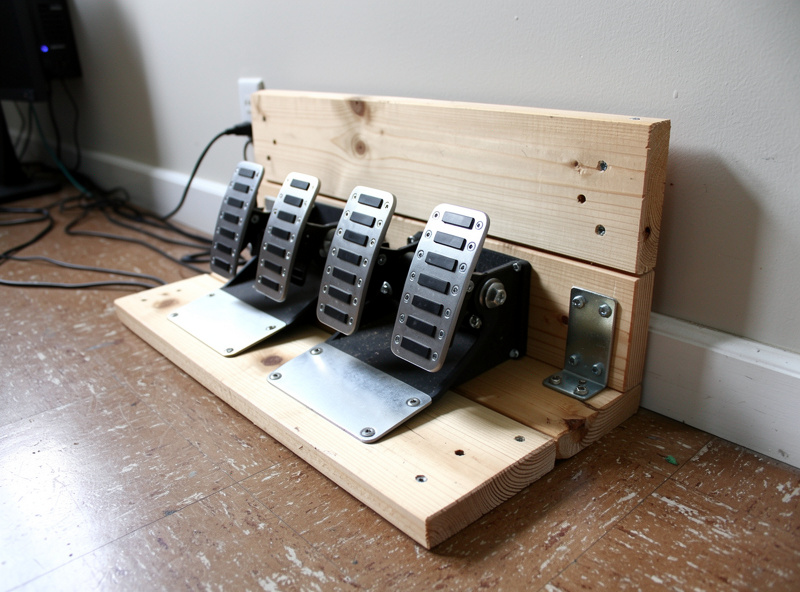
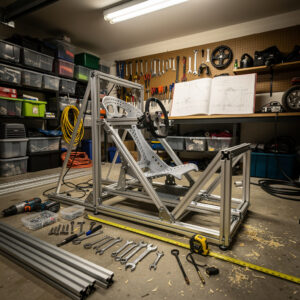
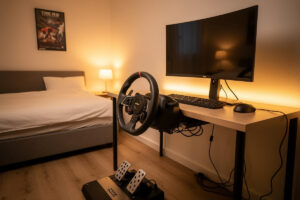
My rig is welded steel, but I’ve set up enough desk rigs for friends to know exactly where they fail. Most budget setups start on a desk with a clamp or bolt-through mount. This works for belt-drive and low-torque direct drive wheels up to 5 Nm. The three failure points are always the same: the wheel flexes the desk surface, the pedals slide on hard floors, and your office chair rolls backward under braking force.
Solutions for each: for desk flex, use a piece of plywood between the wheel clamp and the desk to distribute the load — it’s the same principle as triangulating a cockpit frame, just cheaper. For pedal sliding, bolt the pedals to a wooden board and brace the board against the wall, or use rubber grip pads under the pedal base. For chair rolling, a $15 set of caster wheel locks or replacing rolling casters with stationary rubber feet solves it permanently.
A wheel stand at $225-280 solves all three problems at once. The GT Omega APEX at around $225 provides a rigid wheel mount and a pedal tray that keeps everything locked in position. It folds flat for storage when not in use. If you plan to upgrade to a stronger direct drive wheel in the future — and you should, because once you feel 8+ Nm you won’t want to go back — investing in a wheel stand now saves you from buying one later. For mounting options and space planning, see our Sim Racing Cockpit Guide.
Upgrading Your Budget Setup Over Time
The upgrade order I tell every new sim racer, and the one I wish I’d followed myself from day one: wheel first (already done if you bought the R5 or G29), then load cell pedals, then wheel stand or cockpit, then shifter or handbrake, then display upgrade. This order targets the components with the biggest impact on lap time first — and I’ve tested every step of it across my own rig to prove the sequence.
Load cell pedals are the first real upgrade because they improve braking consistency more than any other single component — I run a load-cell pedal set as my daily, and the difference in muscle-memory braking versus potentiometer travel is the single biggest lap-time gain after the wheel itself. The Moza SR-P load cell upgrade kit at around $45 adds a load cell brake to the R5 bundle’s included pedals. For Fanatec users, the CSL Elite V2 pedals at $300 replace the basic included pedals entirely. Budget $45-300 for this upgrade within three months of buying your wheel.
A wheel stand is the second upgrade, budget $225-280 within six months — rigidity under braking is not optional once you step to a load cell pedal. A shifter is the third upgrade if you drive manual transmission cars, budget $100-200. A monitor upgrade to ultrawide or VR is the final upgrade and the most expensive at $300-500. If you want to add physical feedback without blowing the budget, a tactile transducer is the cheapest immersion upgrade available — our budget sim racing motion guide shows how I layer haptics before committing to a full motion platform. By spreading purchases over 6-12 months, you build a $1,000+ setup for the cost of one or two monthly upgrades. For pedal upgrade options, see our Sim Racing Pedals Guide.
Common Budget Setup Mistakes
The biggest budget mistake I see is buying a non-force-feedback wheel. Wheels under $100 without force feedback — like the Thrustmaster T80 or Logitech Driving Force GT without FFB — provide zero physical feedback. You cannot learn car control, catch slides, or feel tire grip without force feedback. If your budget is under $200, buy a used Logitech G29 with force feedback rather than a new wheel without it.
The second mistake is overspending on games and underspending on hardware. A $600 wheel with no money left for games means you cannot practice. A $200 wheel with $300 in games means you have content but cannot feel the car. Keep the hardware-to-game ratio at roughly 80/20 — spend $400 on a wheel and $40 on one game, not $300 on a wheel and $200 on five games.
The third mistake is skipping a mounting solution entirely. Floor-mounted pedals and a wheel clamped to a wobbly desk make every session frustrating. Even a $225 wheel stand transforms the experience by locking everything in position. Rigidity is the foundation — on my rig I can feel FFB detail that a flexing desk swallows entirely. If you truly cannot afford a wheel stand, use the plywood-and-wall-brace method described above — it costs under $20 in materials and works surprisingly well.
Can you sim race for under $500?
Yes, for the wheel and game. A Moza R5 bundle at around $400 plus Assetto Corsa at $20 provides a complete direct drive sim racing setup for about $420 on a desk clamp. A real wheel stand now costs $225+ on its own, so pairing direct drive with a proper stand runs closer to $665 in 2026 — budget the stand as a follow-up purchase. Even the Logitech G29 at $200 with a free game provides a viable starting point.
What is the cheapest sim racing setup that is actually good?
The Moza R5 bundle at around $400 is the cheapest setup worth buying in 2026 if direct drive is the priority. It delivers direct drive force feedback that dramatically outperforms the Logitech G29 at $200.
Is the Logitech G29 still worth it in 2026?
The Logitech G29 is worth it only if your budget is strictly under $250 or you need PlayStation compatibility. For PC users who can stretch to $400, the Moza R5 delivers noticeably more force feedback detail with zero mechanical filtering. The G29 remains the most reliable budget wheel with the longest track record.
What free sim racing games are the best?
RaceRoom Racing Experience is the best free sim racing game with solid physics and online competition. Assetto Corsa often goes on sale for under $10 and has thousands of free mods. Gran Turismo 7 is included with PlayStation Plus.
Do I need a wheel stand for a budget setup?
A wheel stand is not required for low-torque wheels up to 5 Nm, but it improves the experience significantly. Desk clamps and floor-mounted pedals work but create frustration from flex and sliding. Budget around $225 for a GT Omega APEX wheel stand if possible.
What should I upgrade first on a budget setup?
Upgrade to load cell pedals first. A $45-300 load cell pedal upgrade improves braking consistency more than any other component. The next upgrade should be a wheel stand at $225-280, followed by a shifter if you drive manual transmission cars.
Related Articles
- How to Plan Your First Sim Racing Setup — A Budget and Space Framework
- Best Sim Racing Wheels 2026: Buyer’s Guide and Top Picks
- Best Sim Racing Pedals 2026: Load Cell, Hydraulic, and Budget
- What Is Sim Racing? A Complete Introduction to the Hobby
- Sim Racing Cockpit and Stand Guide: Wheel Stand vs Full Rig