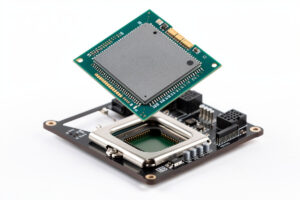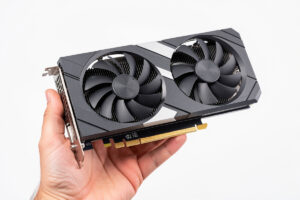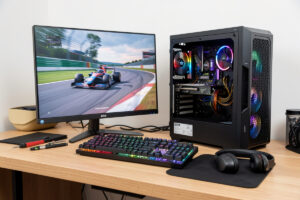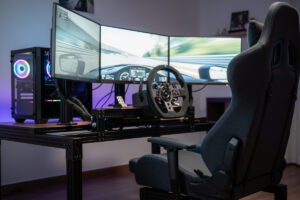
On the triple-monitor rig I run on my welded steel cockpit, peak draw hits just under 1,200 W during a heavy race session. The gaming PC pulls 380–580 W with an RTX 4080 Super and Ryzen 7 7800X3D under iRacing at triple 1440p, three 27″ IPS monitors draw 35–60 W each, the direct-drive wheel base pulls 70–180 W during heavy curb strikes delivering full force feedback (higher-torque bases pull more than entry-tier ones), and 20–40 W of supporting peripherals (button boxes, transducers, RGB, button-box LEDs) add their own load. At 80–95% PSU efficiency and 12–15% inverter loss for any UPS that handles brownouts, you need to plan PSU and battery backup against a 1,000 W+ continuous capability ceiling — not the 350 W average idle draw most builders assume from a quick wattmeter check.
I spent a weekend measuring the actual draw on my rig with a wattmeter, running the full stack through race sessions, crash events, and menu loads. Here’s what I found, how I sized the PSU I run, and the UPS that keeps me racing through brownouts without losing iRating to a 60-second outage.
Real Power Draw of a Modern Sim Rig
Most build guides quote PSU sizing based on the GPU’s TDP plus an arbitrary 200 W margin. That misses three loads that matter for sim racing specifically: the direct-drive wheel base under full force feedback (significantly higher than nameplate), three monitors at full white scenes, and the bass shaker amp during heavy crash audio. The actual peak load I’ve measured on my own rig:
- Gaming PC (Ryzen 7 7800X3D + RTX 4080 Super): 380-580 W under sim racing load (iRacing at 4K triples, max settings). Spikes to 620 W on shader compilation and load screens.
- Three 27″ 1440p IPS monitors: 35-45 W each in normal sim racing scenes (mostly mid-tone gray). Up to 60 W each on full-white menu screens. Total: 105-180 W.
- Direct-drive wheel base (Simucube 2 Pro at 25 Nm, Moza R21 at 21 Nm, or an entry-tier base like Asetek La Prima at 12 Nm): 70-180 W during heavy curb strike or crash on the higher-torque bases, less at the entry-tier end. Steady-state during normal driving is 40-90 W.
- Pedals (load cell brake, hydraulic clutch): 5-15 W.
- Button box, RGB, transducers, USB hub: 20-40 W.
- Bass shakers + amplifier: 80-200 W on heavy bass scenes (crash audio, engine deep notes).
Add it up: 580 W (PC) + 180 W (monitors) + 180 W (wheel) + 15 W (pedals) + 40 W (peripherals) + 200 W (shakers) = 1,195 W peak. Steady-state during a typical 30-minute race: 700-850 W. The 1,000 W PSU recommendation that most enthusiast builds default to is the right baseline, but it leaves no margin for the audio amp and shaker loads if you have them.
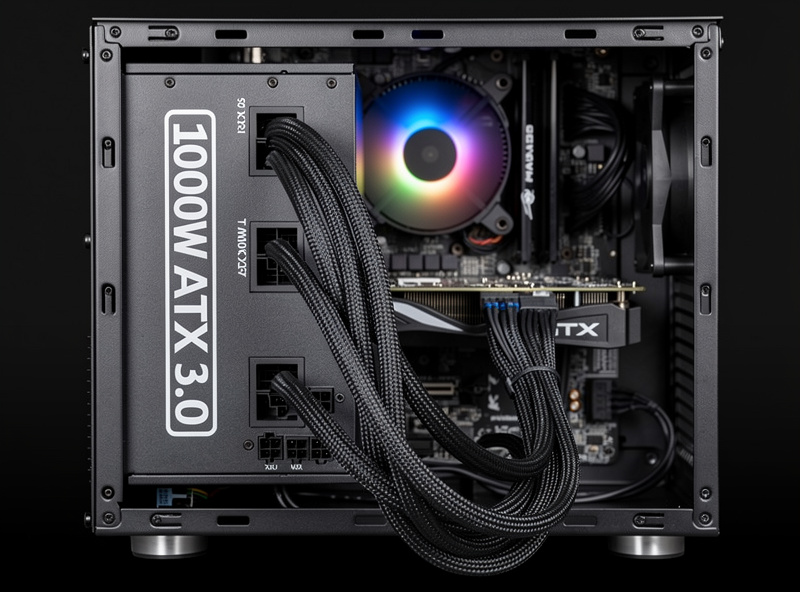
PSU Spec That Actually Matters
The single most-quoted PSU number — total wattage — is misleading. Three other specs matter more:
- Continuous wattage at 50°C, not peak. Cheap PSUs claim “1000 W” but only deliver 800 W continuous at warm operating temperatures. Look for “continuous” rating in the spec sheet, not “peak” or “OCP rating.”
- ATX 3.0 / ATX 3.1 compliance with 200% transient capability. Modern GPUs (RTX 40-series, AMD RX 7000-series) draw ms-scale transients of 2x their TDP. Pre-ATX 3.0 PSUs trip on these spikes and crash games. The native 12VHPWR connector also matters for cable cleanliness.
- 80 Plus Gold or higher. Sim rigs run for 4-8 hour sessions; PSU efficiency directly drives the room temperature increase you fight with cooling. Gold (87-90% at 50% load) is the practical minimum.
- Single-rail 12V design. Not strictly required but simplifies high-load distribution. Most modern enthusiast PSUs are single-rail by default.
The PSU I run in my sim PC is a 1200 W ATX 3.1 unit, 80 Plus Gold, from a top-tier OEM (Seasonic, Corsair, Super Flower, Bequiet, Asus ROG). Cost: $180–280. Going below 1000 W with the bass-shaker scenario above will produce occasional crashes during peak loads — a kind of failure that’s hard to diagnose because it only happens during specific in-game events.
The UPS Decision
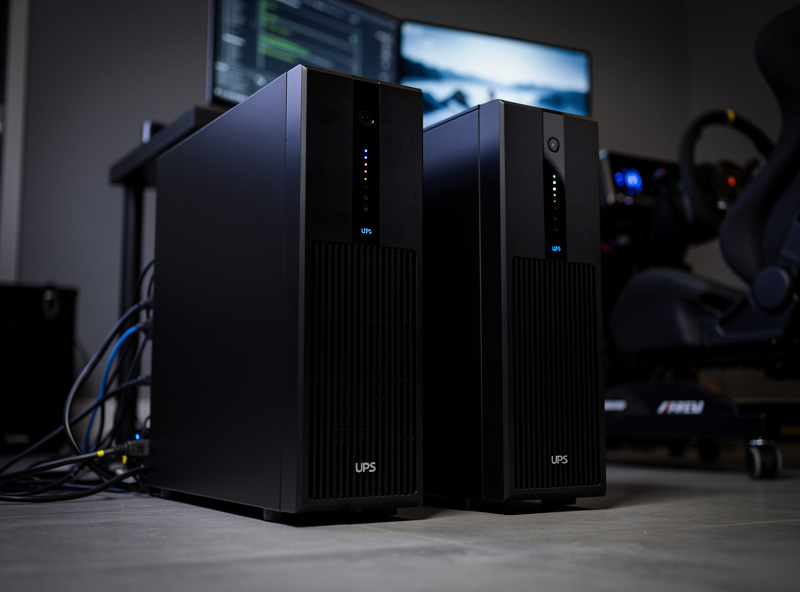
Online sim racing punishes power events, and I learned this the hard way. A 60-second outage in the middle of a league race ended my event and cost iRating. The UPS I run on the rig in my workshop isn’t optional for serious online racers — it’s the difference between finishing your race or watching iRating drop while you reboot.
UPS sizing for sim racing requires three considerations:
- VA rating versus actual sim rig draw. A 1500 VA UPS at 0.6 power factor delivers about 900 W continuous — not enough for the full 1,200 W peak above. A 2200 VA UPS at the same PF delivers 1,300 W — sufficient. Always size 25% above your actual measured peak draw, not nameplate of components.
- Pure sine wave output (not stepped or simulated sine). Modern PSUs with active PFC reject simulated sine input and trip the UPS into bypass mode, defeating the protection. Pay the extra $80-150 for true pure-sine output.
- Runtime target. 5-8 minutes is enough to safely save game state and exit a league race. 15-30 minutes lets you finish most races. The runtime curve is exponential — adding capacity for 30 minutes versus 8 minutes is roughly 3x the cost, not 4x.
The chemistry side of why pure sine matters and why LiFePO4 UPSes outperform older lead-acid models is covered in our partner site’s 2026 hybrid inverter and battery comparison guide, which covers the same chemistry and sine-wave decisions at the residential whole-home scale.
Brownout Protection vs Outage Backup
Two separate failure modes:
- Brownouts (voltage sags below 100 V) cause monitors to flicker, the wheel base to lose force feedback for 200-500 ms, and sometimes USB devices to disconnect. Even a small line-interactive UPS (CyberPower CP1500AVRLCD3) handles these — it boosts low voltage with an autotransformer, no battery cycling.
- Full outages require pure sine battery output. An online double-conversion UPS (the most expensive class) handles this with zero transfer time. A line-interactive UPS handles it with 4-8 ms transfer time — fast enough that the gaming PC stays on but slow enough that the monitor may briefly flicker.
For online league racing, a line-interactive 2200 VA pure sine UPS is the price-performance sweet spot. For competitive iRacing or pro-am leagues where every race counts, a double-conversion 2200 VA UPS eliminates the transfer flicker entirely.
Comparison: UPS Options for Triple-Monitor Sim Rigs
| UPS | VA / Watts | Output Type | Runtime @ 800W | Approx Cost | Best for |
|---|---|---|---|---|---|
| CyberPower CP1500AVRLCD3 | 1500 / 900 | Simulated sine | ~3 min | $220 | Brownout protection only — undersized for full triple rig |
| APC Back-UPS Pro 1500S | 1500 / 900 | Pure sine | ~4 min | $260 | Budget-friendly pure sine at 1500 VA — works with any modern active-PFC PSU, just short on runtime for the full triple-monitor peak |
| CyberPower PR2200LCDRT2U | 2150 / 1980 | Pure sine | ~8-10 min | $650 | Standard recommendation — line-interactive pure sine |
| Eaton 5P1500R | 1500 / 1440 | Pure sine | ~5 min | $580 | Premium build quality, smaller capacity |
| APC Smart-UPS SRT 2200 | 2200 / 1980 | Pure sine, double-conversion | ~10 min | $1,300 | Online double-conversion — competitive racing |
| EcoFlow Delta Pro 3 (portable) | 4000 / 4000 | Pure sine | ~60+ min | $3,200 | Long-runtime + portable use cases |
| DIY LiFePO4 + 1500W pure sine inverter | ~1500 W | Pure sine | ~30+ min | $650-900 | If you also need solar/portable use |
The Surge Strip Layer
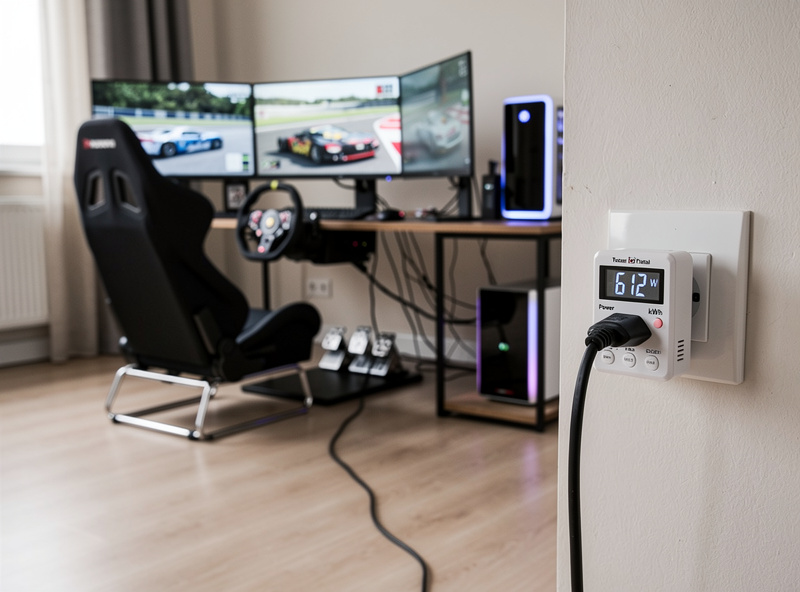
Even with a UPS, a quality surge protector ahead of it adds protection against utility-side voltage spikes from lightning and grid events. A Furman M-8×2 ($110) or Tripp-Lite TLP1208SAT ($60) handles the typical residential surge profile. Don’t stack power strips — single high-quality strip into the UPS into the wall.
For DC-rated USB hubs that power button boxes, transducers, and accessories, the load adds up faster than expected. A 7-port USB hub running RGB and three button boxes can pull 30-50 W on its own; size the UPS load budget accordingly.
Wiring Strategy: What Goes On Battery vs Surge-Only
Most sim racing UPSes have separate “battery+surge” and “surge-only” outlets. The right allocation:
- Battery+surge: Gaming PC, primary monitor, wheel base, audio interface (anything that loses race progress on outage).
- Surge-only: Secondary monitors, RGB lighting, bass shaker amp, button-box accessories (anything you can lose during an outage without race impact).
This roughly halves the UPS load, doubling effective runtime on the critical-path equipment. Some serious racers go further — running secondary monitors on a separate surge-only strip and treating the UPS as a “PC plus primary monitor” backup only.
What to Buy First
Here’s the order I’d do it, based on what worked on my rig:
- Day 1: Grab a Kill-A-Watt or similar wattmeter ($25). Measure your actual rig draw under race load — typically 30-60 minutes into a session, with bass shakers active and heavy force feedback. Note the peak.
- Day 2: If your PSU is under-sized for the measured peak, replace it first. ATX 3.1, 1000-1200W, 80 Plus Gold, $180-280.
- Day 3: Buy the right-sized UPS based on your measured peak. CyberPower PR2200LCDRT2U ($650) is the standard recommendation for a high-end triple-monitor rig.
- Week 2: Run a controlled brownout simulation (cycle the wall breaker briefly during a non-critical session). Verify the UPS transfers cleanly without crashing the rig.
- Week 3: Configure the UPS USB-management software to trigger graceful shutdown of game and OS at 30% remaining battery — buys 2-3 minutes of warning instead of crash on full discharge.
If you’re building the PC that this PSU and UPS plug into, see the sim racing PC build guide — it covers CPU, GPU, RAM, and storage decisions that determine your total rig draw before you size a PSU.
For the broader sim rig build context — wheel base selection, monitor mounting, frame design — see the DIY sim racing rig build guide, the aluminum profile rig comparison, and the best pedals for sim racing. The sim racing space planning guide covers room layout decisions that affect wiring runs and UPS placement.
For deeper background on UPS technology and PSU certification, the Cybenetics PSU efficiency database publishes independent test data on every major PSU brand, and CyberPower’s own line-interactive and double-conversion topology explainers cover the engineering reasoning behind the two UPS designs referenced throughout this guide.
Frequently Asked Questions
What size PSU do I need for a triple-monitor sim rig?
For a high-end build (RTX 4070 Ti or better, three 1440p monitors, direct-drive wheel, bass shakers), 1000-1200W ATX 3.1 with 80 Plus Gold certification. Below 1000W, peak loads during heavy force feedback and bass-shaker events can exceed PSU capacity and cause crashes. Always check continuous wattage at 50C, not peak rating.
Do I really need a UPS for sim racing?
For online league racing or competitive iRacing, yes — a 60-second power blip mid-race ends your event and costs iRating points. For offline practice and casual play, a UPS is convenience rather than necessity. The minimum useful UPS for a triple-monitor rig is 1500 VA pure sine; 2200 VA is the comfort sweet spot.
Why does the UPS need pure sine wave output?
Modern gaming PSUs with active PFC reject simulated sine input and trip into bypass mode when the UPS battery engages — defeating the protection. Pure sine output emulates clean grid power and works with any modern PSU. The cost difference between simulated and pure sine UPSes is roughly $80-150 and is non-negotiable for any modern build.
How long should the UPS last during an outage?
5-8 minutes is enough to safely save state and exit a league race. 15-30 minutes lets you finish most races. The capacity-to-runtime curve is exponential, so going from 8 to 30 minutes roughly triples the cost. Most racers settle at the 8-minute level — enough to handle the typical brownout or short outage cleanly.
Should I put my monitors on UPS battery too?
Put the primary monitor on UPS battery for situational awareness during an outage. Secondary monitors on surge-only outlets — losing them during an outage doesn’t end your race, and excluding them roughly halves the UPS load. This effective 2x runtime extension on the critical path is the cheapest reliability upgrade available.
Can I use a portable power station instead of a UPS?
Yes — EcoFlow Delta Pro 3 and Bluetti AC500 both function as long-runtime UPS backups with online passthrough modes. They cost more upfront ($3,000+) but combine UPS, portable power, and home backup in one device. The transition speed is comparable to line-interactive UPSes (under 20 ms), suitable for sim racing.
Will a UPS protect against lightning strikes?
Partially. UPSes handle low-energy surges (most utility events) but not direct lightning strikes that exceed the surge protector rating. For lightning-prone areas, add a Furman or Tripp-Lite series-mode surge protector ahead of the UPS, and disconnect from grid power during major thunderstorms.
Related Articles
- Sim Racing PC Build Guide
- DIY Sim Racing Rig Build Guide
- Aluminum Profile Sim Rig Comparison
- Best Sim Racing Pedals 2026
- Sim Racing Cockpit Stand Guide
- Setting Up Sim Racing Space