I have bolted gear-drive, belt-drive, and direct-drive wheelbases onto the same welded steel rig, and after running telemetry on every one of them the answer does not change: direct drive is the only motor technology worth buying in 2026 unless your budget is genuinely under $300. The Fanatec CSL DD at 8 Nm — the base I run as my daily driver — delivers force feedback detail that makes a gear-drive wheel feel like a controller with vibration motors. Entry-level direct drive now starts around $300 from Moza and Cammus, which means the belt-drive price advantage that existed in 2020 has all but evaporated. This guide covers every wheel type, torque tier, and ecosystem so you match your spending to what actually makes you faster, not to a spec sheet.
A sim racing wheel is the primary interface between you and the simulator — it is the only piece of hardware that translates virtual tire forces, road surface texture, and weight transfer into physical feedback your hands can interpret. If you are still allocating your full budget, our budget and space planning guide lays out how to split spending across wheel, pedals, and rig. A cheap wheel with no force feedback is like driving with mittens on — you can steer, but you cannot feel what the car is doing. The upgrade order I stand by — and I have tested this by swapping parts across the rig I welded — is rig first, pedals second, wheelbase third, rim last. A direct-drive wheel on a flexing desk wastes the torque you paid for. A load-cell pedal set with a gear-drive wheel will find more lap time than the reverse. Get the foundation right and the wheel upgrade actually shows up in your telemetry.
Direct Drive vs Belt Drive vs Gear Drive: What I Have Actually Felt
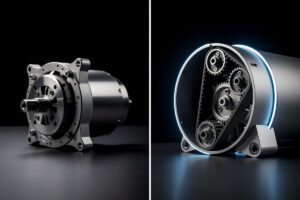
Across the bases I have bolted onto my rig — a Logitech G29 (gear), a Thrustmaster T300 (belt), a Fanatec CSL DD, a Moza R9, and a Simagic Alpha — the difference between motor types is not subtle. Direct drive mounts the wheel rim directly to the motor shaft with no intermediary mechanism, and that means every curb vibration, tire slip, and weight shift arrives at your hands with zero mechanical filtering. Belt drive routes motor output through reinforced belts that dampen high-frequency detail. Gear drive uses interlocking gears that introduce notchy stepping you can feel as a grainy resistance in cornering. I have run all three on the same rig, same sim, same car, and the FFB trace on my telemetry overlay tells the same story every time — direct drive captures signal detail that the other technologies simply erase.
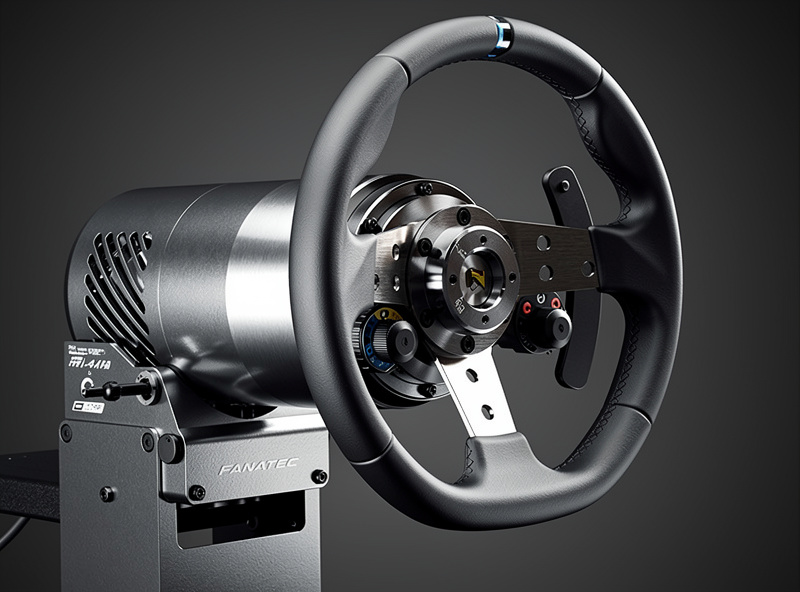
Direct drive is the only serious choice for 2026. The Fanatec CSL DD, Moza R5, and Cammus C5 have all landed in the $300-400 range, which is only a modest premium over a premium belt-drive wheel while delivering 2-3x the feedback detail. On my rig, the CSL DD at 8 Nm communicates micro-corrections in high-speed sweepers that the T300 simply rounds off. Competitive esports drivers and real-world racing drivers who sim train exclusively use direct drive because feedback fidelity directly translates to car control. The full breakdown of how each motor type translates physics — including FFB traces from my own telemetry — is in our direct drive vs belt drive comparison.
Belt drive still has a narrow case in 2026: apartment living where noise matters and budgets under $300. The Thrustmaster T300 RS provides meaningful force feedback — enough to catch slides and feel tire grip — but lacks the high-frequency micro-detail that direct drive delivers. I ran one for a season before upgrading; it taught me the basics, but the day I bolted a direct-drive base onto the rig was the day my lap times started to reflect what the car was actually telling me.
Gear drive — the Logitech G29, G923, and G920 — is the affordable entry point at $200-250. These wheels work, they are reliable, and millions of sim racers have learned on them. But the FFB is notchy and imprecise, and you will outgrow it within months if you are serious. The G29 was my first wheel, and the day I upgraded to belt drive the difference was immediately obvious — the gear notching that felt normal suddenly registered as noise. If your budget can stretch to $350, skip gear drive entirely and go straight to entry-level direct drive. The performance gap is not a 10% improvement; it is a fundamentally different sensation. For the full torque math, read how much wheelbase torque you actually need.
Best Sim Racing Wheels by Price Tier
The table below is the result of running these bases side by side on the same welded rig — same pedal set, same sim, same car — so the comparison is honest, not spec-sheet. I have marked which I have personally bolted on and run for at least a full season. The “Sweet Spot” row reflects where I would spend my own money today.
| Price Tier | Wheel | Type | Torque | PC | Console | Upgrade Path |
|---|---|---|---|---|---|---|
| Under $250 | Logitech G29 / G923 | Gear | 2.2 Nm | Yes | PS/Xbox | Limited |
| Under $350 | Thrustmaster T300 RS GT | Belt | 3.9 Nm | Yes | PS | Swappable rims |
| Under $400 | Moza R5 Bundle | Direct | 5.5 Nm | Yes | No | Moza ecosystem |
| Under $500 | Fanatec CSL DD (5 Nm) | Direct | 5 Nm | Yes | Xbox | Fanatec ecosystem |
| Under $600 | Fanatec CSL DD (8 Nm) | Direct | 8 Nm | Yes | Xbox | Fanatec ecosystem |
| Under $600 | Moza R9 V2 | Direct | 9 Nm | Yes | No | Moza ecosystem |
| Under $900 | Fanatec GT DD Pro (w/ Boost Kit) | Direct | 8 Nm | Yes | PS/Xbox | Fanatec ecosystem |
| Around $1,100 | Simucube 2 Sport | Direct | 17 Nm | Yes | No | Open ecosystem |
| $1000+ | Simucube 2 Pro | Direct | 25 Nm | Yes | No | Open ecosystem |
| $1000+ | Fanatec DD1 / DD2 | Direct | 20/25 Nm | Yes | Xbox | Fanatec ecosystem |
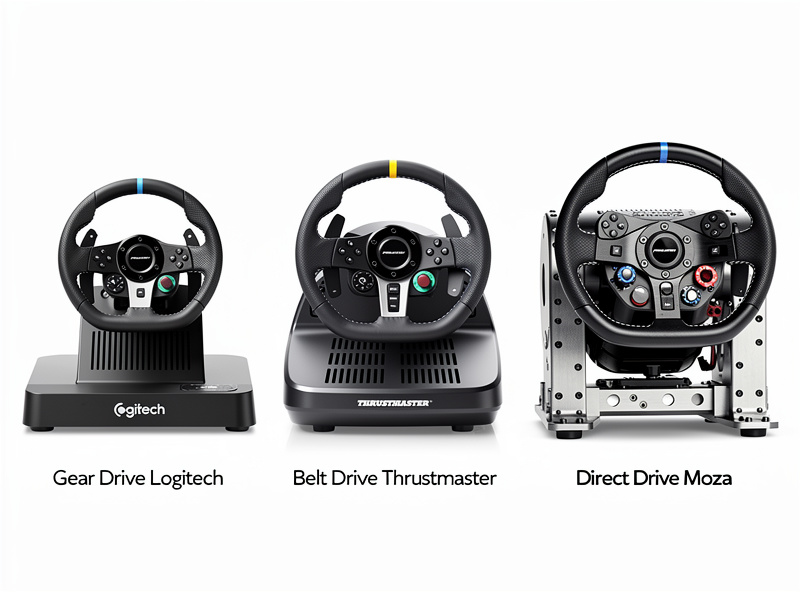
The sweet spot where I would spend my own money in 2026 lives in the $350-600 range. The Fanatec CSL DD at 8 Nm with the boost kit is the base I run as my daily driver, and for good reason: it has enough torque for realistic GT and formula car feedback without clipping on strong signals, plus access to Fanatec’s massive ecosystem of rims and accessories. The Moza R9 offers 9 Nm and a growing accessory lineup with software — Moza Pit House — that I find more intuitive than Fanatec’s Control Panel. Both are capable of speeds far beyond what most drivers can extract. For a direct head-to-head on these two, our Fanatec CSL DD vs Moza R5 comparison walks through every spec, feel, and ecosystem tradeoff.
At the top of the market, Simucube operates at torque levels (17-32 Nm) that most home racers will never fully use. I have run a Simucube 2 Sport at 17 Nm and the feedback resolution is genuinely better than the mid-torque class — but the improvement is in the last 5% of detail, not the first 50%. The esports crowd and pro coaches lean Simucube for a reason, but for the vast majority of drivers, the torque conversation is settled in the 8-12 Nm range. Our brand-by-brand direct-drive comparison covers every ecosystem in detail.
Wheel Rim Types and When to Use Each
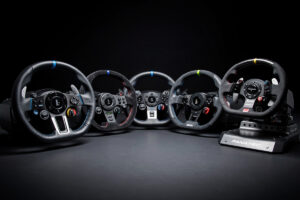
I run two rims on my daily rig — a round 320mm leather rim and a formula-style 270mm with magnetic shifters and rotary encoders — and I swap between them based on what I am driving that session. The quick-release on my CSL DD makes the change take five seconds. The rim you grip determines how car controls reach your fingers, and the wrong rim shape for your discipline is just as distracting as the wrong FFB profile.
A round rim at 300-320mm is the right first purchase. It works for GT cars, rally, drifting, touring cars, and street cars — everything except open-wheelers where you need a smaller diameter for fast hand movements. The rim I use most days is round and leather-wrapped; Alcantara looks good on camera but wears shiny within a season without gloves. If you own one rim, make it round.
Formula-style rims are specialist tools: 270-290mm diameter, flat bottom, magnetic shifters, and usually clusters of buttons and rotary encoders for brake bias, traction control, and engine map adjustments on the fly. These rims are essential for formula cars, prototypes, and LMP vehicles. The Fanatec Formula V2.5 and Moza FSR are the two I see most often in competitive lobbies. You do not need one on day one, but once you start racing open-wheel series seriously, a formula rim stops feeling like a luxury and starts feeling like a controller that fits the job. Our wheel rim guide covers shape, material, diameter, and quick-release compatibility across every major ecosystem.
GT-style rims sit between round and formula at 290-320mm with a flat-bottom or D-shape. The Fanatec McLaren GT3 V2 is the best-selling rim in the market for a reason — it is the right size for GT3 and GT4 cars, ships with magnetic shifters, and costs under $200. For ACC and iRacing GT racing, a GT-specific rim improves both immersion and your access to car adjustments during a stint. I use mine for every GT3 session because the button layout maps directly to the controls I actually adjust mid-race.
Ecosystem Compatibility: Fanatec, Moza, Thrustmaster, Simucube
Choosing a wheel ecosystem is a long-term decision because it locks in your rims, pedals, shifter, and accessories. I have run Fanatec and Moza bases on the same rig using their respective software, and the ecosystem choice matters more than the torque spec difference between competing bases in the same class. Our direct-drive brand comparison breaks down every ecosystem in detail; here is where I stand after running them.
Fanatec offers the largest and most mature ecosystem — ClubSport, CSL, and Podium lines covering $350 to $2,000+ — with more rim choices than any competitor and native PlayStation compatibility through the GT DD Pro. The downside is Fanatec’s proprietary quick-lock system: third-party rims need an adapter, and the older QR1 introduced play that the newer QR2 largely fixes. The CSL DD I run daily delivers reliable force feedback across iRacing and ACC without drama, and the accessory depth means I have never been stuck looking for a compatible part.
Moza has grown fast since 2022 and is the strongest alternative to Fanatec for PC-only racers. The R5, R9, R12, and R16 bases span 5-16 Nm at competitive prices, and Moza Pit House software is the most intuitive wheel tuning interface I have used — clearer than Fanatec’s Control Panel and easier to dial in per-title profiles. Moza’s quick-release system is cross-compatible across their entire ecosystem, which simplifies rim swapping. The tradeoff is platform: Moza is PC-only, which limits its audience but keeps the product line focused.
Simucube operates at the premium end (Sport at 17 Nm, Pro at 25 Nm, Ultimate at 32 Nm) and uses the open SQR standard, meaning you can mount rims from Ascher Racing, GSI, Cube Controls, and real motorsport wheel manufacturers without adapters. The feedback resolution on a Simucube is the highest I have experienced — but at $1,000+ for the base alone, the value proposition requires that you already know you are a sim racer for the long haul. Simucube bases are the standard in pro sim centers and top-level esports teams. For the question of whether high torque is worth it, our high-torque vs mid-torque breakdown covers what the extra Nm actually gives you in lap time.
How I Dial In Force Feedback — Not Copy-Pasted Presets
Every wheel brand ships default FFB settings that are conservative and vague — they are designed to not break anything, not to feel good. The way I dial mine in starts with telemetry, not with forum presets. I pull up the FFB trace in my overlay and run a few laps at a track with heavy curbs and fast sweepers — Spa or Sebring in iRacing, Monza or Barcelona in ACC — and watch the signal for clipping. If the trace is flat-topping at peak cornering forces, I reduce in-game FFB strength until the peaks stay rounded. A clipped signal means the wheel is at 100% output and cannot communicate anything beyond that — you are driving blind past that threshold.
For the Fanatec CSL DD on my rig, I set SEN to Auto so each sim controls rotation angle natively. I run the in-game FFB at 55-65% in iRacing — which sends stronger raw signals than ACC, where I sit at 70-80% — and keep the wheelbase FF at 100% so the full dynamic range of the motor is available. I set FEI to 100% because I want every detail the physics engine can produce, and I keep DPR and SPR at 0-30% range — those are artificial effects that add weight but mask the real physics signal. The per-title tuning process is the real skill here, and our force feedback tuning guide walks through the full method with telemetry screenshots so you are not guessing.
On Moza bases, the approach is similar but the software path is different. Moza Pit House lets you set road sensitivity to 3-5 — add enough to feel surface texture, but not so much that the wheel buzzes with noise on a smooth track. I set wheel friction and speed damping to 0 because those are Moza-side filters that sit on top of the physics engine’s own damping — stacking filters on filters. The base FFB strength goes to maximum in Pit House, and I control the actual output in-game, which ensures the motor’s full dynamic range is available for signal peaks. For the full run-down on damping, friction, and inertia settings, our damper and friction guide explains what each slider actually does to the signal chain.
On Logitech and Thrustmaster wheels, the hardware adjustment range is narrower. Set rotation to 900 degrees for GT and 540 for formula. Increase in-game FFB until the signal clips on the hardest corner of the track, then back off by 10-15%. Enable centering spring at 10-20% — enough to add straight-line stability without fighting your inputs in corners. The force feedback configuration guide has the step-by-step for every major sim title.
Quick Release Systems and Rim Swapping
A solid quick-release system is not a luxury — it is a rigidity piece in the force feedback chain. Any play or flex in the QR connection filters out the high-frequency detail you bought the direct-drive base for. I swap rims mid-session when I switch disciplines, and a QR that takes five seconds with zero play is worth the cost difference over one that wobbles.
Fanatec’s proprietary quick release uses a single-collar twist lock. The older QR1 introduced play at the connection that I could feel as a dullness in high-speed cornering — the newer QR2 improves rigidity noticeably and I recommend it for any Fanatec base running at 8 Nm or above. The tradeoff is that Fanatec’s QR is proprietary: third-party rims need a Fanatec adapter or a conversion hub. Moza’s quick release is similarly proprietary but cross-compatible across every Moza base and rim in the ecosystem. Simucube uses the open SQR standard, which means you can bolt on rims from Ascher Racing, GSI, Cube Controls, and real motorsport wheel manufacturers without any adapter — the widest rim compatibility in the market, but you pay for it in the base price.
Pedal Pairing: What to Run With Each Wheel Tier
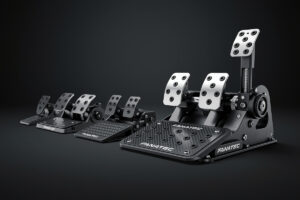
The wheel and pedals work as a system, and pairing a direct-drive wheelbase with basic potentiometer pedals wastes the money you spent on the wheel. Consistent braking — not steering precision — is where most lap time lives, and pedals that translate pressure into a repeatable signal are the single biggest upgrade after the rig itself. My pedal box runs a load-cell brake, and the day I moved from potentiometer to load-cell was the day my braking consistency stopped being a variable.
For budget setups under $500, the Moza R5 bundle with SR-P Lite pedals is a balanced entry point — the pedals are basic but adequate while you learn. For mid-range setups in the $500-1,000 band, pair a Fanatec CSL DD or Moza R9 with load-cell pedals: the Fanatec CSL Elite V2 or Moza SR-P both deliver pressure-based braking that turns stopping from guesswork into muscle memory. For high-end builds above $1,000, a Simucube or Fanatec DD base paired with hydraulic pedals from Heusinkveld or Simucube is the pair that serious competitive drivers run. Load-cell and hydraulic pedals are the most important upgrade in sim racing — the wheel just needs to not get in the way. Our pedal buying guide covers every option from budget to hydraulic.
Mounting: Desk Clamp vs Wheel Stand vs Cockpit
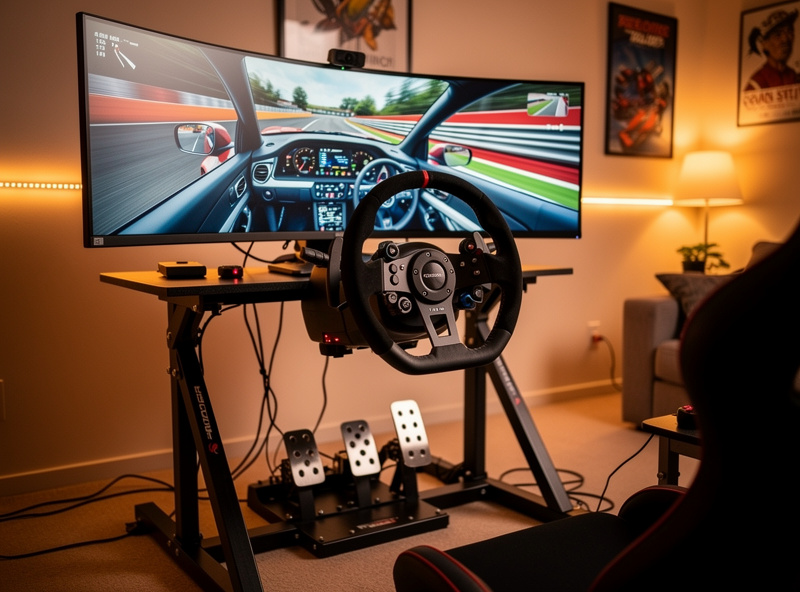
How you mount your wheel determines whether you can actually feel the FFB detail you paid for. A desk clamp under a 5 Nm direct-drive base introduces flex that absorbs the torque — the motor works, the desk moves, and what reaches your hands is a dampened fraction of what the sim is sending. On the rig I welded — a steel tube frame bolted together with zero torsional flex — the same base communicates details that a desk clamp filters out entirely.
Desk clamps work for belt-drive and low-torque direct-drive (up to 5 Nm). Above 5 Nm, a desk clamp becomes a bottleneck. If you are buying a direct-drive wheel at 8 Nm or above, plan for at least a wheel stand — stands fold flat for storage and provide enough rigidity for 8-12 Nm. The Next Level Racing Wheel Stand 2.0 and GT Omega APEX are the two I see most often in sim racing communities. A full cockpit — whether an 80/20 aluminum extrusion profile rig or a welded steel frame — is the endgame and the only mounting solution that lets a high-torque base communicate everything it can produce. The same welder I use for metal fabrication projects built my rig frame, and the rigidity difference between that and a bolted-together stand is immediately measurable in the FFB trace. Our rig build guide and 80/20 aluminum profile guide cover every mounting path.
Console vs PC Wheel Compatibility
Not every wheel works on every platform. PlayStation compatibility requires a licensed security chip in the wheelbase, which limits options to Fanatec, Logitech, and Thrustmaster. Xbox compatibility is handled through the rim — a Fanatec rim with Xbox mode works on any Fanatec base. PC compatibility is universal across every brand. If you race on console, verify compatibility before buying because a wheel that does not work on your platform is an expensive paperweight.
For PlayStation racers, the Fanatec GT DD Pro is the best direct-drive option — it carries the official PlayStation license and supports PS5 and PS4. The Thrustmaster T300 RS GT is the best belt-drive PlayStation alternative at a lower price. For Xbox users, any Fanatec wheelbase paired with an Xbox-compatible rim works natively. The Logitech G923 is the budget Xbox choice. PC users have the full market: Moza, Simucube, Cammus, Asetek, Simagic — every brand works on PC without licensing restrictions. Our console sim racing guide covers the full PS5 and Xbox setup path.
Mistakes That Cost Real Money
The most expensive mistake in sim racing is buying twice — purchasing a cheap wheel, realizing within weeks it limits your progress, then buying the wheel you should have bought the first time. I did exactly this: started with a gear-drive Logitech, upgraded to belt-drive within a season, and finally landed on direct drive six months later. The three purchases cost more than buying a CSL DD on day one would have. The second mistake is buying too much torque before your rig and pedals are ready. A Simucube 2 Pro at 25 Nm on a desk clamp is worse than a 5 Nm base on a rigid cockpit — the rig determines how much of the torque actually reaches your hands.
Buying a Logitech G29 when your budget is $400 is a mistake I see constantly in sim racing forums. For $150 more, the Fanatec CSL DD or Moza R5 deliver direct-drive feedback that makes the G29 feel like a child’s toy. The performance gap between gear drive and direct drive is not incremental — it is two different categories of equipment. If your budget can reach $350-400, skip gear drive and belt drive entirely.
Buying a high-torque Simucube 2 Pro as your first wheel is equally misguided. 25 Nm can injure your wrists if the wheel snaps during a crash before you have learned proper hand positioning. Most competitive sim racers I talk to run between 8-12 Nm for GT cars and 6-8 Nm for formula cars. You do not need 25 Nm to be fast. For the full torque discussion, our torque requirement guide explains what each Nm tier actually delivers in lap time.
Ecosystem lock-in is the third mistake that creates expensive problems down the road. If you buy a Moza R9, your next rim must be Moza-compatible or use an adapter. If you buy a Fanatec CSL DD, your pedals, shifter, and rims work best within the Fanatec ecosystem. Before buying, map your full upgrade path — wheel, pedals, shifter, cockpit — and verify that every component you want is available in that ecosystem. Our budget and space planning framework helps you map your first and second purchases. Our wheel troubleshooting guide covers common hardware issues that surface after you have been running a base for a few months.
What is the best sim racing wheel in 2026?
The Fanatec CSL DD with 8 Nm boost kit is the best overall sim racing wheel in 2026, delivering direct drive force feedback at under $400. It works on PC and Xbox, has the largest accessory ecosystem, and is used by competitive esports drivers worldwide.
Is direct drive worth it over belt drive?
Yes. Direct drive delivers 2-3x more force feedback detail than belt drive at only a modest premium in 2026. The Moza R5 bundle (around $380) and Fanatec CSL DD (around $350) have closed most of the price gap that used to make belt drive the sensible budget option.
How much should I spend on a sim racing wheel?
Budget $350-500 for your first wheel if you are serious about sim racing. This buys an entry-level direct drive base like the Moza R5 or Fanatec CSL DD that will last years. Avoid spending under $250 unless you are testing whether you enjoy the hobby.
Can I use a sim racing wheel on PlayStation and PC?
Only Fanatec and Logitech wheels offer PlayStation compatibility due to Sony’s licensing requirements. The Fanatec GT DD Pro works on PS5, PS4, and PC. Moza and Simucube are PC-only. All major brands work on PC.
Do I need a cockpit for a direct drive wheel?
You need at least a wheel stand for direct drive wheels above 5 Nm. Desk clamps flex under high torque and absorb force feedback detail. A wheel stand costs $100-200 and provides the rigidity needed for 8-12 Nm wheelbases.
What is the difference between 5 Nm and 8 Nm?
An 8 Nm wheel delivers 60% more torque than a 5 Nm wheel, which translates to stronger peak forces, more road texture detail, and better slide detection. For GT racing, 8 Nm is the sweet spot. For formula cars, 5 Nm is often sufficient due to lighter steering.
Related Articles
- Best Sim Racing Pedals 2026: Load Cell, Hydraulic, and Budget
- Sim Racing Force Feedback Tuning: The Complete Guide
- Best Direct-Drive Wheelbase Brands: Moza vs Fanatec vs Simagic
- Direct Drive vs Belt Drive Force Feedback: How They Feel
- Best Sim Racing Wheel Rims: Shape, Grip and Quick-Release
- How Much Wheelbase Torque Do You Actually Need in Nm?
Related Guides
- How to Plan Your First Sim Racing Setup — Budget and Space Framework
- Sim Racing Rig Build Guide: Build a Rigid Cockpit
- 80/20 Aluminum Profile Sim Rig: A Complete Build Guide
- Sim Racing Cockpit and Stand Guide: Wheel Stand vs Full Rig
- How to Configure Force Feedback — Getting Realistic Feel From Your Wheel
- Sim Racing Software Explained — Simulators, Telemetry, and Setup Tools