Set your load-cell brake so 100% braking lands at a peak force you can hit hard but still modulate precisely — for most drivers that’s roughly 30–50 kg at the cell, not the 90 kg it can physically read. The right number isn’t the hardware’s maximum; it’s the force where your leg has the most fine control at the edge of lockup.
I spent my first month on a load-cell set doing exactly what the box implied: cranking the ceiling near its 90 kg rating because “more is more.” My braking was a coin-flip. The fix wasn’t practice — it was dropping the ceiling until full lock arrived at a force I could actually meter with my ankle and hip. That one change did more for my consistency than any wheelbase I’ve bolted on since. Here’s how to find your number instead of guessing.
Why Isn’t Maximum Force the Right Setting?
Maximum force is the wrong setting because it pushes all your fine control into a narrow band at the top of the range you rarely reach. If 100% brake needs 90 kg, you spend most of every stop at 50–70% of your effort, where a small change in leg force barely moves the input — so threshold braking feels twitchy and vague right where precision matters most.
Think of it as resolution. A load cell reports force as a percentage of whatever ceiling you set. Set the ceiling too high and the useful part of your braking — the last 10% before lockup — occupies a tiny sliver of pedal effort. Set it sensibly and that same zone spreads across a wide, controllable range. When I dropped my ceiling, the “edge of lockup” stopped being a knife-edge and became a shelf my foot could rest on. That shelf is where lap time lives.
The other failure mode is a ceiling set too low: you lock the brakes by breathing on the pedal, and you never use the top of the range. Both extremes waste resolution. The target is a ceiling that puts 100% right where your comfortable maximum effort lands. Diagnosing that is exactly what a brake trace is for — more on that in the brake pedal tuning guide.
How Many Kilograms Should I Actually Set?
Most drivers land well in a 30–50 kg peak, but the honest answer is that your number depends on your leg strength, seat angle, and how rigidly your deck is braced. Start at 40 kg as a sane default, do a few hard stops, and adjust until 100% arrives at a force you can hit firmly and repeat lap after lap without straining.
Here’s a starting-point reference by how you drive, based on what I’ve settled on across the bases and titles I run. Treat these as a place to begin, not gospel — then dial from there:
| Driving style / discipline | Suggested peak force | Why |
|---|---|---|
| Casual / newer to load cell | 25–35 kg | Lower force is easier to modulate while you build feel |
| GT / endurance (ACC, iRacing) | 35–50 kg | Firm reference over long stints, less fatigue than very high force |
| Formula / heavy braking cars | 45–60 kg | Strong, stable reference for big stops from high speed |
| Anyone with a flexy rig | Lower, then re-set | Fix the bracing first; a moving deck makes any number a lie |
Notice the last row. If your pedals walk under load, no force setting will feel consistent, because your reference geometry shifts every stop. Brace the deck first — I cover the whole approach in bracing your pedals — then set your force. Do it in that order or you’ll re-tune forever.
Where Do I Set the Force: Pedal Software or In-Sim?
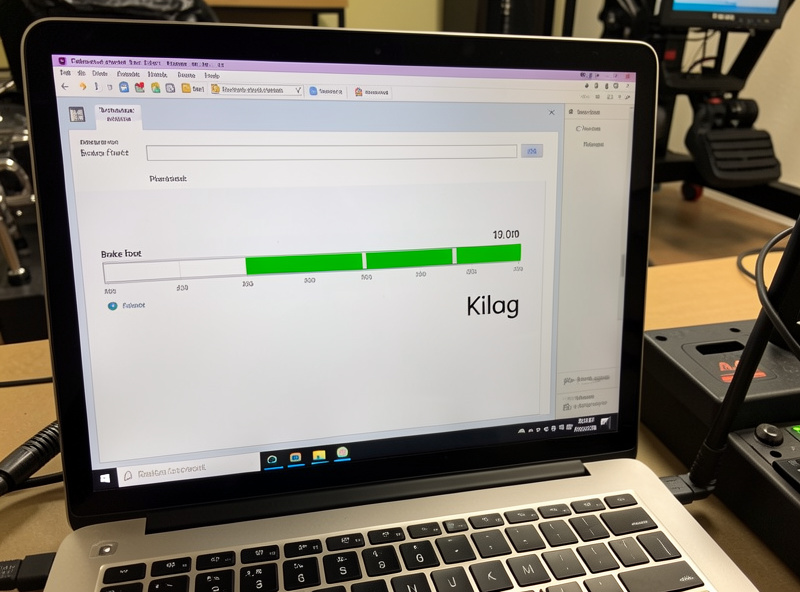
Set the physical force ceiling in the pedal’s own software or firmware — that’s where you calibrate what 100% output means in kilograms. Leave the in-sim brake settings linear and untouched at first. Setting force in the pedal software keeps one source of truth; stacking a second adjustment in-sim just hides what’s actually happening.
Manufacturers handle this in their tuning apps — Fanatec and Moza Racing both expose a load-cell force or sensitivity setting where you define the pressure that maps to full brake. Set your ceiling there. The in-sim brake calibration should just capture the full 0–100% range the pedal now reports. If you also start bending things in-sim before the hardware is right, you’ll never know which layer is causing a problem.
Once the ceiling is set, the shape of the response — how force translates to input across the range — is the brake curve, and that’s a separate tuning step. I keep the force ceiling in the pedal app and any curve shaping in one place per title, documented in brake pedal curve tuning. One knob at a time is the only way to tune sanely.
How Do I Verify My Force Setting Is Right?
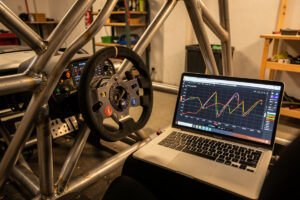
Verify your force setting on a telemetry overlay: do several hard stops and watch the brake trace. It should reach 100% right as you hit your firm maximum effort — not flat-line early (ceiling too low, you’re clipping) and not fail to reach 100% under a hard stab (ceiling too high). A trace that uses the full sweep without pinning is the target.
I don’t trust feel alone for this, because feel adapts — you’ll subconsciously compensate for a bad setting and call it fine. The overlay doesn’t lie. When I pull up the brake channel, I’m looking for two things: that peak braking touches 100% cleanly, and that my lap-to-lap peak pressure into the same corner stacks on top of itself. If those traces scatter, either my setting’s wrong or my bracing is moving. If they stack, the number’s good.
The sensory tell backs up the data: with the ceiling right, hard braking has a distinct “loading up” feel — the stack compresses, the resistance ramps, and there’s a clear point where more force just holds lockup rather than deepening it. You can hear the stack go firm. When the number’s wrong, that landmark disappears and you’re stabbing blind.
Why Does My Perfect Setting Drift Over Time?
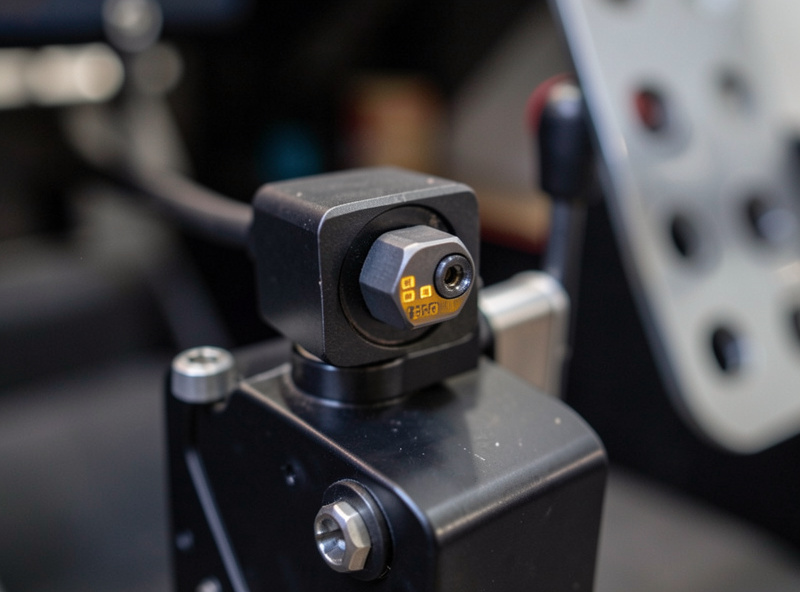
Your setting drifts because the elastomer stack behind the pedal takes a compression set — the rubber and foam permanently soften slightly with use, so the force needed to reach full travel creeps downward over weeks. A calibration that was perfect two months ago will slowly start locking up earlier than you expect.
This fooled me for an embarrassingly long time. My braking would slowly get less consistent and I’d assume I was losing form or the physics had changed in an update. It was the rubber. Softer foam elements especially settle with repeated compression. Now I re-check my calibration on the overlay roughly monthly, and always after I change the elastomer stack, move the pedals, or adjust my seat — each of those shifts where 100% lands.
If you want a set-and-forget number, a firmer, more stable stack drifts less than a soft foamy one, at the cost of a shorter, harder pedal. That’s a feel tradeoff, not a right answer. Either way, treat calibration as maintenance, not a one-time event.
Does Seat Angle Change the Right Force Number?
Yes — seat angle and pedal distance change how much force your leg can comfortably apply and repeat, so they change your ideal ceiling. A reclined seat that lets you drive force through your heel and hip supports a higher, more stable force than an upright chair where you’re braking with just your ankle. Change your seating and you should re-set your number.
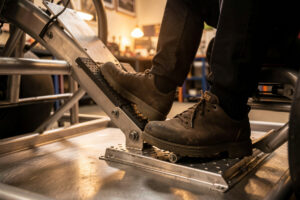
The physics is simple: you want to push against the seat, not shove yourself backward. On my rig the seat’s fairly reclined and the pedals sit so my leg is only slightly bent at full brake — that geometry lets me hold a firm 45 kg reference all race without my foot tiring or sliding off the pad. When I briefly ran the pedals too close on a foldable, that same 45 kg felt harsh and unstable, because I was flexing my ankle instead of loading my leg. I had to drop the ceiling just to stay consistent.
So if your force setting feels wrong no matter what number you pick, look at your body position before you keep chasing kilograms. A small change in seat recline or pedal distance — sometimes just a 3D-printed spacer — can unlock a higher, steadier force than the pedal ever felt capable of. Geometry and force are one problem, not two.
What is a good starting brake force for a load-cell pedal?
Start at about 40 kg peak, do a few hard stops, and adjust until 100% braking arrives at a force you can hit firmly and repeat without straining. Most drivers settle somewhere in the 30 to 50 kg range. Casual drivers often prefer lower for easier modulation; heavy-braking formula cars suit a higher, firmer reference.
Should I use the load cell’s maximum rated force?
No. Setting 100% braking to the cell’s 90 or 100 kg rating pushes all your fine control into a narrow band at the top of the range you rarely reach, so threshold braking feels twitchy. Set the ceiling so full brake lands at your comfortable firm maximum instead, which spreads control across a wider, more usable range.
Do I set brake force in the pedal software or in the sim?
Set the physical force ceiling in the pedal’s own software or firmware, and leave the in-sim brake calibration linear so it just captures the full range. Keeping one source of truth for the force setting means you always know which layer is causing a problem. Add curve shaping later, in one place, per title.
Why does my brake calibration change over time?
The elastomer stack behind the pedal takes a compression set, meaning the rubber and foam permanently soften slightly with use. That shifts where full travel and full force land, so a setting that was perfect weeks ago starts locking up earlier. Re-check calibration roughly monthly and after any stack, seat, or pedal change.
What I’d Do Starting Today
If you’re setting up a load-cell brake right now: brace the deck, set your ceiling to 40 kg, and do ten hard stops watching the trace. Nudge the ceiling until 100% lands at your firm max, then leave it alone and go drive. Re-check in a month. That’s the whole job — and it’ll beat any hardware you were about to buy.
The force number is the foundation, but it works with the stack, the curve, and the bracing as a system. Once your kilogram target is dialed, tune the elastomer stack for feel and refine the brake curve per title. The full chain lives in the brake pedal tuning hub.
Related:
- Sim racing brake pedal tuning: the complete guide
- How to brace pedals so hard braking doesn’t move them
- Elastomer stacks explained: tuning brake pedal feel
- Brake pedal curve tuning for consistent threshold braking
- Hydraulic vs load cell brake: the diminishing-returns verdict