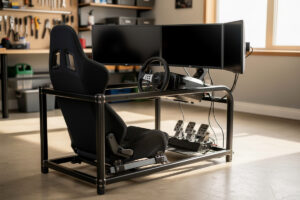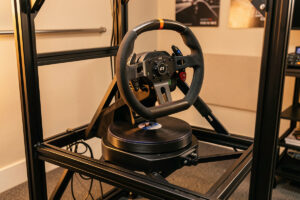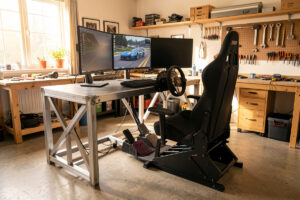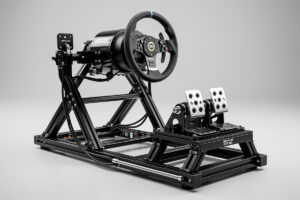
I’ve bolted direct-drive bases to four different cockpit frames over the last three years — a welded steel tube rig I built in the shop, an 80/20 aluminum profile rig, a foldable stand, and a wheel stand clamped to a desk. The difference between a rigid frame and anything less is the difference between feeling the FFB detail that makes you consistent and chasing oscillations you can’t even diagnose on telemetry. Among the aluminum profile options, Sim-Lab delivers the best build precision I’ve handled, and this comparison runs through every model worth your money — the GT1 Evo, GT1 Pro, P1X Pro, and P1X Ultimate — so you land on the right one the first time.
Sim-Lab is a Dutch manufacturer that built its rep among competitive sim racers who demand zero flex from mounting hardware. Their aluminum extrusion construction uses heavy-gauge profiles bolted at right angles, creating frames that resist deflection under any consumer-grade force feedback motor. Unlike steel tube cockpits that can twist under high-torque direct drive — I’ve seen the telemetry traces that prove it — Sim-Lab’s profile rigs stay dead flat under braking and cornering load. Here’s how each model stacks up.
Sim-Lab GT1 Evo: The Entry Point
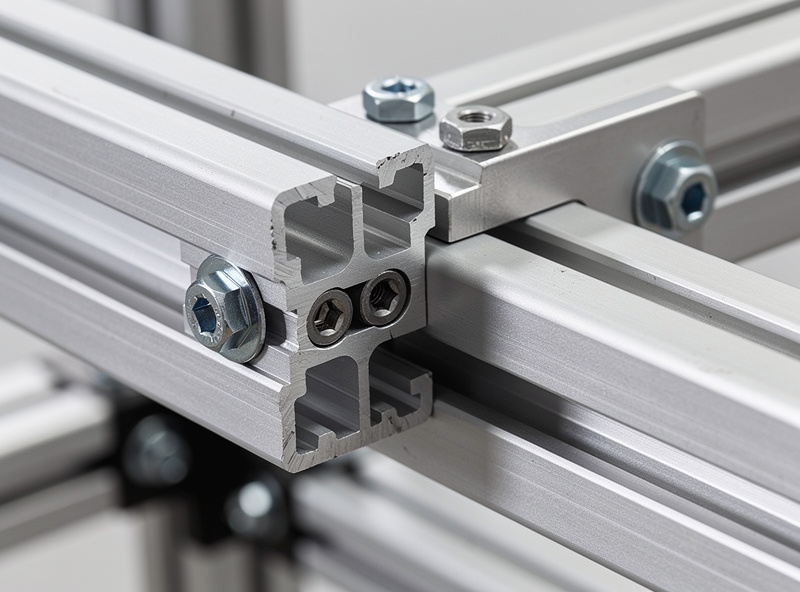
The GT1 Evo is the most accessible Sim-Lab cockpit, at $449 frame-only. It uses lighter extrusion than the models above it, with reinforced rails at the wheel deck and pedal plate mounting positions. On my rig, I run a mid-torque direct-drive base — the CSL DD class — and the Evo’s frame would handle that torque band without any measurable flex I could spot on an FFB clipping trace.
What the Evo gives you is the profile-rig modularity at the lowest entry cost. The main frame is narrower than the higher models, but I’ve bolted enough brackets to know the T-nut groove system works identically — you can mount a shifter, button box, keyboard tray, or handbrake anywhere along the rail. The wheel deck comes pre-drilled for common mounting patterns, and the pedal plate has adjustable angle.
The Evo ships without a seat, which is standard across Sim-Lab’s line. You choose any bucket or reclining seat that fits your body — I run a bucket on my welded rig because it eliminates the flex a recliner introduces under hard braking with a load-cell pedal. The seat brackets accommodate both side-mount and bottom-mount configurations. For sim racers upgrading from wheel stands or foldable cockpits, the GT1 Evo provides the rigidity jump that lets you actually feel what your direct-drive base can deliver — the step-change in FFB detail is immediate the first time you load a corner without the rig creaking.
Our DIY aluminum profile guide compares building your own rig against purchasing the GT1 Evo, including material costs and construction time.
Sim-Lab GT1 Pro: The Sweet Spot
The GT1 Pro sits at $649 without a seat — and for most sim racers running a direct-drive wheelbase, this is the model I’d point to. It upgrades the main frame to heavier extrusion profiles throughout, which translates directly into stiffer pedal mounting and a wheel deck that stays planted under torque spikes. When I’m diagnosing FFB clipping on my telemetry overlay, frame flex shows up as noise in the signal — the last thing you want shaking a trace you’re trying to read. The Pro eliminates that variable.
The pedal plate on the GT1 Pro received a redesign over the Evo’s, and it matters specifically for load-cell brake users. On a plate with any give, the force you’re applying through the pedal gets partially absorbed by the frame instead of registering cleanly through the load cell. The Pro’s thicker plate and reinforced mounting points remove the slight flex the Evo exhibits under extreme braking force — north of 60 kg on a load cell, which is where I calibrate mine. Your braking consistency lap over lap depends on the pedal base being absolutely rigid, and that $200 step from the Evo to the Pro buys exactly that.
The wheel mounting options expand to front-mount and side-mount brackets alongside the standard wheel deck. Front mounting positions the base closer to the driver for improved FFB feel — I’ve run front-mount setups and the difference is real, not placebo; the reduced lever arm translates torque more directly into your hands. The GT1 Pro is the Sim-Lab model I recommend for most sim racers because it handles any consumer direct-drive wheel — including a Simucube 2 Pro at 25 Nm — while costing less than the flagship tier. You’re paying for rigidity, not for features you won’t use unless you bolt on a motion platform.
Sim-Lab P1X Pro and P1X Ultimate: The Flagships
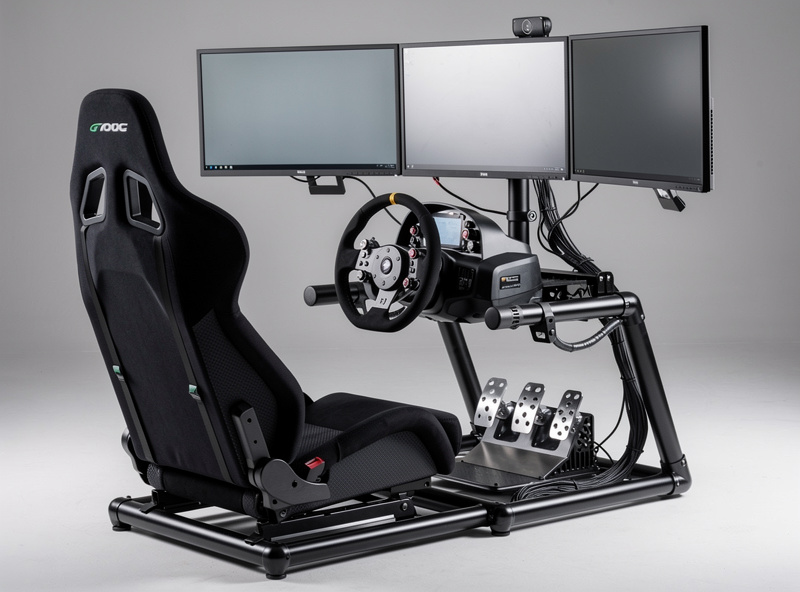
The P1X line is Sim-Lab’s premium tier — these are the frames content creators, training facilities, and drivers planning to add motion reach for. Note the original plain P1X has been superseded; if you see one listed new, it’s old stock. The current flagships are the P1X Pro and the P1X Ultimate.
P1X Pro ($849 frame-only, regularly on sale closer to $789) combines heavier and wider extrusion profiles into a frame that exhibits zero measurable deflection under any available consumer direct-drive wheel. The wider profile dimensions give you more surface area for mounting accessories without giving up structural rigidity — useful when you’re stacking triple monitor mounts, a keyboard tray, button boxes, and shifter mounts all on the same frame. It ships with Sim-Lab’s heavy-duty pedal plate with integrated angle adjustment, their premium wheel mounting system, and direct compatibility with motion hardware — the upright supports accommodate Sim-Lab’s own motion platform as well as third-party systems from DOF Reality and SFX-100 builds. If you plan to add motion within the next two years — and motion-platform owners report the jump from bass shakers to actuated rigs is the largest single immersion gain available — starting with the P1X Pro saves the cost and hassle of upgrading from a smaller cockpit later.
P1X Ultimate ($1,299) sits at the very top of the catalog — the refreshed flagship that brought back vertical front pillars for the wheel uprights. Unless you’re building a no-compromise motion rig or a shared training cockpit, the Pro covers everything the Ultimate does at a price most home builds can actually justify.
Both current P1X models accept triple monitor mounts, keyboard trays, button boxes, and every peripheral available. The profile grooves use standard T-slot dimensions that work with accessories from any manufacturer — Trak Racer, GT Omega, and generic hardware suppliers. I mix Sim-Lab structural components with 3D-printed brackets off my own printer for things like button-box mounts and cable routing clips, and the T-slot compatibility means nothing fights me on fitment.
Our CNC vs bolt-together comparison explains the construction differences between profile rig assembly methods.
Sim-Lab Product Comparison
| Feature | GT1 Evo | GT1 Pro | P1X Pro | P1X Ultimate |
|---|---|---|---|---|
| Price (frame only) | $449 | $649 | $849 (sales ~$789) | $1,299 |
| Frame construction | Lightest in the line | Heavier profiles throughout | Flagship-width profiles | Flagship, vertical front pillars |
| Seat included | No | No | No | No |
| Wheelbase pairing | Mid-torque direct drive | Any consumer direct drive | Any direct drive | Any direct drive |
| Motion platform ready | No | Optional | Yes | Yes |
| Wheel mounting | Wheel deck | Deck/front/side | Deck/front/side | Deck/front/side |
| Best for | First profile rig | Most sim racers | Serious enthusiasts/motion | No-compromise builds |
Sim-Lab Accessories Worth Adding
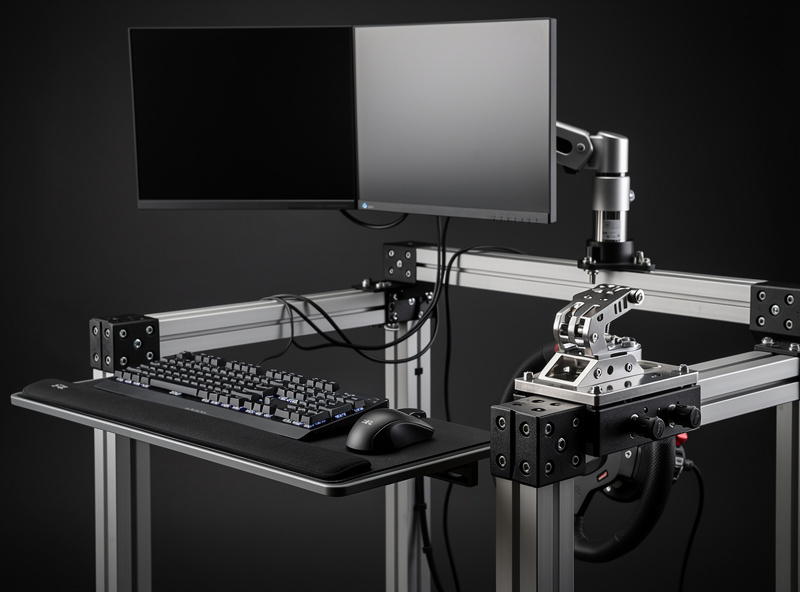
Sim-Lab manufactures accessories that integrate directly with their cockpit frames. I’ve run most of these on my own profile rig, and the ones that actually change the experience aren’t the obvious picks.
Seat brackets and sliders ($50-$100) are essential unless your seat includes its own hardware. The slider mechanism matters if multiple drivers use the rig — different leg lengths demand different pedal distances, and adjusting by loosening four bolts every time kills any chance of jumping in for a quick session. On my welded rig, I fixed the seat position because I’m the only driver, but on a shared profile rig, the slider pays for itself in friction eliminated.
Monitor mounts ($100-$250) attach single or triple displays directly to the cockpit frame. Freestanding stands work independently, but integrated mounts keep everything aligned with the cockpit so your FOV stays consistent session to session. On my profile rig, the single monitor mount positions the screen directly behind the wheel at optimal distance — the FOV math says most home setups are wildly wrong, and a rigid mount that doesn’t drift is the first step to getting it right.
Keyboard tray ($50-$80) swings a keyboard into reach for menu navigation and setup changes without leaving the cockpit. I used to balance a wireless keyboard on my lap during practice sessions, and the tray eliminated that frustration in one afternoon. Not essential for hotlapping, but every time you need to type a server password or tweak a setup mid-session, you’ll appreciate it.
Shifter mount ($30-$60) positions an H-pattern or sequential shifter at the correct height relative to the seat. I run an H-pattern on my rig for rally and drift, and the adjustable bracket accepts shifters from Fanatec, Thrustmaster, and generic USB models — no adapter plate gymnastics required.
Our shifter and handbrake guide covers which accessories pair best with profile rig cockpits.
Sim-Lab vs Competitors
Sim-Lab competes with Trak Racer, GT Omega, and Next Level Racing in the aluminum profile cockpit segment. I’ve assembled profile rigs from two of these brands and inspected a third at length — the differences come down to build precision, hardware quality, and the ecosystem you’re buying into.
Trak Racer offers similar profile construction at comparable prices with a wider range of preset configurations. Their TR80 and TR160 models match the GT1 Pro and P1X Pro respectively in terms of profile dimensions and rigidity. Trak Racer ships from multiple global warehouses, so depending on your region, delivery can land faster than Sim-Lab’s direct-from-Netherlands shipping.
GT Omega’s Prime cockpit targets the same mid-range segment as the GT1 Pro with competitive pricing and included accessories. GT Omega’s real advantage is frequency of sales and bundle deals — if you time a Prime purchase during a promotion, the effective cost drops meaningfully below Sim-Lab’s standard pricing for comparable profile dimensions.
Next Level Racing’s GTElite (covered in our NLR cockpit comparison) uses similar aluminum profile construction at a higher price point. NLR’s advantage is their broader ecosystem — motion platforms and haptic feedback systems that integrate through proprietary mounting points. If you’re building an NLR-centric setup from day one, the ecosystem lock-in can simplify component matching.
Sim-Lab’s advantage across all three competitors is build precision. The profile cuts I’ve seen on Sim-Lab frames come out cleaner, the hardware tolerances tighter, and the assembly experience more straightforward than the alternatives. For sim racers who value long-term reliability and zero-hassle assembly — and don’t want to re-square a frame because the cuts wandered half a millimeter — Sim-Lab justifies any price premium. It’s the same reason I welded my own rig: when the frame is dead square, everything downstream works first time.
Related Articles
- Sim Racing Setup: Complete Guide to Building Your Rig
- Sim Racing Cockpit and Stand Guide
- Building a DIY Sim Racing Rig
- DIY Aluminum Profile: CNC vs Bolt-Together
- Next Level Racing Cockpits Compared
Frequently Asked Questions
Is Sim-Lab worth the money?
Sim-Lab cockpits offer the best build quality among aluminum profile rig manufacturers. The precision cuts, strong hardware, and modular design justify the price for sim racers who plan to use direct drive wheels or add accessories over time. The GT1 Pro at $649 provides the best value.
Which Sim-Lab cockpit should I buy?
The GT1 Pro is the best Sim-Lab cockpit for most sim racers. It handles any consumer direct drive wheel, costs $649, and provides enough rigidity for competitive racing. The GT1 Evo suits tighter budgets at $449, while the P1X Pro targets motion platform users.
Does Sim-Lab include a seat?
No. All Sim-Lab cockpits ship as frame-only kits without seats. You must purchase a seat separately, typically costing $150-$400 for a bucket or reclining seat. Seat mounting brackets and sliders are sold separately or bundled at checkout.
Can Sim-Lab cockpits handle Simucube wheels?
Yes. All Sim-Lab cockpits handle Simucube direct drive wheels including the Simucube 2 Pro and Sport models. The GT1 Pro and P1X Pro show zero measurable flex even at maximum Simucube torque output of 25 Nm.
How long does it take to assemble a Sim-Lab cockpit?
First-time assembly takes 2-4 hours depending on the model. The GT1 Evo assembles fastest due to its simpler frame. The P1X Pro with accessories can take 4-6 hours. Sim-Lab provides illustrated instructions and an online assembly video series.
Is Sim-Lab better than Trak Racer?
Both brands produce high-quality aluminum profile cockpits. Sim-Lab is known for slightly better build precision and hardware quality. Trak Racer offers more preset configurations and faster shipping in some regions. Either brand provides a solid foundation for any sim racing setup.