SimHub is the free software most sim racers use to turn telemetry into bass-shaker effects, and a good profile is the difference between a constant buzz and a haptic language you can actually drive on. Setting it up takes three stages: route audio to your transducers, add the effects you want in SimHub’s Shakeit module, then tune each effect’s gain and frequency until they stay distinct. On my rig the whole process took an evening to get right and has barely changed since — the payoff is permanent.
This walkthrough is part of the sim racing motion and haptics cluster. It assumes you already have the hardware sorted — if you’re still deciding which units to buy, read bass shakers vs tactile transducers first, because the software can only render what the hardware is capable of producing.
What SimHub Does for Haptics
SimHub reads your sim’s telemetry and generates audio-frequency signals that drive your transducers through a sound output. Its Shakeit Bass Shakers module is an effect mixer: each effect (RPM, road, lockup, wheelspin, gear shift) becomes a channel you can route to a specific transducer and tune independently. The sim sends the data; SimHub turns it into the vibration recipe.
The reason it’s worth the setup time is granularity. A simple “feed the game audio to the shaker” approach gives you undifferentiated rumble. SimHub lets you say “send wheel lockup to the front-left puck at high gain, send engine RPM to the seat unit at low gain,” which is what produces localized, readable cues. It supports every major title — iRacing, ACC, Assetto Corsa, AMS2, rFactor 2 — so one profile philosophy carries across your whole library, with per-title tweaks.
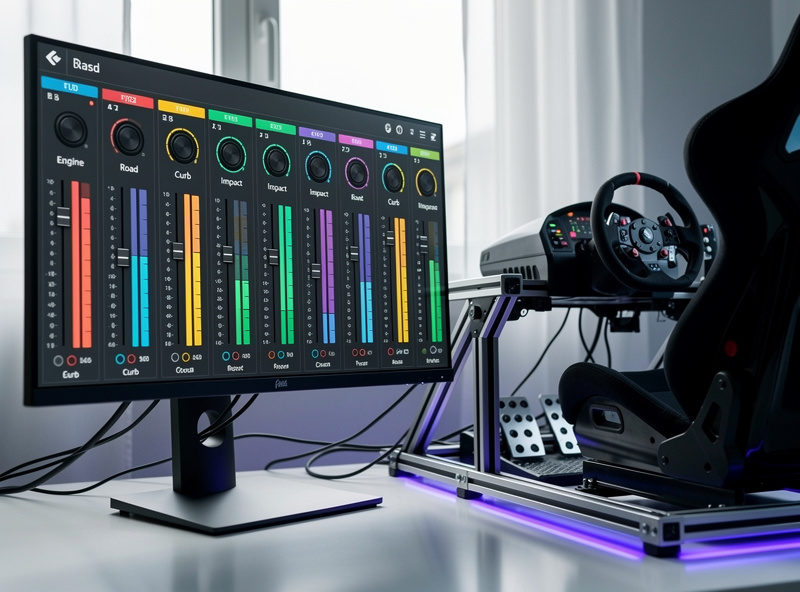
Step 1: Route Audio to Your Transducers
SimHub outputs its effects as an audio device, so your transducer amp needs to appear as a sound output on the PC. Most people use a cheap dedicated USB sound card (or a multi-channel interface for zoned setups) so the transducer signal is completely separate from your headphones or speakers. You never want shaker effects bleeding into your race audio or vice versa.
In SimHub’s Shakeit settings, select that audio device as the output. For a multi-zone rig, a multi-channel interface lets you map left/right/front/rear channels to individual transducers. A simple USB sound card adapter handles a basic two-channel setup; step up to a multi-channel USB audio interface when you go to four zones. Set the device, play a test effect, and confirm the right transducer buzzes before you touch any effects.
Step 2: Add and Assign Effects
With audio routed, open the Shakeit Bass Shakers profile and add effects one at a time. Start with the foundation — engine RPM and road texture — assigned to the seat (low-frequency) transducer. Then add the information effects: wheel lockup and wheelspin, assigned to the pedal-deck pucks. Add gear shift last, as a brief accent.
The discipline that makes this work is adding effects one at a time and testing each before adding the next. If you dump every effect in at once you’ll never untangle which one is causing a problem. I build a profile by enabling RPM, driving a lap, then enabling road, driving a lap, and so on. It’s slower but you end up understanding exactly what each channel contributes — which is the only way to tune intelligently in step three.
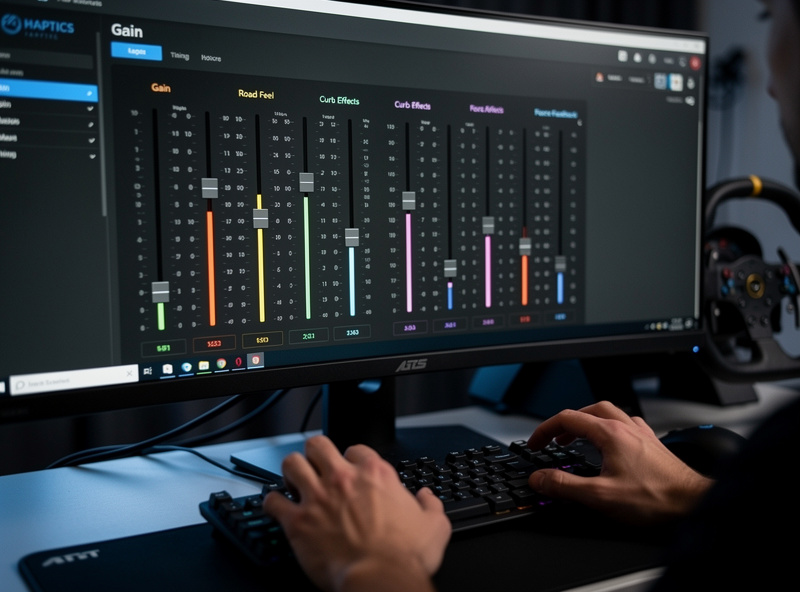
Step 3: Tune Gain and Frequency
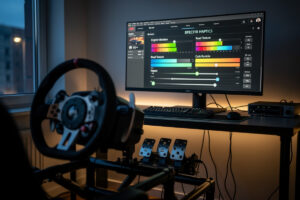
Tuning is where a profile goes from buzzy to brilliant. The rule I follow is a quiet bed with loud transients: constant effects (RPM, road) sit low in the mix so they inform without fatiguing, while event effects (lockup, wheelspin, kerbs) are sharp and loud so they cut through. If everything is at full gain, the channels mask each other and you feel one undifferentiated rumble.
Each effect also has a frequency setting. Keep rumble effects low (around 30–45 Hz) and detail effects higher (toward 80–120 Hz) so they occupy different parts of the spectrum and stay distinguishable. Drive real laps while tuning — bench-testing effects in isolation is misleading because the magic is how they interact under actual driving. Expect to revisit gains a few times over your first week; your sense of what’s “too much” recalibrates as you adapt.
A few SimHub-specific settings catch people out. The effect smoothing slider controls how abruptly a cue starts and stops — too little and effects feel jittery, too much and lockup blurs into the background. The gain curve (linear versus exponential) decides whether subtle inputs register; I run mild effects on a slightly exponential curve so light wheelspin is felt without making hard wheelspin overwhelming. And if you run the free SimHub tier, cap the update rate appropriately so the effects stay smooth on your hardware. None of these are obvious from the default profile, but each one moves a profile from “fine” to genuinely informative once you know to look for it.
Per-Title Profiles and Refinement
Different sims output telemetry slightly differently, so a profile that feels perfect in iRacing may need the road effect dialed back in ACC. SimHub lets you save and switch profiles per game, or use one base profile with per-title gain offsets. I keep a master profile and nudge two or three effects per title rather than rebuilding from scratch — the foundation is shared, only the balance shifts.
Once the profile is solid, the haptics become invisible in the best way: you stop noticing the hardware and start simply feeling the car. That’s the goal. Pair a well-tuned SimHub profile with honest force feedback and you’ve got two independent channels telling you the same truth about grip — which is exactly the redundancy that makes you consistent. For the full picture of where haptics sit relative to actuated motion, the motion and haptics guide ties it all together.
Disclosure: As an Amazon Associate I earn from qualifying purchases. The links above are search links to genuinely stocked gear that fits the setup described, at no extra cost to you.
Frequently Asked Questions
Is SimHub free for bass shakers?
SimHub’s core software including the Shakeit Bass Shakers module is free to download and use. An optional paid licence unlocks higher update rates and removes a small donation prompt, but the haptics functionality works fully without paying.
What hardware do I need to run bass shakers with SimHub?
You need transducers, an amplifier to drive them, and an audio output device the PC can route SimHub effects through. A dedicated USB sound card keeps the shaker signal separate from your race audio and headphones.
How do I stop my bass shakers feeling like one constant buzz?
Tune for a quiet bed with loud transients. Keep constant effects like RPM and road at low gain, and make event effects like lockup and wheelspin sharp and loud. Full gain on everything makes the channels mask each other.
Can SimHub send different effects to different transducers?
Yes. With a multi-channel audio interface, SimHub’s Shakeit module routes each effect to a specific transducer. You can send engine rumble to the seat unit and wheel lockup to the pedal-deck pucks for localized, readable cues.
Do I need a separate SimHub profile for each sim?
Not necessarily. Telemetry differs slightly between titles, so most racers keep one base profile and apply small per-title gain offsets rather than rebuilding. SimHub can save and switch full profiles per game if you prefer.