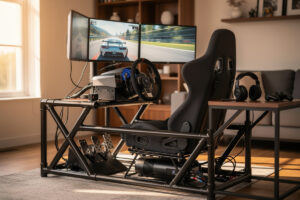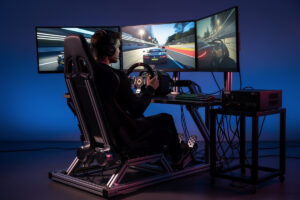
On the rig I welded, the audio half of sim racing immersion gets ignored more than the visual half but contributes nearly as much to the experience. Engine note, tire scrub, kerb impact, road texture, slipstream wash — all carry directional and frequency information your hands and eyes use to drive faster. Sim racing audio is not just sound; it is a sensor channel as important as a force feedback wheel for driving cues. The right audio setup turns sim racing from a video game with sound into something that engages the same audio cortex you use in a real car.
This guide covers the three audio layers that matter — bass shakers for transducer feedback, headphones for spatial precision, and amplification that handles both — with integration patterns I’ve tested across the setups I’ve bolted onto the rig. For the broader hi-fi end of the audio chain that drives the headphones and shakers, the open-back headphones guide goes deeper; this article focuses on adapting that gear for sim-racing use.
Why Sim Racing Audio Matters More Than People Realize
Real drivers use audio for braking points, traction limits, gear timing, and tire wear estimation. Strip the audio away and lap times deteriorate measurably — drivers brake later or earlier than they mean to once that channel is replaced with white noise, because a cue they didn’t consciously realize they were using is suddenly gone.
The audio cues sim racers actually use:
- Engine RPM: The clearest audio shift cue. Manual-shift sim racing without engine sound forces visual reliance on the rev display.
- Tire scrub: The high-frequency squeal that announces the cornering grip limit. The line between “fast through the corner” and “off in the gravel” is often a 50ms audio change.
- Kerb impact: Bass-rich thumps that transmit through the seat in a real car. Without bass shakers, kerb riding becomes harder to feel — on my rig, the transducer is what tells me whether I’m eating the kerb or just clipping it.
- Slipstream / aero wake: The subtle change in engine note when you enter another car’s slipstream — useful for closing on traffic or holding a gap.
- Road texture: Tire pattern over rough patches, painted curbs, transition between Tarmac specs. All transmit through the audio bed.
Modern simulators (iRacing, Assetto Corsa Competizione, rFactor 2) render all of these accurately if your output equipment can resolve them. The bottleneck is almost always equipment, not simulation — and this is where the Sim Racing Motion and Haptics guide covers the full hardware landscape beyond audio alone.
Bass Shakers: The Single Biggest Audio Upgrade
Tactile transducers bolt to your sim rig and convert low-frequency audio into mechanical vibration. They are the closest substitute home racing has for an actual race seat’s force input. On my welded steel rig, I run a transducer through SimHub that routes specific simulator events to the shaker — engine RPM, kerb strikes, gear shifts — and the difference between driving without it and with it is comparable to the step from a gear-driven wheelbase to direct drive.
The market splits into three tiers:
1. Aura Pro Bass Shakers ($40–85 each). The budget standard. Single transducer per shaker. Two of them mounted under the seat give convincing rumble for engine and kerbs. Driven by a 50–100W plate amp. Total 2-shaker setup: $200–350.
2. ButtKicker Gamer 2 / LFE ($150–400). Higher-grade transducer with more low-frequency authority. The Gamer 2 is the entry to “this feels like a real car” tactile feedback. Single-piece unit with built-in amp. The step I’d recommend for anyone who’s already invested in a load-cell pedal set and a direct-drive base.
3. SimuCUBE / Next Level Racing tactile kits ($600–1500). Multi-zone transducer setups: separate shakers for engine, tire, kerbs, suspension. Software (SimHub, Simucube True Drive) routes specific simulator events to specific transducers. The premium tier; meaningful upgrade over single-shaker setups for endurance racing.
For a full breakdown of how shakers differ from generic transducers and where the budget sweet spot lives, the Bass Shakers vs Tactile Transducers comparison covers the decision in detail. The critical detail most builds miss: shakers want a separate amp. Running them off main system speakers doesn’t work — speakers reproduce the entire frequency range while shakers want a low-pass filter at 80–120 Hz. For shakers specifically, a dedicated 100–200W class-D plate amp ($60–120) is the right purchase. The step-by-step software setup is covered in the SimHub Bass Shaker Setup guide — getting the individual effect routing right is what separates a noisy rumble from actual tactile information.
Headphones vs Speakers for Sim Racing
I’ve run both on the rig; the experience is genuinely different, not just a preference call.
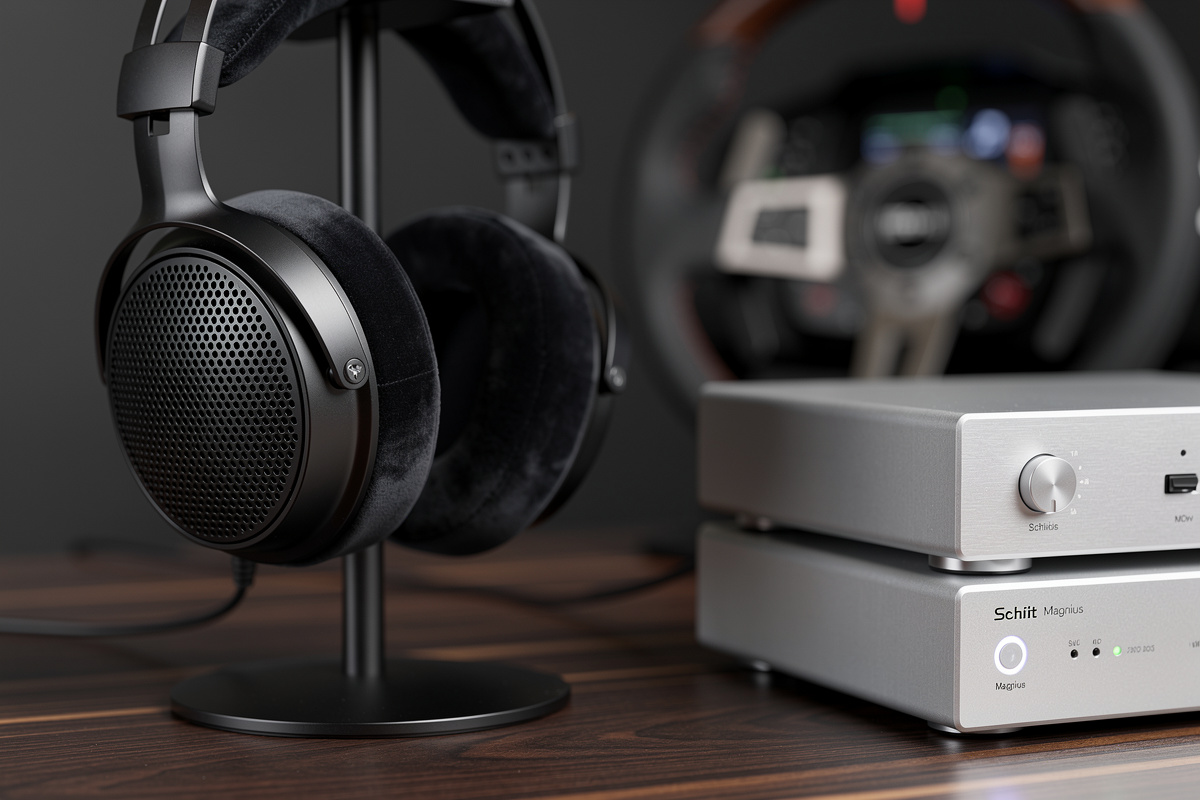
Headphones: Tighter spatial imaging, better isolation from household noise, no room reflections coloring the sound. Open-back models give a more “speakers-like” presentation that suits long sessions; closed-back models give better isolation for households where you can’t be loud at midnight. My daily driver on the rig is open-back planar magnetic headphones in a quiet room, with the wheel and pedal sounds isolated from any household audio.
Speakers: More immersive at high volume because bass is felt, not just heard. Better for short sprint sessions where neighbors aren’t going to be a concern. Two-channel stereo is sufficient; 5.1 surround works but most simulators don’t render to discrete rear channels effectively. The bigger consideration: speakers plus bass shakers is genuinely the most immersive sim racing audio setup, period.
For most home setups, the answer is “both, depending on time of day.” Headphones at night, speakers plus shakers when the household tolerates it. For specific headphone picks ranked by soundstage and imaging (the traits that matter for spatial awareness in sim racing), see the Sim Racing Headphone Tier List. Specific picks I’ve run on the rig:
- Sennheiser HD 6XX / HD 600: Reference-class neutral; reveals tire scrub and engine harmonics cleanly. $200–350.
- HiFiMan Sundara: Planar magnetic with excellent transient response. Catches kerb impact and tire pop authoritatively. $300–400.
- Audeze MM-100: The “made for gaming” planar Audeze. Slightly bass-emphasized; suits sim racing well without losing detail. $400.
- Beyerdynamic DT 1990 Pro: Open-back, analytical, brutally revealing of recording and encoding flaws — the reference pick if you want zero coloration between the sim’s audio engine and your ears. $600–700.
Amplification: The Forgotten Half of the Setup
Most sim racers buy good headphones, plug them into the headphone jack on the motherboard, and wonder why the experience isn’t better. Onboard audio is fine for casual use but loses detail and dynamic range that proper amplification reveals — I’ve A/B tested this on the same headphones on my rig, and the headphone-out-vs-dedicated-amp gap is not subtle.
Three amplification stages worth getting right:
Headphone amplifier. $80–250 for the entry to mid-range. The Schiit Magnius, JDS Atom Stack, and FiiO K7 are the standard recommendations. A dedicated headphone amp gets headphone impedance matching right and has 5–10dB more dynamic range than onboard audio. For sim racing headphone use, the amp also typically integrates a USB DAC, simplifying the chain.
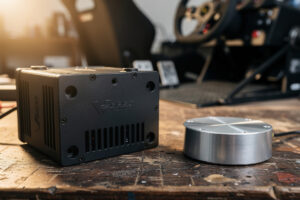
Bass shaker amplifier. $130–250 for a 100–300W amp built specifically for shakers. The Dayton Audio BSA-200 is the standard recommendation — fanless, bridgeable, and purpose-built for this exact job. The shaker amp does NOT need to be high-fidelity — it just needs to deliver low-frequency power into the transducers cleanly. Don’t waste budget on premium hi-fi amplification here; spend it on the headphones.
Speaker amplifier (if running speakers plus shakers). $200–500 for a budget integrated amp. The amp drives the main speakers; the shakers run from a separate amp fed by an LFE / sub-out signal. Two amps work better than one because the load profiles are too different to share. For the broader amplifier landscape beyond sim racing, the budget amplifier guide covers the options.
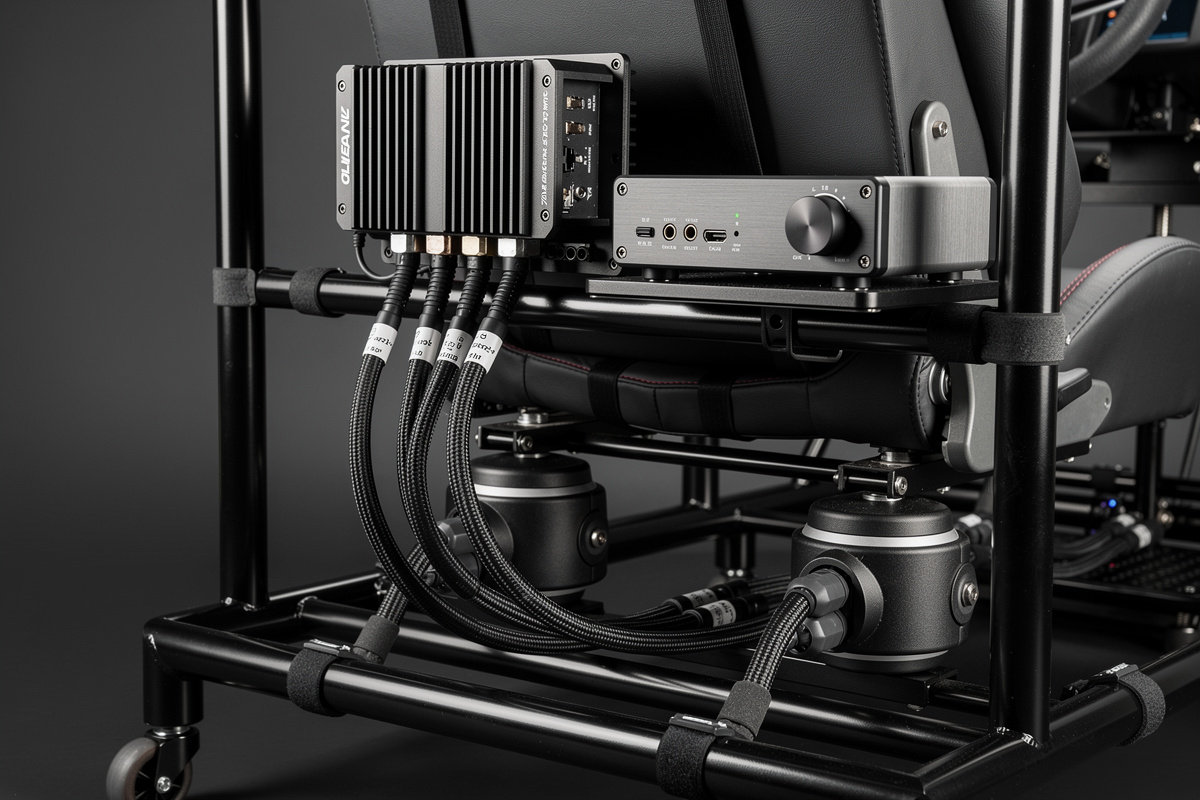
For setups where one amp must handle everything (apartment-friendly compromise): a budget integrated amp ($300–500) with both speaker outputs and a built-in headphone amp covers the audio chain at acceptable quality. A separate shaker amp is still required because shakers don’t share power amplifiers cleanly with speakers.
Spatial Audio: 5.1 vs Headphone Surround vs Stereo
For sim racing, well-imaged stereo headphones outperform 5.1 surround in most home setups. The reason: most simulators don’t render to discrete 5.1 channels well, and most home 5.1 setups have rear speakers placed wrong for racing.
The three options:
- Stereo headphones: Tight imaging, simple setup, works in every simulator. The sim’s audio engine renders accurate left-right stereo positioning by default.
- Headphone surround (Dolby Atmos for Headphones, DTS Headphone:X): Software adds rear-channel cues. Helps somewhat but introduces processing artifacts worth A/B testing on your specific simulator before committing.
- Discrete 5.1 / 7.1 speakers: Theoretically the most spatial. In practice, most setups have rear speakers in wrong positions and listening volume is asymmetric. For dedicated sim cockpit installations with pro-level acoustic treatment, 5.1 surround is genuinely the best. For typical living room setups, stereo wins.
For competitive sim racing where positional awareness of trailing cars matters, headphones with explicit Dolby Atmos output rendered correctly by the sim is the gold standard. iRacing, ACC, and Assetto Corsa all support it.
Cable Management and Mic Setup for Online Racing
For online sim racing — voice chat with team members, league radio, post-race debrief — the microphone side matters as much as the listening side.
Boom mic on the headphones is the standard. The Antlion ModMic ($60) clips to any headphone and provides clear cardioid pickup. Avoid built-in headset mics on cheap gaming headphones; the audio quality is invariably worse than a dedicated boom mic on quality headphones. For the full cable routing approach that keeps audio, USB, and power separated on the rig, the Sim Rig Cable Management guide walks through the layout that prevents ground-loop noise and keeps signal cables away from the shaker amp’s power leads.
USB or XLR? USB mics are simpler; XLR mics through an interface are higher quality. For team radio specifically, USB is fine. For content creation (streaming, YouTube), XLR through a Focusrite or PreSonus interface matters.
Push-to-talk vs always-on: Always-on works in close-knit team racing where everyone’s mic noise is normalized. Push-to-talk is mandatory in pickup races where mic discipline is unpredictable. Bind PTT to a wheel button or pedal for hands-free use.
Latency: The Hidden Audio Killer
Audio latency in sim racing matters more than most realize because tactile feedback is in the same loop as visual feedback. A 50ms audio delay between a kerb impact and the bass shaker firing breaks immersion completely; a 100ms delay actively confuses the sensory loop. On my rig, the OPNsense that segments the IoT VLAN puts the sim PC on a wired low-latency link — Wi-Fi is for laptops, not racing — and that wired connection also keeps the SimHub telemetry feed to the shaker at sub-5ms latency. One bad link in the chain poisons the whole sensory stack.
Sources of audio latency:
- USB audio: 5–15ms typical. Fine.
- HDMI audio passthrough: 30–80ms typical. Acceptable for video, problematic for sim racing.
- Wireless headphones (Bluetooth): 100–250ms. Too high for sim racing. Use wired or dedicated low-latency wireless (2.4GHz dongles like Steelseries Arctis or Sennheiser Momentum 4).
- Bass shaker delay: Usually under 10ms via direct line-out from the audio interface. The amp itself adds under 5ms for class-D models.
For the lowest-latency stack: USB audio interface wired to headphones for primary listening, plus class-D plate amp to bass shakers for tactile. Avoid Bluetooth, avoid HDMI audio for primary output, and disable any sound effects processing in the simulator that adds latency. The network side of the latency equation — ISP choice, bufferbloat, and wired vs wireless — gets its own treatment in the Sim Racing Internet Setup guide. For the full FFB tuning picture where audio cues and force feedback together form the feedback loop that drives lap time.
The Apartment-Friendly Setup
For sim racers in apartments where speakers plus bass shakers aren’t viable, the right approach is a tighter headphone-focused setup with smaller tactile feedback.
Headphone-primary with seat-mounted small shakers: Use small Aura Pro shakers ($35 each, 2 per setup) rated for low-amp input and mounted directly to the seat back rather than the rig frame. They provide tactile cues without transmitting to the apartment floor. Drive from a small 30W class-D amp.
Headphone-only with software haptics: Some sim racing software (SimHub) can drive haptic feedback to wheel and pedal motors based on simulator events. Less immersive than dedicated shakers but works without any vibration transmission.
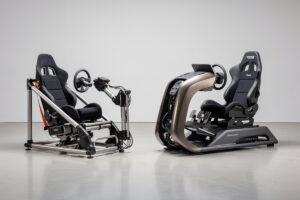
Time-of-day discipline: Reserve loud-mode (speakers plus shakers) for daytime when neighbors tolerate it. Switch to headphones-only after 9pm. For the full rig setup that hosts the audio gear — whether it’s an apartment-friendly foldable or a rigid welded frame — the Sim Racing Rig Build Guide covers the mounting and rigidity decisions that affect audio transducer performance.
Are bass shakers worth it for sim racing?
Yes. On my welded rig, the bass shaker is the upgrade I’d keep over almost anything except the load-cell brake. Tactile feedback for kerbs, engine RPM, and surface texture through a transducer adds a sensor channel headphones cannot replicate. A two-shaker Aura Pro setup with a 100W plate amp ($200-300 total) is the entry; ButtKicker Gamer 2 ($300-400) is the next tier.
What headphones are best for sim racing?
Open-back planar magnetic headphones with reference-neutral tuning: Sennheiser HD 600/HD 6XX ($200-350), HiFiMan Sundara ($300-400), Audeze MM-100 ($400), Beyerdynamic DT 1990 Pro ($600-700). Avoid bass-emphasized gaming headphones for serious racing — they obscure the tire scrub frequencies that signal grip limits.
Do I need a headphone amplifier for sim racing?
Yes. Onboard audio works but loses 5-10dB of dynamic range and 1-3 ohms of output impedance accuracy. I’ve A/B tested the same headphones on motherboard-out vs a dedicated amp on my rig — the difference in tire-scrub detail and positional imaging is not subtle. The Schiit Magnius, JDS Atom Stack, or FiiO K7 ($150-250) deliver clean amplification that reveals cues onboard audio buries.
Should I use 5.1 surround speakers for sim racing?
Generally no. Most simulators do not render to discrete 5.1 channels well, and most living room speaker placements have rear speakers wrong for racing geometry. Stereo headphones with Dolby Atmos for Headphones outperform 5.1 speakers in typical home setups. Dedicated pro-level acoustic-treated rig installs are the exception.
What is the best amplifier for bass shakers?
A 100-300W amp built specifically for bass shakers, like the Dayton Audio BSA-200. The amp does not need to be high-fidelity since it only drives transducers in the 30-120Hz range with a low-pass filter. Do not spend more than $250 on a shaker amp; put the budget into your headphones or a direct-drive wheelbase instead.
How much should I spend on sim racing audio?
For competitive sim racing, $400-600 covers a meaningful upgrade: $200-300 headphones, $150 headphone amp/DAC, optional $200-300 bass shaker setup. Below $400 the audio chain becomes a bottleneck on driving cues — you’re losing information the sim engine is rendering. Above $1,000 the returns diminish unless your wheel, pedals, and visuals are already maxed out.
Audio is one piece of the immersion puzzle. For the complete visual setup, see the Sim Racing Monitor and VR Guide covering displays, VR headsets, and GPU pairing.
Related Articles
- Sim Racing Motion and Haptics: The Complete Guide — the hub page covering the full haptic hardware landscape
- SimHub Bass Shaker Setup: A Step-by-Step Guide — routing simulator events to your transducers
- Bass Shakers vs Tactile Transducers for Sim Racing — choosing the right transducer tier
- Sim Racing Headphone Tier List — soundstage and imaging ranked for spatial awareness
- Sim Racing Rig Build Guide: Build a Rigid Cockpit — mounting and rigidity for audio transducer performance