Getting faster at sim racing requires more than raw talent — the real skill gap closes when you combine the right software, read telemetry like a second speedometer, and tune force feedback until the wheel tells you what the tires are doing before your eyes register it. Across the bases I’ve bolted onto the rig I welded, the tools and techniques in this sim racing skills guide move lap times and survive every hardware swap. The guide covers the full stack: picking the simulator that matches how you race, reading telemetry data to find hidden tenths, configuring honest force feedback, mastering the driving techniques that work in every car class, and dialing in hardware so the signals reach your hands without compromise.
The rig I welded — a steel-tube cockpit anchored with a MIG-welded frame — is the test bench every section below is written from. That matters because software advice without a rigid platform under it is theoretical. If you are brand new to the hobby, start with our complete introduction to sim racing before diving into the techniques below. Each section links to a detailed deep-dive article so you can focus on the area where you need the most help right now.
Choosing the Right Sim Racing Simulator
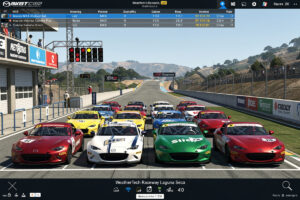
Your simulator choice determines which driving physics model you learn against, which communities you race with, and how much setup content is available. iRacing and ACC are my dailies — I run both across the mid-torque direct-drive bases on the rig and the feel difference between them is instructive. iRacing offers the most competitive multiplayer system with a safety rating and iRating matchmaking that punishes sloppy driving in ways a casual lobby never will. Assetto Corsa Competizione delivers the most accurate GT3 and GT4 physics available today, licensed straight from SRO, and the force feedback through a direct-drive base in ACC feels more granular on road texture than any other sim I’ve run.
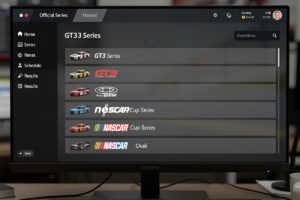
The major sim racing platforms each serve a different purpose. iRacing uses a subscription model ($13/month) plus paid content ($12-15 per car or track), but its matchmaking system is unmatched for competitive online racing. ACC focuses exclusively on GT3, GT4, and GT2 cars, with physics that professional GT drivers consider the most realistic available. Assetto Corsa (the original) has a massive modding community with thousands of free cars and tracks through Content Manager. Automobilista 2 uses the Madness Engine and covers a wide range of disciplines from stock cars to open-wheelers — I fire it up when I want to compare FFB physics across engines, which is a different kind of education. rFactor 2 has strong physics but a smaller community. For a ranked comparison of every major sim, see our best sim racing games comparison.
For beginners, the best starting point depends on your goals. If you want structured competition with ranked matchmaking, start with iRacing and focus on the free Mazda MX-5 rookie series. If you want the most realistic single-make GT experience, ACC is the answer. If you want variety and experimentation at low cost, Assetto Corsa with mods gives you the most content per dollar. For a deeper breakdown of every major sim, read our full Sim Racing Software Explained guide.
Using Telemetry to Find Hidden Speed
Telemetry analysis is the single fastest way to improve lap times because it shows you exactly where speed is being lost — not where you think it is being lost. On my telemetry overlay I watch the same three traces every session: brake pressure, throttle position, and steering angle overlaid against a reference lap. When I see my brake trace ramping 15 meters too early into a hairpin versus a faster driver’s data, I know exactly what to fix next session. Serious sim racers build telemetry review into every practice session rather than treating it as an afterthought, and drivers who switch from “feel-only” practice to disciplined telemetry review consistently describe finding meaningful, repeatable chunks of lap time in their first few weeks — because they’re finally fixing the corners the data points to instead of the ones that felt wrong. Our complete telemetry guide walks through the full workflow from data capture to delta-tracing.
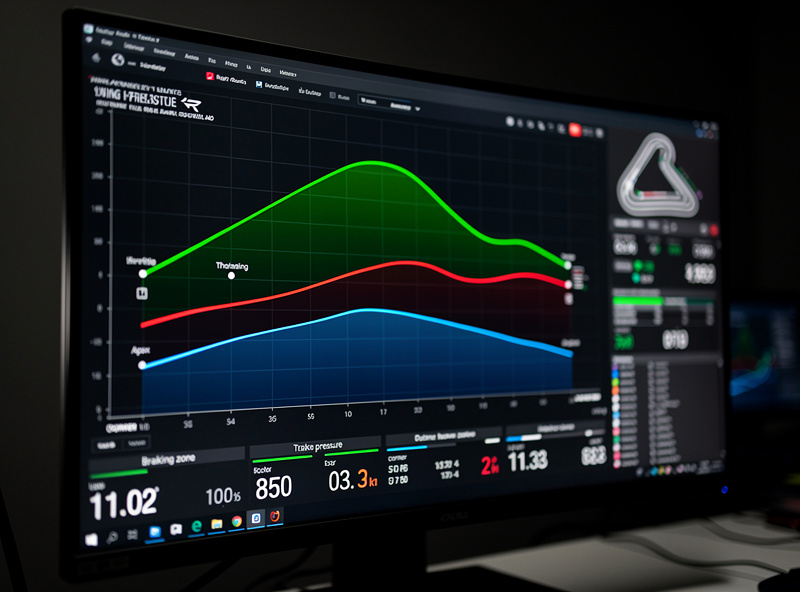
Every major sim logs telemetry data that you can analyze with free or paid tools. MoTeC i2 is the industry-standard free telemetry software used by both real-world race engineers and top sim racers. It displays throttle traces, brake pressure, steering input, speed, and G-forces overlaid against a reference lap so you can see exactly where your inputs differ from a faster driver. Z1 Dashboard provides real-time telemetry overlays during racing, letting you monitor tire temperatures, fuel load, and lap deltas without exiting the sim. I run an overlay on a secondary monitor that shows live FFB clipping and input traces — the same OPNsense box that segments my IoT VLAN puts the sim PC on a wired low-latency link, because Wi-Fi is for laptops, not racing.
The most effective telemetry workflow is simple: set a baseline lap, then compare your fastest lap against a faster driver’s data. Focus on the three corners where you lose the most time. For each corner, check your braking point (are you braking too early?), your minimum corner speed (are you slowing too much?), and your throttle application point (are you waiting too long to get back on power?). Fix one corner at a time rather than trying to improve everything at once. This focused, one-corner-at-a-time approach reliably finds more time per session than trying to rebuild your whole lap at once, because you can actually verify each individual change against the telemetry before moving to the next corner.
Force Feedback Configuration for Realistic Feel
Properly configured force feedback tells your hands what the car is doing before your eyes register it — tire slip, surface changes, weight transfer, and understeer all communicate through the wheel. The way I dial mine in starts with the telemetry overlay showing me whether the FFB channel is clipping, because a clipped signal means the wheel has gone numb at peak cornering force and you’ve lost all information. Most beginners run force feedback settings that are either too strong (causing clipping) or too weak (hiding critical information). The correct setup makes the difference between reacting to a slide and predicting it. Our force feedback tuning guide covers per-title profiles and clipping diagnosis in detail.
Start with your wheel’s own software settings. For Logitech wheels, set the operating range to match the car’s real steering lock (typically 900 degrees for GT cars, 540 for Formula cars). For Thrustmaster and Fanatec wheels, leave the rotation at auto and let the game handle it. In-game, set force feedback strength to the highest level that never clips — you can monitor clipping with the in-game FFB meter or by feeling for moments where the wheel suddenly goes light during hard cornering. A common mistake is cranking FFB to maximum because it feels more immersive, but clipped FFB actually removes information. I run my mid-torque direct-drive base at a gain level where the telemetry trace stays just under the ceiling through every corner — that’s typically around 80-85% of what the base can deliver.
Each sim handles FFB differently. iRacing uses a physics-based model that communicates tire forces directly, and competitive drivers on mid-torque bases like the Fanatec CSL DD (up to 8 Nm) or Simagic Alpha Mini (up to 10 Nm) typically run gain settings that use most of what the base can deliver once a per-car profile is dialed in, without ever hitting the clipping ceiling. ACC has a sophisticated FFB model with a dedicated gain slider and a minimum force setting that helps belt-drive wheels overcome their dead zone — the low-speed detail in ACC through a direct-drive wheel is one of the reasons I keep both sims installed. For a complete walkthrough of FFB settings for every major sim and wheel combination, see our detailed Force Feedback Configuration Guide and the iRacing FFB settings deep-dive.
Core Driving Techniques Every Sim Racer Needs
The five techniques that separate fast sim racers from average ones are trail braking, proper racing lines, throttle modulation, weight transfer management, and visual focus points. Mastering trail braking alone — the technique of gradually releasing brake pressure while turning into a corner — is consistently the single biggest lap-time unlock for intermediate drivers, because it recovers time in nearly every corner on a lap rather than just one or two. These skills are universal across every sim and every car class. For a complete breakdown with practice drills, read our Sim Racing Driving Techniques guide.
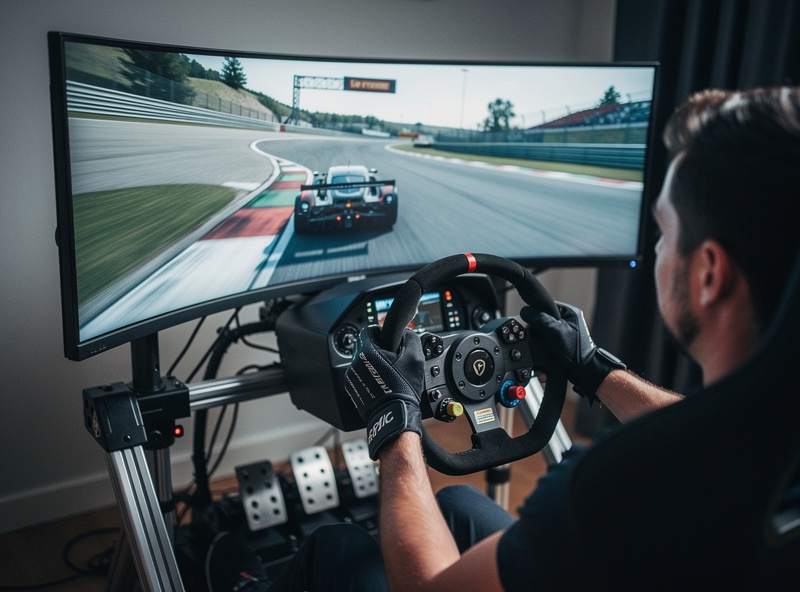
Trail braking is the most important technique because it keeps weight on the front tires during turn-in, generating more front grip and allowing later braking. The mistake most beginners make is a binary brake-to-coast-to-throttle approach: fully brake in a straight line, release the brake, turn, then apply throttle. This wastes the entire braking zone as a potential turning zone. Instead, trail braking overlaps the end of braking with the beginning of turning, carrying more speed into the apex. I can see it on my telemetry traces — the brake pressure doesn’t drop to zero at corner entry; it tapers as the steering angle builds, and the result is a higher minimum speed through the apex without losing the rear.
Racing line mastery goes beyond following the colored racing line overlay. The optimal line changes based on tire wear, fuel load, track temperature, and traffic. The basic principle is: use the full width of the track on entry (outside), hit the apex at the geometric or late apex point (inside), and use the full width on exit (outside). Late apexing — turning in later than the geometric center — is faster on most corners because it opens up the exit and allows earlier throttle application, which matters more for overall lap time than carrying speed through the middle of the corner.
Throttle modulation prevents wheelspin and manages tire temperature. Mashing the throttle to 100% the moment you pass the apex causes rear tire slip, overheating, and inconsistent exits. Progressive throttle application — building from 20% to 100% over one to two seconds as the car straightens — produces faster exits over a race distance because it keeps rear tires in their optimal grip window. Consistency training is where these techniques get baked into muscle memory — raw pace means nothing if your lap-time spread is two seconds wide.
Simulator Selection by Discipline
Not every sim excels at every type of racing. Choosing a platform that matches your preferred discipline accelerates your learning because the physics, car roster, and community are all aligned with what you want to race. The table below maps each major discipline to its best simulator and explains why.
| Discipline | Best Simulator | Why | Cost | Online Competition |
|---|---|---|---|---|
| GT3 / GT4 Racing | Assetto Corsa Competizione | Most accurate GT physics, SRO licensed cars and tracks | $40 + DLC packs | Strong — LFM, SimGrid |
| Open Wheel / Formula | iRacing | Best ranked matchmaking, wide range of formula cars | $13/month + content | Excellent — built-in system |
| Oval / NASCAR | iRacing | Only sim with realistic oval physics and drafting | $13/month + content | Excellent — dedicated series |
| Rally | Richard Burns Rally (RSF) | Still the gold standard for rally physics after 20 years | Free (RSF mod) | Time trial based |
| General Variety | Assetto Corsa | Thousands of mod cars and tracks, low cost | $20 base + mods free | Good — SRS, community |
| Endurance Racing | ACC / iRacing | ACC for GT endurance, iRacing for multi-class | Varies | Both excellent |
| Casual / Career Mode | Automobilista 2 | Strong AI, broad car roster, good single-player | $40 base | Growing |
| Drifting | Assetto Corsa | Best drift physics with mod support | $20 + mods | Community servers |
If you are unsure where to start, ACC offers the best balance of realistic physics, active online competition, and reasonable cost. If you want structured progression with ranked racing across multiple disciplines, iRacing is the long-term investment that pays off as your skills develop. Most competitive sim racers end up owning two or three sims and switching between them based on what they feel like racing on a given day.
Practice Structure and Session Planning
Random hotlapping for hours produces slower improvement than a structured 45-minute practice session with clear goals. The most effective practice structure follows a four-phase approach: baseline laps, focused technique work, race simulation, and post-session review. Drivers who use structured practice consistently improve faster than those who just hotlap at random, because every session is targeting a specific weakness instead of reinforcing whatever habits already feel comfortable.
Phase one is baseline laps — drive 10 to 15 laps at a comfortable pace without pushing. The goal is to establish consistency and warm up both your tires and your muscle memory. Record your average lap time and your standard deviation (the difference between your fastest and slowest clean lap). If your standard deviation is more than 1.5 seconds, consistency is your primary focus — not outright speed. On a new track I’ll run 20 laps before even looking at the clock, because the first ten are just the sim and my hands calibrating to each other. Lap 11 through 20 are the real baseline — everything before that is orientation, not data.
Phase two is focused technique work. Pick one specific skill — trail braking, late apexing, or throttle modulation — and practice it for 15 minutes. Use telemetry to verify your inputs are improving. Do not try to improve everything at once. The fastest drivers in the world still work on individual techniques during every practice session. Phase three is race simulation — join an online practice session or set up an AI race and focus on racecraft: overtaking, defending, managing tires over a stint, and reacting to traffic. Race pace is different from hotlap pace because it requires managing degradation and making decisions under pressure. Our racecraft guide covers the full skillset from first overtake to multi-class battle management.
Phase four is post-session review — load your telemetry, compare against a reference lap, identify the three corners where you lost the most time, and set a specific goal for your next session. I keep a simple text file per track with my fastest lap, average pace, and the one thing I’m fixing next. That data stack — not seat-of-the-pants feel — is what moves my lap times session over session. For a complete system that covers lesson planning and progress tracking beyond solo practice, see our sim racing coaching and improvement guide.
Hardware Considerations for Software Performance
Your hardware directly limits how effectively you can apply software-level techniques. A wheel with no force feedback detail hides understeer and oversteer signals. Pedals without a load cell make consistent braking impossible. A single small monitor reduces your spatial awareness and reaction time. Understanding which hardware upgrades produce the biggest skill improvements helps you spend wisely.
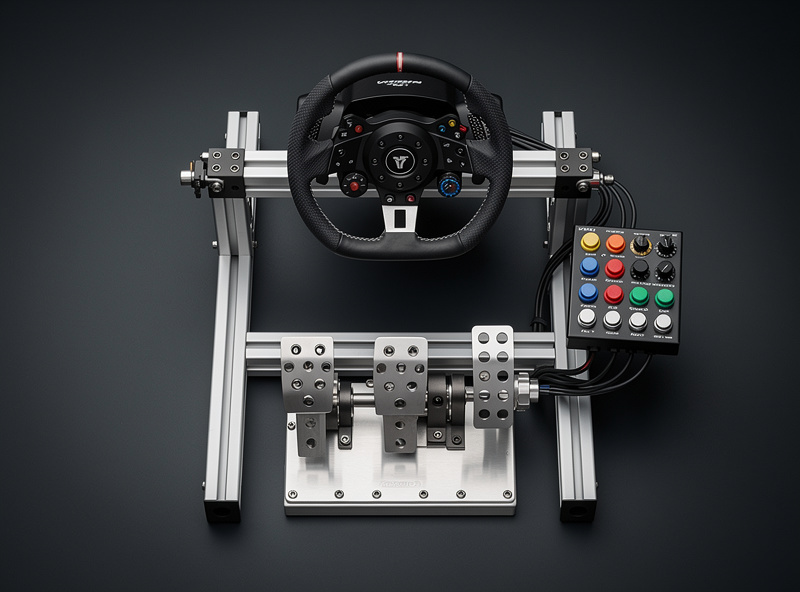
The priority order for hardware upgrades is: pedals first, then wheel, then display, then cockpit. If you have not chosen your initial hardware yet, our budget and space planning framework helps you make the right first purchase. Load cell brake pedals — which measure pressure rather than distance — are the single biggest performance upgrade because they allow muscle memory braking. A driver switching from potentiometer pedals to load cell pedals typically finds a real, measurable lap-time gain within a couple of weeks as their braking consistency improves — it’s the upgrade I’d point to first if someone asked me which single part of the rig moved my own pace the most. On my pedal box, the load-cell curve is dialed to a progressive ramp that rewards pressure modulation — the same way a real brake pedal does. For creative hardware upgrades that improve both feel and immersion, check out our DIY Sim Racing Upgrades guide.
Direct drive wheelbases provide the most force feedback detail because they attach the wheel rim directly to a motor with no belts or gears in between. This means every road texture, curb vibration, and tire slip communicates to your hands without being filtered or dampened. The jump from a belt-drive wheel (like the Thrustmaster T300) to a direct drive base (like the Fanatec CSL DD or Moza R9) is immediately noticeable and helps you catch slides earlier. The wheel-side bracket holding my button box came off the same 3D printer that prints my hydro lids — structural brackets, not aesthetic trim — and that modular approach to mounting peripherals is part of what makes the rig adaptable as the hardware rotates. If you are building your own cockpit to mount this hardware, our DIY Sim Racing Rig Guide and the complete rig build guide walk through aluminum profile frame construction and welded-steel alternatives.
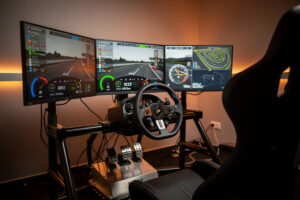
Display upgrades improve reaction time and spatial awareness. A single 27-inch monitor is the minimum viable setup, but an ultrawide 34-inch or triple-monitor configuration gives you peripheral vision that lets you see cars alongside you and judge apex distances more accurately. VR headsets provide the most immersive experience with true depth perception, but they require a powerful GPU and can cause motion sickness in some users. For display setup, cable management, and ergonomic positioning, see our Sim Racing Space Setup Guide.
Racecraft: Overtaking, Defending, and Consistency
Racecraft is the art of racing wheel-to-wheel without crashing — and it is the skill that most sim racers neglect until they start losing positions in online races. Good racecraft means knowing when to attack, where to position your car for a pass, how to defend without blocking, and how to manage tires across a full stint. Consistency over a 20-lap race matters more than a single fast lap, and the racecraft guide breaks down every layer from basic etiquette to multi-class strategy.
Overtaking in sim racing follows the same principles as real-world racing: set up the pass over multiple corners, not just one. The most common overtaking method is the undercut — exit a corner faster than the car ahead by taking a tighter line, then use your speed advantage on the following straight to pull alongside before the next braking zone. Diving up the inside from three car lengths back rarely works and usually causes contact that ruins both drivers’ races. When contact does happen despite good intentions, knowing how to file a clear protest matters — the sim racing incident review and protest guide explains what stewards look for in a replay and how to write a report that gets taken seriously.
Defending legally means positioning your car to make overtaking difficult without moving reactively to block. The one-move rule applies in most sim racing series: you can make one defensive move (typically taking the inside line into a corner), but you cannot move again to block a car that has already committed to a passing line. The best defensive technique is actually consistent lap times — a driver who runs 0.3 seconds faster per lap than the car behind will naturally pull away without needing to defend at all. When I review my race replays, the laps where I lost positions were rarely due to a single botched corner — they were almost always the laps where my pace drifted by half a second because I was glancing at the mirror instead of hitting my marks.
Tire management over a stint is what separates good racers from fast qualifiers who fade. Pushing at 100% intensity for the first five laps overheats your tires and causes performance to drop sharply from lap eight onward. Running at 95% intensity from the start produces faster average lap times over a 20-lap stint because the tires stay in their optimal temperature window. Monitor your tire temperatures every few laps — if any corner’s tires are more than 8 degrees Celsius hotter than the others, your driving inputs are overworking that axle. The complete car setup guide covers tire pressures, camber, and how chassis adjustments affect tire behavior over a stint.
Building a Structured Improvement Plan
The fastest way to improve at sim racing is to treat it like a skill with a curriculum, not a hobby you practice randomly. A structured improvement plan focuses your limited practice time on the highest-impact skills in the right order. Most sim racers plateau because they keep practicing what they are already good at instead of targeting their weakest area. The consistency training guide has the drills to turn plateaus into progress.
A three-month improvement plan for an intermediate sim racer looks like this: Month one focuses on consistency and braking — target a standard deviation under 0.5 seconds across 10 laps and master trail braking on three different corner types. Month two focuses on racing lines and throttle control — work on late apexing, progressive throttle application, and carrying speed through linked corners. Pick one track and stay on it for the entire month. Jumping between tracks while learning technique is like changing gyms mid-rep — none of the adaptation sticks because the corners keep changing under you. Month three focuses on racecraft — join online races and practice overtaking, defending, and tire management over full race distances. By month three your technique is reliable enough that you can survive a full-length race without binning it on lap four, which is the real gate between practice-hero and weekend-league driver.
Track your progress with a simple spreadsheet: record your best lap time, average lap time, and consistency (standard deviation) for each track you practice on. Review your telemetry after every session and write down one specific thing to improve next time. This data-driven approach is exactly how professional racing drivers develop their skills, and it works even faster in sim racing because you can practice unlimited laps without cost or risk. The sim racing coaching guide has a structured curriculum you can follow solo or bring to a coach — either way, it removes the guesswork from “what do I practice today.”
What is the best simulator for beginners in 2026?
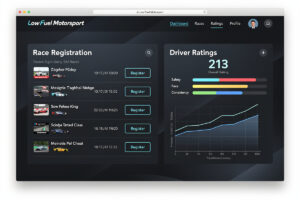
Assetto Corsa Competizione offers the best balance of realistic physics, active online competition through Low Fuel Motorsport, and reasonable cost at $40. iRacing is better if you want structured ranked matchmaking across multiple disciplines, but costs $13 per month plus paid content.
How does telemetry help you get faster in sim racing?
Telemetry shows exactly where you lose time by comparing your inputs — braking point, throttle trace, steering angle, and speed — against a faster driver’s reference lap. Most drivers find real, repeatable gains corner by corner within their first month of telemetry-driven practice, because they’re fixing what the data shows instead of guessing.
What force feedback settings should I use?
Set your wheel rotation to match the car (900 degrees for GT, 540 for F1), then increase in-game FFB gain until the meter clips during hard cornering, then reduce by 10%. This gives maximum detail without losing information to clipping.
How long does it take to get good at sim racing?
With structured practice of 45 minutes per session three to five times per week, most beginners reach competitive lap times within two to three months. Consistency develops fastest, usually within four weeks. Racecraft takes longer — plan six months of regular online racing.
Should I upgrade pedals or wheel first?
Upgrade pedals first. Load cell brake pedals — which measure pressure rather than distance — produce a real, noticeable lap-time gain for most intermediate drivers because they enable consistent braking. A better wheel improves feel but does not directly improve lap times the way consistent braking does.
Can I practice sim racing effectively on a budget?
Yes. A Logitech G29 wheel (around $200), Assetto Corsa ($20), and a free telemetry tool like MoTeC i2 provide everything needed to develop competitive skills. Many top-split iRacing drivers started on budget gear and upgraded gradually as their skills demanded it.
Related Deep Dives
- Sim Racing Software Explained — Simulators, Telemetry, and Setup Tools
- The Sim Racing Telemetry Guide — Read Your Data, Find Your Time
- How to Configure Force Feedback — Getting Realistic Feel From Your Wheel
- Sim Racing Force Feedback Tuning — The Complete Guide
- Sim Racing Driving Techniques — How to Actually Get Faster
- Sim Racing Racecraft Guide — The Skills That Find Lap Time