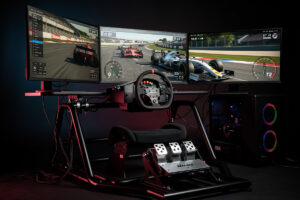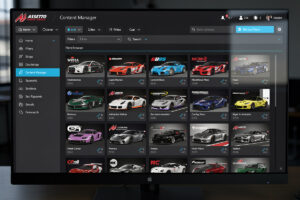
Assetto Corsa has tens of thousands of community mods available through platforms like RaceDepartment, Overtake.gg, and Assetto-World. Content Manager replaces the default launcher with a mod-aware interface, and Custom Shaders Patch unlocks rain, dynamic lighting, and physics improvements that transform the 2014 sim into a modern competitor.
This guide covers Content Manager installation, Custom Shaders Patch setup, the 10 best mod cars, the 10 best mod tracks, step-by-step mod installation, quality assessment, and where to find reliable mods.
Why I Still Run Assetto Corsa in 2026
I race iRacing and ACC as my dailies on the rig I welded, but AC is the sim I keep coming back to when I want something the paid titles cannot give me — variety that spans tens of thousands of community mods and physics experiments no studio would ever sign off on. Content Manager plus Custom Shaders Patch turns a 2014 sim into a modern platform that renders rain, dynamic lighting, and tire models competitive with some of the best sim racing games in 2026. Serious AC modders typically keep a dedicated AC install on their sim PC specifically for mod content, separate from an ACC or iRacing install — the storage footprint is modest and the payoff is access to circuits and cars that simply do not exist anywhere else.
The mod scene is not all gold. I have downloaded cars with copy-paste Kunos physics and tracks with AI lines that send the pack into the wall at turn one. But the top 20% of mods — the ones from RSS, URD, and the best community creators on RaceDepartment — deliver quality that matches the paid sims. Knowing how to separate those two tiers is what this guide is about, and it starts with the tool that makes the whole thing work.
Content Manager: The Essential AC Launcher Replacement
Content Manager is a free application that replaces Assetto Corsa’s default launcher with a feature-rich interface supporting mod management, server browsing, replay tools, and physics debugging. The overwhelming majority of active AC players use Content Manager instead of the stock launcher.
Download Content Manager from acstuff.ru/app and install it alongside your existing AC installation. On first launch, it detects your AC directory automatically. The free version handles all core functionality. The “Full” version, unlocked with a small donation of any amount, adds extra features like expanded mod metadata, skin sharing, and advanced physics tools — worth the cost but not required for basic modding.
Content Manager is one of the most powerful pieces of sim racing software available, and its drag-and-drop mod installation is the headline feature. Download any mod as a .zip file, drag it onto Content Manager’s window, and it automatically extracts to the correct directory, detects the content type (car, track, skin), and registers it in the content database. The default AC launcher requires manual extraction to specific folders — Content Manager eliminates this tedious process entirely.
Custom Shaders Patch: Unlocking AC’s Hidden Potential
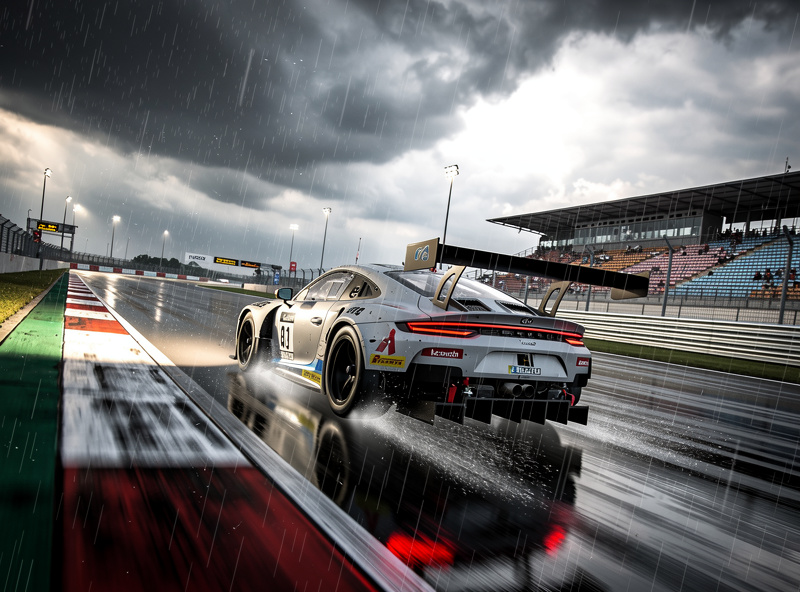
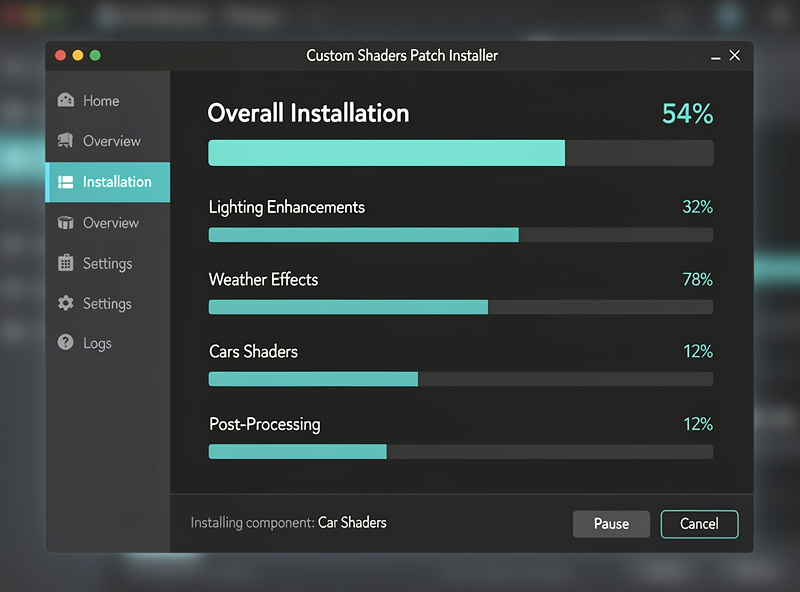
Custom Shaders Patch (CSP) is a community-developed graphics and physics overhaul that adds rain weather, dynamic lighting, improved tire physics, new particle effects, and VR optimizations. It is installed through Content Manager’s Settings > Custom Shaders Patch menu with a single click.

Install CSP through Content Manager: go to Settings > Custom Shaders Patch, click “Install,” and select the latest stable version (currently 0.2.x). The “Recommended” preset enables the most impactful features without heavy performance cost. Key features include: rain and wet track physics (requires Sol or Pure weather planner), improved headlights and brake light reflections, grass and gravel particle effects, and enhanced mirror rendering.
CSP also enables Sol, a dynamic weather system that replaces AC’s static weather selection with real-time weather patterns, day/night transitions, and seasonal lighting. Install Sol through the same CSP menu. Together, CSP + Sol transforms AC from a dry-weather-only sim into a full dynamic weather simulator. Performance impact is moderate — expect 10–15% FPS reduction on mid-range hardware (GTX 1060 / RX 580 class). High-end GPUs (RTX 3070+) see minimal impact.
Top 10 Mod Cars That Match Paid Sims
Community mod cars range from terrible physics dumps to Kunos-quality masterpieces. The following 10 cars have physics, sound, and visuals that match or exceed paid simulator content.
| Mod Car | Class | Source | Quality |
|---|---|---|---|
| Toyota GR86 Cup | GT4/Touring | RaceDepartment | 5/5 |
| Porsche 992 GT3 R | GT3 | Assetto-World | 5/5 |
| BMW M4 GT3 | GT3 | RaceDepartment | 4.5/5 |
| McLaren 720S GT3 Evo | GT3 | RaceDepartment | 4.5/5 |
| Formula RSS 2 V6 | Formula | Race Sim Studios | 5/5 |
| Formula RSS 3 | Formula | Race Sim Studios | 5/5 |
| URD Detroit GT3 | GT3 | United Racing Design | 5/5 |
| Lamborghini Huracan ST | Super Trofeo | RaceDepartment | 4/5 |
| Tatuus F4 T-421 | Formula | Kunos (official DLC) | 5/5 |
| VRC Formula Alpha 2023 | Formula 1 | VRC Modding | 5/5 |
Race Sim Studios (RSS) and United Racing Design (URD) are professional modding teams that produce cars rivaling Kunos quality. Their mods typically cost roughly $4–6 each depending on the car and any active sale (current RSS pricing, current URD pricing), and are considered the gold standard for AC mod cars. The free mods listed above (Toyota GR86, Porsche 992, BMW M4) achieve similar quality through community collaboration.
Top 10 Mod Tracks Worth Downloading
AC’s base track selection covers major European circuits. Mod tracks add legendary circuits from around the world that transform the sim’s variety. These 10 tracks have accurate laser scans, proper AI racing lines, and CSP compatibility.
| Mod Track | Location | Length | Source |
|---|---|---|---|
| Mount Panorama (Bathurst) | Australia | 6.213 km | RaceDepartment |
| Interlagos | Brazil | 4.309 km | RaceDepartment |
| Road America | USA | 6.515 km | Assetto-World |
| Suzuka | Japan | 5.807 km | RaceDepartment |
| Laguna Seca | USA | 3.602 km | RaceDepartment |
| Mid-Ohio | USA | 3.864 km | Assetto-World |
| Sachsenring | Germany | 3.671 km | RaceDepartment |
| Mugello | Italy | 5.245 km | RaceDepartment |
| Circuit of the Americas | USA | 5.513 km | Assetto-World |
| Donington Park | UK | 4.020 km | RaceDepartment |
Laser-scanned tracks include 3D curbing, accurate elevation data, and surface bumps that affect car handling — exactly like real-world circuits. Non-scanned tracks are visually acceptable but lack the physical accuracy needed for competitive racing. Always check whether a mod track is laser-scanned before downloading; the track page will specify scanning method.
Step-by-Step Mod Installation
Using Content Manager, mod installation takes under 30 seconds per mod. Download the .zip file from the mod source, drag it onto Content Manager, and confirm the installation. Content Manager detects whether the mod is a car, track, or skin and extracts it to the correct directory.
Manual installation (without Content Manager) requires extracting .zip files to specific directories: cars go to steamapps/common/assettocorsa/content/cars/, tracks go to content/tracks/, and skins go to the car’s skins/ subfolder. After manual extraction, you must restart Assetto Corsa for the content to appear — Content Manager detects new content without restarting.
On my own setup I keep a folder called “AC_mods_pending” on the sim PC desktop. New downloads land there first, I drag them into Content Manager one at a time, and I test each on a known track — typically a short circuit like Magione or Vallelunga where I know my lap times cold — before moving the mod into the active collection. This catches broken physics and missing dependencies before they clog the content list. When the mod folder grows past 40GB I archive older cars and tracks I have not touched in six months onto external storage — spinning rust is cheap, and keeping the active install lean prevents Content Manager startup delays.
Common installation problems: (1) Mod doesn’t appear — check that the .zip extracted to a single folder, not a nested structure. The car folder should directly contain data.acd, ui_skin.json, and model files. (2) Game crashes on loading a mod — the mod may be incompatible with your CSP version. Update CSP or try an older version of the mod. (3) Missing textures (pink car) — some mods require CSP for proper material rendering. Install CSP if you haven’t.
Assessing Mod Quality Before Downloading
Not all mods are created equal. Poorly made mods have broken physics, inaccurate sounds, and visual artifacts. Check the download count, user rating, and comments before installing any mod. Mods with 4+ stars and 10,000+ downloads are generally reliable.
Red flags for poor-quality mods: no preview images, “physics from Kunos” in the description (copy-paste physics from a different car is common and creates unrealistic handling), download size under 20MB for a car (realistic mods include high-quality textures and sound files), and no CSP compatibility noted. If a mod description is vague about physics origin, assume it’s a visual reskin with incorrect handling.
The most trusted sources are RaceDepartment (moderated uploads, user rating system), Assetto-World (curated collections), Race Sim Studios (professional mod team), and United Racing Design (professional mod team). Avoid random mods from Reddit or YouTube links without checking community feedback first — malware has been found in mods from untrusted sources, though this is rare.
Managing a Large Mod Collection
Once you pass 100 installed mods — which happens faster than you expect — the Content Manager content list becomes unwieldy. I group cars by class (GT3, Formula, Touring, Drift) using Content Manager’s tag system, and I tag tracks by region and whether I have run a competitive lap on them yet. Content Manager’s built-in search and filtering makes a tagged library navigable. The second problem is compatibility drift: every new CSP version can quietly break older mods. I keep a pinned note in Content Manager of which mods are tied to which CSP version, and I check the “Broken Mods” community thread on RaceDepartment once a month — it catches conflicts before a league race session turns into a troubleshooting session.
For sim rigs with limited SSD space — mine shares the drive with ACC and iRacing installs — managing storage on the sim PC means being selective. A quality-over-quantity approach to mods keeps the library tight: 20 cars you actually race and 15 tracks you actually hotlap beats 200 mods you never load. The mod cars and tracks in the tables above are the ones that have stayed in my active rotation across multiple CSP version updates.
Frequently Asked Questions
Is Assetto Corsa modding free?
Yes, the vast majority of AC mods are free. Content Manager is free, Custom Shaders Patch is free, and most car and track mods cost nothing. Premium mods from Race Sim Studios and United Racing Design cost $4-6 each.
Do mods work in Assetto Corsa online?
Only if the server runs the same mods. Most online servers use a standard mod set that all connected players must have installed. Check the server’s required content list in Content Manager before joining to avoid connection errors.
Is Custom Shaders Patch safe to install?
Yes, CSP is safe when downloaded through Content Manager or the official acstuff.ru page. It is used by the vast majority of the active AC modding community. Avoid downloading CSP from third-party websites, as modified versions may contain malicious code.
How much storage do AC mods use?
A typical mod car uses 50-200MB and a mod track uses 100-500MB. A collection of 50 cars and 30 tracks will use approximately 15-25GB of storage beyond the base game’s roughly 30GB installation.
Can I use mods on Assetto Corsa console versions?
No, modding is only available on PC versions of Assetto Corsa. Console versions (PlayStation, Xbox) do not support any modifications due to platform restrictions on file system access.
What is the best mod car for beginners in AC?
The Toyota GR86 Cup mod is widely considered the best beginner car. Its forgiving handling, moderate power output (235hp), and progressive limit behavior teach car control fundamentals without punishing mistakes as severely as GT3 machinery.
Related Articles
- Assetto Corsa Competizione: The Complete GT3 Guide — if you enjoy AC, ACC is the competitive GT3 evolution
- Sim Racing Software Explained
- What Is Sim Racing?
- Best Sim Racing Games 2026
- How to Plan Your First Sim Racing Setup
- How to Configure Force Feedback