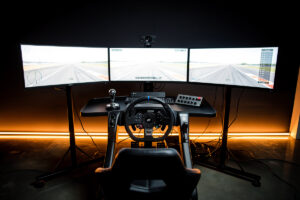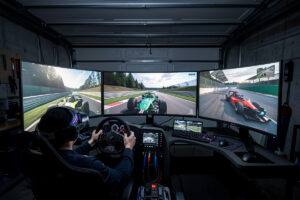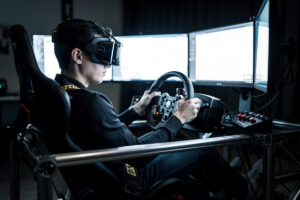
I run VR on my welded-steel rig alongside triple monitors, and after bolting a Quest 3 onto the base I daily, the depth-perception difference is the one thing flat screens genuinely cannot replicate. The Meta Quest 3 at $599 gives most sim racers the best balance of resolution, lens clarity, and setup simplicity — Meta raised prices across the whole Quest lineup in April 2026, so budget for the new numbers, not the old ones you’ll still see quoted around the web. The Quest 3S at $349 is the budget entry point if you want to try VR before committing to the full headset. Skip the HP Reverb G2 entirely, even used — Microsoft pulled Windows Mixed Reality out of Windows 11, and a headset that depends on WMR to function is not something I would recommend anyone buy in 2026.
On my rig I switch between triples and VR depending on what I’m running — endurance stints on monitors, shorter ACC and iRacing sessions in the headset — and the adaptation period tells you everything about what VR brings to the table. The first time you approach a braking board in 3D, your brain processes the distance the same way it does in a real car, not as a learned estimate of the board’s apparent size on a flat panel. When I check my telemetry overlay after a VR stint, the braking-point variance tightens up versus what I see on triples, and that consistency lands in the lap time. I still run monitors for long sessions, but everyone who puts a proper adaptation block into VR — headset strapped on for two to three weeks of regular use — builds spatial awareness that carries over even when they go back to screens. If you want the full landscape of what VR versus monitors costs you in lap time across different sims, I broke that down in the VR sim racing guide that covers headsets, setup, and performance end to end.
Why VR Transforms Sim Racing
VR eliminates the FOV compromise entirely — turn your head left and you see the apex, turn right and you see the car alongside. No monitor setup, no matter how wide, gives you this natural head-tracking awareness. The stereoscopic depth perception that comes with it makes every corner feel real in a way that even triple 1440p monitors, which I run side by side with the headset, cannot fully match. That is not marketing blurb — it is the difference between a calculated braking marker and a braking zone you can actually feel.
The head-tracking immersion goes beyond simple vision. In the headset, I look through a corner toward the exit the way a real driving instructor teaches — eyes on the vanishing point, not the apex. On monitors, your eyes stay locked toward the screen centre while you rotate the wheel on peripheral cues. This difference in where your eyes go translates to more natural steering inputs, earlier throttle application on corner exit, and fewer snap-oversteer moments because the 3D perspective makes the car’s rotation easier to read. When I move between triples and VR on the same track within the same session — the FOV calculator numbers matched properly on both — the VR laps feel more connected to the car, even when the raw pace is similar.
For car control, what I see on my telemetry tracks with what I feel in the seat. On the rig I welded, with a bass shaker bolted under the pedal plate and a direct-drive base, VR adds a layer of spatial information that helps me hit apexes more precisely. It is not a magic bullet — you still need a proper display setup and a rig stiff enough that every input reads clean — but the depth cue alone changes how you judge corner radius. If you are on a single monitor and wondering whether VR or triples is the right next step, the triple-monitor comparison and the full VR guide linked above walk through the FOV math and the hardware cost for each path.
Meta Quest 3: The Best Entry Point ($599)
The Meta Quest 3 delivers 2064×2208 resolution per eye at 120Hz with pancake lenses that eliminate the god-ray artefacts and edge distortion that Fresnel-lens headsets carry. At $599 it still undercuts every tethered PCVR competitor with comparable optics, and the standalone mode means you get a full VR system for anything beyond sim racing. If $599 is more than you want to spend to find out whether VR works for you, the Quest 3S at $349 runs the same platform with a lower-res Fresnel panel (1832×1920 per eye) instead of pancake lenses — a real step down in clarity but a legitimate way in. On my rig, the Quest 3 is the headset I reach for when I just want to jump into a session without any software fiddling.
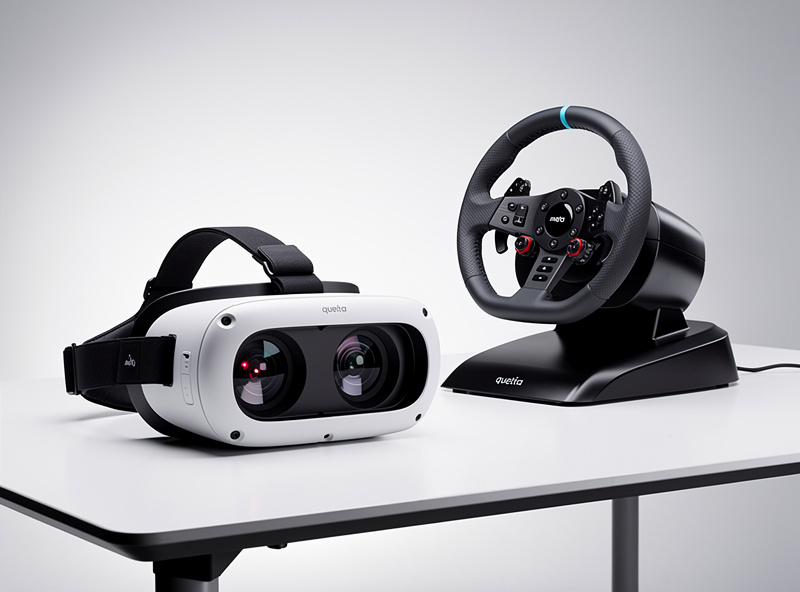
The pancake lens is the Quest 3’s single biggest upgrade over the Quest 2 I ran previously. Fresnel lenses — the type in the Quest 2, the Reverb G2, and the Valve Index — produce concentric rings in high-contrast scenes. A street light on a dark track throws rings that pull your eye away from the corner entry. Pancake lenses deliver clean images edge to edge, and in sim racing where you scan the entire field of view constantly, that matters more than the resolution number on the spec sheet. The best VR headset comparison puts all the candidates side by side — Quest 3, Bigscreen Beyond, and Pimax Crystal — if you are weighing them before buying.
Link cable or Air Link? On my rig the USB-C Link cable wins for competitive sessions. Air Link over WiFi 6E tacks on additional latency that I can feel at the wheel — the base is wired to an OPNsense router on a low-latency link, and anything that adds even a few milliseconds between my input and the screen shows up as a slightly disconnected feel. For casual immersion or offline hot-lapping, Air Link is convenient and most drivers cannot feel the difference. For iRacing or ACC where every input timing matters, plug the cable in. The cable is sold separately at $20-80 depending on length and quality — budget for it as part of the headset cost.
The Quest 3 limitation I notice is the LCD panel. Night racing in ACC shows grey-black levels, not true black — the track at Spa after sunset looks lit by a dim fog rather than genuine darkness. OLED headsets such as the Bigscreen Beyond (which I cover below) produce proper blacks, and the contrast difference is stark. The resolution is sharp — 2064×2208 per eye — but text on distant trackside boards still needs a slight lean forward to read cleanly. For $599 these are reasonable tradeoffs. If your priority is the absolute sharpest, highest-contrast image and price is not the constraint, the Bigscreen Beyond (below) is the headset to look at instead — not a used, software-abandoned Reverb G2.
HP Reverb G2: Do Not Buy This, Even Used
I ran a Reverb G2 for a stretch before I moved to the Quest 3, and back when it was current it genuinely was one of the sharpest mainstream headsets at 2160×2160 per eye. That is history now, not a buying recommendation. The G2 runs entirely on Microsoft’s Windows Mixed Reality platform, and Microsoft has pulled WMR out of Windows 11 — support is being removed from the OS on the current release track, and headsets that depend on it stop working once a machine is on the affected build (confirmed reporting here). There is no SteamVR-native fallback for the G2’s tracking stack. A used G2 you find cheap on a marketplace is a headset with no functioning path forward on a current Windows install, not a bargain.
If you already own a G2 and it still works because your PC hasn’t taken the WMR-removing update, the practical move is to freeze that machine’s Windows version and not update it — the moment you do, the headset goes dark. I would not build a new sim-racing VR setup around it in 2026 under any circumstances, and I would not buy one used expecting to keep it running long-term. If sharp mainstream resolution and clean lenses are what you actually want, the Quest 3 above covers that ground with a headset that gets ongoing software support.
The Valve Index sits in a similar spot — Valve has stopped manufacturing it to make room for the Steam Frame, so it’s a discontinued, fixed-supply headset rather than a live recommendation. It still runs fine on SteamVR (no dependency issue like the G2), so a used Index isn’t dead the way a G2 is, but it’s a shrinking-availability niche pick rather than something I’d point a new sim racer toward. The full VR sim racing guide walks through setup and performance tuning for the headsets that are actually worth buying today.
Bigscreen Beyond: Premium OLED VR ($999)
The Bigscreen Beyond weighs 127 grams with micro-OLED displays that deliver proper blacks — night racing looks genuinely dark, with headlights cutting through blackness instead of grey fog. At $999 for the headset plus $300-500 for SteamVR base stations and controllers, it is one of the most expensive sim-racing VR options but produces the highest contrast image I have seen through any headset goggles. Bigscreen has since released a Beyond 2 with a wider field of view and adjustable IPD at a similar price point — worth checking against the original Beyond’s current price before you buy, since the lineup shifts.
The 127-gram weight matters more than you expect. Most VR headsets weigh 500-700 grams, and that mass on your face produces neck strain after 60-90 minutes of racing. The Beyond weighs less than a pair of sunglasses relative to head balance, which opens up 3-4 hour sessions without the discomfort that makes you pull the headset off. For endurance drivers running team events with live stints, that weight reduction alone is a meaningful upgrade — though motion-platform owners report the lightweight build interacts differently with rig vibration, which is worth noting since I have not run a Beyond long-term on a motion chassis myself.
The OLED panels produce a 1,000,000:1 contrast ratio versus the Quest 3’s roughly 1,500:1 on an LCD backlight. Night racing in ACC at Spa or the Nordschleife at 3am looks dramatically different — the track disappears into genuine darkness, car tail lights glow against true black backgrounds, and the overall immersion approaches what you would see from the cockpit of a real car. For sim racers who primarily run endurance events or night races, the Beyond’s OLED panel alone can justify its premium. For daylight sprint-race drivers, the contrast advantage is less relevant and the Quest 3 delivers more value per dollar.
The Beyond’s limitation is the custom face-scan requirement. Each unit ships with a facial interface 3D-scanned to your face specifically — it cannot be shared between users and takes 2-3 weeks to manufacture after ordering. The fixed IPD also locks to the scanned face, so there is no adjustment dial for different users. For a single-driver dedicated sim rig, the custom fit is a feature. For a shared rig or anyone who might sell the headset later, it is a real constraint.
GPU Requirements for VR
VR demands consistent frame delivery at 90-120 Hz — a single dropped frame produces visible stutter or reprojection artefacts that break immersion and trigger motion sickness faster than any graphical setting could. On my rig, the RTX 4070 Ti is the floor I would recommend for medium-high VR settings in iRacing. ACC is hungrier — it chews through VRAM and GPU cycles harder, and an RTX 4070 Ti or better is the baseline for keeping frame times inside the refresh window. I covered the full GPU landscape with benchmark numbers in the best GPU for sim racing guide.
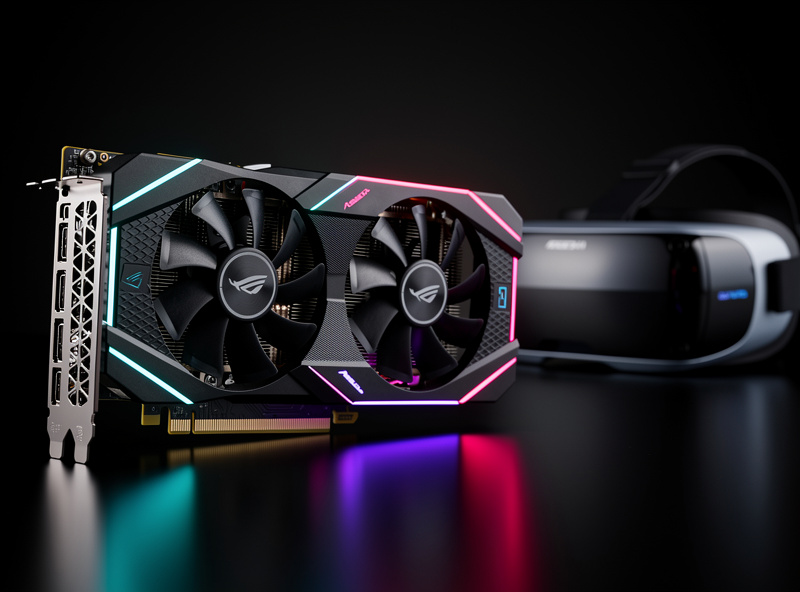
The resolution × frame-rate formula hits harder in VR than on monitors. The Quest 3 at 2064×2208 per eye renders roughly 9.2 million pixels total at 120 Hz — that is more pixels per second than a single 4K monitor at 120 Hz. The Reverb G2 at 2160×2160 per eye pushes 9.3 million pixels. Both demand the GPU to hold frame times under 8.3ms for 120 Hz or 11.1ms for 90 Hz, with no pacing variance. I keep an overlay running during VR sessions specifically to check frame times — if the graph spikes above the refresh window even briefly, I reduce shadow detail or mirror draw distance before touching resolution scale.
Reprojection is the fallback when the GPU cannot hold the native refresh rate. Meta’s ASW generates intermediate frames from the previous two rendered frames, maintaining perceived smoothness at roughly half the GPU load. It works well enough for offline practice sessions but introduces visual artefacts during rapid head movement and high-speed cornering — you see a kind of ghosting at the edges of the car body and track barriers. For competitive sim racing, I turn reprojection off and reduce graphics settings until the GPU delivers native frames every cycle. If you are building a sim PC around VR, the sim racing audio guide covers bass shaker integration that pairs well with a VR headset for full immersion.
Motion Sickness: Prevention and Recovery
A meaningful share of new VR users hit some motion sickness in their first sim-racing sessions — the mismatch between visual motion and physical stillness is something the brain has to unlearn, and the exact rate varies too much by person and setup to put a clean number on it. On my rig, most people I have put in the seat for their first VR lap have felt at least some of it. The adaptation curve is real and the protocol for getting through it is straightforward: most drivers adapt fully within 2-4 weeks of regular short sessions.
The adaptation protocol I recommend is the same one I use when I come back to VR after a long monitor-only stretch. Start with 10-15 minute sessions in a slow car on a flat track — the MX-5 in iRacing at Lime Rock Park is ideal. Stop the moment nausea creeps in; pushing through extends the adaptation timeline, not shortens it. Add 5 minutes every 2-3 days. Most drivers hit comfortable 60-90 minute sessions within two weeks. A small desk fan blowing air across your face provides a physical reference point that helps the brain reconcile the visual motion — it is a simple fix that works better than most people expect.
Frame-rate drops are the single biggest driver of persistent motion sickness. A sim running at 72 fps on a 90 Hz headset produces a juddering image that triggers nausea even in adapted users. Hold 90+ fps at all costs — reduce shadows, lower mirror quality, drop the render scale, turn reprojection on as a last resort — but do not let the frame rate sag below the headset’s native refresh. If you consistently feel sick after 20 or more minutes despite having adapted, your GPU is almost certainly underspec for the graphics settings you are running. Drop the settings and check frame times with an overlay before assuming VR is simply not for you — the hardware mismatch is usually the real problem.
VR Headset Comparison
| Headset | Resolution/Eye | Refresh | Lenses | Weight | Price | Best For |
|---|---|---|---|---|---|---|
| Meta Quest 3 | 2064×2208 | 120 Hz | Pancake | 515g | $599 | Best overall value |
| Meta Quest 3S | 1832×1920 | 120 Hz | Fresnel | 514g | $349 | Cheapest way in |
| HP Reverb G2 | 2160×2160 | 90 Hz | Fresnel | 550g | N/A — dead | Do not buy (WMR killed) |
| Bigscreen Beyond | 2560×2560 | 90 Hz | Pancake | 127g | $999 | OLED quality, weight |
| Valve Index | 1440×1600 | 144 Hz | Fresnel | 740g | $499 (discontinued) | Refresh rate, shrinking supply |
| Pimax Crystal Light | 2880×2880 | up to 120 Hz | Aspheric | 815g | $899 | Maximum resolution |
Frequently Asked Questions
Is VR worth it for sim racing?
Yes, if you prioritize immersion and depth perception. VR provides true 3D vision that makes braking and cornering more intuitive than any monitor. Most sim racers who try VR for a full adaptation period of 2-4 weeks do not return to flat screens for their primary racing.
What is the best VR headset for sim racing in 2026?
The Meta Quest 3 at $599 offers the best balance of resolution, lens quality, price, and ecosystem support. It runs at 2064×2208 per eye at 120Hz with pancake lenses that eliminate god rays. The Quest 3S at $349 is the budget entry point if you want to try VR first. Use the Link cable for competitive racing to minimize latency.
Can you get motion sick from sim racing in VR?
A meaningful share of new VR users feel some nausea in the first sessions; the exact rate varies too much by person to put a clean number on it. Start with 10-15 minute sessions in a slow car, stop when nauseous, and increase gradually. Most sim racers adapt within 2-4 weeks. A desk fan pointed at your face helps reduce nausea.
What GPU do you need for VR sim racing?
An RTX 4070 Ti is a realistic floor for iRacing VR at medium-high settings, and ACC is hungrier still due to higher visual complexity. Both the Quest 3 and comparable headsets render roughly 9 million total pixels at 90-120 Hz, making VR more demanding than a single 4K monitor.
Should you buy an HP Reverb G2 for sim racing in 2026?
No. Microsoft has removed Windows Mixed Reality from Windows 11, and the Reverb G2 depends entirely on WMR to function — a used G2 has no working path forward on a current Windows install. Buy a Quest 3 or Quest 3S instead.