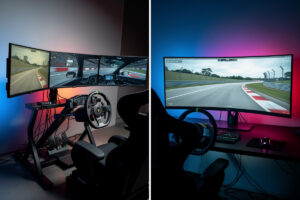
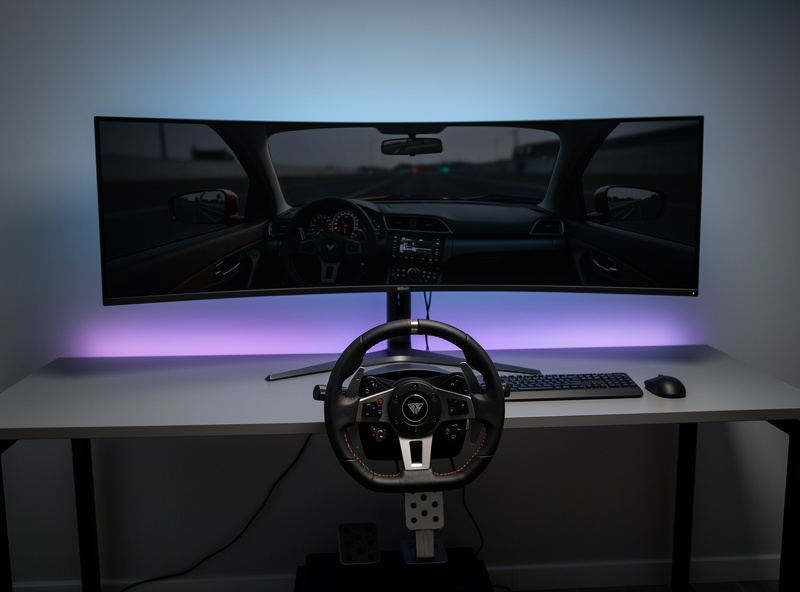
I’ve bolted both onto the rig I welded — triple 27-inch 1440p monitors wrapped 60 degrees around the cockpit, and a 49-inch super-ultrawide sitting dead center on a single arm. Triples deliver 150-180° of horizontal field of view with unmatched side-by-side awareness; the ultrawide hits 120-130° with five-minute setup and zero bezels to tune out. Which one makes you faster depends on what you race and how much setup complexity you’re willing to live with — but the practical differences run deeper than a FOV number on a calculator.
This comparison matters because the two approaches solve the same fundamental problem — the single-monitor FOV ceiling — through opposite philosophies. Triples extend coverage by adding physical screens at angles, which means more pixels to push, more cables to manage, and more things to go out of alignment. An ultrawide extends coverage with a single wider panel and a curve, trading peripheral reach for mechanical simplicity. I’ve run both configurations on my rig for months at a time, and the tradeoffs aren’t theoretical.
Field of View: What You Actually Lose on an Ultrawide
At a 60-degree angle on my triple stand with 27-inch panels, the horizontal FOV sits around 170° — enough to see a car at my 3 o’clock or 9 o’clock with a peripheral glance. The 49-inch ultrawide at a 24-inch viewing distance caps around 125°. That 45-degree gap represents the difference between seeing a car alongside you through a corner entry and needing to trust a spotter call. In iRacing oval pack racing at tracks like Talladega, that gap is decisive — you either see the car at your door or you don’t.
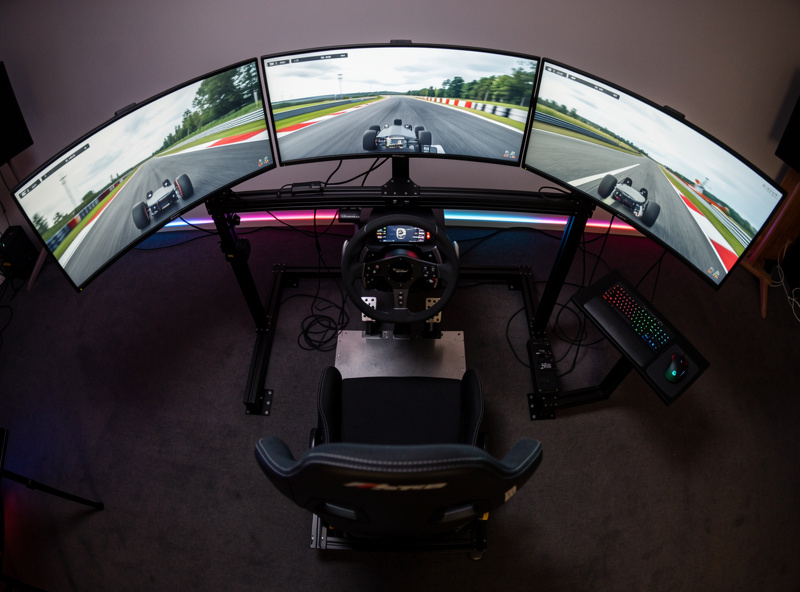
For road and GT racing in ACC, the gap matters less. Most overtaking happens in the forward 120° arc — braking zones, apex approaches, corner exits. The ultrawide covers this arc completely, and side-by-side cornering in GT cars — where you might occupy the same piece of track for two or three seconds — is manageable with a glance at the mirror or a CrewChief callout. On the rig I welded, I run ACC on the ultrawide more often than the triples because the simplicity wins for the kind of racing I do most.
Where triples earn their place on my rig is when I’m learning a new car-track combination and need to verify the FOV calculator output against what I actually see. The wider arc lets me place the car more precisely relative to the track edge during corner exits. That advantage is subtle — 3-4 tenths on a 90-second lap — but it’s the kind of thing that separates consistent laps from fast one-offs. The FOV calculator math gets you close, but triples let you verify the peripheral reference points the calculator assumes.
What Each Setup Costs on My Rig
I priced both paths against the rig I actually built. Three Acer Nitro XV272U V3 monitors — 27-inch, 1440p, IPS, 180Hz — cost $200 apiece here. Add a triple monitor stand at $150 and the whole triple package lands at $750. A 49-inch super-ultrawide with 1440p vertical resolution starts at $600 for a VA panel (AOC AG493UCX2) and climbs to $1,100 for the Samsung Odyssey OLED G9 with the image quality that actually justifies the format.
The hidden costs tilt toward the ultrawide faster than the sticker prices suggest. On the rig I welded, triples occupy 1.7 meters of width — the monitor arms extend past the cockpit frame and eat desk space on both sides. The ultrawide sits on a single arm at 1.2 meters wide and leaves room for a button box and telemetry tablet on either side. Triples also demand a stronger GPU — triple 1440p pushes 11 million pixels versus 7.4 million for the ultrawide, which translates to roughly $200-400 more in the graphics card you need to keep frames above 100 in ACC with a full grid.
Time cost matters on the rig I built too. The ultrawide took five minutes: mount it, one DisplayPort cable, set resolution, launch ACC. The triple setup took 45 minutes of bezel alignment alone, plus another 20 configuring NVIDIA Surround across three identical panels that still showed a visible color mismatch between them. If you value your time, the ultrawide path saves an hour at setup and 15-30 minutes of troubleshooting per year when driver updates reset Surround or a monitor gets bumped during rig maintenance.
GPU Load: The Real Limiter
Across the bases I’ve bolted on and the sims I run daily, the GPU is what decides whether your display setup actually works or becomes a stuttering compromise. Triple 1440p at high settings in ACC with a 30-car grid and weather demands an RTX 4070 Ti minimum to hold 100 fps. The same sim on the ultrawide runs at 100+ fps on an RTX 4070 — a $250 price gap in the graphics card alone. At maximum ACC settings with rain, even the RTX 4070 Ti dips to 80-90 fps on triples, while the ultrawide holds steady above 100 on the 4070.
VRAM is the silent limiter that catches new builders off guard. Triple 1440p in ACC with high textures pushes 10-12 GB of VRAM consumption. The ultrawide at 5120×1440 uses 7-9 GB under the same conditions. Cards with 8 GB of VRAM — including the RTX 4060 Ti many budget builders eye — are viable for ultrawides but hit a wall on triples in texture-heavy sims. Minimum VRAM for triples: 12 GB. Minimum for ultrawide: 8 GB, with 12 GB recommended for headroom in future titles. I learned this lesson when I tried running ACC on triple 1440p with an 8 GB card — the texture streaming hitches in heavy scenes were immediate and unfixable.
The broader PC build matters here too. Triples push more pixels, which means more frame buffer pressure, which means the rest of the PC — CPU single-thread performance, RAM speed, PCIe bandwidth — gets stressed harder. The ultrawide is more forgiving of a midrange build. On my rig, which runs a wired connection straight to the OPNsense router (the same wired link that keeps my sim PC off Wi-Fi), I’ve found that the GPU gap is the single biggest deciding factor — and it pushes the budget-conscious build toward the ultrawide every time.
Image Quality: The Ultrawide’s Strongest Argument
The ultrawide’s single panel delivers perfectly uniform color, brightness, and response across the entire screen. On the triples I run, even with three identical monitors, I can see the color shift at the panel boundaries — factory calibration varies unit to unit in white point and gamma, which creates a visible seam when displaying the same sky or track surface across bezel gaps. Hardware calibration with a colorimeter can shrink the mismatch to near-invisible, but I’ve never bothered because the difference fades from conscious awareness after 15 minutes of racing.
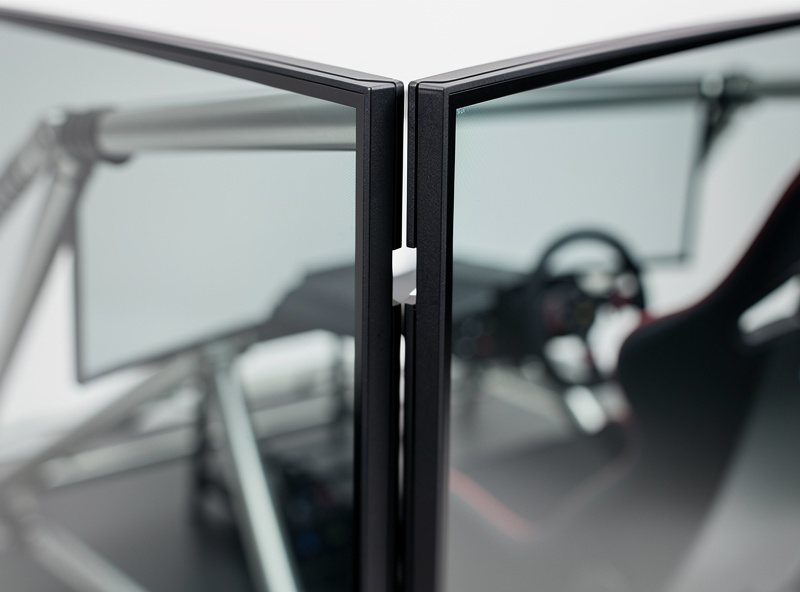
The bezel discussion is the most overblown part of the triple-vs-ultrawide debate. Modern 6mm bezels create 12mm gaps between screens — visible, yes, but your brain filters them out the same way you don’t notice your nose in your peripheral vision. When I’m in a race and focused on a braking point, the bezels effectively disappear. The Samsung Odyssey OLED G9 on the other side of my test bench eliminates the question entirely — OLED per-pixel lighting, 1800R curve for consistent viewing distance, and the kind of image quality that makes you forget triples exist until you need to check your 9 o’clock.
Setup Complexity: The Part Reviewers Skip
I’ve assembled both configurations on the rig I welded, and the setup delta is real. The ultrawide is a single display that every sim recognizes at its native resolution — plug it in, launch iRacing, and the sim populates the correct resolution in the graphics menu automatically. Triples require NVIDIA Surround or AMD Eyefinity to stitch three panels into one logical display, followed by per-sim FOV adjustment, bezel compensation, and the inevitable troubleshooting when a driver update resets your Surround configuration to a weird resolution that stretches the cockpit across all three screens like taffy.
The ongoing maintenance difference is what pushes me toward recommending the ultrawide for most builders. Every few months, a Windows update or NVIDIA driver revision resets Surround and requires 15 minutes of reconfiguration. The triple stand needs occasional re-tightening — the vibration from a direct-drive wheelbase at 12 Nm of torque works bolts loose over time, and the angle brackets I 3D-printed for my wheel-side mounts taught me exactly how much torque a printed bracket can absorb before it creeps. The ultrawide has none of these failure modes — it’s a single arm holding a single panel, and it stays where you put it.
If you’re building a rig from scratch, the ultrawide path saves 1-2 hours of initial configuration and eliminates the recurring maintenance entirely. The full display comparison guide covers where VR fits into this equation too — a third path that avoids the bezel and setup problems entirely at the cost of a different set of tradeoffs.
Head-to-Head Comparison
| Factor | Triple 27″ 1440p | 49″ Super-Ultrawide | Winner |
|---|---|---|---|
| Horizontal FOV | 150-180° | 120-130° | Triples |
| Total Cost (Screens + Stand) | $750-1,450 | $600-1,200 | Ultrawide |
| Minimum GPU | RTX 4070 Ti (12 GB VRAM) | RTX 4070 (8 GB VRAM) | Ultrawide |
| Setup Time | 30-90 minutes | 5 minutes | Ultrawide |
| Image Uniformity | Good after calibration | Perfect out of box | Ultrawide |
| Side-by-Side Visibility | Full peripheral | Forward arc only | Triples |
| Oval Racing Fit | Ideal | Adequate | Triples |
| GT/Formula Fit | Excellent | Excellent | Tie |
| Rig Space Required | 1.5-2 meters wide | 1.2 meters wide | Ultrawide |
| Recurring Maintenance | Occasional re-alignment | None | Ultrawide |
Who Should Run Triples
Run triples if oval racing is your primary discipline — the side-by-side awareness at 170° FOV is not something a mirror or spotter can replicate, and the difference between knowing a car is there and seeing exactly where it is determines whether you survive a pack-racing corner. Run triples if you already own one solid 27-inch 1440p monitor and want to build outward incrementally — the upgrade from one to three is the most cost-effective path in sim racing displays, and the incremental build mirrors the way I assembled my rig: start with what you have, add rigidity where it’s weakest, and keep racing while you build.
Triples also make sense if the rig itself is part of the hobby for you. Wrapping three screens around the cockpit at the correct angle, dialing in the bezel compensation, and verifying the FOV calculator output against what you actually see is satisfying in the same way that welding the frame and printing the brackets was satisfying — the rig becomes something you engineered rather than something you assembled.
Who Should Run an Ultrawide
Run an ultrawide if you race primarily GT3, formula, or rally — the forward vision arc these disciplines demand is fully covered by the 120-130° FOV, and the simplicity means you spend more time racing and less time in graphics configuration menus. Run an ultrawide if desk space matters — the 1.2-meter footprint leaves room for the monitor itself plus a telemetry tablet and button box, while triples consume the full width of a standard desk.
Ultrawides are the correct call for builders who use their rig as a daily workstation too. A 49-inch 32:9 monitor is functionally two 27-inch 1440p screens fused into one seamless panel — browser on one side, telemetry or setup sheet on the other, no neck strain from angled side screens. The triple setup I run makes a terrible workstation; the side monitors sit at angles that cause neck strain within 30 minutes of desktop use, and the bezels interrupt any window that spans screens. The ultrawide solves this — it’s one display for racing and a legitimate productivity panel for everything else.
Frequently Asked Questions
Is triple monitor or ultrawide better for sim racing?
Triples deliver 150-180° FOV versus 120-130° on ultrawides, making them better for oval racing where side-by-side awareness is survival. Ultrawides win on simplicity, image consistency, and GPU headroom — one cable, five-minute setup, and a single GPU tier lower in cost. For GT and formula racing where forward vision dominates, the ultrawide is the smarter choice for most builders.
Is a 49-inch ultrawide enough for sim racing?
Yes, for GT and formula racing. A 49-inch 32:9 ultrawide at 120-130° FOV covers the full forward vision arc — braking zones, apex approaches, corner exits. For oval pack racing where you need to see cars directly alongside, triples at 160+° FOV provide noticeably better peripheral coverage that a spotter cannot fully replace.
Do I need a more powerful GPU for triples?
Yes. Triple 1440p pushes 11 million pixels versus 7.4 million on a 49-inch ultrawide. An RTX 4070 Ti is the minimum for triples at 100+ fps; an RTX 4070 handles ultrawides. The GPU cost difference is approximately $200-400. Triples also require 12 GB VRAM minimum versus 8 GB for ultrawide — cards with 8 GB hit texture-streaming limits on triples immediately.
Do bezels on triple monitors actually bother you?
Modern 6mm bezels create 12mm gaps that are visible for the first few hours. After a week of regular racing, your brain filters them out — similar to how you stop noticing your nose in peripheral vision. While racing and focused on a braking point, the bezels effectively disappear. The real annoyance is setup, not the bezels themselves.
Can I upgrade from ultrawide to triples later?
Yes, but it requires a triple monitor stand ($100-250), two additional monitors, and likely a GPU upgrade. The ultrawide can be sold secondhand or repurposed as a workstation display. Budget $800-1,200 for the full upgrade path including monitors and stand, not counting the GPU if your current card is already underpowered for triple 1440p.
What about VR instead of triples or ultrawide?
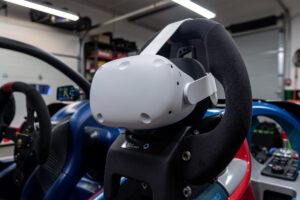
VR headsets like the Quest 3 deliver full 360° immersion with zero bezel and zero setup complexity for FOV — but at the cost of lower pixel density, potential motion discomfort in long sessions, and the inability to see your physical button box or wheel rim. For short sprint races VR is competitive; for endurance stints and mixed desktop use, a physical display is more practical.
Further Reading
- Sim Racing Monitor and VR Guide: Every Display Option Compared
- Best Sim Racing Monitors 2026: Top Picks for Every Budget
- Sim Racing FOV Calculator Guide
- Best GPU for Sim Racing 2026
- Powering a Triple-Monitor Sim Rig: PSU Selection and Battery Backup
- Sim Racing Rig Build Guide: Build a Rigid Cockpit