I’ve run every display option on my own welded rig — single, triple, ultrawide, and VR — and choosing the right display is the second most impactful upgrade after your wheel — a proper monitor or VR headset, combined with correctly configured force feedback, changes how early you pick up braking references and how naturally you place the car. This guide covers every display option for sim racing: single monitors, triple setups, ultrawides, and VR headsets, with specific recommendations for every budget level from $200 to $3,000.
Your display determines your effective field of view (FOV), which directly affects how accurately you judge distances, speeds, and apex positions on track. A 27-inch single monitor at 60° FOV forces you to rely on mirrors and spotter tools, while a triple 32-inch setup at 180° FOV lets you see cars alongside you naturally — the same peripheral vision real drivers have. The gap between these setups is not just visual comfort; it is measurable pace.
Why Your Display Setup Matters More Than You Think
A wider field of view lets you spot apexes earlier, judge braking distances more accurately, and react to cars alongside without relying on mirrors. Sim racers switching from a single 27-inch monitor to a triple setup almost universally find pace within the first week, purely from improved spatial awareness — not new skill, just finally seeing what they used to guess at.
In real racing, drivers process peripheral visual cues — just as important as choosing the right wheel, your display determines how naturally you can read the track at nearly 180° horizontal. A single monitor covers roughly 50-60° of that arc, leaving you blind to everything outside a narrow cone ahead. Triples expand coverage to 150-180°, and VR fills the entire sphere. The closer your display gets to natural human vision, the more instinctively you drive — you brake at the right point because you see the corner entry, not because you memorized a braking marker.
Running triples on my own rig, I noticed the apex precision differences within two sessions — it is not subtle. This matters even in time trials. When you can see the apex through the side screen instead of inferring it from memory, your placement tightens corner after corner, and those small line errors are exactly the kind that compound over a lap. On my telemetry the gain showed up as consistency first — lap-to-lap variance shrinking — and outright pace second.
Single Monitor Setups: The Starting Point
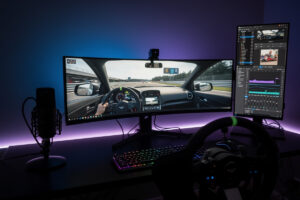
A single 27-32 inch monitor running at 1440p and 144Hz delivers a sharp, responsive image that suits most sim racers starting out. The effective field of view on a single screen ranges from 45° to 65° depending on screen size and seating distance, which is workable for GT and formula racing but limits awareness in close-quarters oval and touring car racing.
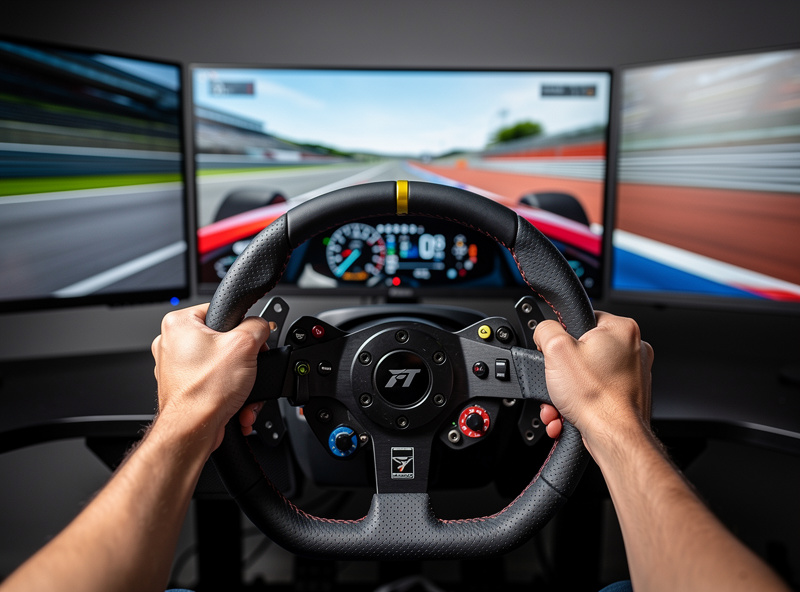
The key specifications that matter for sim racing on a single monitor are panel type, refresh rate, and response time. IPS panels offer better color accuracy and viewing angles than VA or TN panels, which matters when your eyes scan across the screen during cornering. A 144Hz refresh rate is the practical minimum — sim racing demands smooth motion to judge car rotation and slip angle, and 60Hz introduces visible judder that breaks immersion and hurts consistency.
Refresh rate matters more than resolution for sim racing. A 1440p monitor at 60Hz looks sharp on a static screenshot but falls apart in motion — cars rotating through a hairpin smear into a blur that hides slip angle cues. The jump from 60Hz to 144Hz on a single screen feels like a different sim entirely: the wheel inputs and on-screen response finally sync up, and oversteer becomes feel-able rather than react-able. For budget racers, a 1080p 144Hz panel at $150 beats a 4K 60Hz panel at $250 every time.
Response time under 5ms eliminates ghosting in fast corner sequences. Budget monitors often advertise 1ms response times on TN panels, but those sacrifice color depth and contrast. The sweet spot for most sim racers is a 27-inch 1440p IPS panel at 165-180Hz with 1-4ms response — monitors like the LG 27GP850 or Dell S2722DGM consistently rank as top choices in the $250-350 range.
One alternative worth considering before committing to a monitor is a projector — our monitor vs projector comparison weighs the tradeoffs. Seating distance also affects perceived FOV. Sitting 60 cm from a 27-inch screen gives you roughly 52° horizontal FOV, while pushing to 50 cm increases it to about 62°. Mounting your monitor as close to your wheel base as possible — using a monitor arm or dedicated stand — maximizes the effective viewing angle without buying a bigger screen.
Triple Monitor Setups: The Competitive Standard
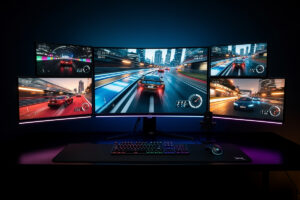
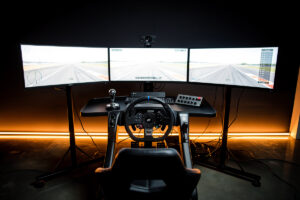
Triple 27-inch or 32-inch monitors at 150-180° FOV replicate the peripheral vision of a real cockpit, letting you see apexes, adjacent cars, and corner exits without turning your head. A triple 27-inch 1440p setup costs $800-1,200 in screens alone but delivers the most immersive and competitive non-VR display configuration available.
The physics are straightforward: three 27-inch screens angled at 45-60° to the center display create a wraparound field that matches human peripheral vision. You see the apex of a right-hander through the left screen before you even turn the wheel. In oval racing, you spot cars pulling alongside on your quarter panel — something impossible on a single monitor without a spotter callout.
Hardware requirements scale with resolution. Three 1080p screens push about 6.2 million pixels — roughly three-quarters of a single 4K display’s load. Three 1440p screens push 11 million pixels, requiring an RTX 4070 Ti or better to maintain 100+ fps in modern sims like iRacing and Assetto Corsa Competizione. Budget-conscious racers can start with three 1080p 27-inch panels ($500-600 total) — see our complete budget starter kit guide for the full breakdown and upgrade individual screens later.
On my welded rig, I ran triple 32-inch monitors for a full iRacing season — the side-by-side awareness alone saved me from a half-dozen 4x incident points. Setup complexity is the main drawback. You need a triple monitor stand ($100-250), correct angle calibration, and bezel compensation in your sim software. Getting the monitors physically mounted and aligned is half the battle — our monitor mounting guide for triples, ultrawide and FOV covers stand selection, angle calibration, and alignment step by step. Most sims support triples natively through NVIDIA Surround or AMD Eyefinity, but the bezel alignment process takes 30-60 minutes to get perfect. Once dialed in, the experience is transformative — ask anyone who has raced a full season on triples whether they would go back to a single screen and you already know the answer.
Ultrawide and Super-Ultrawide Monitors
A 34-inch ultrawide at 21:9 aspect ratio delivers roughly 90-100° FOV — a significant upgrade over single 16:9 monitors without the complexity of a triple setup. Super-ultrawide 49-inch monitors like the Samsung Odyssey G9 push to 120-130° FOV on a single curved screen, approaching triple-monitor immersion with simpler installation and fewer GPU demands.
Ultrawides solve the biggest complaint about triples: the setup hassle. One screen, one cable, one display configuration. The Samsung Odyssey OLED G9 (49-inch, 5120×1440, 240Hz) is the current gold standard for sim racing ultrawides — its 1800R curve wraps around your peripheral vision, the OLED panel delivers instant pixel response, and the 32:9 aspect ratio eliminates the need for bezel correction entirely.
The tradeoff is FOV ceiling. Even a 49-inch super-ultrawide maxes out around 130° horizontal FOV, while triples reach 170-180°. For competitive oval and touring car racing where you need to see cars directly alongside — pair with spatial audio and bass shakers for maximum awareness, triples still have the edge. For GT, formula, and rally racing — where most action happens in the forward 120° — a super-ultrawide delivers 90% of the benefit at 60% of the complexity.
Curvature matters on ultrawides because you sit close to the screen. A flat 49-inch monitor at a 60 cm seating distance creates noticeable edge distortion — cars at the far edges of the screen appear stretched and distant, which throws off peripheral speed judgment. A 1000R or 1800R curve wraps the display around your natural field of view, keeping pixel density uniform from center to edge. On my rig, the 1800R curve of the Odyssey G9 is the minimum I’d recommend for a 49-inch display; anything flatter and you are better off with triples.
Pricing has dropped significantly since the first 49-inch G9 generation launched in 2020. The OLED G9 now regularly sells in the $900-1,200 range on sale. Budget alternatives like the AOC AG493UCX2 ($600-700) use VA panels with slower response times but still deliver an excellent sim racing experience at half the cost of a triple 1440p setup.
VR Headsets for Sim Racing
VR provides unlimited field of view and true depth perception — you can judge distances to apexes and braking boards with the same accuracy as sitting in a real car. The Meta Quest 3 ($599 for the 512GB model after Meta’s 2026 price adjustment) is the default sim racing headset, with the Quest 3S ($349) covering the entry point — both run 90-120Hz refresh rates with resolution sharp enough to read dashboard instruments at arm’s length.
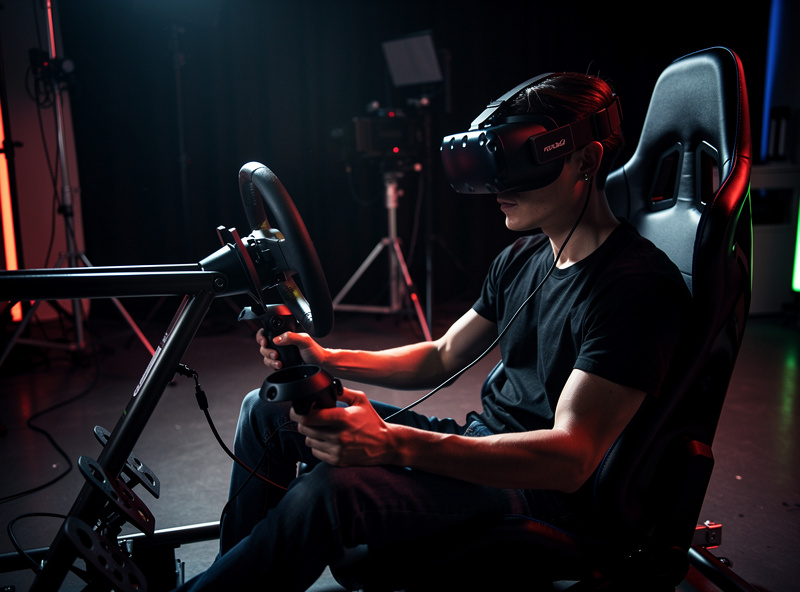
The depth perception advantage of VR is difficult to overstate. On a monitor, you estimate the distance to a braking board based on its size on screen — a learned skill that takes weeks to develop. In VR, your brain processes the actual 3D distance instinctively. Sim racers switching to VR consistently report that braking becomes more consistent, particularly in low-visibility conditions like rain or dusk where screen-based depth cues are weakest.
When I run VR on my rig, I reach for it during evening sessions where immersion matters more than outright lap time — the depth perception transforms braking consistency in a way no monitor can match. However, VR has real drawbacks. Motion sickness hits a meaningful share of new users in the first weeks, though most adapt with regular short sessions. Headset weight (500-700g) causes neck fatigue during sessions longer than 60-90 minutes. And the visual fidelity gap vs monitors remains: even the Quest 3 at 2064×2208 per eye looks noticeably softer than a 1440p monitor 60 cm from your face.
The Meta Quest 3 is the current recommendation for most sim racers entering VR. Its pancake lenses eliminate the god-ray artifacts that plagued earlier headsets, the standalone capability means you can use it without a PC for other VR content, and even at $599 it undercuts every competitor with comparable specs. The main limitation is the LCD panel’s contrast ratio — dark scenes in night racing look washed out compared to OLED alternatives like the Bigscreen Beyond ($1,000).
One warning for used-market shoppers: skip the HP Reverb G2 and every other Windows Mixed Reality headset, no matter how sharp the panels or how tempting the price. Microsoft removed WMR platform support in Windows 11 24H2 back in October 2024, which turned those headsets into paperweights on a current OS. The Valve Index has been discontinued too. If you buy used, stick to headsets with native SteamVR or Quest Link support — our best VR headset for sim racing comparison covers which current headsets are actually worth the money.
Choosing the Right GPU for Your Display
Your GPU must maintain your target frame rate at your display’s native resolution — dropping below 90 fps in VR causes motion sickness, and below 100 fps on monitors introduces visible stutter that breaks immersion. An RTX 4070 handles single 1440p and VR at medium-high settings; an RTX 4070 Ti is the minimum for triple 1440p; and an RTX 4080 or 4090 is needed for triple 1440p at maximum settings in ACC or iRacing with high particle counts.
GPU selection follows a simple formula: total pixel count × target frame rate × graphics quality preset. A single 1440p monitor pushes 3.7 million pixels — an RTX 4070 renders that at 144+ fps in most sims at high settings. Triple 1440p pushes 11 million pixels — nearly 3× the load — requiring the RTX 4070 Ti or RTX 4080 to maintain 100+ fps. VR adds another constraint — if you are new to sim racing software, check our software and setup tools guide first — the headset’s native resolution must be rendered at 90-120 Hz with minimal frame drops, or the reprojection artifacts cause nausea.
Target FPS varies by sim. iRacing runs efficiently and hits 120+ fps on modest hardware even at triple 1440p with medium settings. Assetto Corsa Competizione is the heaviest common sim racing title — with a full GT3 grid at Spa in wet conditions, even an RTX 4080 dips below 80 fps at triple 1440p with high settings. If ACC is your main sim, budget the GPU one tier above what the raw pixel math suggests; the Unreal Engine overhead and weather particle effects hit frame pacing harder than iRacing’s DX11 renderer ever will.
AMD alternatives compete at every price point. The RX 7800 XT matches the RTX 4070 in rasterization performance for $50-100 less, making it the best value for single-monitor setups. The RX 7900 XTX trades blows with the RTX 4080 at $200 less, though NVIDIA’s DLSS 3 frame generation gives the 4080 a significant edge in VR where consistent frame pacing matters more than raw averages. One buying note for 2026: the RTX 50-series has since arrived above these cards, so treat the model numbers in this section as performance tiers rather than shopping SKUs — a 5070-class card slots in where I describe the 4070 Ti, and our GPU guide keeps the current-generation recommendations up to date.
On my own rig, I moved from an 8 GB card to a 12 GB one after ACC started frame-dropping on dense tracks — the telemetry overlay showed GPU memory allocation capping out. VRAM is the silent killer in sim racing GPU selection. ACC with high texture settings consumes 8-10 GB of VRAM at 1440p and 10-12 GB in VR. Cards with 8 GB VRAM — including the RTX 4060 Ti and RX 7600 — hit texture pop-in and stutter in ACC’s dense street circuits. Minimum VRAM for sim racing in 2026: 12 GB. Recommended: 16 GB for triple setups and VR.
FOV Setup: Getting It Right From Day One
Correct FOV settings transform your sim racing experience — an accurately calculated FOV makes distances feel real, braking points intuitive, and corner entry speeds predictable. Using the wrong FOV is like driving with a funhouse mirror: everything appears closer or farther than it actually is, forcing you to compensate with guesswork instead of instinct.
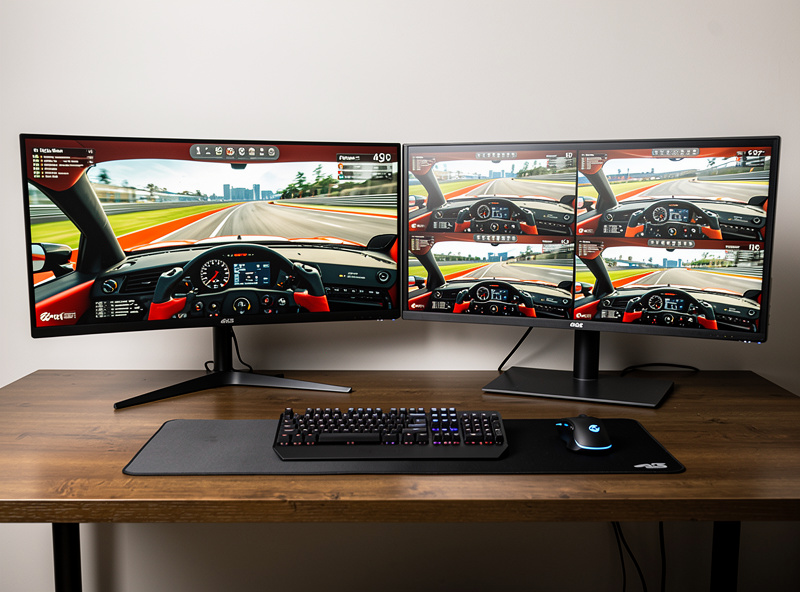
The formula is straightforward: FOV = 2 × arctan(screen width ÷ (2 × viewing distance)). For a single 27-inch monitor at 60 cm distance, this gives roughly 52° horizontal FOV. Most sims include a built-in FOV calculator — you input your screen size and distance, and the software sets the correct value automatically. The mistake most beginners make is cranking FOV higher to “see more,” which distorts depth perception and makes every corner feel tighter than it actually is.
For triple monitors, the calculation accounts for screen angle and bezel width. Most triple setups use 45-60° screen angles with 1-2 mm bezels, yielding 150-180° total FOV. Each sim handles triples slightly differently: iRacing uses a dedicated triple projection mode, ACC requires NVIDIA Surround or a custom ultrawide resolution, and Assetto Corsa relies on Content Manager’s triple screen plugin for correct geometry.
VR handles FOV automatically because the headset tracks your head position and renders the correct perspective for every frame. The tradeoff is that VR FOV is limited by the headset’s optics — most headsets deliver 90-110° horizontal FOV per eye, with peripheral vision cut off by the lens housing. This is still wider than a single monitor but narrower than triples, which is why some competitive racers prefer triple monitors over VR for oval racing where side-by-side awareness is critical.
Which Display Fits Your Racing Discipline
Your racing discipline should influence your display choice as much as your budget. Different types of racing lean on different parts of your field of view, and matching the display to the discipline eliminates the immersion-versus-pace tradeoff entirely.
For GT3 and formula racing, a super-ultrawide or triple setup provides the ideal balance. Most overtaking in these disciplines happens under braking or on corner exit — the forward 120° arc where super-ultrawides excel. Formula cars with halo devices or narrow cockpit visibility already limit side awareness, so the extra 40° from triples over an ultrawide rarely translates to better race results. On my rig, I found that a 49-inch super-ultrawide and a triple setup produced lap times within 0.2 seconds of each other in ACC — the ultrawide won on ease of setup every time.
For oval and stock-car racing, triple monitors are the clear winner and the competitive standard for good reason. Pack racing at Daytona or Talladega requires seeing cars on your quarter panel — a 130° super-ultrawide leaves a blind spot, while triples at 170° let you spot a car pulling alongside without a spotter callout. The same applies to touring-car and TCR racing where side-by-side contact is frequent and reactive mirror checks are too slow.
For rally and drifting, VR holds a unique advantage. Rally stages demand constant head movement to scan upcoming turns, and VR’s head-tracking and true depth perception make reading elevation changes and off-camber corners instinctive. Drifting requires looking out the side window mid-slide — even triples cannot replicate the natural head rotation VR provides. Motion sickness is the limiting factor here — the first month of VR rally can be rough, but most drivers adapt within 2-4 weeks of regular sessions.
For endurance racing and long practice sessions, physical comfort overrides raw immersion. VR’s 60-90 minute comfort ceiling rules it out for 3-6 hour stints. Between triples and an ultrawide, the ultrawide wins on simplicity — fewer cables, fewer points of failure, and lower GPU load mean fewer distractions over a long session. I run a super-ultrawide for endurance events and triples for sprint races, and the setup-specific muscle memory transfers between them within a session or two.
Panel Technology: OLED, IPS, and VA on Track
Panel type gets buried under resolution and refresh rate in most monitor marketing, but on a sim rig it decides how much of your refresh rate you actually get to use. Response time is the reason: a panel that takes too long to transition between colors smears the very motion cues — car rotation, kerb detail sliding past, the wall of an oval closing in — that a high refresh rate exists to deliver.
OLED is the panel technology sim racing has been waiting for. Per-pixel emission means near-instant response with no smearing at any refresh rate, and true blacks transform night racing — headlight beams at Spa in the dark actually look like beams instead of grey cones on a backlit slab. The caveat is static-element burn-in risk: a sim HUD parks the same telemetry widgets, virtual mirrors, and standings tower in the same screen positions for hours at a time, which is exactly the usage pattern OLED likes least. Modern panels ship with aggressive mitigation (pixel shifting, logo dimming, refresh cycles), and I would still buy OLED for a sim-first display today — but I let the panel run its maintenance cycles and I don’t leave a paused session baking overnight.
IPS remains the safe default. Response times on a good 1440p IPS panel at 165-180Hz are fast enough that ghosting stops being a topic, color and viewing angles stay consistent across a triple array — which matters, because your side monitors are viewed at a steep angle by design — and there is no burn-in conversation at all. If you are building triples, matching three mid-range IPS panels beats mixing anything fancier.
VA buys contrast at the price of dark-transition smearing. On paper the contrast ratio looks like a budget OLED; in a dark braking zone, dark-grey-to-black transitions lag and shadow detail smears exactly where you are trying to read the track surface. Curved VA super-ultrawides are still a legitimate value pick — the AOC panel I mentioned above races far better than its price suggests — but between an IPS and VA panel at the same money for a racing-first display, I take the IPS.
Head Tracking: The Middle Path Between Monitor and VR
There is a third option between a fixed monitor and full VR that rarely gets mentioned in display guides: head tracking. A small sensor or webcam watches your head position and rotates the in-sim camera as you move — glance toward the apex and the view leans into the corner; lean left and you peek alongside the car ahead. TrackIR is the long-standing commercial option, and the free opentrack software does the same job with a webcam or a phone strapped into a cheap IR clip setup.
What head tracking fixes is the single monitor’s biggest weakness — the fixed forward cone — without VR’s weight, sweat, and visual softness. You keep your monitor’s sharpness and unlimited session comfort, and you gain a usable version of the look-to-apex instinct that triples and VR provide natively. The movement mapping is amplified: a few degrees of real head rotation translates to a large camera swing, and it takes a session or two before your brain stops noticing the mismatch and starts steering the view unconsciously.
I ran webcam-based head tracking on my rig for a stretch between display upgrades, and my honest verdict is that it is the best value-per-dollar awareness upgrade a single-monitor racer can make — and the first thing I dropped once triples were mounted. With the full width physically in front of you, moving your eyes beats moving the camera. But if you are racing on one screen and triples are a season away, a webcam and free software give you most of the situational awareness you are missing for close to nothing, and it works in every major sim — iRacing, ACC, and Assetto Corsa all support camera control through it.
Budget Decision Flow: Which Display Should You Actually Buy First
If you are building a sim rig from scratch or upgrading one piece at a time, the decision flow runs: monitor arm or triple stand first (you cannot position screens correctly without it), then a single 1440p 144+ Hz monitor if budget is tight, or triple 27-inch screens if you have the GPU to drive them. Skip the 4K 60Hz televisions and cheap projectors entirely — input lag and low refresh rate undo all the precision your wheel and pedals provide. An ultrawide sits between single and triple at roughly 60% of the triple price and 90% of the functional awareness for GT and formula racing, making it the value sweet spot for most drivers I talk to at the sim-racing build stage.
Display Comparison at a Glance
| Feature | Single 27″ Monitor | Triple 27″ Monitors | 49″ Super-Ultrawide | VR (Quest 3) |
|---|---|---|---|---|
| Horizontal FOV | 50-60° | 150-180° | 120-130° | 90-110° per eye |
| Resolution | 2560×1440 | 7680×1440 | 5120×1440 | 2064×2208 per eye |
| Refresh Rate | 144-180 Hz | 144-180 Hz | 120-240 Hz | 90-120 Hz |
| Total Cost (Screens) | $250-400 | $800-1,200 | $600-1,200 | $349-599 |
| GPU Required | RTX 4060 Ti+ | RTX 4070 Ti+ | RTX 4070+ | RTX 4070+ |
| Setup Complexity | Low | High | Medium | Medium |
| Depth Perception | Simulated | Simulated | Simulated | True 3D |
| Best For | Budget / casual | Competitive / immersion | Convenience / GT racing | Maximum immersion |
| Side-by-Side Awareness | Poor | Excellent | Good | Moderate |
| Session Length Comfort | Unlimited | Unlimited | Unlimited | 60-90 min max |
Related Guides
Ready to dive deeper into a specific display type? These dedicated guides cover everything from GPU pairing to FOV calibration:
- Best Sim Racing Monitors 2026: Top Picks for Every Budget — our tested recommendations across every price tier
- Triple Monitor vs Ultrawide for Sim Racing — a head-to-head comparison of the two most popular multi-screen approaches
- Sim Racing VR Setup Guide: Headsets, Settings, and Comfort — headset selection, setup, and motion sickness prevention
- Sim Racing FOV Calculator Guide — how to calculate and set correct FOV for any display configuration
- Best GPU for Sim Racing 2026 — matching your graphics card to your display resolution and target frame rate
Frequently Asked Questions
What is the best display setup for sim racing?
Triple 27-inch 1440p monitors deliver the best balance of immersion and competitive awareness at 150-180° FOV. Budget around $800-1,200 for screens plus a $100-250 triple stand. An RTX 4070 Ti or better GPU is required to maintain 100+ fps across three 1440p displays.
Is VR better than monitors for sim racing?
VR provides true depth perception and unlimited field of view, making braking more intuitive. However, monitors offer sharper visuals, unlimited session comfort, and better side-by-side awareness in oval racing. Most competitive sim racers use triples for competition and VR for immersion.
What GPU do I need for triple 1440p monitors in sim racing?
An RTX 4070 Ti is the minimum for triple 1440p at 100+ fps in iRacing and ACC at high settings. For maximum settings with weather effects, an RTX 4080 or RX 7900 XTX is recommended. Budget 12 GB VRAM minimum for texture-heavy sims like ACC.
How much does a triple monitor sim racing setup cost?
A complete triple 27-inch 1080p setup costs $600-800 (screens + stand). Triple 1440p costs $900-1,400. Adding a GPU upgrade to handle the resolution (RTX 4070 Ti, $600) brings the total to $1,500-2,000 for a full triple 1440p system.
Can you use a TV for sim racing?
Yes, but response time and input lag are critical. Gaming TVs like the LG C3 OLED (42-inch, 120Hz, 5ms input lag) work well for casual sim racing. Avoid standard TVs with 20ms+ input lag — the delayed steering response makes precise car control difficult.
What FOV should I use in sim racing?
Use the FOV calculator built into your sim. For a single 27-inch monitor at 60 cm distance, correct FOV is approximately 52°. For triple 27-inch monitors at 45° angle, it is approximately 165°. Never increase FOV beyond the calculated value to see more — it distorts depth perception.
Is a 49-inch ultrawide enough for sim racing?
A 49-inch super-ultrawide at 32:9 delivers 120-130° horizontal FOV, which is sufficient for GT and formula racing. The Samsung Odyssey OLED G9 is the top choice at $1,000-1,200. For oval racing requiring direct side awareness, triple monitors still provide wider coverage.