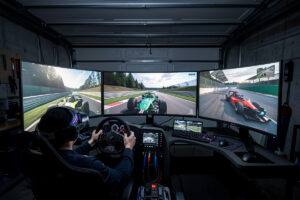
I stream sim racing off the same PC that drives my triple-monitor rig — the welded-steel frame bolted to the floor, the direct-drive base collecting FFB data off USB, the pedal box wired through its load-cell amplifier, and the wired ethernet feed from the OPNsense segment that handles latency-sensitive traffic. A machine that already holds 150 fps in iRacing at 1440p handles 1080p60 streaming via NVENC with a 3-5 fps penalty that I pick up on the telemetry trace but can’t feel through the wheel rim. The minimum streaming gear beyond what you already bolt to your rig: a USB microphone ($50-100) and a webcam ($50-80).
The sim racing streaming niche is small but unusually sticky. Where a general gaming streamer might hold viewers for 15-30 minutes, sim racing audiences regularly watch 45-90 minutes — they’re studying lines, setups, and racecraft, not just killing time. That depth makes discoverability harder but loyalty higher once you find your crowd. The build-up takes time, but the audience that arrives stays.
Hardware Requirements
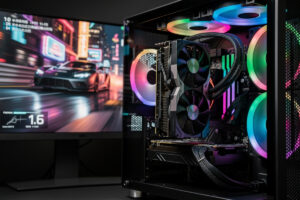
The machine bolted to the frame of my rig runs an RTX 5070-class card, which handles both the sim render and NVENC encoding without the frame-time spikes I see on x264 CPU encoding. NVENC offloads the encode to a dedicated silicon block — the overhead is 1-3% CPU and a 2-5 fps delta that I measure on the telemetry overlay but can’t detect through the wheel. If you’re building fresh or upgrading, the sim racing PC build guide covers what actually pushes frames, but for streaming specifically: any RTX 20-series or newer NVIDIA card gives you NVENC, and an RTX 5070-class card is the sweet spot where you stop thinking about the encoder entirely — its ninth-gen encoder block is a real step up from the previous-gen RTX 4070’s.
On this card running iRacing at 1440p I log 150 fps offline and 145 fps with the encode pushing 1080p60 — that 5-fps gap falls within the fluctuation the sim already produces from physics load. ACC is hungrier; the same card sees a 5-10 fps shift at high settings, which is noticeable if you’re already on the edge of your frame budget. An RTX 5060 Ti works but leaves less cushion, and once you’re in a high-field multiclass race with 30+ cars in view, the encode competes with the sim for GPU time. One tier above comfortable is the rule I follow.
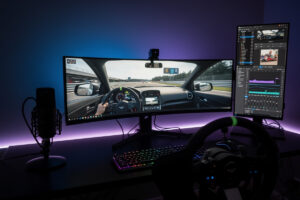
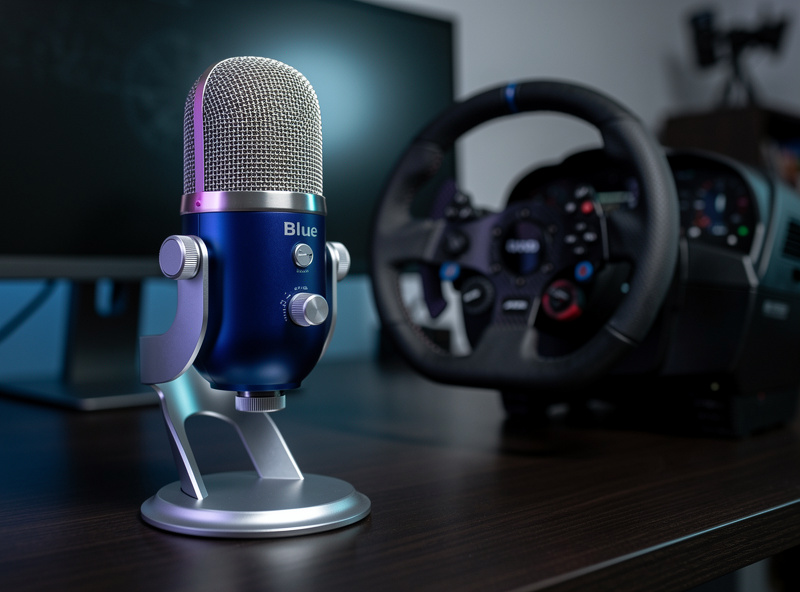
The microphone matters more than the camera for sim racing. A Blue Yeti or Audio-Technica AT2020USB+ — both around $100 — gives a cardioid pickup pattern that rejects the wheel-rim creak, the pedal-plate thump, and the button-box click that a headset mic pours straight into the stream. I run mine on a boom arm clamped to the side of the welded frame, positioned just below my chin so the pickup lobe faces my mouth and the null points at the wheelbase. For the full audio chain beyond the mic, the sim racing audio guide covers the rest.
A webcam is optional but the data is unambiguous: streamers with face cams pull 30-50% more concurrent viewers than voice-only. The Logitech C920 ($70) is the industry standard at 1080p30. I angle mine above the center monitor looking slightly down; even a cheap USB ring light ($20) mounted behind the wheelbase rim fixes the grain that an un-lit webcam produces. What the viewer needs is a readable face during close racing — the lighting just needs to get it there.
The network piece is where most streaming setups fall apart. My sim PC sits on the same wired segment that the OPNsense isolates for latency-sensitive traffic — Wi-Fi introduces 5-50 ms of variable latency that shows up as packet bursts and dropped frames on the stream output, not just the sim netcode. For the full breakdown of wired vs wireless, ISP selection, and QoS for racing, the internet setup guide has the numbers I reference.
A second monitor is the unsung streaming upgrade. I run a basic 24-inch 1080p panel ($120) to the left of the triple display, carrying OBS stats, chat, and stream preview while the sim occupies the primary screens. You’re reading text and managing widgets, not rendering frames — anything with a readable panel works. An Elgato Stream Deck Mini ($60) is a nice-to-have for scene switching without alt-tabbing out of the sim, but I mapped OBS hotkeys to the button box on my wheel instead, which costs nothing and keeps my hands on the rim.
OBS Studio Setup for Sim Racing
OBS Studio is what I run and what roughly 90% of sim racing streamers run — it’s lighter on CPU and RAM than Streamlabs Desktop, and the browser-source integration for SimHub overlays is cleaner. For encoding: NVIDIA NVENC H.264, rate control CBR, 6,000 kbps bitrate — the Twitch ceiling for every account tier, Affiliate or Partner — Quality preset, High profile, 2-second keyframe interval. That configuration produces a clean 1080p60 stream at an overhead I can’t measure on the direct-drive base — the FFB feel stays identical to offline driving. YouTube has no bitrate cap, so I push 12,000-15,000 kbps there at the same 1080p60 or 1440p60 if the upload pipe allows.
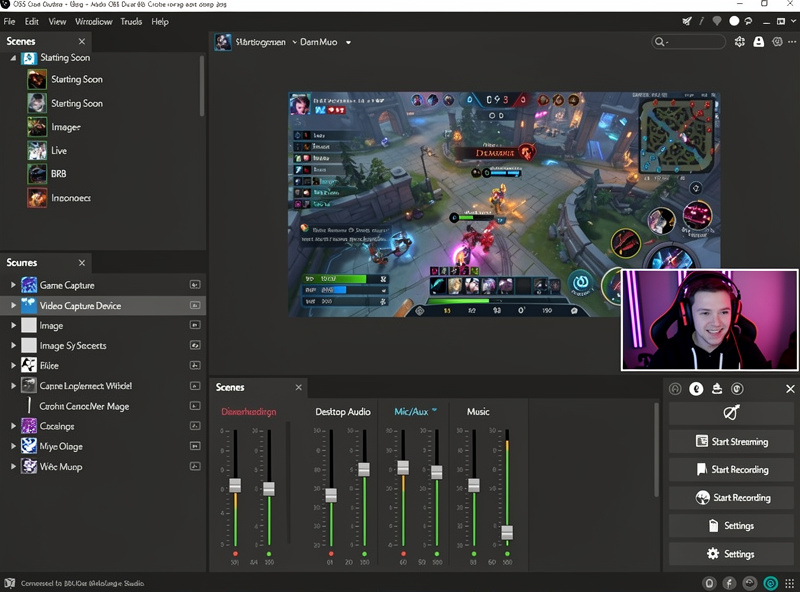
A basic OBS scene for sim racing: Game Capture (the sim in fullscreen), Video Capture Device (the webcam), and Audio Input Capture (the USB mic). I position the webcam at 320×180 pixels in a 1920×1080 canvas, bottom-right corner — the standard layout that sim viewers recognize instantly. The sim canvas occupies the full frame; the face cam sits small enough that it doesn’t obscure the mirror or the dash readout.
The upgrade that separates a pro-looking stream from a bare capture is a telemetry overlay. SimHub reads UDP or shared-memory data from the sim and renders it as a browser-source overlay inside OBS — throttle and brake traces, steering angle, lap delta, track position, standings. I run Racelab for road racing and JRT for multiclass, both pulling from the same SimHub feed. For the deep dive on reading and displaying telemetry data, the telemetry guide covers the full toolset from MoTeC to live overlays.
Audio routing separates a polished stream from a muddy one faster than any other adjustment. I run my USB mic through a noise gate and compressor filter inside OBS so background rig noise — wheelbase hum, pedal-plate thud, cooling fan whir — stays below the threshold. Discord chat audio routes through a separate virtual audio cable so it stays out of the stream unless I want it in. What the viewer hears is the sim engine and my commentary without random voice chat bleed-through.
Building a Sim Racing Audience
Sim racing audiences grow on three axes: consistency, personality, and niche. Streaming the same time 3-5 days a week builds habitual viewership — people schedule around your slot the way they schedule a league race. A recognizable approach, whether it’s the car class you specialize in, the way you talk through a lap, or how you handle chat, gives viewers a reason to come back beyond the sim itself. Picking a niche angle like ACC only, vintage car series, or teaching racecraft lap by lap pulls viewers who are specifically searching for that content.
Twitch and YouTube serve opposite functions. Twitch is the live community engine — real-time chat, subscriber interactions, the energy of a race unfolding with an audience reacting alongside you. YouTube is the long-term library: track guides, car reviews, setup walkthroughs, and race highlights that accumulate views over months and years by answering search queries. Almost every sim racing content creator who sustains it long-term runs both platforms. Twitch is where the community gathers; YouTube is where new viewers discover you.
Community interaction drives growth more than any algorithm trick. During the first 6-12 months, respond to every chat message — the viewer who types “what brake bias are you running?” gets an answer, and that exchange keeps them watching. Host and raid other sim racing streamers after your session ends; the reciprocity is genuine in a niche this small. Participate in Discord communities, run open-practice lobbies with viewers, and mention your schedule during league races. In sim racing, the discoverability path runs through community membership, not through the Twitch front page.
The rig itself is part of the content. The welded-steel frame my cockpit sits on gets more chat questions than any overlay I’ve ever run — viewers in this niche care about hardware, and showing yours, explaining why you chose a specific wheelbase torque tier or pedal set, builds the technical authority that keeps them watching. That same rig builder’s eye carries over to streaming — the camera mount I run is a 3D-printed bracket and the USB chain is cable-managed the same way the sim rig’s loom is.
Streaming Sim Racing Tips
Commentary is the variable that separates growing streams from dead ones. Narrate your driving decisions: why you brake at that marker, how you’re managing tire temperature through a stint, what the mirror shows and what you’re doing about it. Viewers who race casually or are learning treat commentary as free coaching, and the ones who race competitively stay for the strategy discussion. Silent streams bleed viewers in 5-10 minutes because there’s nothing to latch onto beyond the visuals — and sim racing visuals alone don’t carry a stream.
Picture-in-picture replays create the highest-engagement moments. When an incident happens, switch to the replay camera with your face cam still visible in the corner — the viewer gets the incident from both the sim perspective and your live reaction. Those clips get shared on social media, posted to Discord, and pulled into highlight compilations. The genuine reaction to a dive-bomb or a near-miss overtake is the most shareable content a sim racing stream produces.
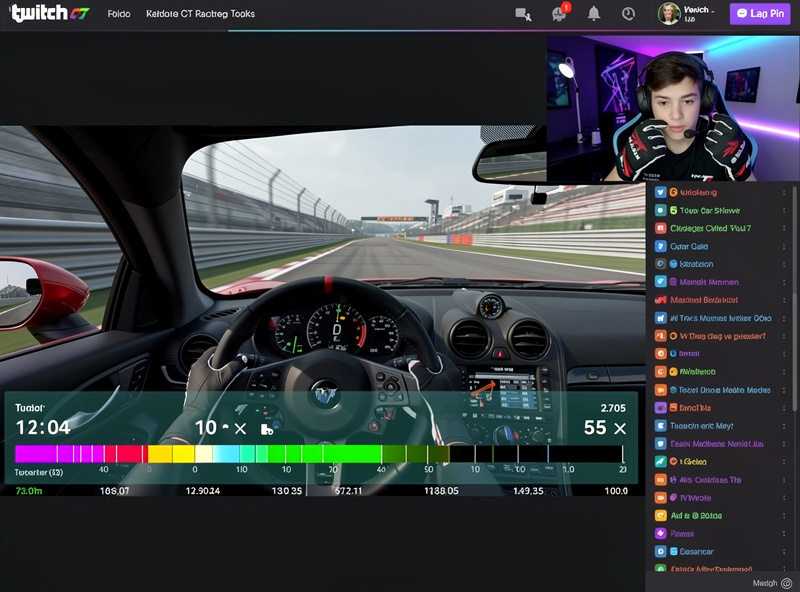
Overlays should stay minimal. A webcam, a recent-followers bar, and a lap-time readout are the full set. Every additional widget — chat window on screen, sponsor banners, alert animations, donation trackers — obscures the racing that viewers came to see. Sim racing is visual; the more of the screen you leave unobstructed, the more the driving communicates for you.
Stream quality checks before going live: 1080p60 at 6,000 kbps for Twitch, 1440p60 at 15,000 kbps for YouTube if the upload pipe allows. If your upload speed sits under 10 Mbps, drop to 720p60 — viewers prefer a smooth 720 over a stuttering 1080. I run a 15-minute test before every session: verify zero dropped frames in the OBS status bar, confirm audio sync with a clap test, and check that the encoding load warning stays clear. Fix the problems before the first viewer arrives.
Monetization Paths
Sim racing streamers earn through Twitch subscriptions and bits, YouTube ad revenue, hardware sponsorships, and affiliate commissions on sim gear. The income scales with audience size, but the way sim racing economics work is different from a general gaming channel — the audience is smaller but more dedicated, and gear sponsorships are more accessible because sim hardware companies actively seek content creators who demonstrate their products in real race conditions.
Twitch Affiliate unlocks at 50 followers and 3 average viewers, opening subscriptions and bits. Twitch Partner requires 75 average viewers and brings higher revenue share plus priority encoding. Most sim racing streamers who stream consistently reach Affiliate within 2-3 months. YouTube revenue compounds over time — a single well-optimized track guide can earn ad revenue for 2-5 years as new sim racers search for help with specific circuits and car setups. The long play is YouTube as the library that builds while you sleep.
Sponsorships from peripheral manufacturers are the largest revenue category for mid-tier streamers. Wheelbase makers, pedal companies, rig manufacturers, and sim software developers sponsor content creators with product samples, affiliate discount codes, and paid segments. The core dynamic is straightforward: the brands need people who can demonstrate the gear in real race conditions, and a streamer who produces consistent content with a loyal audience fills that role.
The financial reality is that sim racing streaming rarely becomes a full-time income on its own. Most streamers treat it as a hobby that partially offsets hardware costs — the revenue from subs and sponsorships can cover the next wheelbase upgrade or pedal set, which feeds back into better content. That feedback loop of incremental improvement is what sustains the long-term play over years.
Essential Streaming Gear
| Item | Recommended | Price | Priority |
|---|---|---|---|
| GPU (NVENC capable) | RTX 5070+ | $549 | Required |
| USB Microphone | Blue Yeti / AT2020USB+ | $100 | Required |
| Webcam | Logitech C920 | $70 | Recommended |
| Ring Light | 10-inch USB ring light | $20 | Optional |
| Stream Deck | Elgato Stream Deck Mini | $60 | Optional |
| Second Monitor | Any 24-inch 1080p | $120 | Recommended |
Frequently Asked Questions
What PC specs do I need to stream sim racing?
An RTX 5070 or newer GPU with NVENC encoding handles 1080p60 streaming while running your sim with only 3-5 fps impact. A 6-core CPU, 16 GB RAM, and 10+ Mbps upload speed are the minimum. Total additional cost beyond your sim racing PC: $100-200 for microphone and webcam.
Is OBS or Streamlabs better for sim racing?
OBS Studio is better. It uses less CPU and RAM than Streamlabs Desktop, offers more customization for sim racing overlays, and is the standard used by 90% of Twitch streamers. Streamlabs adds convenience features but at the cost of higher resource usage that can impact your frame rate.
How much can you earn streaming sim racing?
Income scales with audience size. Twitch subscriptions and bits, YouTube ad revenue, hardware sponsorships, and affiliate commissions are the four main revenue paths. Most sim racing streamers treat it as a hobby that offsets hardware costs, with full-time income achievable only at the top end of the audience range.
Do I need a webcam to stream sim racing?
Not required but strongly recommended. Streamers with webcams average 30-50% higher concurrent viewers because audiences connect with visible reactions during close racing moments. A Logitech C920 ($70) is the standard. Position it above your monitor with even face lighting.
What bitrate should I use for streaming sim racing?
6,000 kbps for Twitch at 1080p60 — this is the platform ceiling for every tier, Affiliate or Partner; Partner status brings guaranteed transcoding for viewers, not a higher bitrate. 12,000-15,000 kbps for YouTube at 1080p60 or 1440p60. Use NVENC hardware encoding on NVIDIA GPUs to minimize in-game performance impact. Test for dropped frames before going live.
Related Articles
- Sim Racing Esports: The Complete Competitive Guide
- Best GPU for Sim Racing 2026
- Sim Racing Audio: Bass Shakers, Headphones, and Spatial Sound
- Best Sim Racing Leagues and Series
- Best Internet Setup for Sim Racing