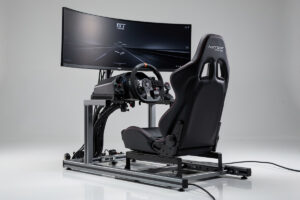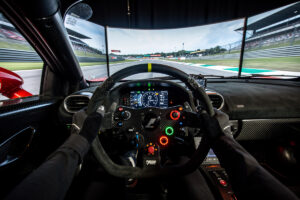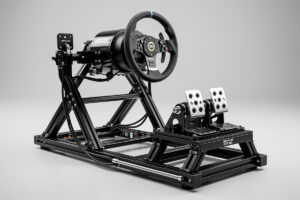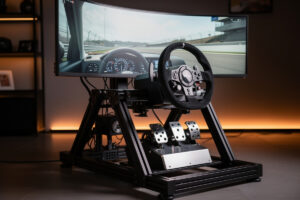
A sim racing setup is a combination of steering wheel, pedals, cockpit or mounting solution, and display that replicates real driving in racing simulation software. Entry-level setups start at $300 with a Logitech G923 on a desk, while professional rigs with direct drive wheels and load cell pedals can exceed $5,000. The right setup depends on your space, budget, and how seriously you plan to compete.
Whether you want casual weekend racing or competitive esports, every sim racing setup follows the same core structure. Understanding each component and how they interact prevents costly mistakes and ensures your money goes where it matters most. This guide covers every element you need, compares four budget tiers with specific product recommendations, and shows you exactly how to plan your upgrade path.
What Makes a Complete Sim Racing Setup
A complete sim racing setup requires four core components: a steering wheel with force feedback, a pedal set, a mounting solution for both, and a screen to see the game. Optional additions like shifters, handbrakes, bass shakers, and button boxes enhance immersion but are not required to start racing competitively.
The steering wheel connects to your PC or console via USB and translates the game physics into physical feedback you feel through your hands. Pedals sit on the floor and control acceleration, braking, and sometimes clutch. The cockpit or mounting solution holds everything at the correct ergonomic angle. Your display shows the virtual car from either a first-person dashboard view or a hood perspective.
Each component affects the others. A powerful direct drive wheel needs a rigid cockpit to absorb its torque without flexing. Load cell pedals need a mounting surface that won’t slide across the floor during hard braking. Your display distance affects your field of view calculation, which directly impacts spatial awareness on track. Planning these interactions before buying prevents the most common beginner mistake: purchasing incompatible gear.
For a deeper breakdown of the hobby itself, read our complete introduction to sim racing. If you want a structured framework for planning your purchases, our sim racing setup planning guide walks through space assessment, budget allocation, and upgrade sequencing.
Steering Wheel: Force Feedback Technology Compared
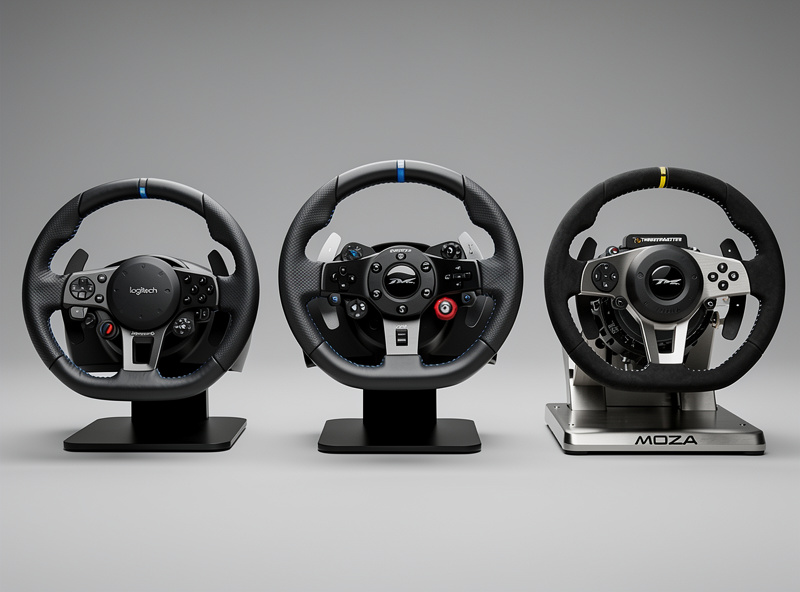
The steering wheel is your primary connection to the virtual car. Three force feedback technologies dominate the market, each offering different feedback quality and price points. Your choice here determines what cockpit solutions are viable and how much detail you receive about vehicle behavior.
Gear-driven wheels like the Logitech G923 ($250-$350) use physical gears between the motor and steering shaft. The feedback feels slightly notchy but perfectly acceptable for beginners learning car control. Gear systems cap out around 2.3 Nm of torque, enough to feel cornering loads but not enough to simulate realistic steering resistance. These wheels include pedals and mount to desks with built-in clamps.
Belt-driven wheels such as the Thrustmaster T300 ($350-$500) use reinforced rubber belts for smoother force transmission. The feedback feels more continuous and refined than gears, particularly during sustained cornering where belt elasticity smooths out motor cogging. Belt systems typically produce 3-5 Nm of torque. However, belts stretch over time and require eventual replacement.
Direct drive wheels attach the steering rim directly to a motor shaft with no mechanical intermediary. Entry-level direct drive from brands like Moza and Fanatec costs $400-$700 for the wheel base alone. Premium systems from Simucube and Asetek range from $1,000-$2,500. Direct drive produces 5-27 Nm of torque with zero lag or mechanical filtering. The feedback is immediate, detailed, and strong enough to genuinely resist your inputs during slides. Our direct drive vs belt drive comparison breaks down the real-world differences.
For most beginners, a belt-driven or entry-level direct drive wheel provides the best value. Gear-driven wheels work fine for casual use but leave little room to grow. Direct drive requires a rigid mounting solution that desk clamps cannot provide, so budget for a cockpit or wheel stand alongside your wheel purchase.
Pedals: The Upgrade That Actually Makes You Faster
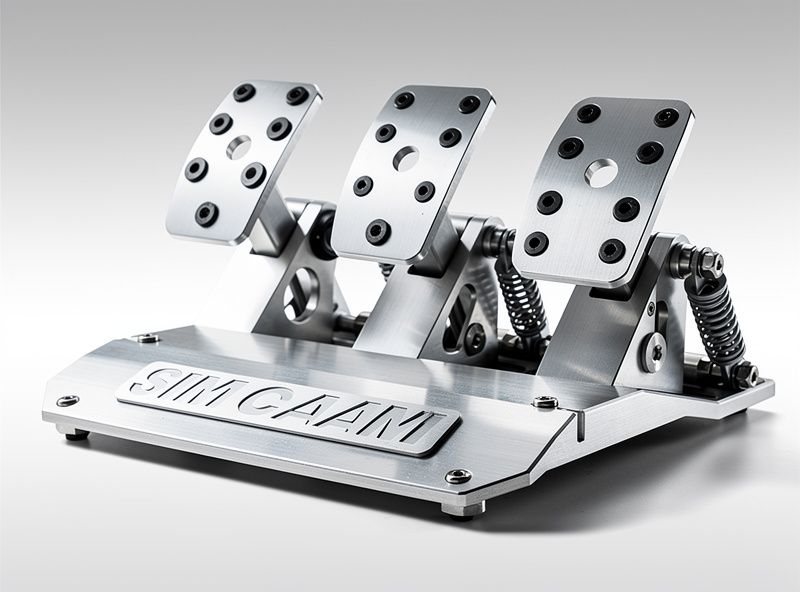
While sim racers obsess over wheel torque, pedals consistently produce larger lap time improvements. Your feet control deceleration into corners and acceleration out of them. Inconsistent braking costs more time than imprecise steering because threshold braking determines corner entry speed, which cascades through every subsequent section of track.
Entry-level pedals use potentiometers to measure how far you press. This creates inconsistency because humans struggle to remember exact pedal positions across laps. Your brain cannot reliably recall where sixty percent brake pressure feels, especially under race stress.
Load cell pedals measure applied pressure instead of position. Muscle memory handles pressure far more accurately, allowing consistent braking lap after lap. Load cell sets cost $200-$500 from Fanatec, Heusinkveld, and Simucube. This single upgrade typically cuts more lap time than doubling your wheel budget.
Hydraulic pedals replicate real car brake systems with fluid-dampened cylinders. These cost $800-$1,500 and offer marginal improvement over load cells for most drivers. Hydraulics make sense only after mastering load cell technique or for professional training applications.
Allocate forty percent of your total hardware budget to pedals regardless of wheel choice. A $300 load cell pedal set paired with a $200 wheel outperforms a $500 wheel with stock potentiometer pedals in the hands of most drivers.
Cockpit Solutions: Where to Mount Everything
How you mount your equipment determines feedback quality, comfort during long sessions, and physical safety. Desk mounting works temporarily but introduces flex that muddies force feedback detail and risks equipment damage during enthusiastic racing.
Wheel stands cost $100-$300 and fold against walls between sessions. Popular options from Next Level Racing and GT Omega support entry-level and mid-tier wheels effectively. Stands work well in shared spaces but allow some movement under heavy braking. Our cockpit and stand guide compares the best folding options.
Foldable cockpits like the Playseat Challenge ($200-$350) include an integrated seat and fold completely flat. These handle belt-driven wheels well but flex under direct drive torque. They suit casual racers with limited space.
Aluminum profile rigs use 80x40mm or 40x40mm extrusion to build infinitely adjustable, completely rigid frames. These handle any wheel torque and load cell pedal pressure without measurable flex. Pre-built options from Sim-Lab and Trak Racer cost $500-$1,500. DIY aluminum profile builds cost $300-$600 in materials. Our CNC vs bolt-together comparison helps choose between build methods.
Start with a wheel stand if budget-constrained, then upgrade to an aluminum profile rig when purchasing a direct drive wheel. The rig is the most permanent component in your setup and should be the last thing you ever need to replace.
Display Options: Monitor, Triple Screen, or VR
Your visual system determines immersion depth and competitive awareness. Each option presents specific trade-offs between cost, space requirements, and performance.
Single monitors provide the simplest entry point. A 27-inch 1440p display costs $200-$400 and delivers adequate immersion for beginners. Mount the screen as close as possible behind your wheel rim to maximize effective field of view. Our triple monitor rig guide covers PSU requirements for multi-display setups.
Ultrawide monitors (34-49 inches) offer more horizontal vision without the complexity of multiple screens. A 34-inch ultrawide costs $300-$600 and provides roughly 30 degrees more field of view than a standard 16:9 display. The 49-inch super ultrawide format ($800-$1,200) approaches triple-screen immersion in a single panel.
Triple monitors create wraparound vision spanning 150-180 degrees. Three 27-inch screens with mounting hardware cost $800-$2,000 total. Triple screens require a capable graphics card and careful bezel alignment. The spatial awareness improvement is significant for close racing and side-by-side overtaking.
Virtual reality headsets place you inside the car with natural depth perception and head tracking. Current options from Meta ($300-$500) and HP ($400-$600) deliver strong immersion. VR demands consistent 90fps performance and limits session length due to heat and eye strain. It suits immersion-focused drivers more than competitive racers.
Software: Which Racing Sim to Start With
Your choice of simulation software determines the physics model, multiplayer structure, and modding possibilities you experience. Each title targets different audiences and skill levels.
Free options like Assetto Corsa (often under $10 on sale) provide excellent physics with unlimited modding potential. RaceRoom Racing Experience offers free base content with paid expansions. These let you start racing immediately without additional software investment.
Premium simulators serve specific niches. iRacing ($13/month plus car and track purchases) dominates competitive online racing with structured matchmaking and official series. Assetto Corsa Competizione focuses exclusively on GT3 and GT4 racing with exceptional physics. Richard Burns Rally remains the gold standard for rally simulation despite its age.
Casual-friendly titles like Gran Turismo 7 and Forza Motorsport provide accessible racing with assists and progressive difficulty. These suit newcomers who want to enjoy racing without studying telemetry data or practicing for hours. Our sim racing software guide covers every major platform in detail.
Start with one simulator and learn it thoroughly before expanding. Each sim has different physics characteristics, and jumping between them prevents developing consistent car control. Assetto Corsa or iRacing offer the best long-term growth paths for serious competitors.
Setup Comparison: Four Budget Tiers
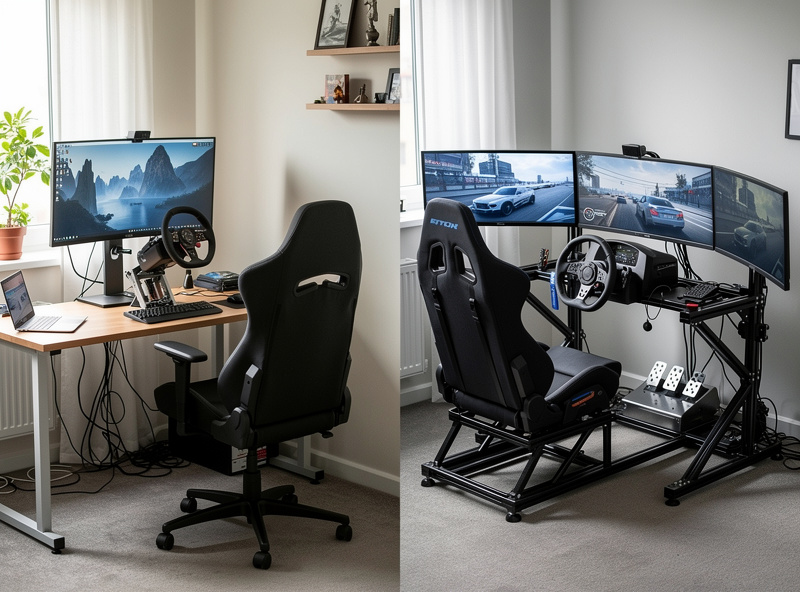
Understanding typical configurations at different price points helps plan purchases and set realistic expectations. Each tier below includes everything needed to start racing immediately.
| Component | Starter ($300-$500) | Mid-Range ($800-$1,500) | High-End ($2,000-$3,500) | Professional ($4,000+) |
|---|---|---|---|---|
| Wheel | Logitech G923 (gear, 2.3 Nm) | Moza R5 or Fanatec CSL DD (direct drive, 5 Nm) | Fanatec ClubSport DD (direct drive, 12 Nm) | Simucube 2 Pro or Asetek Invicta (direct drive, 17-27 Nm) |
| Pedals | Included with wheel (potentiometer) | Fanatec CSL Load Cell ($200) | Fanatec ClubSport V3 or Heusinkveld Sprint ($400-$700) | Heusinkveld Ultimate+ or Simucube ActivePedal ($900-$2,000) |
| Cockpit | Desk mount (included clamp) | Next Level Racing Wheel Stand 2.0 ($250) | Sim-Lab GT1 Pro ($600) + racing seat ($300) | Sim-Lab P1X Pro ($900) + premium seat ($500) |
| Display | Existing monitor or TV | 27-inch 1440p 144Hz ($300) | 34-inch ultrawide or triple 27-inch ($600-$1,200) | Triple 32-inch 165Hz or VR headset ($1,500-$2,500) |
| Accessories | None required | Optional shifter ($50-$100) | Shifter + handbrake ($150-$300) | Bass shakers, button box, wind sim ($300-$600) |
| Total | $300-$500 | $1,050-$1,650 | $2,350-$3,700 | $4,100-$7,100 |
Our budget setup under $500 guide details the starter tier with specific buying advice. The mid-range tier provides the biggest quality jump per dollar spent and suits anyone committed to regular racing. High-end setups reward experienced drivers who understand their preferences. Professional builds serve as training tools for real-world racing or content creation.
Additional Considerations: Audio, Shifters, and Immersion
Beyond core controls, several additions significantly enhance the experience. While not essential for beginners, understanding these options helps prioritize future spending.
Audio systems provide feedback about engine behavior, tire grip, and track surface. Quality headphones isolate external noise and deliver directional sound cues. Dedicated speakers fill the room for spectators. Bass shakers and tactile transducers convert audio into physical vibration through your seat, letting you feel engine revs and curb strikes.
Shifters and handbrakes add authenticity for rally, drifting, and historic racing. H-pattern shifters cost $50-$150 and simulate manual transmissions. Sequential shifters suit modern race cars and rally vehicles. Hydraulic handbrakes ($80-$200) are essential for drifting technique.
Ergonomic setup determines comfort during long sessions. Correct seat height, wheel distance, and pedal angle prevent fatigue and improve reaction time. Our driving space guide covers optimal positioning for different body types and cockpit configurations.
For performance-focused accessories, our skills and telemetry guide explains how software tools complement hardware to improve lap times. Force feedback configuration fine-tunes your wheel response for each car and track combination.
Common Mistakes to Avoid
First-time buyers consistently repeat several expensive errors. Avoiding these saves hundreds of dollars and months of frustration.
Overspending on the wheel while neglecting pedals. A $500 wheel with stock potentiometer pedals produces slower laps than a $200 wheel with $300 load cell pedals. Always prioritize pedal quality.
Buying incompatible components. Not every wheel works with every console. Not every pedal set connects to every wheel base. Verify compatibility before purchasing, especially across brands.
Skipping the cockpit. Desk mounting works for the first month but quickly becomes limiting. The flex degrades force feedback, the ergonomics cause back pain, and the instability makes precise inputs difficult. Budget for at least a wheel stand from day one.
Ignoring software configuration. Default settings rarely produce optimal force feedback or field of view. Spending thirty minutes calibrating your wheel, setting pedal curves, and calculating correct FOV transforms the experience more than any hardware upgrade.
Buying everything at once. Start with wheel, pedals, and a mounting solution. Race for two to three months before upgrading. Your experience will reveal what matters most to your driving style and which upgrades will actually improve your enjoyment.
Planning Your Upgrade Path
Building a sim racing setup is a multi-year journey, not a single purchase. Starting modestly and upgrading strategically spreads costs while letting you discover what matters most through actual driving experience.
Begin with a quality wheel and pedal set on your existing desk or table. Race for two to three months focusing on car control fundamentals like braking consistency, racing line awareness, and throttle application. This initial phase teaches you what frustrates you about your current setup, which directly informs your first upgrade.
Your first dedicated purchase should be a mounting solution. Even a $150 wheel stand eliminates desk flex and improves ergonomics dramatically. The stability improvement makes force feedback more interpretable and reduces fatigue during sessions exceeding thirty minutes.
Prioritize pedal upgrades next if you started with potentiometer pedals. A $200-$300 load cell set produces the largest per-dollar lap time improvement in sim racing. Practice threshold braking technique with load cells for several weeks before evaluating further upgrades.
Wheel upgrades make sense after pedals if you feel limited by force feedback detail or maximum torque. Entry-level direct drive ($400-$600) provides a massive step up from belt or gear systems. Ensure your cockpit can handle the torque before purchasing, as direct drive will shake a flimsy wheel stand violently.
Display and immersion upgrades like triple screens, VR headsets, bass shakers, and motion systems should come last. These improve enjoyment but contribute less to competitive performance than controls and mounting. Many professional esports racers still use single monitors with elite-tier pedals and wheels.
Related Articles
- What Is Sim Racing? A Complete Introduction
- Best Sim Racing Wheels 2026: Buyer’s Guide
- Best Sim Racing Pedals 2026: Load Cell, Hydraulic, and Budget
- Sim Racing Cockpit and Stand Guide
- Best Sim Racing Games 2026: Every Simulator Ranked
- Budget Sim Racing Setup Under $500
- Direct Drive vs Belt Drive Wheels
Frequently Asked Questions
How much does a sim racing setup cost?
A basic sim racing setup with a Logitech G923 wheel on a desk costs $300 to $500. Mid-range setups with direct drive wheels and load cell pedals run $1,000 to $1,500. Professional rigs with Simucube wheels, Heusinkveld pedals, and aluminum profile cockpits cost $4,000 or more.
What do I need for a sim racing setup?
You need four components: a force feedback steering wheel, a pedal set, a mounting solution (desk clamp, wheel stand, or cockpit), and a display. Optional additions include a shifter, handbrake, and bass shaker for enhanced immersion.
Is sim racing worth it for beginners?
Yes. A $300 Logitech G923 provides authentic racing simulation that teaches real car control concepts like trail braking, throttle modulation, and racing line optimization. Beginners typically improve significantly within their first month of regular practice.
Can I use a sim racing setup on console?
Yes, but verify compatibility before buying. Logitech and Thrustmaster wheels support PlayStation and Xbox. Fanatec offers console-specific wheel bases. Direct drive brands like Moza, Simucube, and Simagic are PC-only.
What is the best sim racing wheel for beginners?
The Logitech G923 ($300) is the most popular beginner wheel because it includes pedals, mounts to any desk, and works on PC, PlayStation, and Xbox. For beginners planning to compete seriously, the Moza R5 bundle ($400) offers direct drive quality at an entry-level price.
Do I need a cockpit for sim racing?
A cockpit is not required to start but becomes important once you use direct drive wheels or load cell pedals. Desk mounting introduces flex that degrades force feedback detail. Even a basic wheel stand ($150-$250) dramatically improves stability and ergonomics.
How much space do I need for a sim racing setup?
A desk-mounted wheel needs about 3 feet of desk width and 4 feet of depth including pedal space. A wheel stand requires 4 by 5 feet of floor space when deployed. Full aluminum profile cockpits need a dedicated 4 by 6 foot area.